

This chapter is taken from book "Programming Windows Phone 7" by Charles Petzold published by Microsoft press. http://www.charlespetzold.com/phone/index.html
Much of the core of an XNA program is dedicated to moving sprites around the screen. Sometimes these sprites move under user control; at other times they move on their own volition as if animated by some internal vital force. Instead of moving real sprites, you can instead move some text. The concepts and strategies involved in moving text around the screen are the same as those in moving sprites.
A particular text string seems to move around the screen when it's given a different position in the DrawString method during subsequent calls of the Draw method in Game.
The Naive Approach
For this first attempt at text movement, I want to try something simple. I'm just going to move the text up and down vertically so the movement is entirely in one dimension. All we have to worry about is increasing and decreasing the Y coordinate of textPosition.
If you want to play along, you can create a Visual Studio project named NaiveTextMovement and add the 14-point Segoe UI Mono font to the Content directory. The fields in the Game1 class are defined like so:
public
class Game1 :
Microsoft.Xna.Framework.Game
{
const float
SPEED = 240f; // pixels per second
const
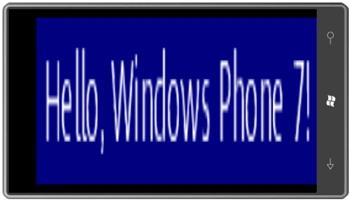
string TEXT = "Hello, Windows Phone 7!";
GraphicsDeviceManager graphics;
SpriteBatch spriteBatch;
SpriteFont segoe14;
Viewport viewport;
Vector2 textSize;
Vector2 textPosition;
bool isGoingUp =
false;
....
}
Nothing should be too startling here. I've defined both the SPEED and TEXT as constants. The SPEED is set at 240 pixels per second. The Boolean isGoingUp indicates whether the text is currently moving down the screen or up the screen.
The LoadContent method is very familiar and the viewport is saved as a field:
protected
override void
LoadContent()
{
spriteBatch = new
SpriteBatch(GraphicsDevice);
viewport = this.GraphicsDevice.Viewport;
segoe14 = this.Content.Load<SpriteFont>("Segoe14");
textSize = segoe14.MeasureString(TEXT);
textPosition = new
Vector2(viewport.X + (viewport.Width -
textSize.X) / 2, 0);
}
Notice that this
textPosition centers the text horizontally but
positions it at the top of the screen. As is usual with most XNA programs, all
the real calculational work occurs during the Update
method:
protected
override void
Update(GameTime gameTime)
{
if (GamePad.GetState(PlayerIndex.One).Buttons.Back
== ButtonState.Pressed)
this.Exit();
if (!isGoingUp)
{
textPosition.Y += SPEED * (float)gameTime.ElapsedGameTime.TotalSeconds;
if (textPosition.Y + textSize.Y
> viewport.Height)
{
float excess =
textPosition.Y + textSize.Y - viewport.Height;
textPosition.Y -= 2 * excess;
isGoingUp = true;
}
}
else
{
textPosition.Y -= SPEED * (float)gameTime.ElapsedGameTime.TotalSeconds;
if (textPosition.Y < 0)
{
float excess = -
textPosition.Y;
textPosition.Y += 2 * excess;
isGoingUp = false;
}
}
base.Update(gameTime);
}
The logic for moving up is (as I like to say) the same but completely
opposite. The actual Draw
override is simple:
protected
override void Draw(GameTime
gameTime)
{
GraphicsDevice.Clear(Color.Navy);
spriteBatch.Begin();
spriteBatch.DrawString(segoe14, TEXT, textPosition,
Color.White);
spriteBatch.End();
base.Draw(gameTime);
}
What's missing from the NaiveTextMovement program is any concept of direction that would allow escaping from horizontal or vertical movement. What we need are vectors.
A Brief Review of Vectors
A vector is a mathematical entity that encapsulates both a direction and a magnitude. Very often a vector is symbolized by a line with an arrow.
A vector has magnitude and dimension but no location., but like the point a
vector is represented by the number pair (x, y) except that it's
usually written in boldface like
(x, y)
to indicate a vector rather than a point. A
normalized vector represents just a direction without magnitude, but it can be
multiplied by a number to give it that length. If
vector has a
certain length and direction, then -vector
has the same length but the opposite direction.
I'll make use of this operation in the next program coming up.
Moving Sprites with Vectors
That little refresher course should provide enough knowledge to revamp the text-moving program to use vectors. This Visual Studio project is called VectorTextMovement. Here are the fields:
public
class Game1 :
Microsoft.Xna.Framework.Game
{
const float
SPEED = 240f; // pixels per second
const
string TEXT = "Hello, Windows Phone 7!";
GraphicsDeviceManager graphics;
SpriteBatch spriteBatch;
SpriteFont segoe14;
Vector2 midPoint;
Vector2 pathVector;
Vector2 pathDirection;
Vector2 textPosition;
....
}
The text will be moved between two points (called position1 and position2 in the LoadContent method), and the midPoint field will store the point midway between those two points. The pathVector field is the vector from position1 to position2, and pathDirection is pathVector normalized.
The LoadContent method calculates and initializes all these fields:
protected
override void
LoadContent()
{
spriteBatch = new
SpriteBatch(GraphicsDevice);
Viewport viewport =
this.GraphicsDevice.Viewport;
segoe14 = this.Content.Load<SpriteFont>("Segoe14");
Vector2 textSize =
segoe14.MeasureString(TEXT);
Vector2 position1 =
new Vector2(viewport.Width
- textSize.X, 0);
Vector2 position2 =
new Vector2(0,
viewport.Height - textSize.Y);
midPoint = Vector2.Lerp(position1,
position2, 0.5f);
pathVector = position2 - position1;
pathDirection = Vector2.Normalize(pathVector);
textPosition = position1;
}
Note that pathVector is the entire vector from position1 to position2 while pathDirection is the same vector normalized. The method concludes by initializing textPosition to position1. The use of these fields should become apparent in the Update method:
protected
override void
Update(GameTime gameTime)
{
if (GamePad.GetState(PlayerIndex.One).Buttons.Back
== ButtonState.Pressed)
this.Exit();
float pixelChange = SPEED * (float)gameTime.ElapsedGameTime.TotalSeconds;
textPosition += pixelChange * pathDirection;
if ((textPosition -
midPoint).LengthSquared() > (0.5f * pathVector).LengthSquared())
{
float excess = (textPosition -
midPoint).Length() - (0.5f * pathVector).Length();
pathDirection = -pathDirection;
textPosition += 2 * excess * pathDirection;
}
base.Update(gameTime);
}
Join the conversation! Your thoughts help the community grow.