

This JavaScript code is designed for Dynamics 365 CRM, specifically for the Date Time fields for Start and End Date Time. It runs when the Scheduled Start (scheduledstart) field changes and adjusts both the start and end date time to cover the entire day in UTC, ISO, and Central time.
- Login to D365
- Create a JavaScript web resource in D365
- Open an appointment entity form
- Registered an event on
- scheduledstart Onchange Event Trigger
- Apy.Field.onChange("scheduledstart", setStartAndEndDateTime);
This line registers the function Name setStartAndEndDateTime to execute whenever the Scheduled Start field (scheduledstart) changes.
Create a JavaScript web resource in D365
Registered an
setStartAndEndDateTime: function () {
    var globalContext = Xrm.Utility.getGlobalContext();
    var userId = globalContext.userSettings.userId.replace(/[{}]/g, "");
    var timeZoneCode = 0;

    Xrm.WebApi.online.retrieveMultipleRecords(
        "usersettings",
        "?$select=timezonecode&$filter=systemuserid eq " + userId
    )
        .then(function (result) {
            if (result.entities.length > 0) {
                timeZoneCode = result.entities[0].timezonecode;
                var startDate =
                    Apy.Field.getValue("scheduledstart") == null
                        ? new Date()
                        : new Date(Apy.Field.getValue("scheduledstart"));

                startDate = new Date(startDate);
                var startDateTime, endDateTime;
                var startDay, endDay;

                if (timeZoneCode == 190) {
                    startDateTime = Apy.Appointment.convertToUTC(
                        new Date(startDate.getFullYear(), startDate.getMonth(), startDate.getDate(), 0, 0, 0),
                        "Asia/Kolkata"
                    );
                    endDateTime = Apy.Appointment.convertToUTC(
                        new Date(startDate.getFullYear(), startDate.getMonth(), startDate.getDate(), 23, 59, 0),
                        "Asia/Kolkata"
                    );
                } else if (timeZoneCode === 92) {
                    var timeZoneOffset = startDate.getTimezoneOffset() * 60000;
                    startDay = new Date(startDate.getFullYear(), startDate.getMonth(), startDate.getDate(), 0, 0, 0);
                    endDay = new Date(startDate.getFullYear(), startDate.getMonth(), startDate.getDate(), 23, 59, 0);
                    startDateTime = new Date(startDay.getTime() - timeZoneOffset);
                    endDateTime = new Date(endDay.getTime() - timeZoneOffset);
                } else if (timeZoneCode == 20 || timeZoneCode == 35 || timeZoneCode == 33) {
                    startDateTime = new Date(
                        Date.UTC(startDate.getFullYear(), startDate.getMonth(), startDate.getDate(), 6, 0, 0)
                    );
                    endDateTime = new Date(
                        Date.UTC(startDate.getFullYear(), startDate.getMonth(), startDate.getDate(), 29, 59, 0)
                    );
                }

                Apy.Field.setValue("scheduledstart", startDateTime);
                Apy.Field.setValue("scheduledend", endDateTime);
            }
        })
        .catch(function (error) {
            Xrm.Utility.alertDialog(error);
        });
},

convertToUTC: function (date, timeZone) {
    return new Date(date.toLocaleString("en-US", { timeZone: timeZone }));
},
- Go to -> Personal Settings -> changed Time Zone.
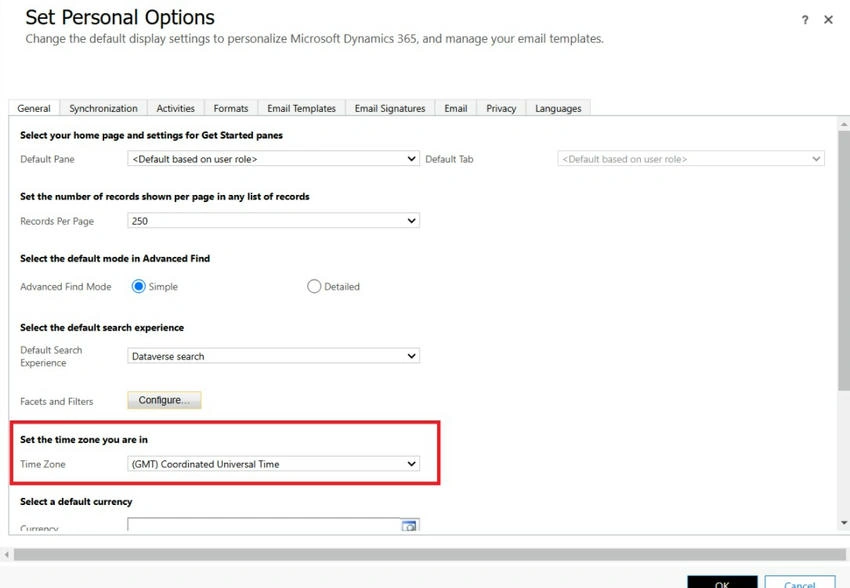
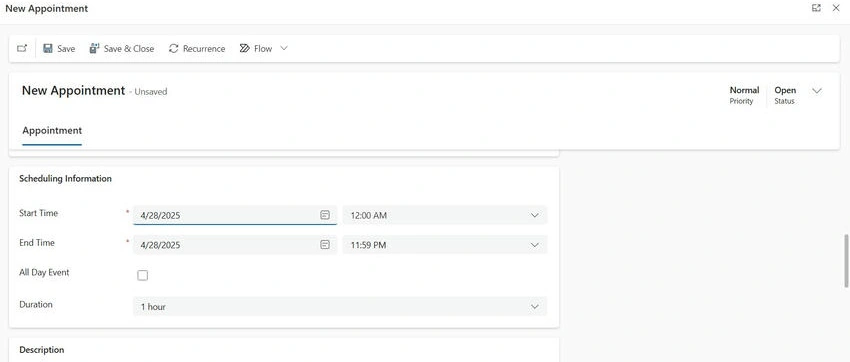
- Go to Appointment Entity, click on New, and fill all the required fields.
- Changed the Start Time
- Save the records.
- Go to -> Personal Settings -> changed Time Zone.
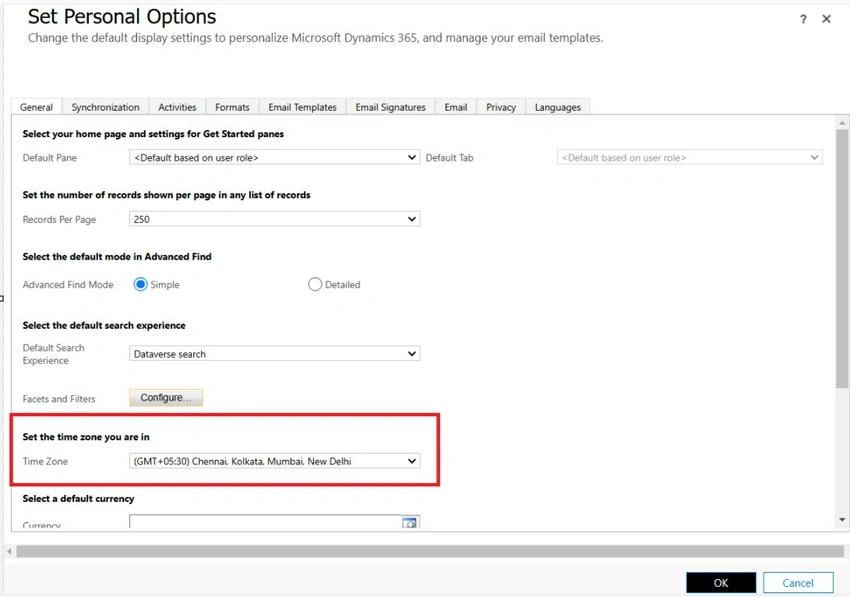
- Go to the Appointment Entity, click on New and fill all the required fields.
- Changed the Start Time
- Save the records.
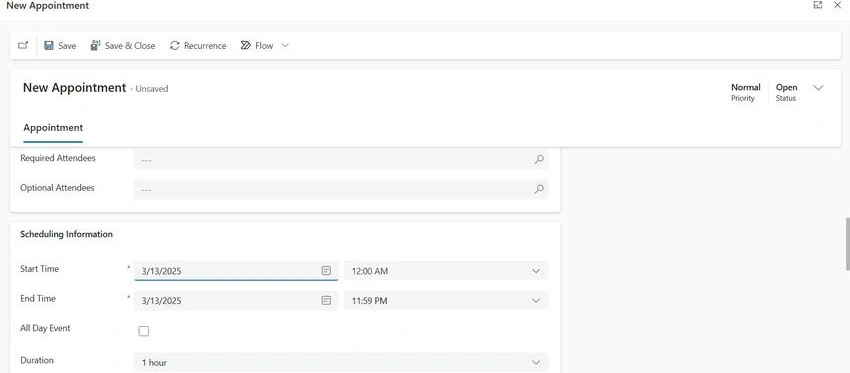
Output
Go to advanced find, look for: Appointment, select the columns Start Time, End Time, and verify the below screen shot.

It is showing correct date time for Coordinated Universal Time with above screen shot.
Join the conversation! Your thoughts help the community grow.