

Pre-Requisite
For viewing the email notifications generated by the workflow, you need to configure a Development Machine with the SMTP receiver tool. You can view the Real World Scenarios on configuring this.
What is the purpose of Three-state workflow?
The three-state workflow can be used to track the status of list items. For each status change there will be Email Notification performed by this workflow.
The Issue Tracking template is built to work with this workflow as it contains a Choice column with 3 states.
Exploring the Workflow
For starting to create a new list using the Issue Tracking template see below: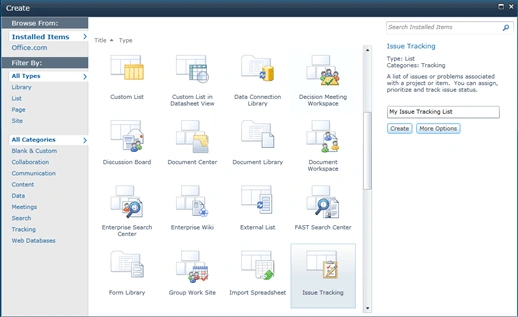
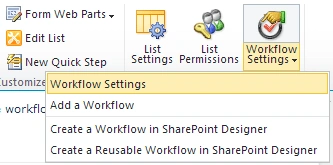
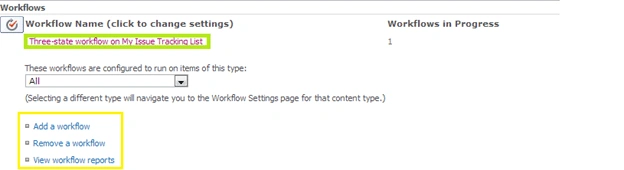
After creating the list we need to associate a workflow with the list using List tab > Workflow Settings > Add a Workflow.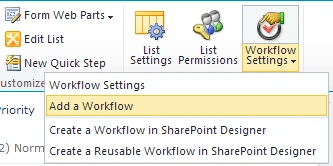
A wizard page will be appear as shown below: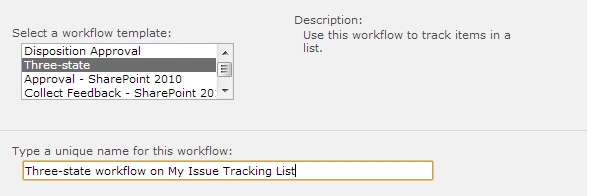
Select the Three-state workflow and enter a unique name for the workflow. In the bottom of the page you will see the Start Options. Check the "Start this workflow when a new item is created." check box.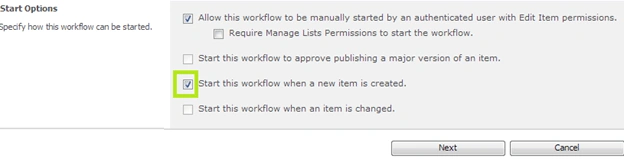
Click the Next button to continue.
Now you will be prompted with the second page of the workflow as shown below: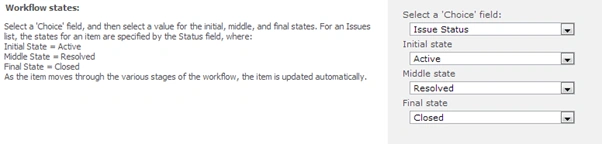
Please note that the Three-state workflow requires a column with 3 states as the "Choice" field. In this list the Issue Status column is selected as the "Choice" field. The remaining 3 drop down lists show the 3 different value selections for the Issue Status to set the Active / Resolved / Closed states.
Coming down to the page you can set Emailing options like Task Information, Email Subject and Body etc. Email Notifications are done to the involved persons.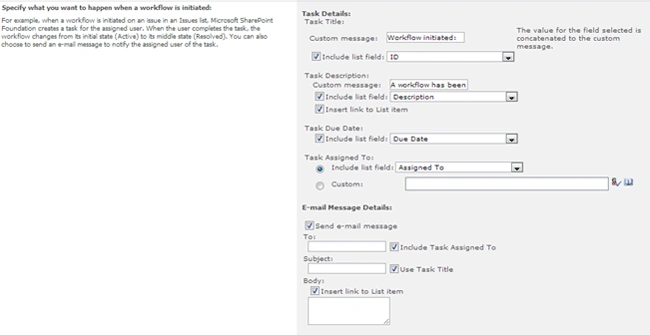
Leave the default options and click the OK button. Now your workflow is ready to send email notifications on task creation.
Email Notification
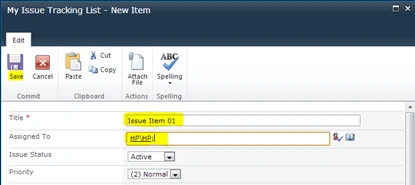
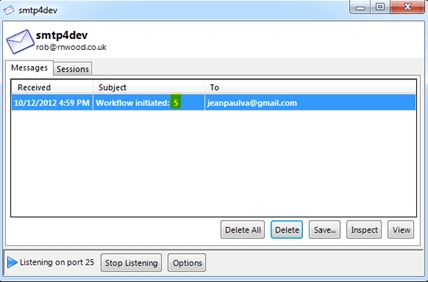
For viewing the emails generated by the workflow you need to have:
- Emails Server configured in Central Administration
- E-mail Property set in User Profile
- Smtp4dev tool running
Gowtham RajamanickamPosted Apr 11, 2016, 1:51 AM
useful for me
Jean PaulPosted Oct 15, 2012, 12:31 AM
Thank You Anshika, Isha for the good words.. Actually one of my blog friend was searching for it and asked me to create one.. so created it :)
Anshika MittalPosted Oct 15, 2012, 12:02 AM
vry nice explnation Jean Sir.
isha goelPosted Oct 14, 2012, 11:35 PM
This is easily understandable article.I'll try this
Jean PaulPosted Oct 14, 2012, 3:05 PM
Thanks a lot Vijay. I am a fan of you too :)
Vijay PrativadiPosted Oct 14, 2012, 2:41 PM
I like This! Good Presentation Jean... Cheers