

Throttling is a new feature in SharePoint 2010 lists. It allows SharePoint administrators to impose limits on the number of items returned by list queries from a list.
Now we will see this setting step-by-step.
Open the SharePoint 2010 Central Administration website.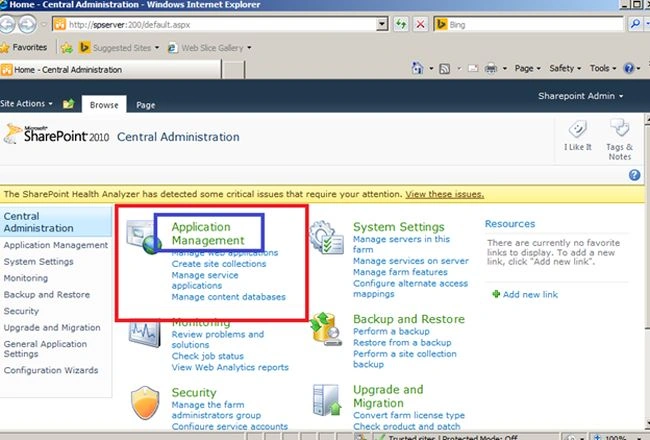
Image 1.
Click here Application Management.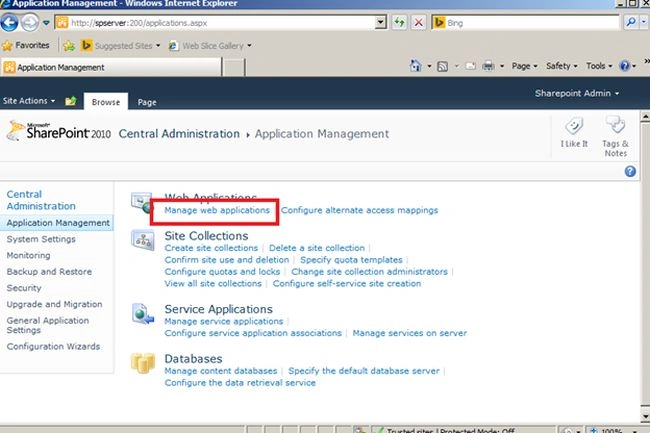
Image 2.
Click Manage web applications here.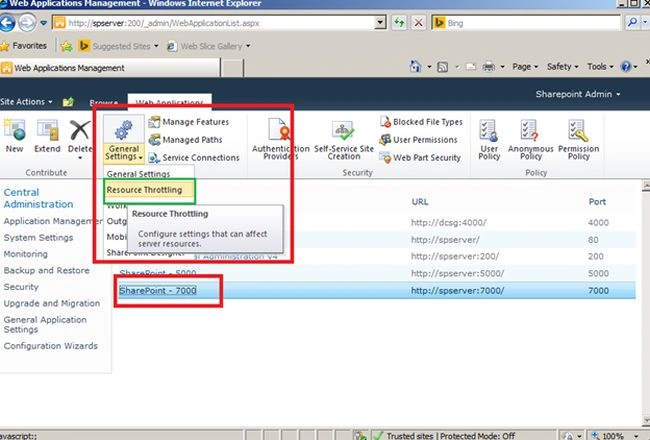
Image 3.
Select your SharePoint site then click on General Settings then click on Resource Throttling.
It may be a you can get the following screen after clicking here.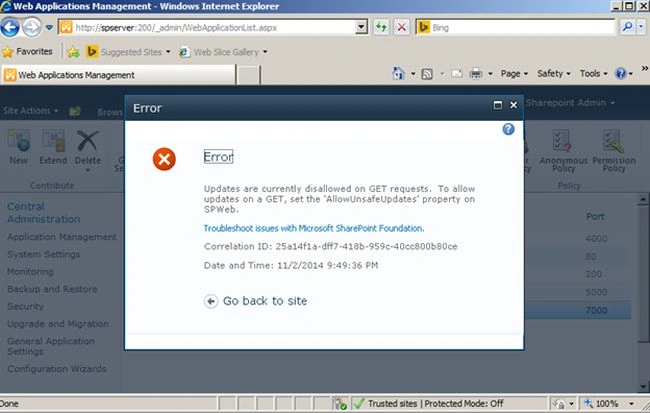
Image 4.
No need to worry. Use the following procedure.
Open SharePoint 2010 Management PowerShell and use the following code:
$w = get-spwebapplication http://Site_URL
$w.HttpThrottleSettings
$w.Update()
Now again select your SharePoint site then click on General Settings then click on Resource Throttling.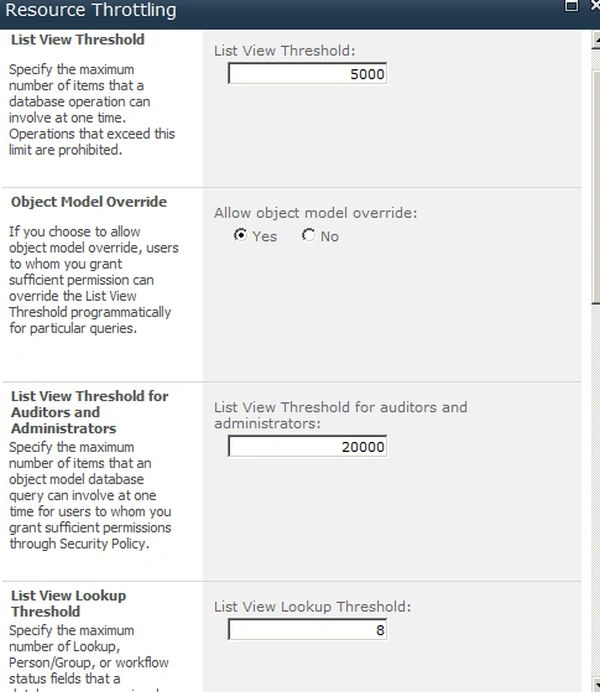
Image 5.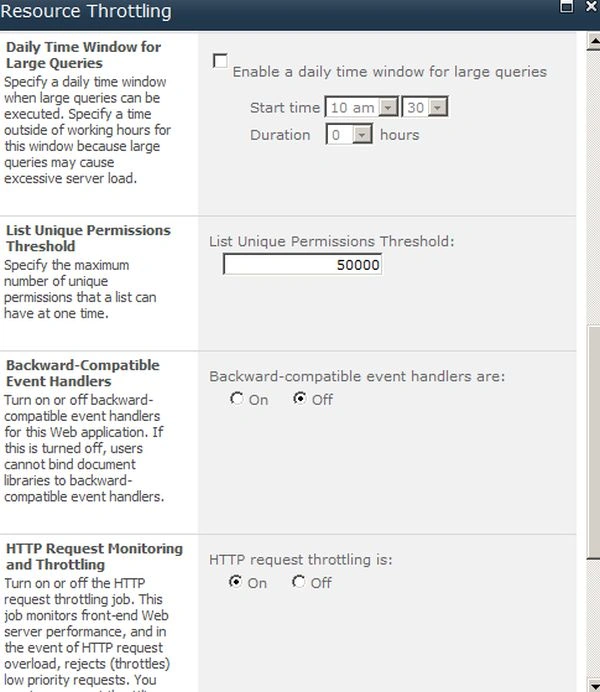
Image 6.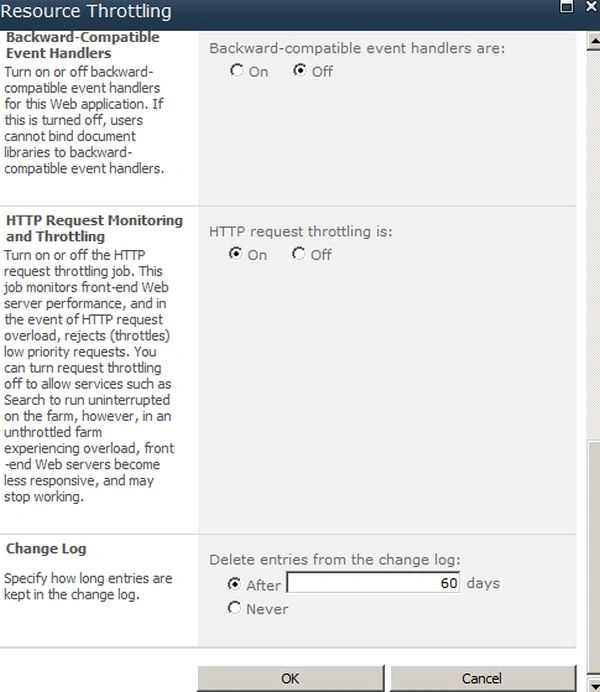
Image 7.
Do the settings as you want.
The following is the description of all settings:
- List View Threshold: Defaults to 5000.
- Object Model Override: Yes/No radio buttons. The default value is Yes.
- List View Threshold for Auditors and Administrators: Defaults to 20000.
- List View Lookup threshold: Defaults to 6.
- Daily Time Window for Large Queries: Check this option that, when enabled, allows setting of a start time and a maximum duration.
- List Unique Permissions Threshold: Defaults to 50000.
- Backward-Compatible Event Handlers: On/Off radio buttons. Defaults to Off.
- HTTP Request Monitoring and Throttling: On/Off radio buttons. Defaults to On.
- Change Log: Defaults to 60 days after which log entries are deleted. Can be set to Never.
Join the conversation! Your thoughts help the community grow.