

Most of us use “Postman” for Rest API calls testing yet there is a number of options for doing the same. But if you are using “Visual Studio Code Editor” in your project for coding, then this article will introduce to you a new extension called “Thunder Client” which is the best extension to do the same thing. I have used this extension in a recent project and since it has various advantages, I am sharing in this article that how you can also use it.
Now the first question that arises is Why to use this extension? And the answer to it is,
- Simple, clean, and easy to use user interface.
- Lightweight
- Handle large responses and view responses in full screen.
- Collections & Environment Variables Support
- One-click access to most of the functionality.
Let’s start with installing the extension in Visual Studio Code.
Step 1
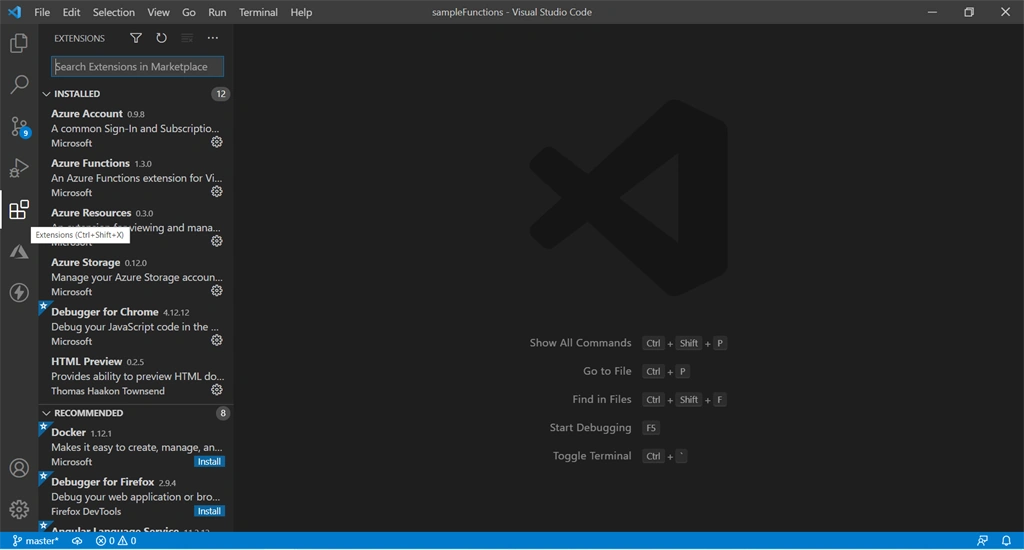
Click on “Extensions” in Visual studio code, then in “Search Extension” write “Thunder Client”. The following screens will be seen,
Step 2
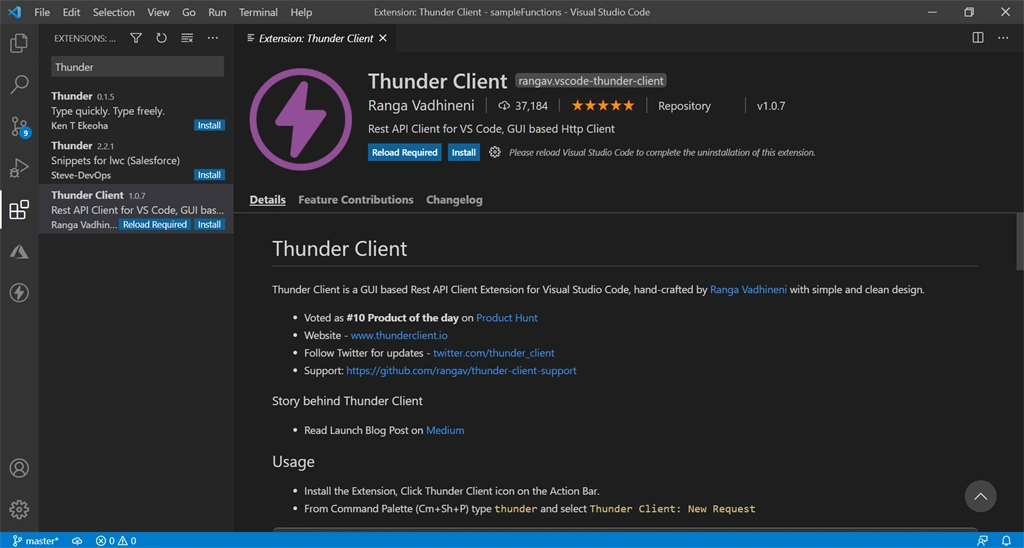
Click on Install
Step 3
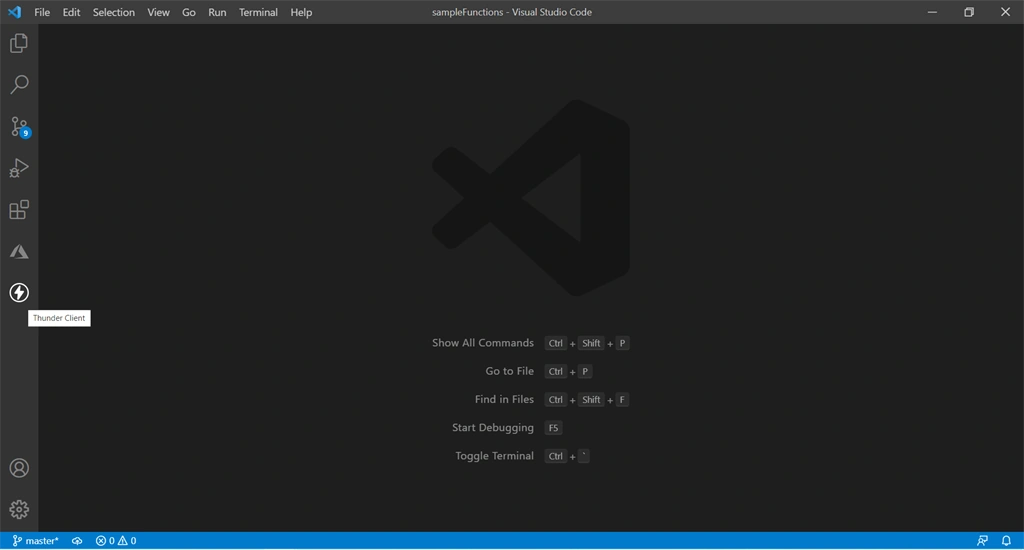
After successful installation you will be able to see "Thunder Client Icon" at the end of installed extensions, like this,
Now, the next question that comes in the mind is “how to use it”. This could be answered through the subsequent example:
For explanation purposes: https://jsonplaceholder.typicode.com/ is used for dummy APIs.
Step 1
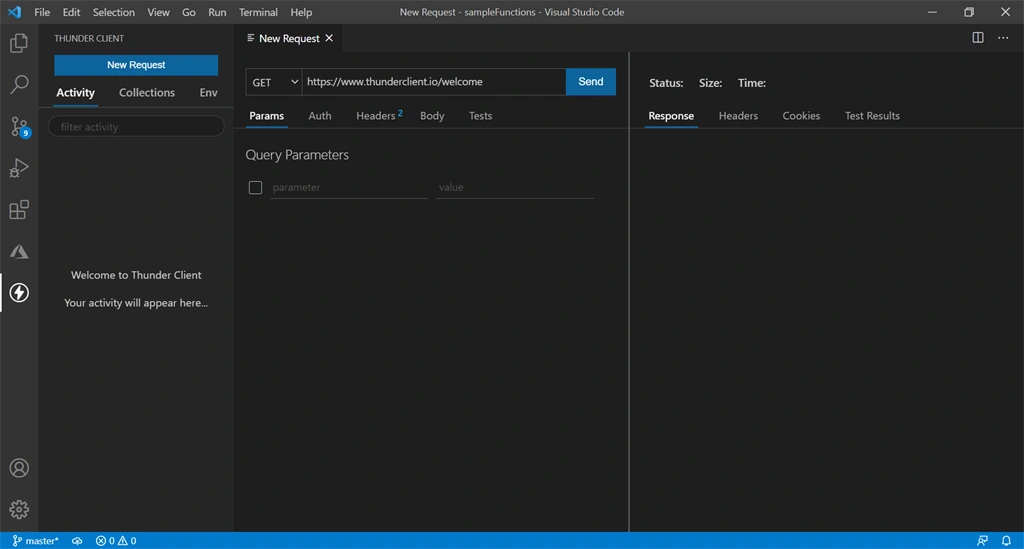
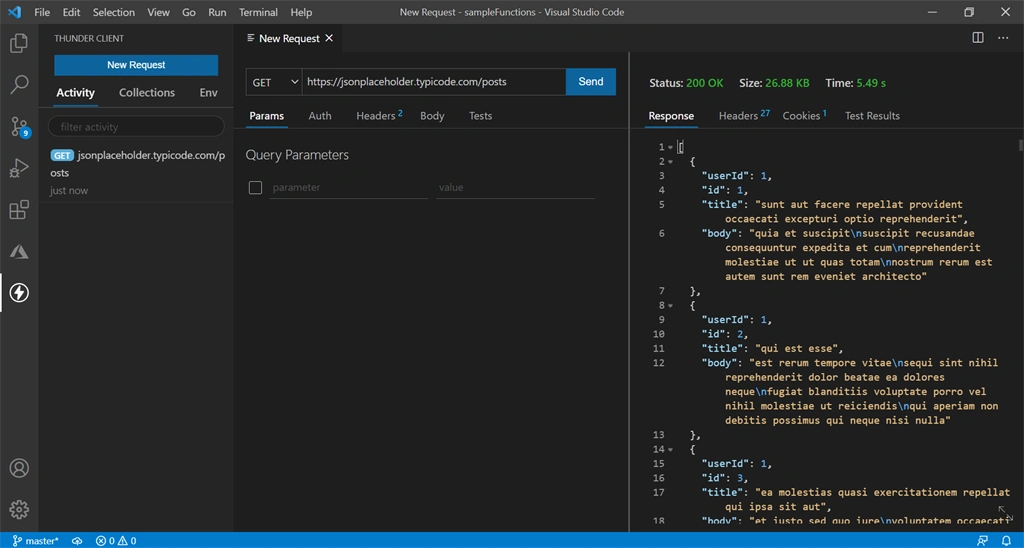
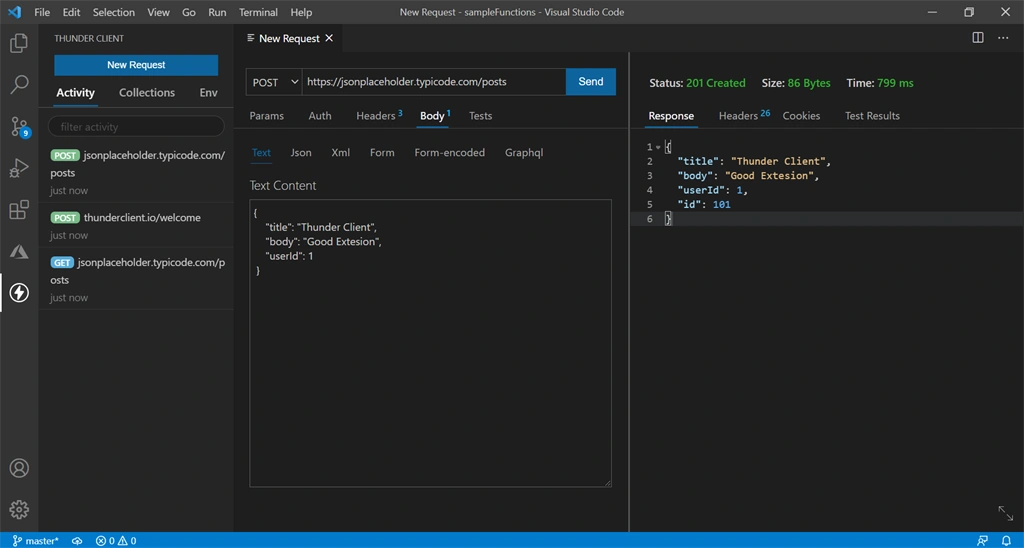
Click on “Thunder Client Icon”, and you will see the following screenshots,
E-J WHITEPosted Apr 27, 2021, 3:58 PM
How to commit and push API collections to github ?
Rakshit MalhotraPosted Apr 27, 2021, 1:01 PM
Nice article.... I go through the above steps and install it on my project. No doubt, user interface is good.