

Introduction
In Silverlight 4 we have a control for Time Picking. We have already seen date picker control. In this article we will see how we can use Time Picker.
Create Silverlight Application
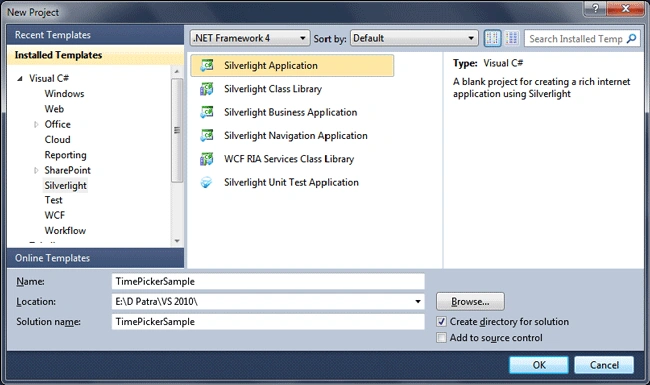
Fire up Visual Studio 2010 and create a Silverlight Application and name the solution as TimePickerSample.
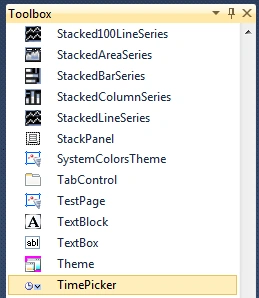
In the toolbox you can see rightaway the control.
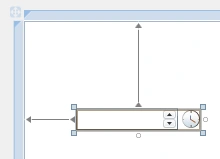
Drag and drop the control to the design area.
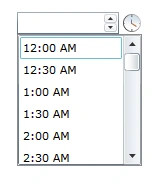
That's it. Run the application. For seeing the suggested times or a list of times click on the clock icon and the list would pop up.
The good thing about the Time Picker is click on any of the context such as hour, minute, or AM/PM. And then click on the up or down button you can set the time which is not listed in the suggested list.

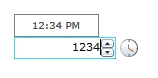
Even you can type in the numbers and the Time Picker would format it for you. Just a note, it takes the time format 24HR or 12HR based on your system's settings.
Hope this article helps.
dipali mayekarPosted May 4, 2012, 7:15 AM
thanks a lot...!
Dmitriy BoykoPosted Sep 23, 2011, 12:27 PM
Can we use seconds?
samPosted Mar 18, 2011, 7:32 AM
hi. Do you know how to hide the small popup with time that prompt the user the current time ? as you have shown in the last figure above "12:34 PM" how to hide that prompt ?
Kevin JobPosted Feb 23, 2011, 3:33 PM
Hi, I am using the TimePicker control in one of my applications. Some of my customers have requested the TimePicker control up/down buttons function without first having to click in one of the context areas (hour/min/am-pm). I've tried to derive from TimePicker and also TimeUpDown but neither has methods to override that are called when clicking up/down buttons with no context area having focus. How can I modify the behavior of the TimePicker control to work the way my customers would like? Thanks in advance, Kevin
George ShoaPosted Jul 31, 2010, 11:24 PM
Is there any way to make the width of timePicker little narrow? I have trouble to get the TimePicker width<100...