

Introduction
In this article I will create a Single View application. Here I use a map view and toolbar from outlet. In this toolbar we implement two customized buttons, Zoom and Type. Here the type button contains two views, a Standard Map View and a Satellite Map View. Initially it is shown using the Standard View and when we click on a type then it changes to Satellite View.
To understand it we use the following.
Step 1
Open XCode by double-clicking on it.
Step 2
Create a New XCode Project by clicking on it.
Step 3
Now select Single View Application and click on Next.
Step 4
Now provide your Product Name and Company Identifier.
Step 5
Select the location where you want to save your project and click on Create.
Step 6
Here first we add the framework MkMapkit which is required to show the location.
To import this framework we use the following.
Step 7
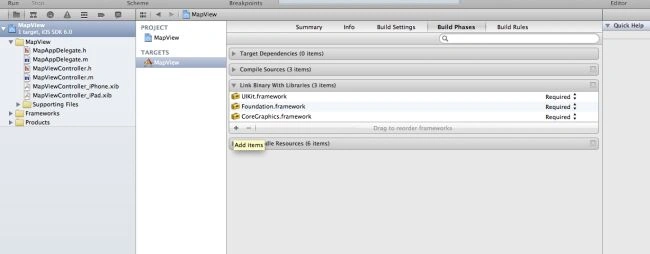
Click on the project and select Build Phase.
Step 8
Click on the "+" icon to add to the framework.
Step 9
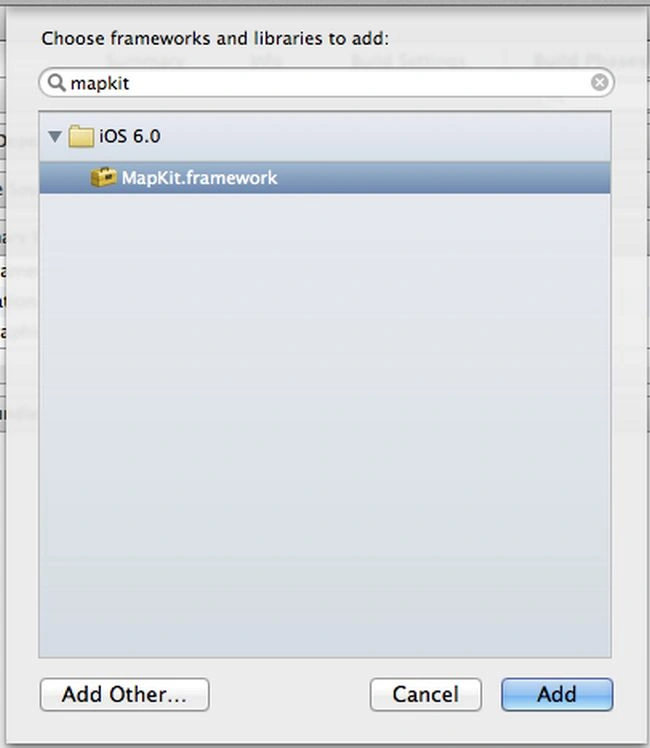
Select the framework you want to add to the search bar and click on the Add button.
Step 10
Now here we write code:
mapViewController.h
//
// mapViewController.h
// ToolBar
//
// Created by Sachin Bhardwaj on 11/12/12.
// Copyright (c) 2012 Sachin Bhardwaj. All rights reserved.
//
#import <UIKit/UIKit.h>
#import <MapKit/MapKit.h>
@interface mapViewController : UIViewController<MKMapViewDelegate>
{
UIToolbar *toolBar;
MKMapView *mapView;
}
@property (strong, nonatomic) IBOutlet MKMapView *mapView;
@property (strong, nonatomic) IBOutlet UIToolbar *toolBar;
@end
mapViewController.m
//
// mapViewController.m
// ToolBar
//
// Created by Sachin Bhardwaj on 11/12/12.
// Copyright (c) 2012 Sachin Bhardwaj. All rights reserved.
//
#import "mapViewController.h"
@interface mapViewController ()
@end
@implementation mapViewController
@synthesize mapView,toolBar;
- (void)zoomIn: (id)sender
{
MKUserLocation *userLocation = mapView.userLocation;
MKCoordinateRegion region =
MKCoordinateRegionMakeWithDistance (
userLocation.location.coordinate, 50, 50);
[mapView setRegion:region animated:NO];
}
- (void) changeMapType: (id)sender
{
if (mapView.mapType == MKMapTypeStandard)
mapView.mapType = MKMapTypeSatellite;
else
mapView.mapType = MKMapTypeHybrid;
}
- (void)viewDidLoad
{
[super viewDidLoad];
mapView = [[MKMapView alloc]initWithFrame:self.view.bounds];
mapView.delegate = self;
[self.view addSubview:mapView];
mapView.showsUserLocation = YES;
UIBarButtonItem *zoomButton = [[UIBarButtonItem alloc]
initWithTitle: @"Zoom"
style:UIBarButtonItemStyleBordered
target: self
action:@selector(zoomIn:)];
UIBarButtonItem *typeButton = [[UIBarButtonItem alloc]
initWithTitle: @"Type"
style:UIBarButtonItemStyleBordered
target: self
action:@selector(changeMapType:)];
NSArray *buttons = [[NSArray alloc] initWithObjects:zoomButton, typeButton, nil];
toolBar.items = buttons;
CLLocationCoordinate2D annotationCoord;
annotationCoord.latitude = 21.7679;
annotationCoord.longitude = 78.8718;
MKPointAnnotation *annotationPoint = [[MKPointAnnotation alloc] init];
annotationPoint.coordinate = annotationCoord;
annotationPoint.title = @"Noida";
annotationPoint.subtitle = @"World of Wonder";
[mapView addAnnotation:annotationPoint];
}
@end
mapViewController.Xib
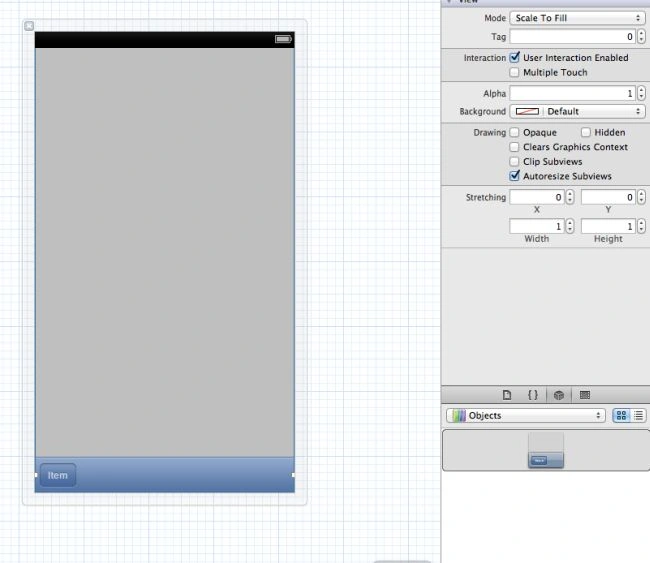
Here we add tool bar from outlet.

Here we add map view from outlet.
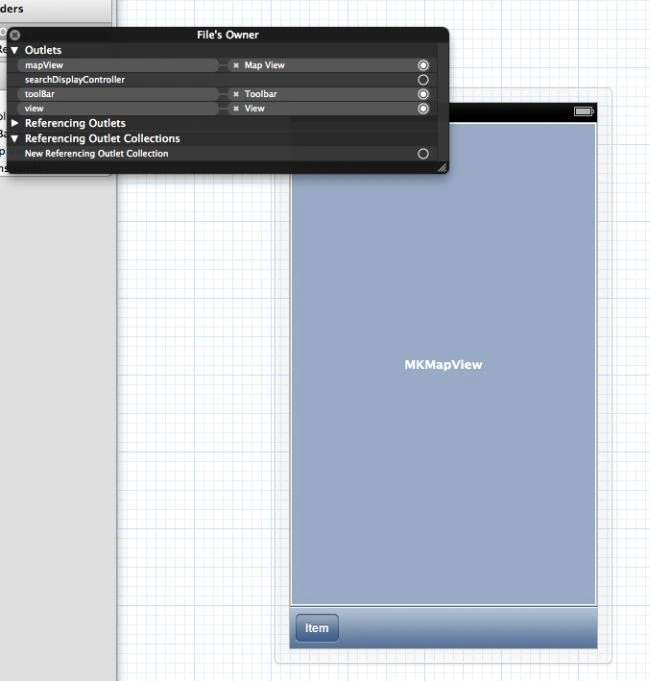
Here we make outlet connection .
Step 11
Click on the run button to show the output.
Output 1 in iPhone
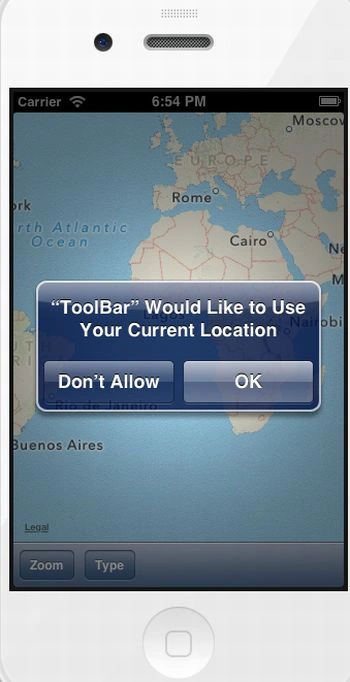
Initially when we run application it show alert massage.
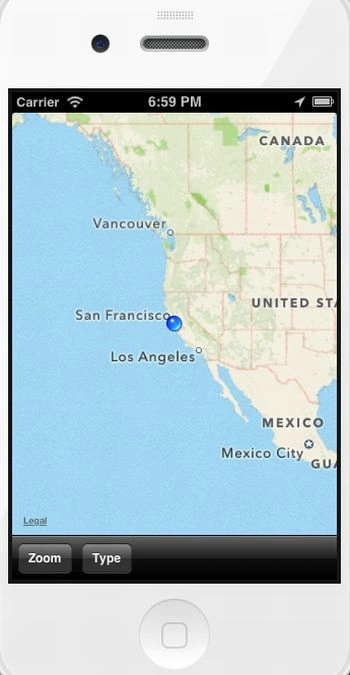
Here when we click on current location it show this view.
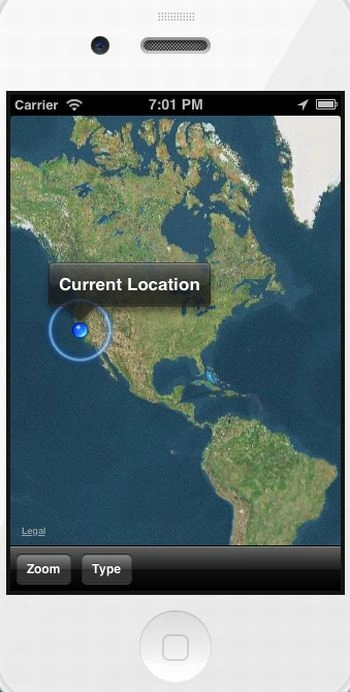
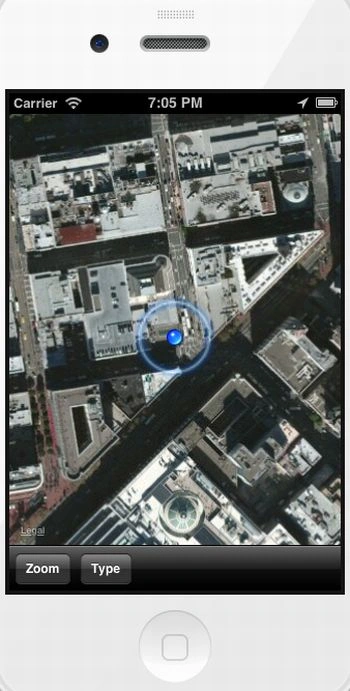
when we click on Type it show Satellite view.
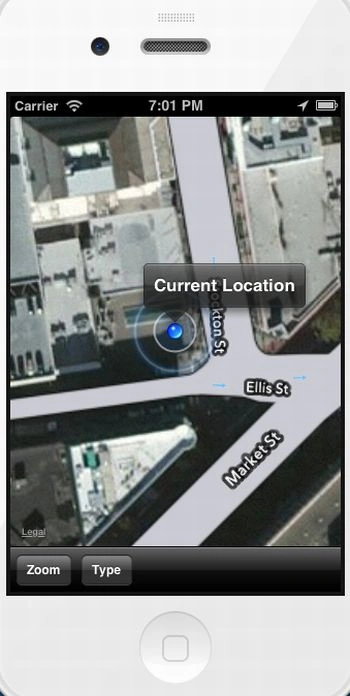
When we click on Zoom button it show this view.
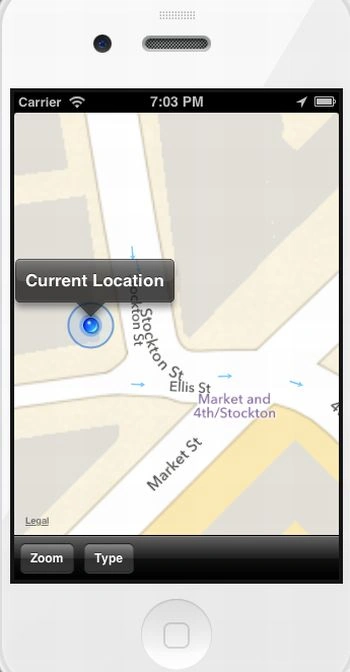
when we perform more zoom in standard view it show this view.
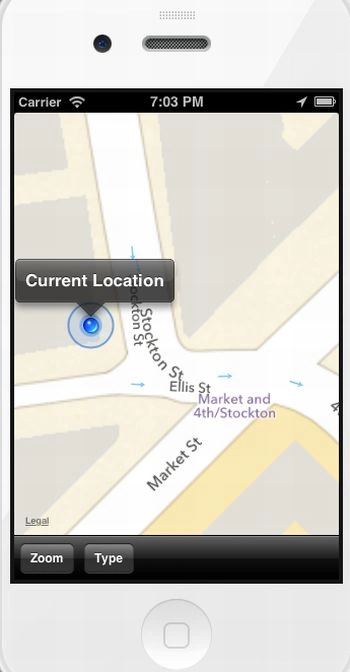
Now when we perform more zoom in, then it show this view. To Perform more zoom we click alt key and mouse right button it show tap finger or perform Zoom in and Zoom out.
Join the conversation! Your thoughts help the community grow.