

If you’ve worked with JSON and large language models (LLMs) for even a little while, you’ve probably had this moment:
You send a big JSON payload to an LLM, check the prompt cost, and think:
Wait… I’m paying how much just to send curly braces and repeated keys?
JSON is great as a general-purpose data format. It’s readable, widely supported, and battle-tested. But it was never designed with token-based AI models in mind.
That’s exactly where TOON – Token-Oriented Object Notation – comes in. TOON is a compact, human-readable way to represent the same data model as JSON, but in a format that is much friendlier for LLMs in terms of token usage and structure.
In this article, we’ll walk through:
What TOON actually is
How it compares to JSON with simple examples
Why it can save tokens (and money) with LLMs
Pros, cons, and where it fits in your stack
How you can start experimenting with it today
The goal is to keep things beginner-friendly, so you don’t need deep AI or compiler background to follow along.
A Quick Detour: Why Tokens Matter
LLMs like GPT, Claude, Gemini and others work on tokens, not characters or bytes. Roughly speaking, a token is a small chunk of text: a word, part of a word, punctuation, etc. Every {, ", : and repeated key in a JSON payload turns into tokens.
When you send structured data like this:
{
  "users": [
    { "id": 1, "name": "Alice", "role": "admin" },
    { "id": 2, "name": "Bob", "role": "user" }
  ]
}
the model doesn’t “collapse” it into some magical structure. It still “sees” all the quotes, braces and commas as tokens. With hundreds or thousands of objects, that overhead starts to hurt both:
Cost (more tokens = higher API bill)
Latency (more tokens = more work to process)
TOON was designed specifically to tackle this problem: keep the structure of JSON, but reduce the token waste around it.
So, What Is TOON?
TOON (Token-Oriented Object Notation) is a compact, human-readable format that encodes the JSON data model in a way that is:
Easier on token counts
Easier for LLMs to understand structurally
Still readable for humans
The official spec describes TOON as a “compact, human-readable encoding of the JSON data model for LLM prompts.”
Under the hood:
It keeps objects, arrays, and primitive values just like JSON.
It uses indentation and table-like layouts (inspired by YAML and CSV) instead of curly braces and quotes for everything.
It especially shines when you have arrays of similar objects, like a list of users, products, or log entries.
The result, in many benchmarks, is around 30–60% fewer tokens for typical LLM-oriented datasets.
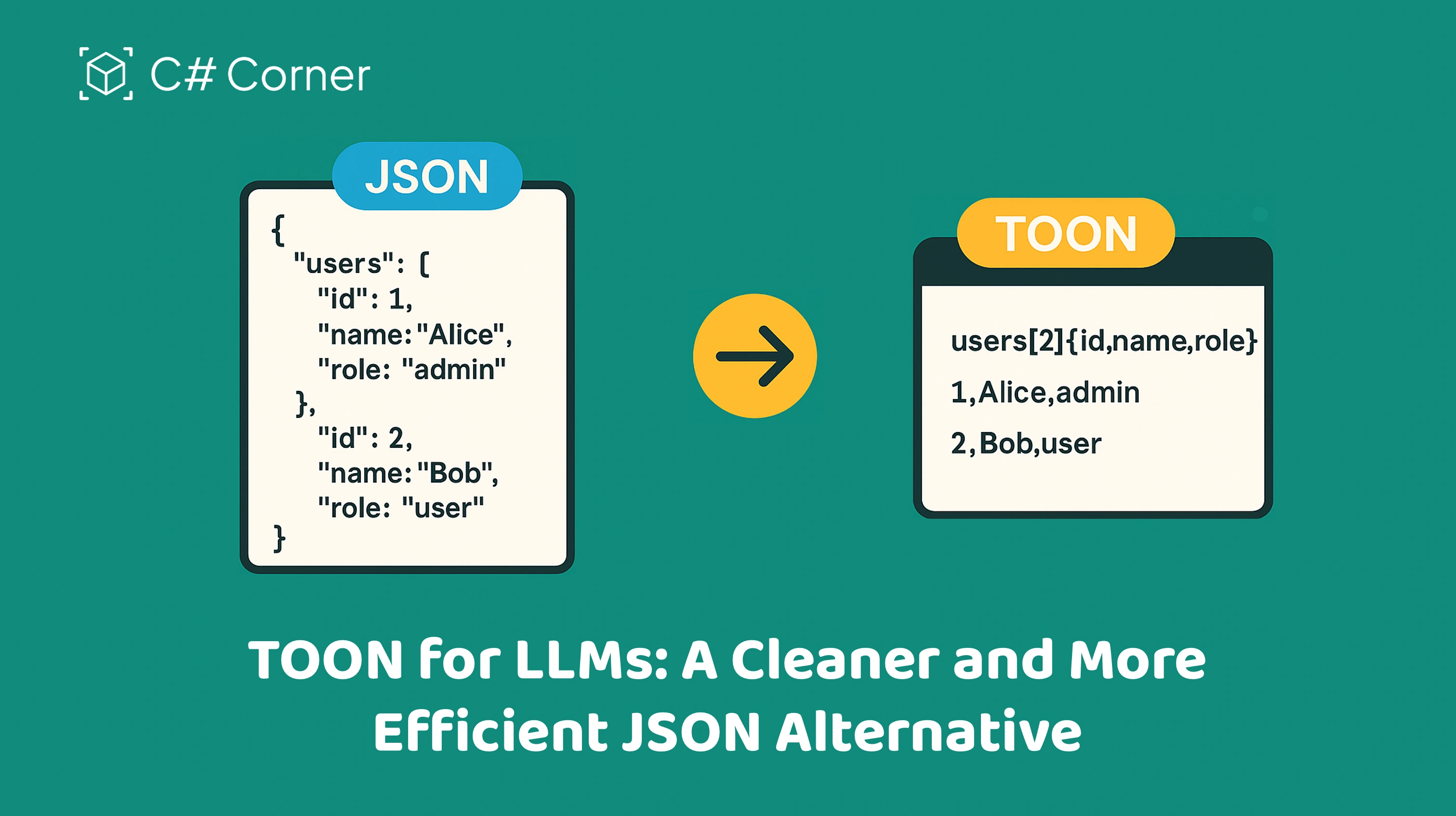
JSON vs TOON: A Simple Example
Let’s start with a classic JSON snippet: a list of users.
JSON
{
  "users": [
    { "id": 1, "name": "Alice", "role": "admin" },
    { "id": 2, "name": "Bob", "role": "user" }
  ]
}
TOON
The same data in TOON looks like this:
users[2]{id,name,role}:
  1,Alice,admin
  2,Bob,user
What’s happening here?
users[2]{id,name,role}:usersis the key (like in JSON).[2]says: this is an array with 2 items.{id,name,role}declares the fields for each row.
The following lines are the rows:
1,Alice,admin2,Bob,user
Notice what disappeared:
No curly braces
{}No quotes
"id","name","role"repeated on every rowNo commas between object fields (inside braces) and no array brackets
[]
You still have the same information as the JSON, but encoded in a much more token-efficient way. Multiple independent articles and the official repo highlight how this approach typically cuts token usage by 30–60% for uniform arrays like this.
How TOON Represents Data
TOON is still based on the JSON data model, so you can round-trip between JSON and TOON without losing information.
Here’s how it generally maps:
1. Objects
A simple JSON object:
{
  "id": 101,
  "name": "Widget",
  "active": true
}
In TOON:
id: 101
name: Widget
active: true
Each key–value pair goes on its own line.
:separates the key and the value.No quotes needed for simple strings.
2. Nested Objects
JSON
{
  "user": {
    "id": 1,
    "name": "Alice"
  }
}
TOON
user:
  id: 1
  name: Alice
Indentation represents nesting (similar to YAML).
3. Arrays of Primitives
JSON
{
  "tags": ["ai", "llm", "json"]
}
TOON
tags[3]:
ai,llm,jsontags[3]:is an array with 3 values.The next line contains the comma-separated values.
4. Arrays of Objects (TOON’s “Sweet Spot”)
We already saw this pattern, but it’s worth repeating because it’s where TOON shines. For large arrays of similar objects, TOON turns the data into something that looks like a small table. The header declares the fields once, and each subsequent row is just values.
Why TOON Is Useful for LLMs
Let’s connect the dots.
1. Fewer Tokens, Lower Cost
Because TOON:
Declares field names once per block
Avoids quotes around every string key
Avoids repeated braces and brackets
…it reduces the number of tokens compared to equivalent JSON. Benchmarks shared in the official repo and community articles report savings in the range of 30–60%, depending on data structure.
If you’re sending thousands of items (transactions, events, logs, catalog items) to an LLM, that reduction directly impacts:
Your monthly API bill
How much data you can send within a token limit
How fast the model can respond
2. More “Natural” Structure for Models
LLMs don’t “need” quotes or braces to understand relationships. They operate on patterns of tokens. TOON gives them:
A clear header that defines columns/fields
Aligned rows of values, similar to CSV
Indentation that reflects nesting
This kind of structure often makes it easier for models to follow the data and produce consistent, structured outputs.
3. Still Human-Readable
While TOON is optimized for models, it’s not a “machine-only” format. Developers can still read and edit it without special tools. In fact, many people describe it as feeling like a mix of YAML + CSV, in a good way.
Pros of TOON
Let’s summarize the advantages.
1. Token Efficiency
Significant token savings (often 30–60%) for structured, repeated data.
Helps you stay under context limits and reduce API costs.
2. Same Data Model as JSON
TOON is lossless with respect to JSON’s data model: objects, arrays, strings, numbers, booleans, null.
You can convert JSON → TOON → JSON without losing information.
3. Great for LLM Prompts
Ideal for:
Large tabular datasets
Lists of entities (users, products, events, logs)
Any structured context you repeatedly send to an LLM
4. Human-Readable & Git-Friendly
Easy to diff, inspect, and review in version control.
More compact than JSON, still understandable.
5. Growing Ecosystem
There’s already a decent ecosystem forming around TOON:
A TypeScript library and CLI for encoding/decoding.
Community libraries in Elixir, R, and other languages emerging.
Articles, tutorials, and playgrounds from the wider dev community.
Cons and Trade-offs
Nothing is free, and TOON has its own trade-offs.
1. Not a Replacement for JSON Everywhere
TOON is designed primarily for LLM-facing data, not for every API, browser, or database use case. JSON still wins for:
Public REST APIs
Browser-based apps
Systems where JSON is already the standard
In many projects, you’ll still use JSON internally and only convert to TOON when talking to an LLM.
2. Learning Curve for Teams
The syntax is simple, but it’s still another format your team has to:
Learn
Lint / validate
Add to tooling and pipelines
For small projects, this may not feel worth it. For larger AI systems with heavy prompt traffic, it can be.
3. Less Mature Than JSON
JSON has decades of ecosystem maturity. TOON is brand new:
Tooling is still evolving.
Best practices are still forming.
Not every language or framework has first-class support yet.
4. Best for “Regular” Data
TOON’s biggest wins are for uniform tabular data (same fields across many rows). For highly irregular or deeply nested data, the token savings may be smaller, and JSON might still be more convenient.
Where TOON Fits in a Real-World Stack
Think of TOON as a translation layer between your code and the LLM:
Your services and frontends still talk JSON most of the time.
Before sending to the LLM, you encode JSON → TOON.
After getting a response, if needed, you decode TOON → JSON again.
Typical use cases
Sending large product catalogs or user lists to an LLM for analysis.
Supplying historical events/logs for context in an AI assistant.
Building analytics, recommendation, or summarization workflows that rely on structured input/output.
Some libraries and tools already provide a CLI so you can do quick conversions like:
npx @toon-format/cli data.json -o data.toonor pipe from stdin.
This makes TOON easy to drop into existing pipelines where you already generate JSON.
Getting Started with TOON
If you want to try TOON in your own projects, here’s a simple path:
Pick a dataset you already send to an LLM in JSON form (for example, a list of users, orders, or logs).
Use the TOON CLI or a library (TypeScript, Elixir, R, etc.) to convert that JSON to TOON.
Compare:
Token count with JSON vs TOON
Cost difference for a few test requests
Evaluate readability:
Can you and your team comfortably read/edit the TOON file?
If the savings are meaningful, integrate the conversion step into your prompt-building code.
You don’t have to refactor everything. Start with a single high-volume or high-cost prompt and see if TOON earns its place.
Conclusion
TOON (Token-Oriented Object Notation) is not here to kill JSON. It’s here to fix a very specific pain point we all hit once we start building serious LLM applications:
“Why am I paying so much just to send punctuation and repeated keys?”
By encoding the same JSON data model in a more compact, tabular, indentation-based layout, TOON:
Uses fewer tokens
Keeps data structured and readable
Plays nicely with LLMs and human developers alike
If you’re building AI features where structured data is a big part of your prompt, TOON is worth experimenting with. Start small, measure token savings, and decide if it deserves a permanent place in your stack.
BartekPosted Nov 30, 2025, 10:44 AM
Great post! TOON really shines when converting from JSON, while the differences with YAML and CSV are much more subtle. I’ve built a tool that lets you convert all three formats - JSON, YAML, and CSV - into TOON https://json2toon.co/