

In this article, we provide an example of Bing Maps In which we show the traffic in the map with the help of the Ajax Control 7.0 ISDK.
First we use a <div> for our map and set its Height and Width:
<div id='myFirstMap' style="position:relative; width:500px; height:500px;">
</div>
After that we use a Button; when we click on the Button the traffic will be shown in the map:
<input type="button" value="ShowTrafficLayer"/>
The Output will be: 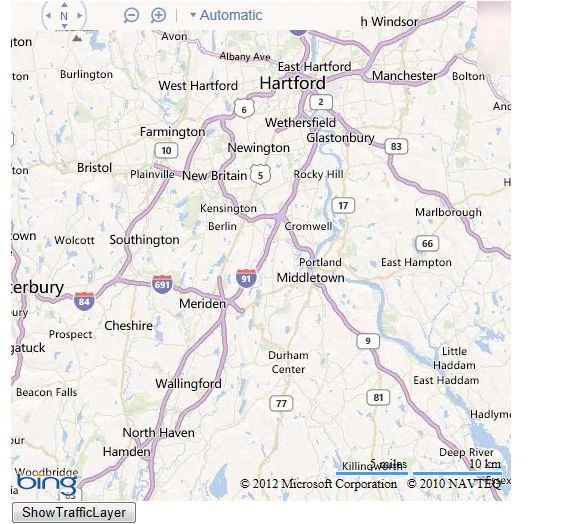
After that now we write a function in the onload() method of the <body> tag:
<body onload="getMyMap();">
</body>
After that we write the function in JavaScript:
function getMyMap()
{
map = new Microsoft.Maps.Map(document.getElementById('myFirstMap'),
{
credentials: 'AjOB1Xgle3udoFVOVQB2-5Gfba7VETkypBPHd2RAfkKrkb29wX3e9frf3TwdSoU1'
});
LoadTrafficModule();
}
Here we use the Bing Map Key as the credentials. And call the function LoadTrafficModule(). For this first we call this function:
function TrafficModule()
{
setMyMapView();
}
function setMyMapView()
{
map.setView({zoom: 10, center: new Microsoft.Maps.Location(40.73, -73.98)})
}
function LoadTrafficModule()
{
Microsoft.Maps.loadModule('Microsoft.Maps.Traffic',
{
callback: TrafficModule });
}
After that we call the function on the Button Click to show the traffic layer:
<input type="button" value="ShowTrafficLayer" onclick="showTrafficLayer();" />
function showTrafficLayer()
{
var MyTrafficLayer = new Microsoft.Maps.Traffic.TrafficLayer(map);
MyTrafficLayer.show();
}
Output: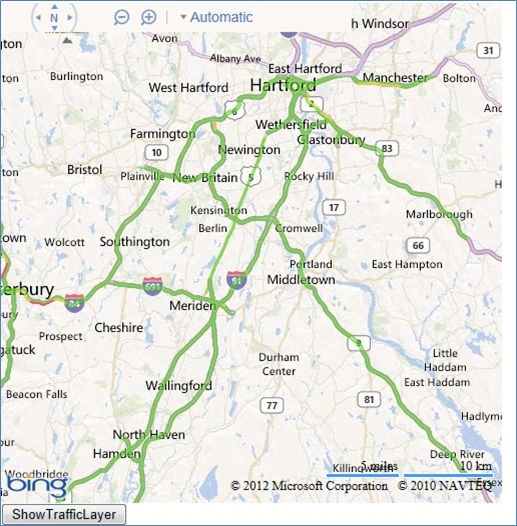
We can also set the Opacity in the Traffic Layer in the Bing Maps.
For this, first we use a Button to show the Opacity:
<input type="button" value="OpacityTrafficLayer" onclick="OpacityInTrafficLayer();" />
After that, we will write the js function:
function OpacityInTrafficLayer()
{
var tileLayer = trafficLayer.getTileLayer();
tileLayer.setOptions( {opacity: 0.1} );
}
Here we set the opacity.
Output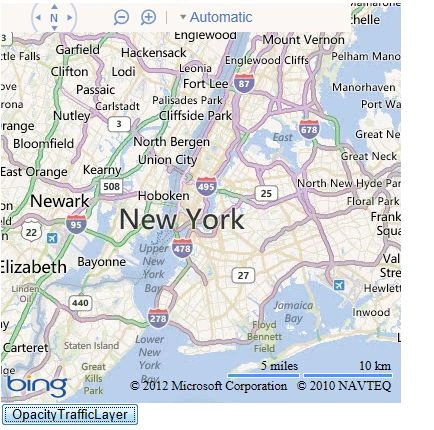
Complete program for Opacity:
<html>
<head>
<title>Traffic Layer Opacity In Bing Maps</title>
<meta http-equiv="Content-Type" content="text/html; charset=utf-8" />
<script type="text/javascript" src="My.js"></script>
<script type="text/javascript"> var map = null; var trafficLayer; function TrafficModule() { SetMapView(); showTrafficLayer(); } function LoadTrafficModule() { Microsoft.Maps.loadModule('Microsoft.Maps.Traffic', { callback: TrafficModule }); } function SetMapView() { map.setView({ zoom: 10, center: new Microsoft.Maps.Location(40.73, -73.98) }) } function getMyMap() { map = new Microsoft.Maps.Map(document.getElementById('myFirstMap'), { credentials: 'AjOB1Xgle3udoFVOVQB2-5Gfba7VETkypBPHd2RAfkKrkb29wX3e9frf3TwdSoU1' }); LoadTrafficModule(); } function showTrafficLayer() { SetMapView(); trafficLayer = new Microsoft.Maps.Traffic.TrafficLayer(map); trafficLayer.show(); } function OpacityInTrafficLayer() { var tileLayer = trafficLayer.getTileLayer(); tileLayer.setOptions({ opacity: 0.1 }); } </script>
</head>
<body onload="getMyMap();">
<div id='myFirstMap' style="position: relative; width: 500px; height: 500px;">
</div>
<div>
<input type="button" value="OpacityTrafficLayer" onclick="OpacityInTrafficLayer();" />
</div>
<div id='output'>
</div>
</body>
</html>
Arjun DhilodPosted Dec 17, 2018, 11:55 PM
Hello ma'am i want one solution i am using Bing map 1st time so i want to show start waypoint and end waypoint with routes and these start and end point will be come from database and when i refresh it i want current location of user how can possible if you help it is big help for me