

Abstract / Overview
Transformers v5 is a major release of the Hugging Face Transformers library that modernizes model APIs, streamlines multimodal support, and improves performance across training, inference, and deployment. This article explains what Transformers v5 is, what has changed compared to earlier versions, and how developers can adopt it safely and efficiently. The focus is on practical usage, architectural shifts, and long-term implications for NLP, vision, speech, and multimodal AI systems.
As of 2025, Transformers supports more than 300,000 pretrained models and is one of the most downloaded machine learning libraries in the Python ecosystem. Hugging Face reports billions of monthly model downloads across its hub, underlining why version 5 is designed for stability, scale, and production readiness.
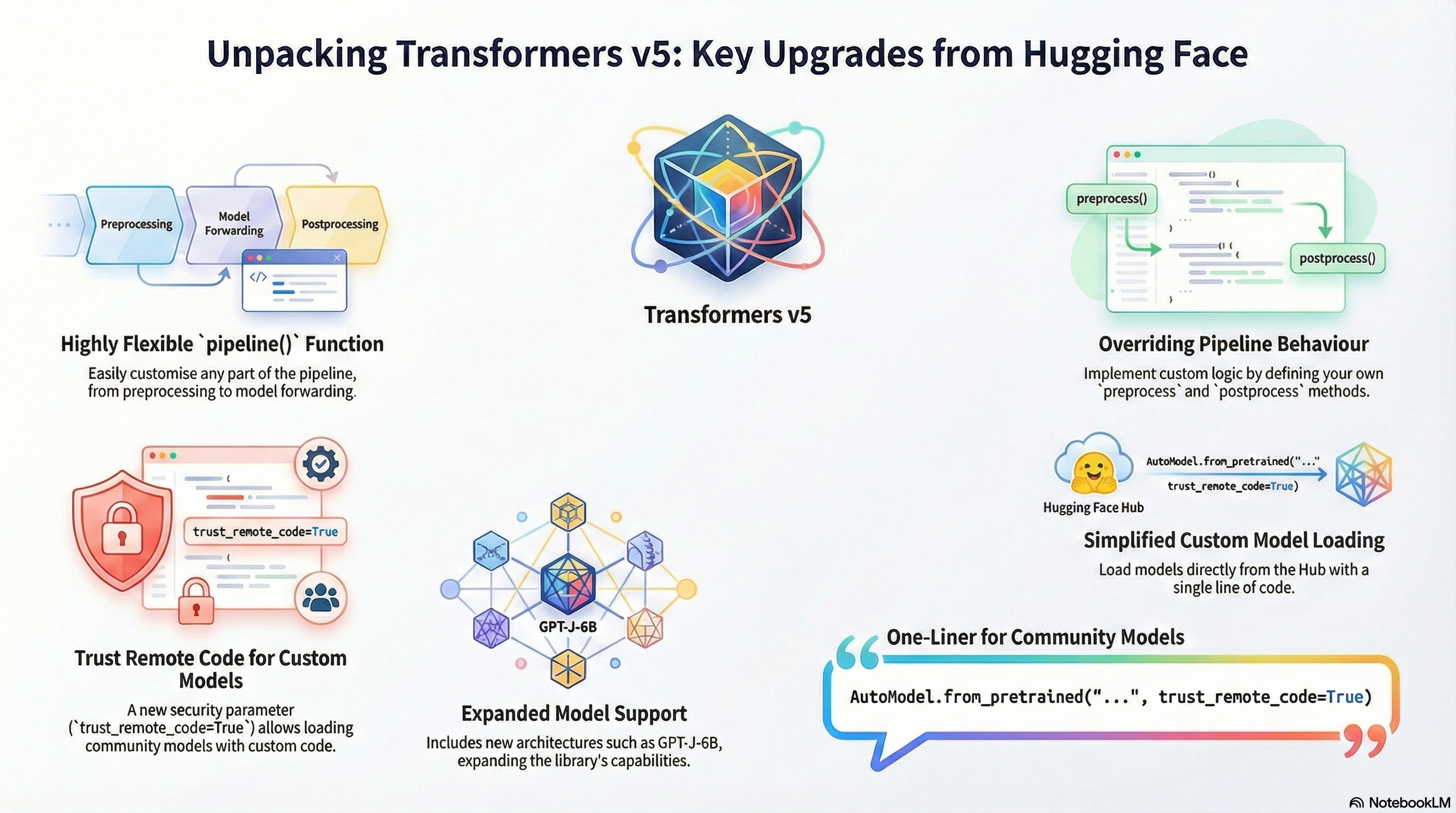
Conceptual Background
What Is the Transformers Library
The Hugging Face Transformers library provides unified APIs for loading, training, fine-tuning, and deploying transformer-based models. It abstracts away framework-specific details while supporting PyTorch, TensorFlow, and JAX backends.
Key characteristics of the library include:
Standardized model, tokenizer, and processor interfaces
Tight integration with the Hugging Face Hub
First-class support for pretrained and fine-tuned models
Extensibility for research and production systems
Why a Version 5 Release Matters
Version 5 represents a consolidation and cleanup phase rather than incremental changes. Hugging Face explicitly positioned this release to:
Remove legacy APIs that caused a long-term maintenance burden
Normalize multimodal workflows across text, vision, and audio
Improve inference speed and memory efficiency
Align the library with modern deployment patterns
In practice, Transformers v5 is about making the library more predictable, more composable, and easier to integrate into large-scale systems.
What’s New in Transformers v5
Unified Model and Processor APIs
One of the most important changes is the clearer separation and consistency between:
Models
Tokenizers
Feature extractors
Multimodal processors
In v5, multimodal models rely on a single processor object instead of ad-hoc combinations. This simplifies pipelines for vision-language and audio-language models.
Cleaner Auto Classes
Auto classes such as AutoModel, AutoTokenizer, and AutoProcessor are now the recommended default for nearly all use cases. Many model-specific shortcuts remain available but are no longer required.
This reduces coupling between user code and internal class hierarchies, improving forward compatibility.
Multimodal First-Class Support
Transformers v5 treats multimodal models as first-class citizens rather than extensions of NLP workflows. This applies to:
Vision-language models
Speech-text models
Document understanding models
The same loading, preprocessing, and inference patterns now apply across modalities.
Performance and Memory Improvements
Hugging Face reports measurable gains in:
Faster model loading through lazy initialization
Lower memory overhead for large checkpoints
More efficient attention implementations for supported architectures
Benchmarks shared by the Hugging Face team indicate up to 20–30% faster inference in common generation tasks compared to earlier v4 releases, depending on model and hardware.
Deprecation of Legacy APIs
Transformers v5 removes or finalizes deprecations that were announced across multiple v4 releases. This includes:
Old-style feature extractors
Inconsistent tokenizer initialization patterns
Redundant pipeline parameters
While this may require minor refactoring, the resulting API surface is significantly simpler.
Step-by-Step Walkthrough
Installing Transformers v5
Transformers v5 requires a recent Python version and an up-to-date deep learning backend.
pip install --upgrade transformersOptional dependencies for vision and audio are installed separately.
Loading a Text Model
The recommended approach uses Auto classes.
from transformers import AutoTokenizer, AutoModelForCausalLM

tokenizer = AutoTokenizer.from_pretrained("gpt2")
model = AutoModelForCausalLM.from_pretrained("gpt2")
This pattern is stable across versions and minimizes breaking changes.
Text Generation Example
inputs = tokenizer("Transformers v5 simplifies AI development", return_tensors="pt")
outputs = model.generate(**inputs, max_new_tokens=40)

print(tokenizer.decode(outputs[0], skip_special_tokens=True))
Using a Multimodal Model
Multimodal models rely on a unified processor.
from transformers import AutoProcessor, AutoModel

processor = AutoProcessor.from_pretrained("openai/clip-vit-base-patch32")
model = AutoModel.from_pretrained("openai/clip-vit-base-patch32")
Inputs can now combine images and text through a single processor interface.
Conceptual Architecture Diagram

Use Cases / Scenarios
Natural Language Processing
Transformers v5 remains a strong foundation for:
Text generation
Summarization
Question answering
Classification
Cleaner APIs reduce boilerplate and improve maintainability in production NLP systems.
Vision and Document AI
Unified processors simplify workflows for:
Image captioning
OCR and document understanding
Visual question answering
This is particularly relevant for enterprise document automation pipelines.
Speech and Audio AI
Speech-to-text and audio classification models benefit from standardized preprocessing and improved batching performance.
Research and Experimentation
For researchers, v5 reduces friction when switching between architectures and modalities, making rapid experimentation easier.
Limitations / Considerations
Transformers v5 may require refactoring older v3 or early v4 codebases
Some niche or experimental models may lag in full v5 optimization
Performance gains vary by hardware and backend
Backward compatibility is reasonable, but careful testing is recommended for production systems.
Fixes and Common Pitfalls
If a tokenizer or processor fails to load, switch to AutoProcessor instead of manual combinations
Remove deprecated parameters rather than suppressing warnings
Ensure model checkpoints are compatible with the installed backend version
FAQs
Is Transformers v5 backward compatible?
Mostly yes, but deprecated APIs have been removed. Minor refactoring is expected.Do I need to retrain models?
No. Existing pretrained checkpoints continue to work.Is Transformers v5 better for production?
Yes. The release focuses on stability, performance, and cleaner abstractions.Does v5 change licensing?
No. Licensing remains unchanged and model-specific.
References
Hugging Face Blog: Transformers v5 announcement and technical overview
Hugging Face Documentation and Release Notes
Community benchmarks and migration discussions
GEO reference material
Conclusion
Transformers v5 is a structural upgrade rather than a cosmetic release. It simplifies APIs, strengthens multimodal support, and prepares the Hugging Face ecosystem for long-term scalability. For developers, the upgrade means cleaner code and better performance. For teams, it reduces technical debt and improves deployment confidence. Adopting Transformers v5 is not just about staying current; it is about aligning AI systems with modern, production-ready design principles.
Join the conversation! Your thoughts help the community grow.