

Introduction
Our phones and computers are like magic doors to the world, thanks to the apps we use every day. These apps show us stuff using a mix of words, pictures, and special links that let us explore more. 🌐 Links, especially, make it easy for us to dive deep into things. In this guide, we'll learn how to add these special links to your .NET MAUI apps, making it more fun for people to check out what you have to share. Join us on this enlightening journey as we unravel the secrets of Transforming Labels into Hyperlinks with .NET MAUI.
Project Setup
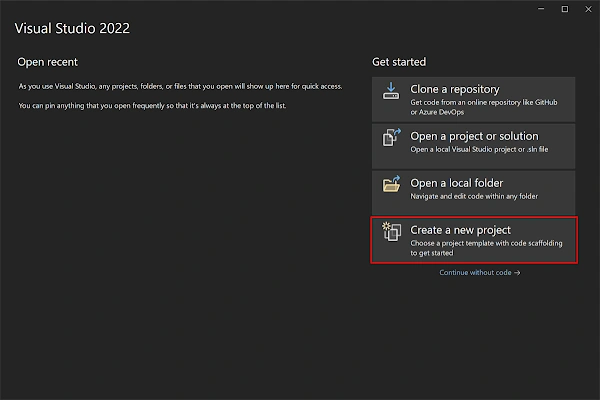
- Launch Visual Studio 2022, and in the start window click Create a new project to create a new project.
- In the Create a new project window, select MAUI in the All project types drop-down, select the .NET MAUI App template, and click the Next button:

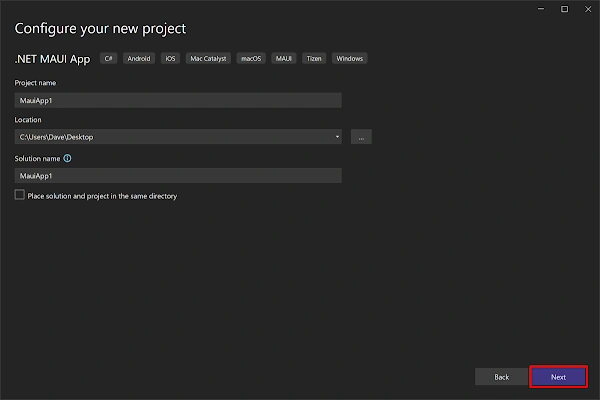
- In the Configure your new project window, name your project, choose a suitable location for it, and click the Next button:
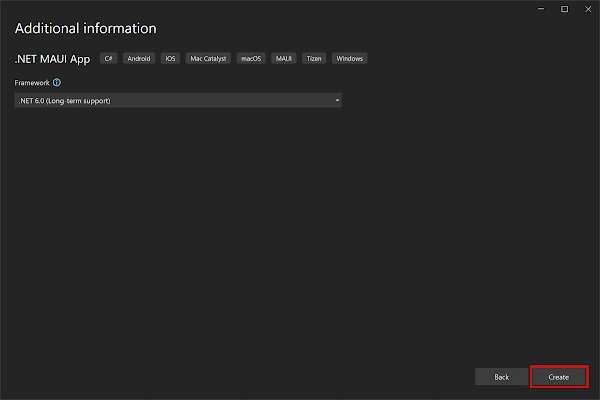
- In the Additional information window, click the Create button:
- Once the project is created, we can able to see the Android, iOS, Windows, and other running options in the toolbar. Press the emulator or run button to build and run the app

Implementation
<HorizontalStackLayout>
	<Label
		Text="To know more about .NET MAUI "
		SemanticProperties.HeadingLevel="Level1"
		FontSize="Default"
		HorizontalOptions="Center" />

	<Label
		Text="Visit Here"
		TextDecorations="Underline"
		TextColor="Blue"
		SemanticProperties.HeadingLevel="Level1"
		FontSize="Default"
		HorizontalOptions="Center" >
		<Label.GestureRecognizers>
			<TapGestureRecognizer Tapped="OnUrlClicked"/>
		</Label.GestureRecognizers>
	</Label>
</HorizontalStackLayout>

- In this step, we'll include two labels within the horizontal layout to position them closely to each other.
- The first text will serve as regular text, representing the standard label.
- The second text will function as a hyperlink, characterized by a blue text color and underlined as text decoration.
- The following code snippet will help in grasping the concept more clearly.
- Incorporate the tap gesture event "OnUrlClicked" to open the specified URL link, as demonstrated below.
private async void OnUrlClicked(object sender, TappedEventArgs e)
{
	await Launcher.OpenAsync("https://www.androidmads.info/search/label/.net%20maui");
}
Demo
Download Code
Join the conversation! Your thoughts help the community grow.