

Introduction
Dynamics CRM is a next-generation cloud-based Customer Relationship Management application offering multiple modules to manage customer acquisition and customer management and empowering the team to offer the best customer services.
Dynamics CRM comes with multiple modules required for different aspects of customer management including Sales, Services, Marketing, Project Services, Resource Management, and Field Service, and offers flexibility to customize and develop apps specific to customer requirements.
Dynamics CRM is an Enterprise Solution, and so integration or exchange of data with other applications has always been an important part of the implementation.
For any sort of integration, Microsoft offers the following different types of users to ensure businesses need not pay for the extra cost of licenses needed for integration
- Application User
- Administrator User
- Non-Interactive User
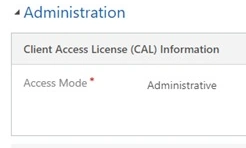
Administrator User
This user has been introduced by Microsoft to assist businesses with the capability of having a dedicated user who can administer the Dynamics CRM Application, but at the same time needs no access to customer data in the application.
Steps to create Administrator User.
- Create a User in Office 365.
- Allocate the Dynamics 365 License to the user.
- The user will get reflected in your Instance in Dynamics CRM.
Non-Interactive User
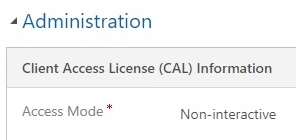
A non-Interactive user is one who will not be able to login to the application and will not be able to take any action in the application through the user interface, but can access the application through Web Services: Web API.
The steps to create the Non-Interactive user remain the same, only we need to ensure that the type of user is as shown in the screenshot
Application User
Application User is something similar to Non-Interactive User, and it plays an important role while we are utilizing server-to-server authentication.
Application User uses S2S authentication through Azure Active Directory and there is no limit to the creation of Application User.
Steps to create Application User.
- Login to Azure Portal and access the Active Directory, to register a new application.
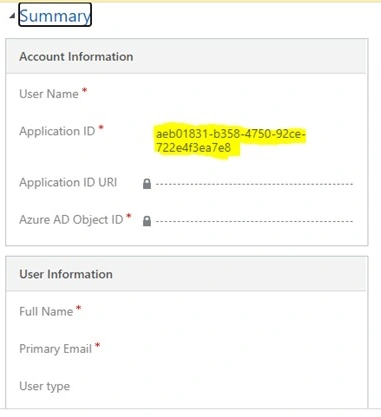
- Registration of Application will generate an Application ID which we need to update in Dynamics CRM.
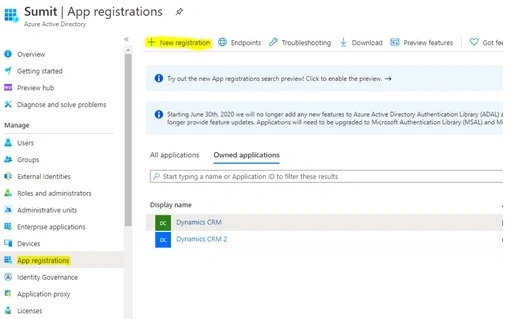
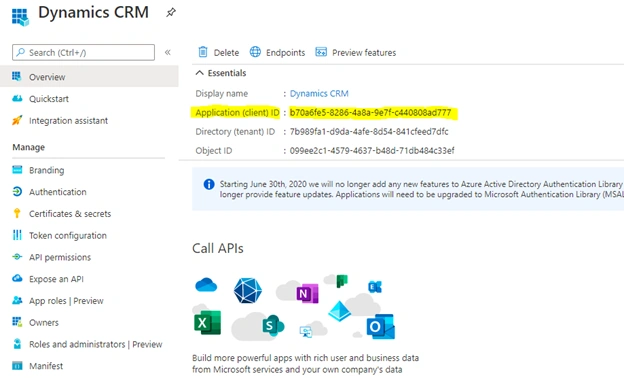
- Registration of Application will generate an Application ID which we need to update in Dynamics CRM.
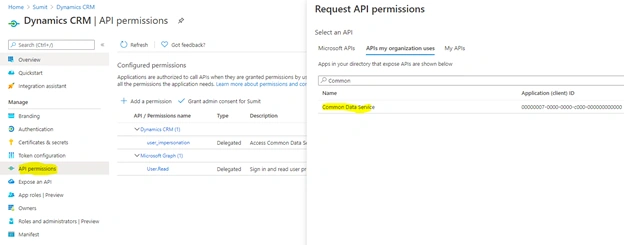
- After the creation of the application, open the record and open API Permissions under the same.
- Click on New, and select the Common Data Service.
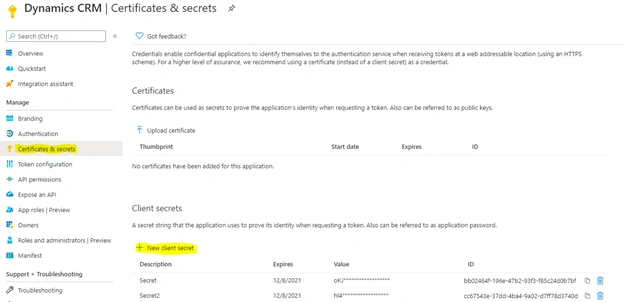
- After that, click on the Certificates & Secrets, to generate a Secret key which we will be using while connecting to the Dynamics CRM application through any third party application.
- Screenshot of Application User in Dynamics CRM
Sample connection string to connect using application user
AuthType=ClientSecret;Url=https://sumit3355.crm.dynamics.com;ClientId=0xx691f6-5358-4fe9-8c39-91c66945f292;ClientSecret=Cxxxx.j4LOsb-_mMT2_2mY9Vt9FROoy_8
- Client Id: Generated through Certificates & Secrets.
- Application Id: Generated by registering the Application to Active Directory.
Join the conversation! Your thoughts help the community grow.