

Introduction:
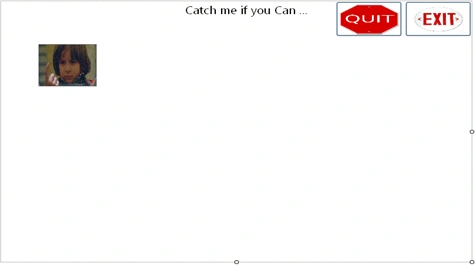
This is tricky game using some mouse events.
Step 1:
Add a form in application and make it borderStyle property none.
Step 2:
Add a picturebox and two buttons in the form.
Step 3:
int x, y;
bool quit = false;
bool win =false;
private void
pictureBox1_MouseEnter(object sender, EventArgs e)
{
if (quit == false && win == false)
{
/*
When you take mouse over the
picturebox randmoly two value generated
And it is
different every time..and that two value assign to x and y which is
use to set picture at different location whenever
you take mouse over the picture.
*/
x
= Convert.ToInt32(Microsoft.VisualBasic.VBMath.Rnd() * ((this.ClientSize.Width)
- 50));
y = Convert.ToInt32(Microsoft.VisualBasic.VBMath.Rnd() * ((this.ClientSize.Height)
- 60));
pictureBox1.Location = new System.Drawing.Point(x,
y);
}
}
private void
pictureBox1_MouseClick(object sender, MouseEventArgs e)
{
win = true;
pictureBox1.Image = global::fungame_clickMe.Properties.Resources.winner;
pictureBox1.Location = new System.Drawing.Point(200,
180);
pictureBox1.Size = new System.Drawing.Size(200,
200);
}
private void
button1_Click(object sender, EventArgs e)
{
this.Close();
}
private void
button3_Click(object sender, EventArgs e)
{
quit = true;
pictureBox1.Image = global::fungame_clickMe.Properties.Resources.loser;
pictureBox1.Location = new System.Drawing.Point(200,
180);
pictureBox1.Size = new System.Drawing.Size(200,200);
}
zainab hPosted May 5, 2011, 11:26 AM
thanx for this funny game but , how can i make forms borderStyle property none..?? regards
Rishi KhetanPosted Jan 9, 2011, 5:42 AM
Which namespace we have to use here...?