

Azure Logic Apps
Logic App is a cloud-based service. It allows us to react to an event in one service (such as SharePoint Online) and do something with the data from that event into another Service (such as Twitter). It makes it practical and simple for business processes. The users build workflows that automatically do some business tasks and processes across applications and services. We can connect our business-critical apps and services with Azure Logic Apps, automating our workflows without writing a single line of code.
Before reading this article, please go through some important article links, mentioned below.
- Deep Dive Into Azure Logic Apps
- Connect OneDrive To Google Drive With Azure Logic Apps
- Connect Facebook To Twitter With Azure Logic App
- Connect Outlook Mail To Excel Sheets With Azure Logic App
- Save Email Attachment From Outlook To Dropbox With Microsoft Azure Logic
- Save Specific Twitter Tweet To Excel Spreadsheet With Azure Logic App
- Connect Box To OneDrive Using Azure Logic Apps
- Save Only A Positive Tweet To Excel Spreadsheet Using Microsoft Cognitive
Here, we will learn how we can tweet a specific YouTube video on Twitter automatically.
How to Create a Logic Flow for Tweeting a Specific YouTube Video
Here, we can connect YouTube and Twitter.
Prerequisites
- Microsoft Azure Account.
- Twitter Account.
- YouTube Account.
Follow the below steps to build a workflow using a template.
Step 1
Log into https://portal.azure.com/
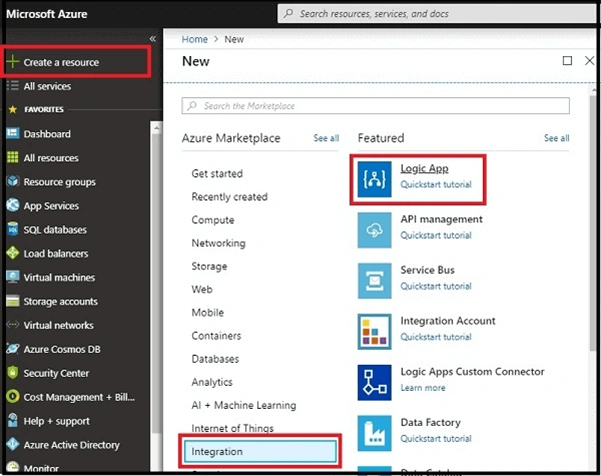
In the dashboard, choose to create a resource and click on Integration. Now, choose Logic App.
Step 2
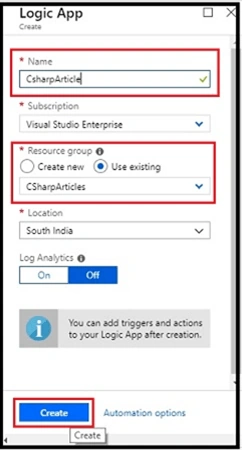
Enter the name you want to assign to the logic, choose the subscription and resource group where you organize the related resources, and location where your logic app is stored. Then, click on "Create".
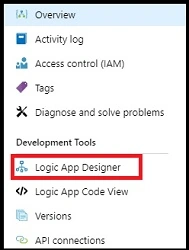
Here is the dashboard. Click on Logic App Designer.
Step 3
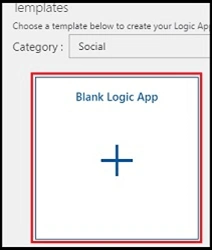
Now, click on the Blank Logic App.
Step 4
Configure the data by signing into YouTube and Twitter.
- Search YouTube on the search bar.

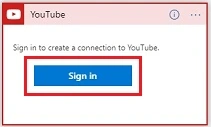
- Sign in to YouTube.
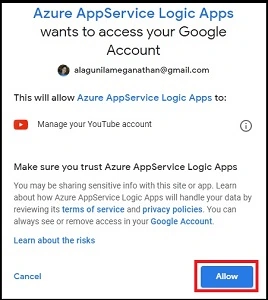
- We give permission to access our accounts.
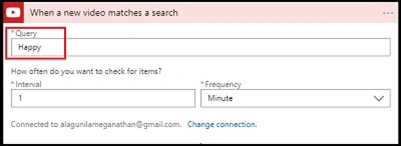
- Next, set the Specific Keyword ( Eg., Happy) which you want to store that specific video to tweet. And then, give the time interval and frequency for checking the workflow as one minute.
Step 5
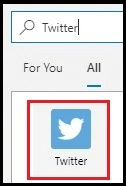
- Search Twitter on the search bar.
- Choose "Action"
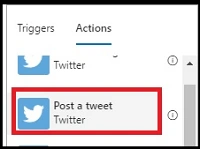
- Next, let us sign in.
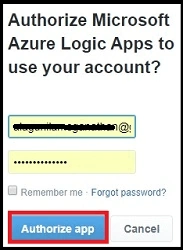
- We give permission to access our accounts.
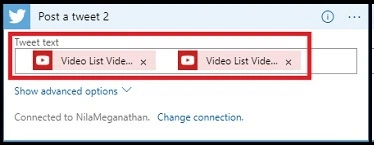
- Next, set the Tweet Text.
Step 6
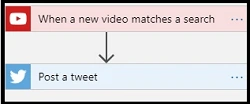
- The final workflow will be like this.
Step 7
Now, let us save the workflow and run it.

Output
YouTube sends a Twitter with #Happy Keyword.

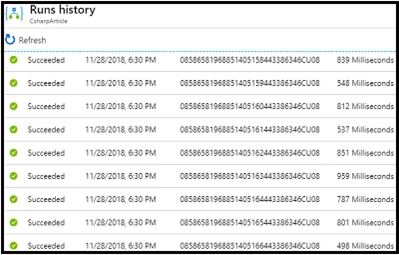
Here is a screenshot of Flow execution.
Summary
I hope you understood how to tweet a specific YouTube video on Twitter automatically and how to run it. Stay tuned for more Logic App articles.
Prashant KumbharPosted Nov 30, 2018, 7:52 AM
Clean and clear understanding...
Elavarasan RPosted Nov 29, 2018, 5:56 PM
Very useful, thanks for sharing your knowledge and congrats for you have achieving 100 th article..