

Introduction
Integrating Twitter into an Android application will make it easy for a user to login with Twitter using an email id and password and get user information like name, user profile URL and location. Use the following procedure to make an application like that.
Step 1: Register app on Twitter
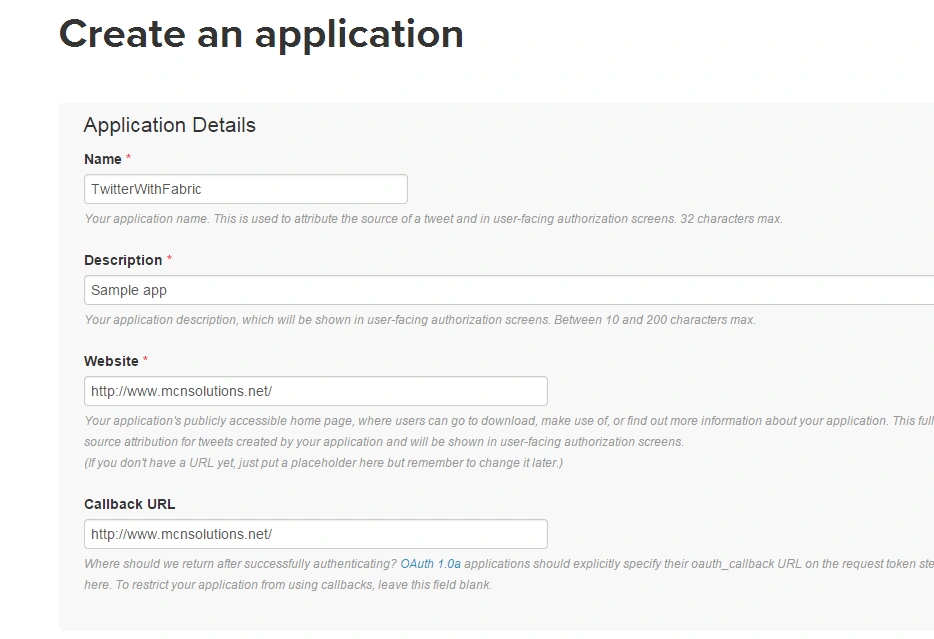
- Please go to https://dev.twitter.com/apps/new and create a new application.
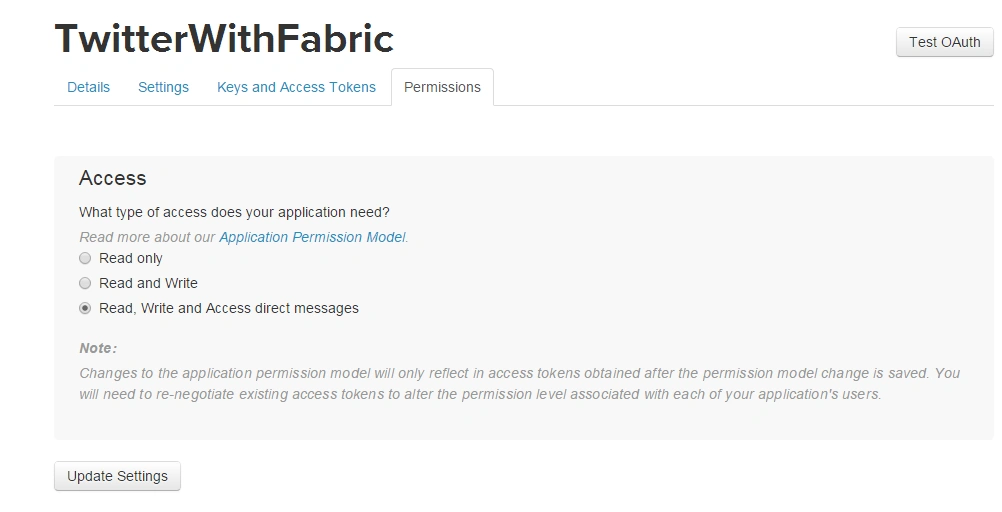
- Go to the permission tab and update the setting for reading, Write and Access of direct messages.
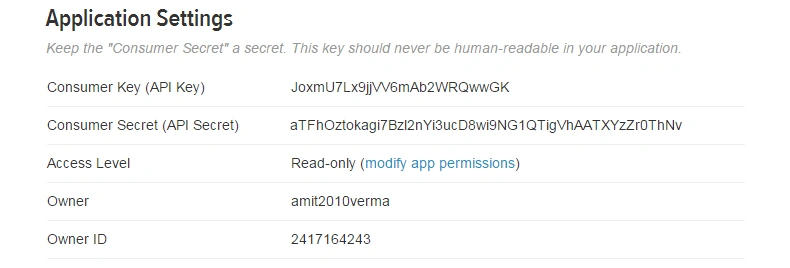
- Copy the consumer key and secret key.
Step 2: Configure Fabric in eclipse
- Go to Help -> Install New Software.
- Paste in the URL https://fabric.io/download/eclipse.
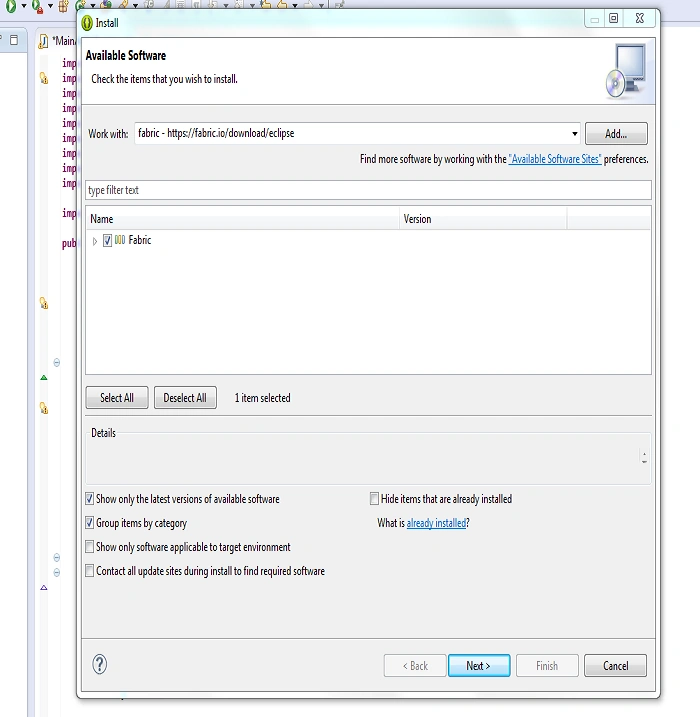
- Uncheck the "Contact all update sites" checkbox and press the Next button to install.
Step 3: Sign Up With Fabric
- If you do not have an account then sign up with fabric.
- Go to https://get.fabric.io/.
- Register on fabric.
Step 4: Create a New Project
- Create a new project in Eclipse using File New -> Android -> Application Project and enter the project name.
Step 5: Configure fabric on a project
After installing fabric in Eclipse.
1. Login with fabric.
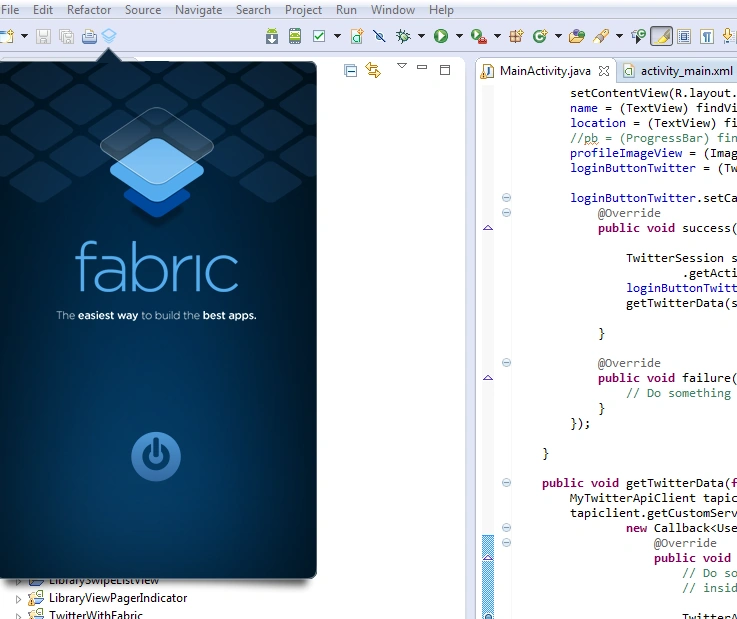
2. Select your project.

3. Press the Next button and install it.
4. Open activity_main.xml and paste in the following code.

- <RelativeLayout xmlns:android="http://schemas.android.com/apk/res/android"
- android:layout_width="fill_parent"
- android:layout_height="fill_parent" >
- <ImageView
- android:id="@+id/imageView_profile_image"
- android:layout_width="80dp"
- android:layout_height="80dp"
- android:layout_alignParentTop="true"
- android:layout_centerHorizontal="true"
- android:layout_marginTop="56dp"
- android:scaleType="fitXY"
- android:src="@null" />
- <TextView
- android:id="@+id/textView_name"
- android:layout_width="wrap_content"
- android:layout_height="wrap_content"
- android:layout_below="@+id/imageView_profile_image"
- android:layout_centerHorizontal="true"
- android:layout_marginTop="16dp" />
- <TextView
- android:id="@+id/textView_location"
- android:layout_width="wrap_content"
- android:layout_height="wrap_content"
- android:layout_below="@+id/textView_name"
- android:layout_centerHorizontal="true"
- android:layout_marginTop="16dp" />
- <com.twitter.sdk.android.core.identity.TwitterLoginButton
- android:id="@+id/login_button_twiter"
- android:layout_width="wrap_content"
- android:layout_height="wrap_content"
- android:layout_alignBottom="@+id/textView_location"
- android:layout_centerHorizontal="true"
- android:layout_marginTop="16dp" />
- </RelativeLayout>
- package com.mcnsolutions.twitterwithfabric;
- import java.io.InputStream;
- import retrofit.http.GET;
- import retrofit.http.Query;
- import android.app.Activity;
- import android.content.Intent;
- import android.graphics.Bitmap;
- import android.graphics.BitmapFactory;
- import android.os.AsyncTask;
- import android.os.Bundle;
- import android.util.Log;
- import android.view.View;
- import android.widget.ImageView;
- import android.widget.ProgressBar;
- import android.widget.TextView;
- import com.twitter.sdk.android.Twitter;
- import com.twitter.sdk.android.core.Callback;
- import com.twitter.sdk.android.core.Result;
- import com.twitter.sdk.android.core.TwitterApiClient;
- import com.twitter.sdk.android.core.TwitterAuthConfig;
- import com.twitter.sdk.android.core.TwitterAuthToken;
- import com.twitter.sdk.android.core.TwitterException;
- import com.twitter.sdk.android.core.TwitterSession;
- import com.twitter.sdk.android.core.identity.TwitterLoginButton;
- import com.twitter.sdk.android.core.models.User;
- import io.fabric.sdk.android.Fabric;
- public class MainActivity extends Activity {
- private TwitterLoginButton loginButtonTwitter;
- private TextView name, location;
- private ImageView profileImageView;
- private ProgressBar pb;
- private static final String TWITTER_KEY = "Paste Consumer Key";
- private static final String TWITTER_SECRET = "Paste Secret Key";
- @Override
- protected void onCreate(Bundle savedInstanceState) {
- super.onCreate(savedInstanceState);
- TwitterAuthConfig authConfig = new TwitterAuthConfig(TWITTER_KEY,
- TWITTER_SECRET);
- Fabric.with(this, new Twitter(authConfig));
- setContentView(R.layout.activity_main);
- name = (TextView) findViewById(R.id.textView_name);
- location = (TextView) findViewById(R.id.textView_location);
- // pb = (ProgressBar) findViewById(R.id.progressBar1);
- profileImageView = (ImageView) findViewById(R.id.imageView_profile_image);
- loginButtonTwitter = (TwitterLoginButton) findViewById(R.id.login_button_twiter);
- loginButtonTwitter.setCallback(new Callback<TwitterSession>() {
- @Override
- public void success(Result<TwitterSession> result) {
- TwitterSession session = Twitter.getSessionManager()
- .getActiveSession();
- loginButtonTwitter.setVisibility(View.GONE);
- getTwitterData(session);
- }
- @Override
- public void failure(TwitterException exception) {
- // Do something on failure
- }
- });
- }
- public void getTwitterData(final TwitterSession session) {
- MyTwitterApiClient tapiclient = new MyTwitterApiClient(session);
- tapiclient.getCustomService().show(session.getUserId(),
- new Callback<User>() {
- @Override
- public void success(Result<User> result) {
- // Do something with result, which provides a Tweet
- // inside of result.data
- TwitterAuthToken authToken = session.getAuthToken();
- String token = authToken.token;
- String secret = authToken.secret;
- name.setText(result.data.name);
- location.setText(result.data.location);
- new ImageDownloader(profileImageView)
- .execute(result.data.profileImageUrl);
- }
- public void failure(TwitterException exception) {
- // Do something on failure
- }
- });
- }
- class MyTwitterApiClient extends TwitterApiClient {
- public MyTwitterApiClient(TwitterSession session) {
- super(session);
- }
- public CustomService getCustomService() {
- return getService(CustomService.class);
- }
- }
- interface CustomService {
- @GET("/1.1/users/show.json")
- void show(@Query("user_id") long id, Callback<User> cb);
- }
- @Override
- protected void onActivityResult(int requestCode, int resultCode, Intent data) {
- super.onActivityResult(requestCode, resultCode, data);
- // Pass the activity result to the login button.
- loginButtonTwitter.onActivityResult(requestCode, resultCode, data);
- }
- class ImageDownloader extends AsyncTask<String, Void, Bitmap> {
- ImageView bmImage;
- public ImageDownloader(ImageView bmImage) {
- this.bmImage = bmImage;
- }
- protected Bitmap doInBackground(String... urls) {
- // pb.setVisibility(View.VISIBLE);
- String url = urls[0];
- Bitmap mIcon = null;
- try {
- InputStream in = new java.net.URL(url).openStream();
- mIcon = BitmapFactory.decodeStream(in);
- } catch (Exception e) {
- Log.e("Error", e.getMessage());
- }
- return mIcon;
- }
- protected void onPostExecute(Bitmap result) {
- // pb.setVisibility(View.GONE);
- bmImage.setImageBitmap(result);
- }
- }
- }
6. Run the application.
Pradip PandeyPosted Jul 22, 2016, 9:11 AM
Its a good start, keep it up!
Naveen SinghPosted Jul 19, 2016, 1:41 AM
Good Article
Amit VermaPosted Mar 2, 2015, 11:18 PM
Please try this link-https://dev.twitter.com/twitter-kit/android/request-email
Sugumaran VPosted Mar 2, 2015, 1:03 AM
Hi , Inned to access Email of login users. can u help me, thanks in advance