

Introduction
As you know, Visual Studio LightSwitch is a Microsoft tool which is used to build business applicationa. There are many data screens in LightSwitch like a data screen, search data screens, editable grid screen, etc. If you want to make use of a search data screen as a combo box in the LightSwitch application then you can. Combo box is also known as an auto complete box in LightSwitch.
Step by step solution
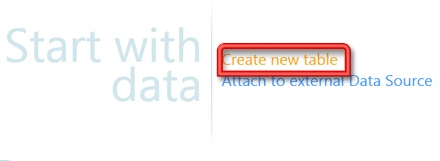
Step 1 : Open Visual Studio LightSwitch->Create new table.
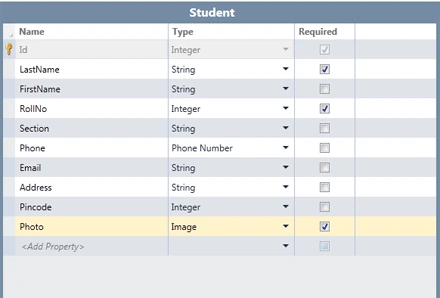
Step 2 : Create a students table like below.
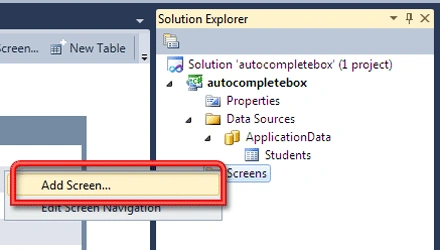
Step 3 : Right click on screen->Add screen.
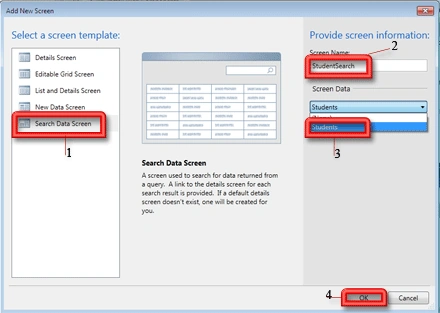
Step 4 : Select search data screen->Write screen name (studentsearch)->Choose screen data (student)->Ok.
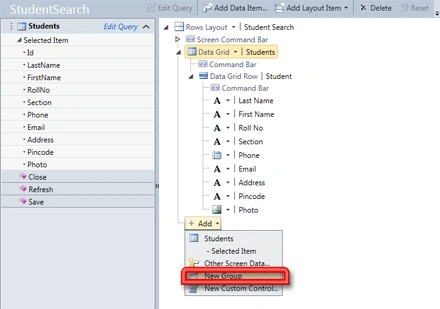
Step 5 : Add a new group.
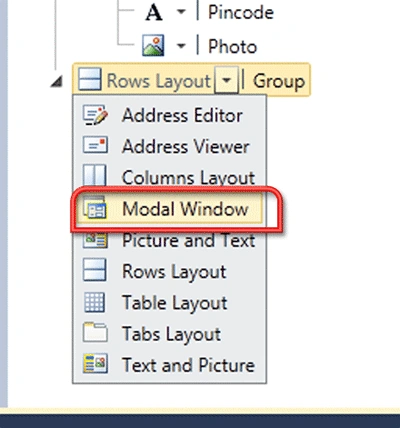
Step 6 : Add a modal window.
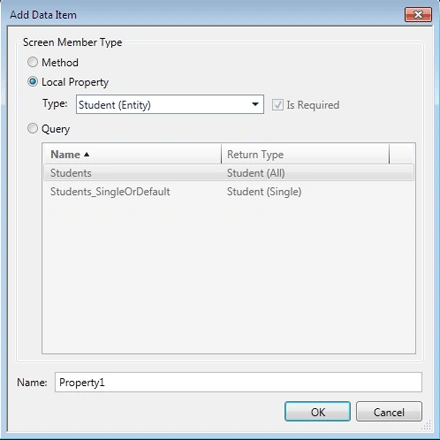
Step 7 : Add data item->Select local property->Type(student entity)->OK.
Step 8 : Move up modal window->Add property1.
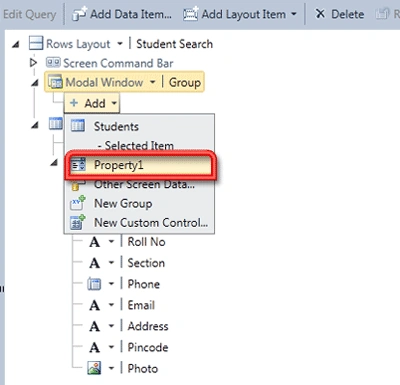
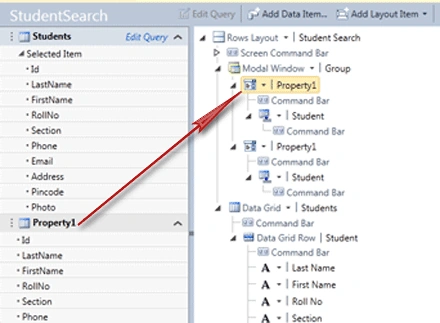
Step 9 : Move property1 from student search screen to modal window.
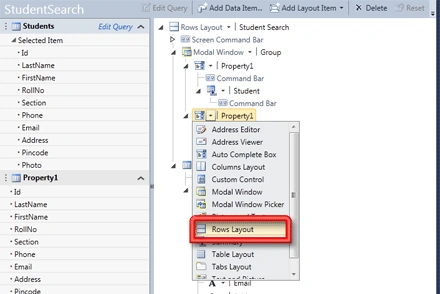
Step 10 : Click property1->Select Rows layout.
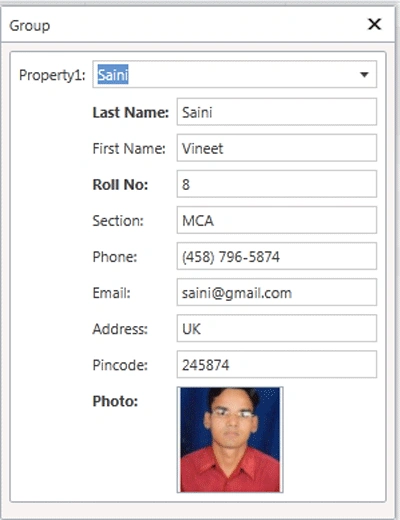
Step 11 : Run application (Press F5)->Click group button->Select property1(like as saini).

Summary
So search data screen is very important data screen in LightSwitch. You can use search data screen as a combo box in LightSwitch.
Join the conversation! Your thoughts help the community grow.