

Introduction
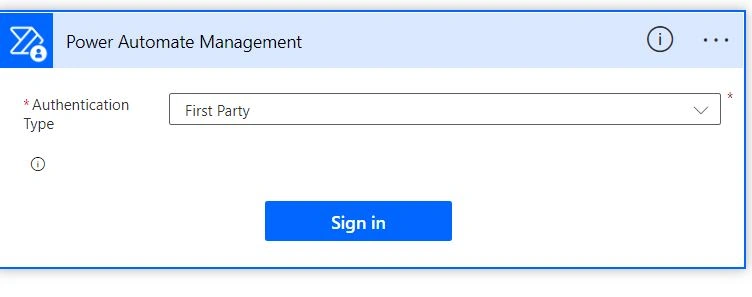
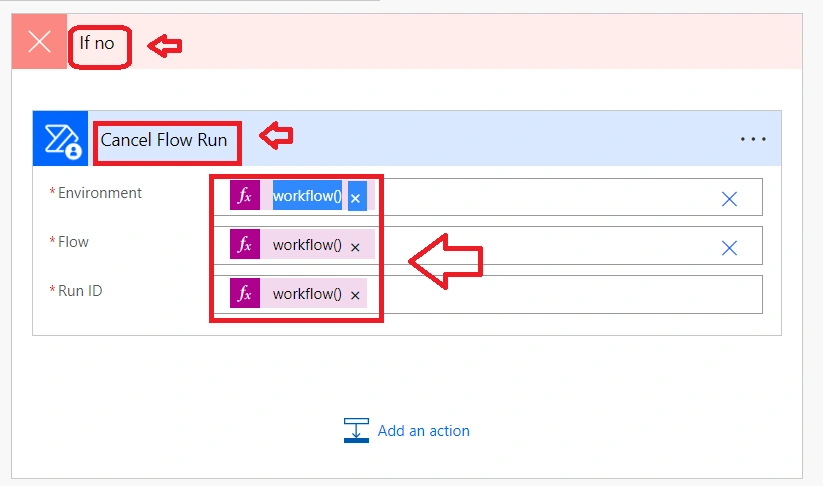
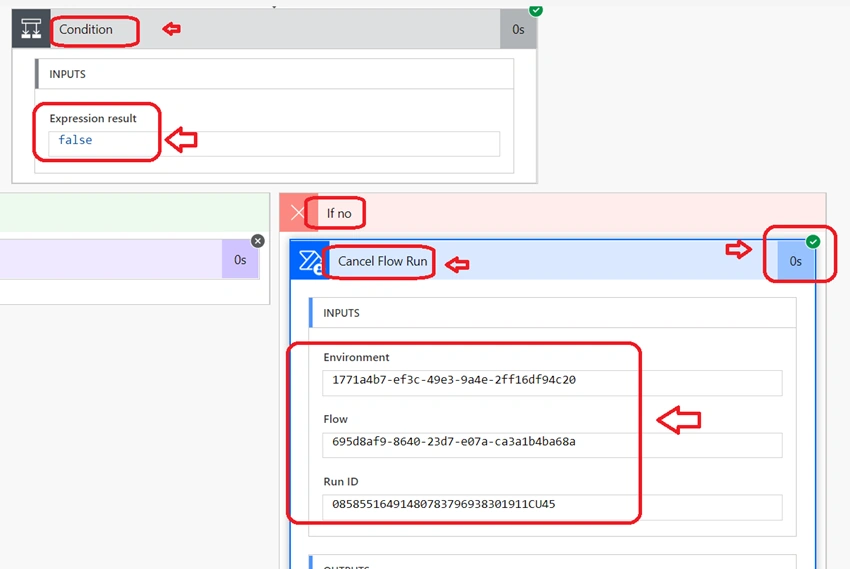
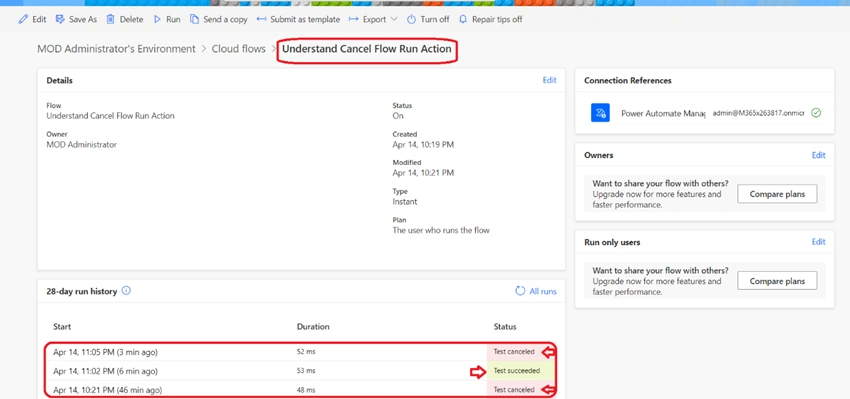
Generally, in certain scenarios, we must cancel current flow if at all some condition was not met. So, without opening each flow in the consolidated list of flow runs we can easily find which flow runs passed and which are canceled. In Power automate we can achieve this by using Cancel Flow Run Action.
Step 1
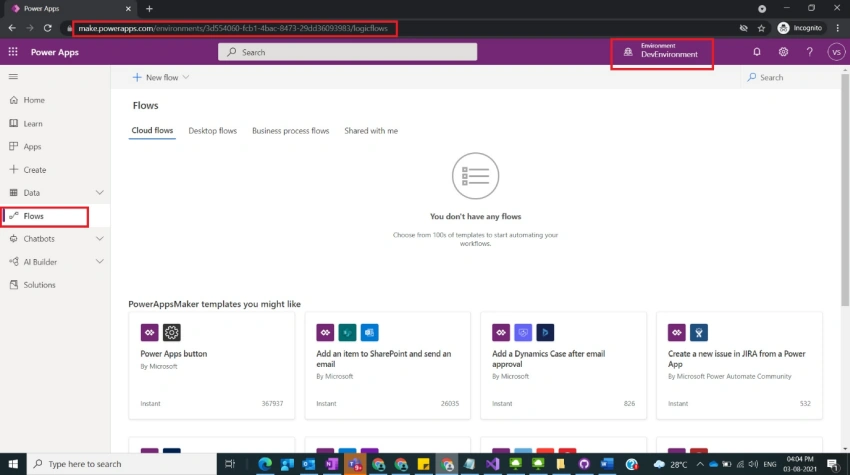
Login to the required Power Apps environment using URL make.powerapps.com by providing username and password and click on Flows on the left-hand side as shown in the below figure.
Step 2
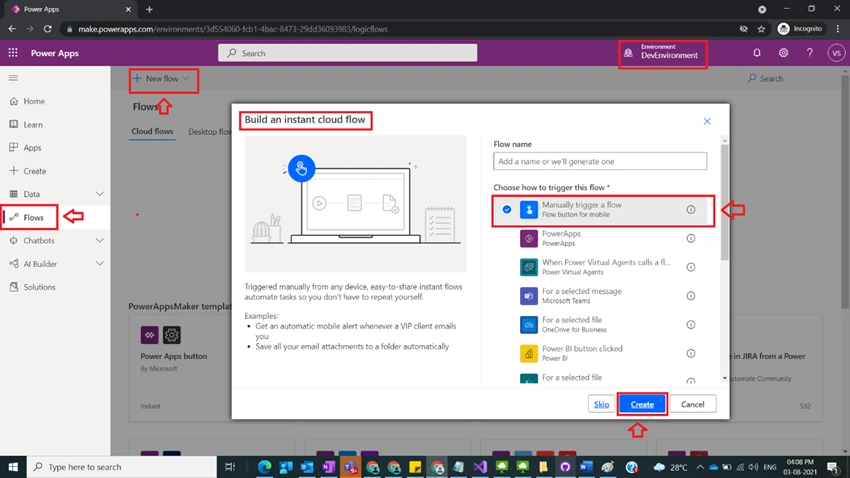
After Step 1, Click on New Flow and select instant cloud flow and provide the trigger as Manually trigger a flow and click on Create as shown in the below figure.
Step 3
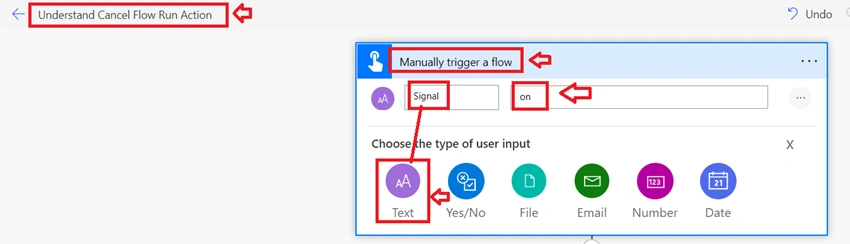
After Step 2, name the flow as Understand Cancel Flow Run Action and Manually trigger provide input values by selecting type of user input as text as
Title : Signal
 Value : On
as shown in the below figure.
Step 4
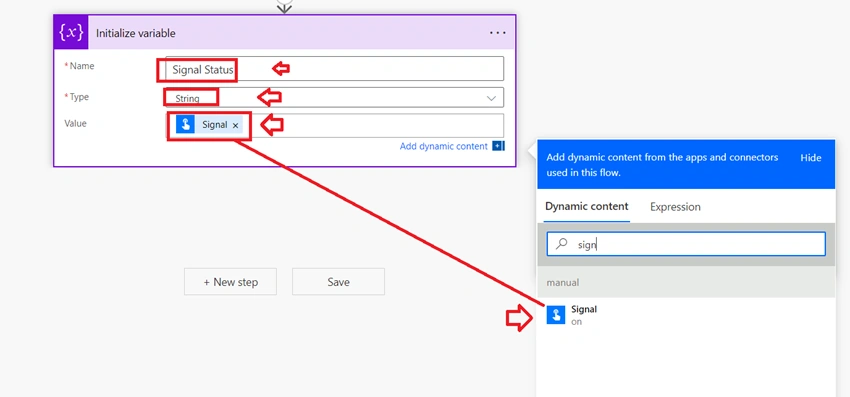
After Step 3, Take Initialize variable action and provide the values as below
Name : Signal Status
Type : String
Value : @{triggerBody()['text']} [ From Step 3]
as shown in the below figure.
Step 5
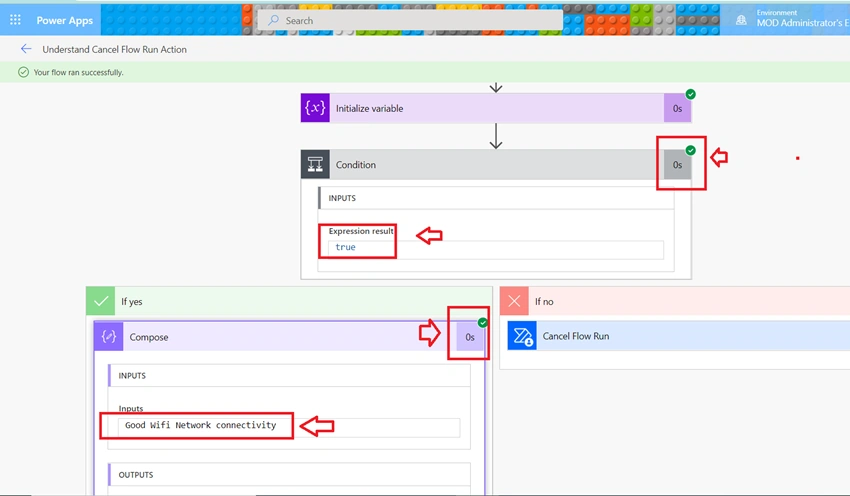
After Step 4, take condition Action and provide the values
Left side as variables(‘Signal Status’)
Comparison operator: is equal to
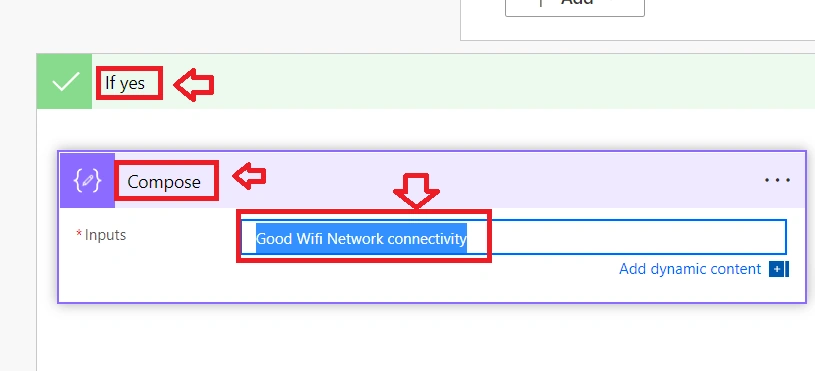
Value : on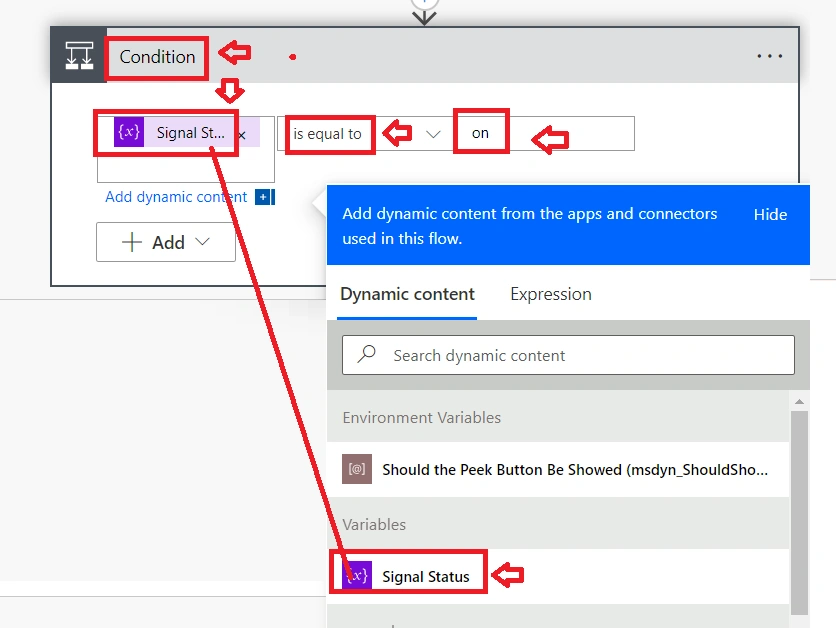
Join the conversation! Your thoughts help the community grow.