

This is the "Understand jQuery Ajax function" article series. In this article series we are explaining various concepts of jQuery Ajax functions. We have learned how to call various service and web methods using jQuery Ajax functions and we saw how to process and parse XML and JSON data with it. A complete example is included.
- Understand jQuery Ajax function: call code-behind function
- Understand jQuery Ajax function : Call code-behind C# method
- Understand jQuery Ajax function : Call Web Service using JQury Ajax function
- Understand jQuey Ajax Function: Call Web-API Method
- Understand jQuery Ajax Function: Pass JSON Data to Service Method
- Understand jQuery Ajax Function : Read XML Data using jQuery Ajax Function
In this article we will learn the uses of the get(), put() and post() methods. Confusion may exist that this is series is for understanding Ajax functions but why we are we only explaining those three functions? The reason is that those functions are very related to Ajax functions and internally they use Ajax functions to process data. In this article we will understand them one by one.
Understand get() method
The Get() method is necessary when we want to get data either from a service or another server function or plain text or HTML page. Here is one example of the get() function. In this example we are calling one plain HTML page located in the same location as our current page is located.
<%@ Page Language="C#" AutoEventWireup="true" CodeBehind="JavaScript.aspx.cs" Inherits="WebApplication.JavaScript" %>
<head id="Head1" runat="server">
<script src="jquery-1.7.1.min.js"></script>
<script>
$(document).ready(function () {
$("#Submit").click(function () {
$.get("dummy.html", function (data) {
$("#content").html(data);
});
});
});
</script>
</head>
<body>
<form id="From1" method="post">
<input type="button" value="submit" name="Submit" id="Submit" />
<div id="content">
</div>
</form>
</body>
</html>
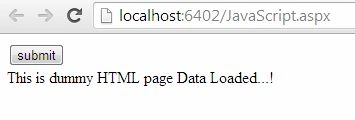
Here is sample output. The content of the HTML page is being display within a div tag.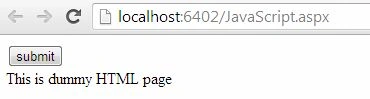
Various callback functions of the get() method
In this example we will explain various callback functions of the get() method. We are seeing that we have defined various callback functions, like done() , fail(), always() and so on. Try to understand the following example.
<script>
$(document).ready(function () {
$("#Submit").click(function () {
$.get("dummy.html", function (data) {
$("#content").html(data);
}).done(function () {
$("#content").append("Done!");
}).fail(function () {
$("#content").append(" Fail!");
}).always(function () {
$("#content").append(" Always Show.");
});
});
});
</script>
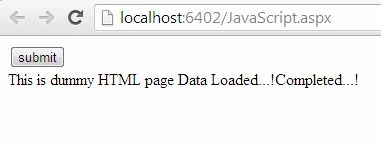
Here is sample output of the above example.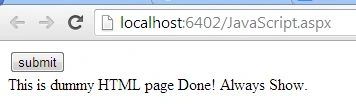
Understand post() method
The Post() method is perfect when we want to post some data to some web method or service method. For example, we want to collect form data and want to pass it to a service method. Here is a small example of the post() method.
<%@ Page Language="C#" AutoEventWireup="true" CodeBehind="JavaScript.aspx.cs" Inherits="WebApplication.JavaScript" %>
<head id="Head1" runat="server">
<script src="jquery-1.7.1.min.js"></script>
<script>
$(document).ready(function () {
$("#Submit").click(function () {
$.post("JavaScript.aspx/TestAjax", function () {
}).done(function () {
$("#content").html("Data Posted to WebMethod");
});
});
});
</script>
</head>
<body>
<form id="From1" method="post">
<input type="button" value="submit" name="Submit" id="Submit" />
<div id="content">
</div>
</form>
</body>
</html>
The following is the output of the post() method: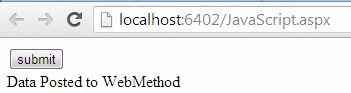
Various callback functions of the post() method
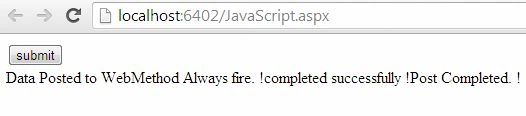
Like the get() method, the post() also has various callback functions. In this example we will see a few of them.
Vithal WadjePosted Sep 24, 2014, 11:23 AM
super one