

Introduction
SharePoint, a powerful collaboration platform developed by Microsoft, offers extensive capabilities for sharing and managing content within organizations. One crucial aspect of SharePoint administration is managing permissions effectively to ensure that users have the appropriate level of access to resources while maintaining security and compliance. In this guide, we'll take a deep dive into SharePoint permissions, covering various aspects such as granting permissions, managing permission levels, handling access requests, and the role of site collection administrators.
Login Step
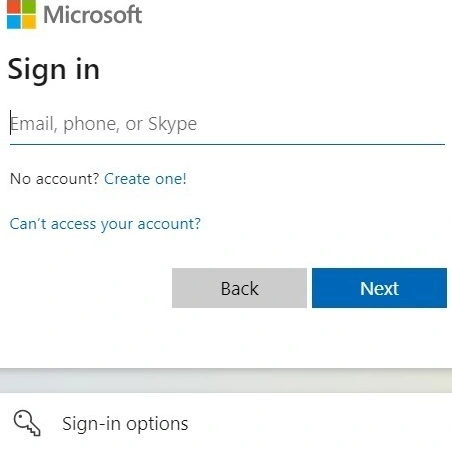
Before delving into SharePoint permissions, it's essential to understand how to access the platform. Follow these steps to log in to SharePoint.
- Navigate to the SharePoint site URL provided by your organization.
- Enter your username and password in the login interface.
- Click on the "Sign In" or "Login" button to access the SharePoint environment.
Understanding SharePoint Permissions
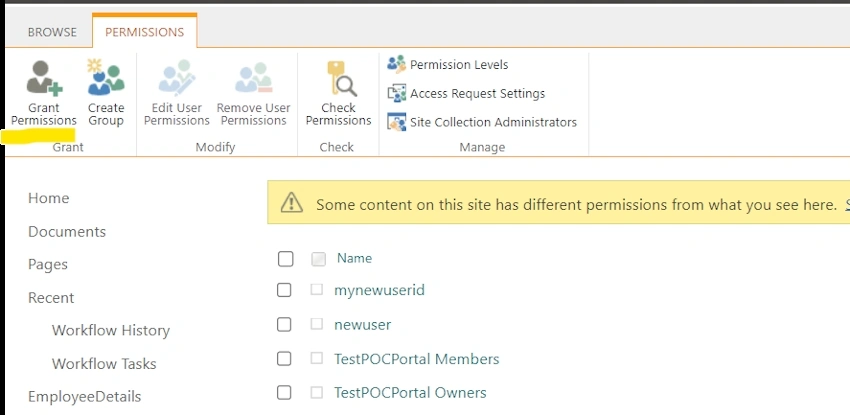
Grant Permissions
SharePoint allows administrators to grant permissions to users and groups at different levels of the site hierarchy. This involves providing individuals or groups with specific rights to access, contribute, or manage content within SharePoint sites, libraries, lists, or items.
- Identify the users or groups that require access to SharePoint resources.
- Navigate to the site or resource where you want to grant permissions.
- Click on the "Share" button.
- Enter the name or email address of the user or group you want to grant permission to.
- Choose the appropriate permission level (e.g., Read, Contribute, Full Control).
- Click "Share" to grant permissions.
Create Group
Groups in SharePoint streamline permission management by allowing administrators to assign permissions to multiple users collectively. Creating a group involves consolidating users who require similar access rights and assigning permissions to the group rather than individual users.
- Navigate to the SharePoint site where you want to create a group.
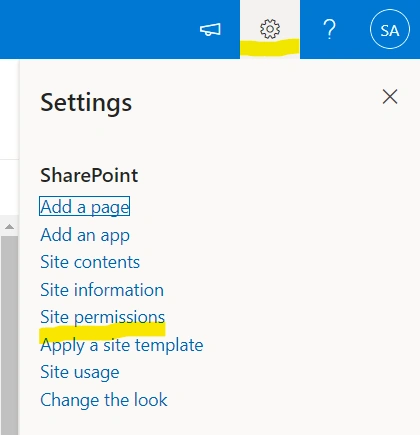
- Click on the "Settings" gear icon and select "Site permissions".
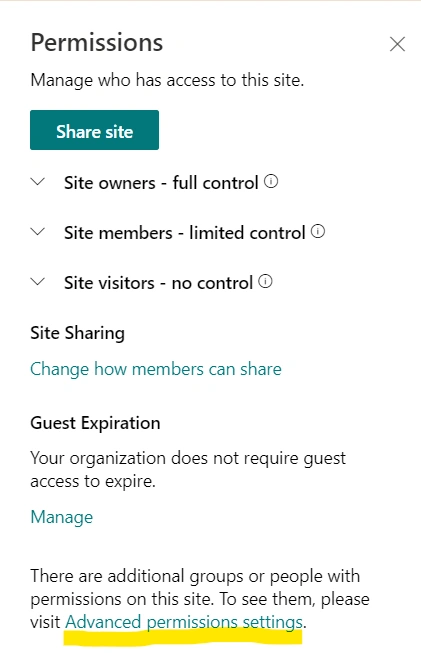
- Click on "Create group" and enter the group name and description.
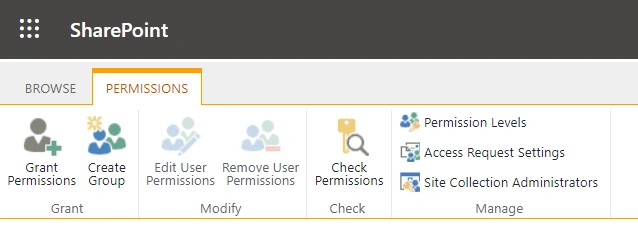
- Add members to the group.
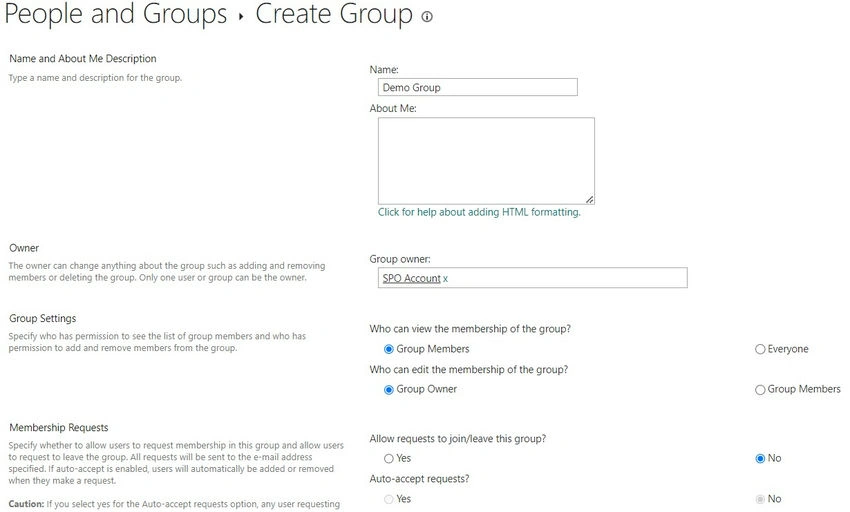
- Choose the desired permission level for the group.
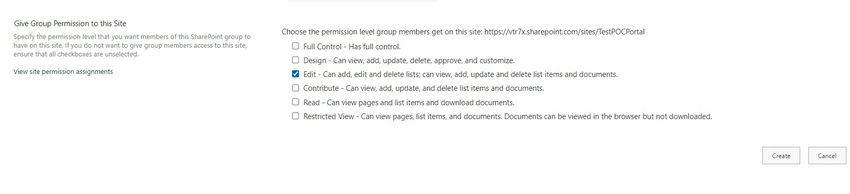
- Click "Create" to create the group and assign permissions.
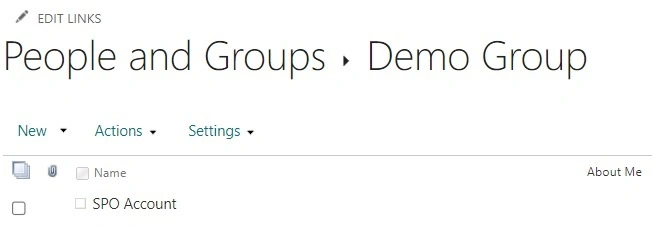
Grant/Edit User Permissions
Administrators can grant or edit user permissions either directly to individual users or indirectly through groups. This process involves specifying the level of access (such as read, write, or full control) that users or groups have over SharePoint resources.
- Navigate to the SharePoint site or resource where you want to grant or edit user permissions.
- Click on the "Settings" gear icon and select "Site permissions."
- Click on "Advanced permissions settings."
- Click on "Grant permissions" to add a new user or group, or click on the user/group name to edit existing permissions.
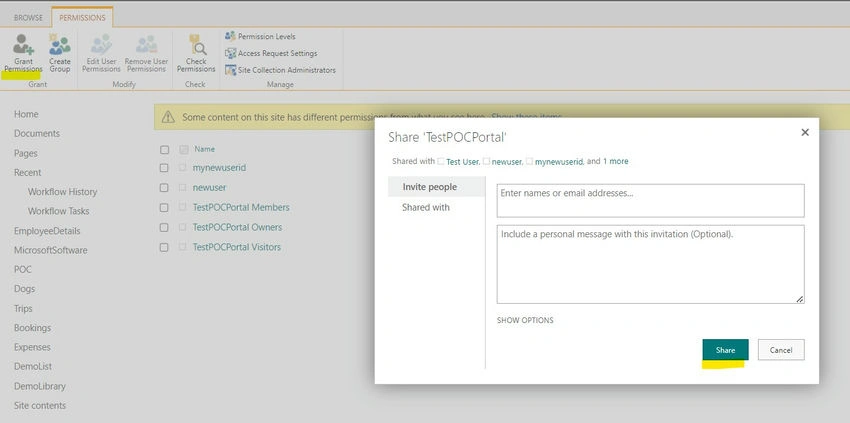
- Choose the desired permission level.
- Click "OK" to save the changes.
Remove User Permissions
In scenarios where access needs change or users leave the organization, administrators may need to remove user permissions to maintain security and data integrity. Removing user permissions involves revoking access rights either directly from the user or from the groups they belong to.
- Navigate to the SharePoint site or resource from which you want to remove user permissions.
- Click on the "Settings" gear icon and select "Site permissions."
- Click on "Advanced permissions settings."
- Select the user or group whose permissions you want to remove.
- Click on "Remove User Permissions".
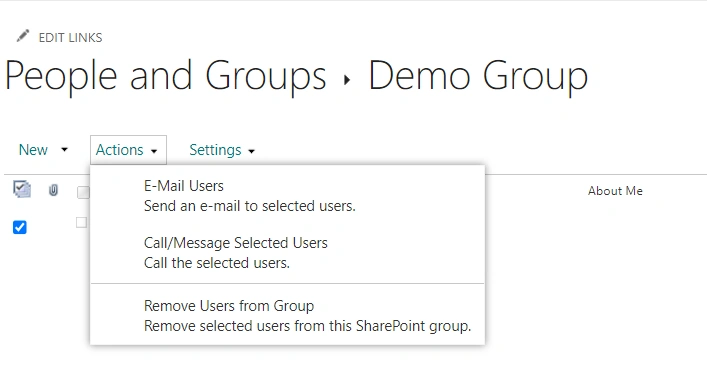
- Confirm the action to revoke the user's permissions.
Modify Permissions
SharePoint provides flexibility in modifying permissions as per evolving business requirements. Administrators can adjust permissions for individual users or groups, changing their access levels or revoking specific permissions as needed.
- Navigate to the SharePoint site or resource where you want to modify permissions.
- Click on the "Settings" gear icon and select "Site permissions."
- Click on "Advanced permissions settings."
- Select the user or group whose permissions you want to modify.
- Click on "Edit User Permissions."
- Adjust the permission levels as needed.
- Click "OK" to save the changes.
Check Permissions
Administrators can verify users' permissions to ensure they have the appropriate access rights. The "Check Permissions" feature in SharePoint allows administrators to specify a user or group and view the permissions granted to them at different levels of the site hierarchy.
- Navigate to the SharePoint site or resource for which you want to check permissions.
- Click on the "Settings" gear icon and select "Site permissions."
- Click on "Check Permissions."
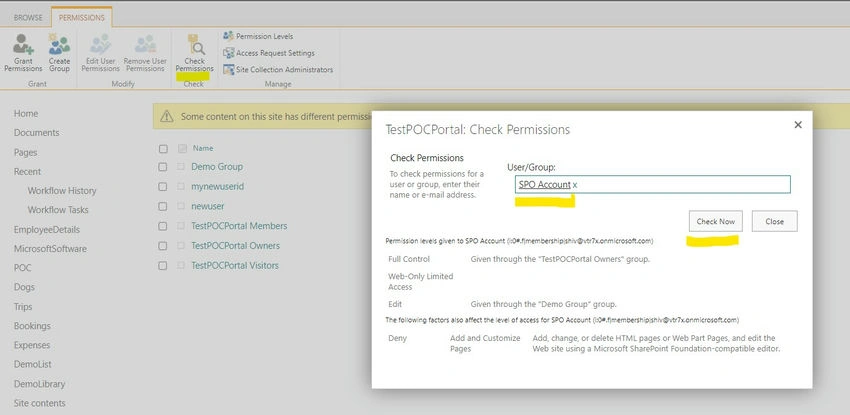
- Enter the name or email address of the user or group.
- Click "Check Now" to view the permissions granted to the user or group.
Permission Levels
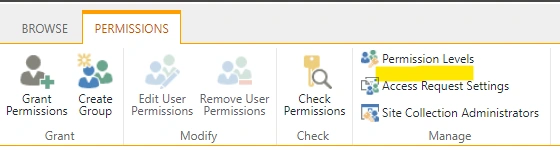
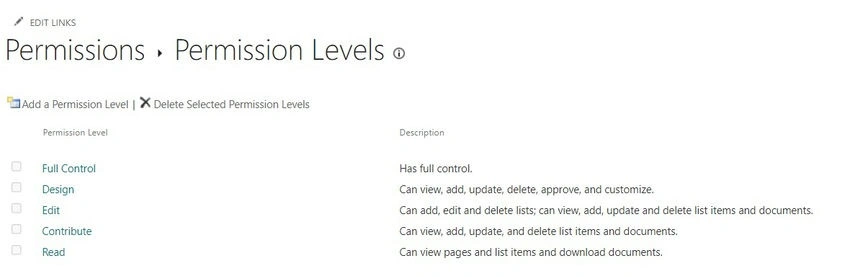
SharePoint offers predefined permission levels that define a set of permissions commonly assigned to users or groups. These include Full Control, Design, Edit, Contribute, Read, and View Only, each granting varying degrees of access to SharePoint resources.
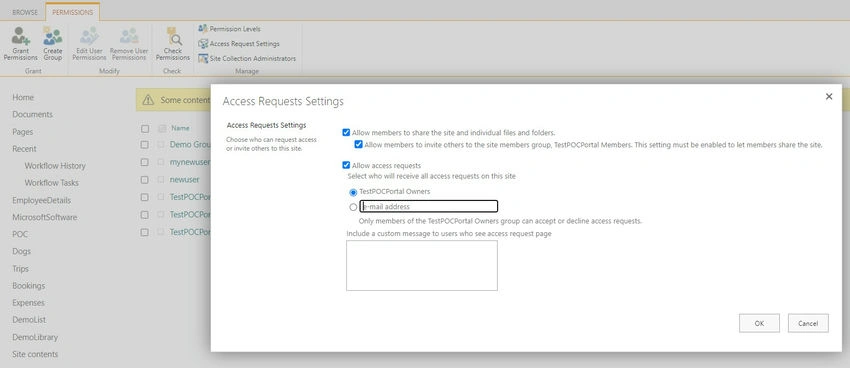
Access Request Settings
Access request settings in SharePoint enable administrators to manage how users request access to sites and content within the SharePoint environment. Administrators can configure access request settings to specify who receives access requests and how they are handled.
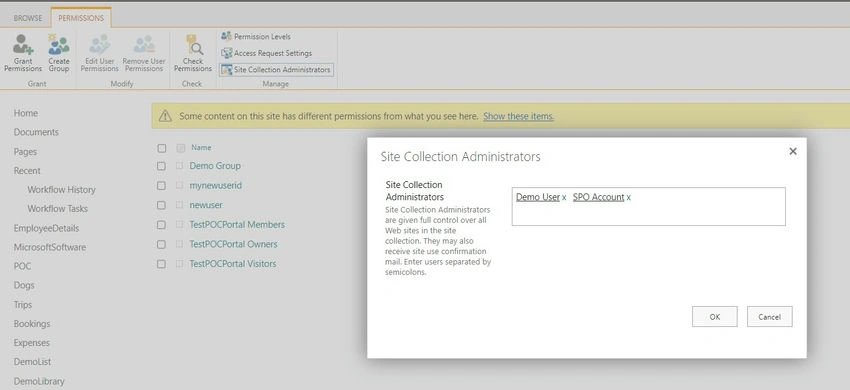
Site Collection Administrators
Site collection administrators have elevated privileges within a SharePoint site collection, allowing them to manage site-level settings, permissions, and content. They are responsible for overseeing site collection governance and ensuring proper access control measures are in place.
Conclusion
Effective management of SharePoint permissions is vital for maintaining data security, compliance, and efficient collaboration within organizations. By understanding the various aspects of SharePoint permissions, including granting permissions, managing permission levels, and overseeing access request settings, administrators can ensure that users have the appropriate level of access to SharePoint resources while safeguarding sensitive information.
Mastering SharePoint permissions empowers organizations to optimize collaboration, streamline access control, and enhance overall productivity within the SharePoint environment. By following best practices and leveraging the features provided by SharePoint for permission management, organizations can effectively balance accessibility with security requirements.
Incorporating these practices into SharePoint administration workflows ensures a robust and secure environment that meets the needs of users and administrators alike.
Join the conversation! Your thoughts help the community grow.