

In Oracle Cloud Infrastructure (OCI), routing is very important. It controls how data (network traffic) moves from one place to another. This helps systems communicate with each other, the internet, and other networks.
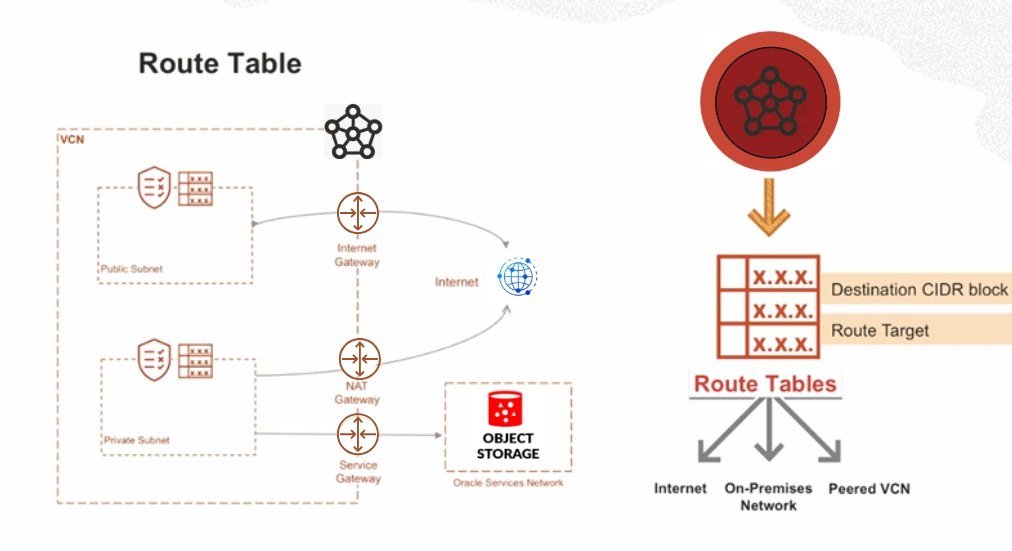
The main component used for routing in OCI is called a route table. A route table is used inside a Virtual Cloud Network (VCN).
What is a Route Table?
A route table is a list of rules. These rules tell the system where to send traffic.
Each rule has two main parts:
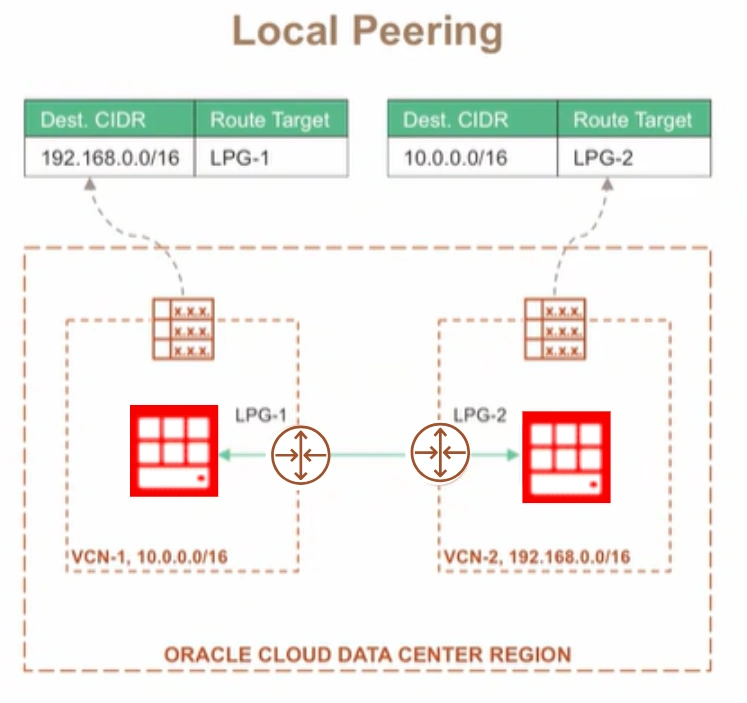
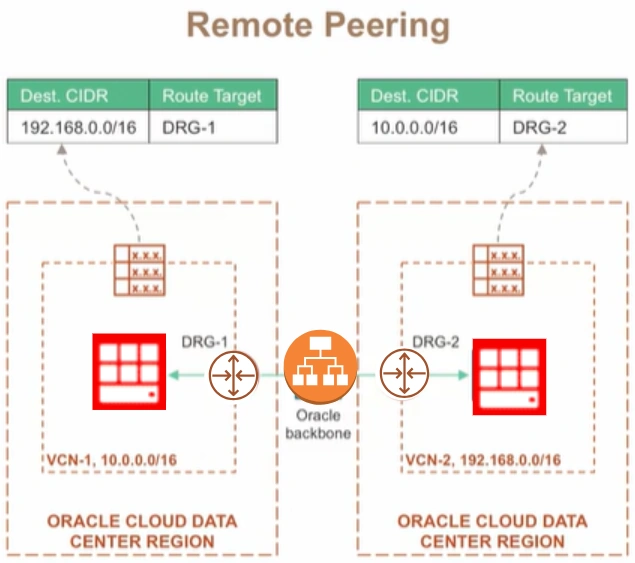
Destination CIDR block – This shows the IP address range where the traffic wants to go
Route target – This shows the next location (next hop) where the traffic should go
You can think of a route table like a map or GPS. It tells the data which path to take.
Routing Inside a VCN
Inside a VCN, there can be multiple subnets, such as:
Public subnet
Private subnet
If systems are inside the same VCN, they can communicate easily. OCI automatically handles this using internal routing.
This means:
No need to create route rules
No need to configure anything for this communication
For example, a server in a public subnet can talk to a server in a private subnet without using a route table.
Example: Traffic from a Private Subnet
Let's understand this with a simple example.
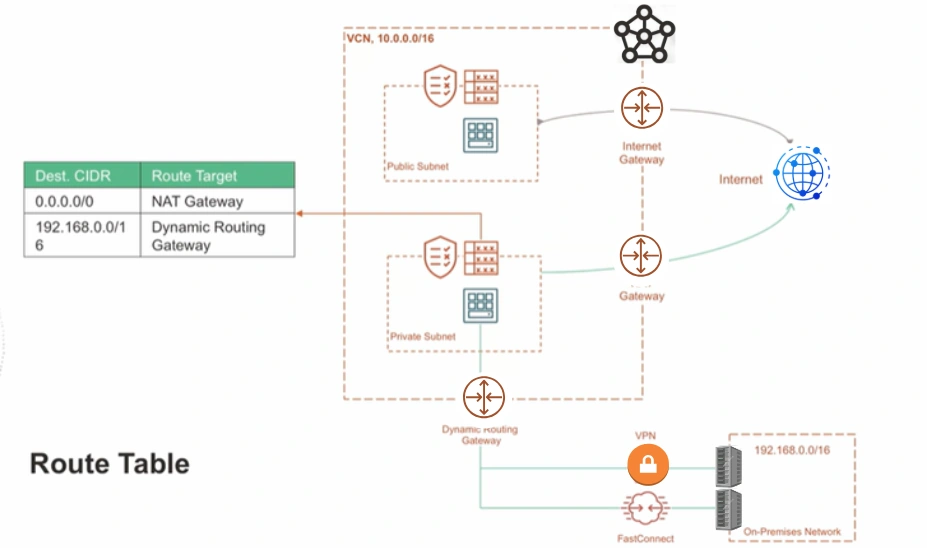
Imagine you have a database server inside a private subnet. This server needs to communicate with two places:
1. Accessing the Internet (Using NAT Gateway)
A private server cannot directly connect to the internet. But sometimes it needs to download updates or patches.
To do this, it uses a NAT Gateway.
A route rule will look like this:
Destination:
0.0.0.0/0(this means all internet traffic)Target: NAT Gateway
This rule tells the system:
"If the traffic is going anywhere on the internet, send it through the NAT Gateway."
2. Connecting to On-Premises Network (Using DRG)
Sometimes, the server needs to connect to systems in a company's local data center (on-premises). For example, it may need to use a DNS server.
This connection is done using a Dynamic Routing Gateway (DRG).
A route rule will look like this:
Destination: On-premises network (for example
10.0.0.0/16)Target: DRG
Join the conversation! Your thoughts help the community grow.