

Here we will try out another bubbled event, key press. Read Previous Article
here.
Introduction:
Silverlight elements use KeyDown and KeyUp events to notify you when a key is
pressed. These events use bubbling, so they travel up from the element that
currently has focus to the containing elements.
When we react to a key press event, we receive a KeyEventArgs object that
provides two additional pieces of information: Key and PlatformKeyCode. Key
indicates the key that was pressed as a value from the System.Windows.Input.Key
enumeration. PlatformKeyCode is an integer value that must be interpreted based
on the hardware and operating system that's being used on the client computer.
Let's try to understand the key events for creating an Silverlight application.
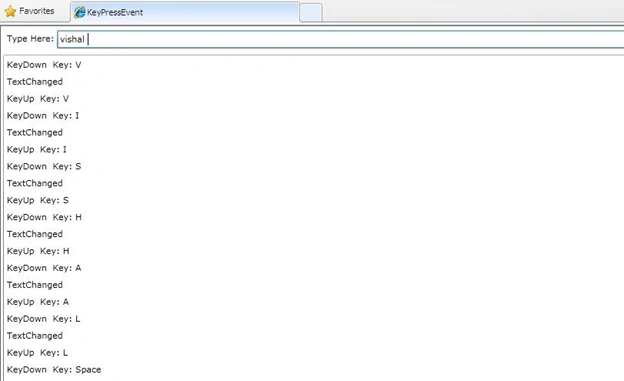
We will design a text box to monitor three events: KeyDown, KeyUp, and the
higher-level TextChanged event.
Step 1: Create a Silverlight application with name KeyPressEvent.
Step 2: Open main.xaml
Step 3: Create three rows in the grid.
Step 4: Add a textbox which will monitor key press event, and add ListBox
to show result.
<Grid
x:Name="LayoutRoot">
<Grid.RowDefinitions>
<RowDefinition
Height="Auto"></RowDefinition>
<RowDefinition
Height="*"></RowDefinition>
<RowDefinition
Height="Auto"></RowDefinition>
</Grid.RowDefinitions>
Dinesh BeniwalPosted Feb 4, 2011, 6:21 AM
Vishal nice article i am expecting some more articles of silverlight from you.