

Introduction
When working with objects in Power Automate, there are times when you need to add a new property dynamically — especially when shaping JSON, preparing data for APIs, or building custom outputs.
This is where the addProperty() expression becomes extremely useful.
In this blog, I’ll explain what it is, how it works, and a real-world example of combining data, adding a new column with addProperty().
What is addProperty() in Power Automate?
addProperty() is a Power Automate expression used to add a new key–value pair to an existing object without modifying the original object.
It returns a new object with the additional property.
Syntax:
addProperty(object, propertyName, propertyValue)Parameters:
| Parameter | Description |
|---|---|
| object | The base object where you want to add the property |
| propertyName | Name of the property you want to add |
| propertyValue | Value you want to store |
Example:
Scenario
I have a JSON with FirstName and LastName, and I want to dynamically add a third field, FullName, using addProperty().
Flow Design
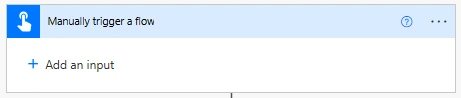
Step 1: Manually Trigger the Flow
Use Manually trigger a flow.
This allows you to test the logic on demand without dependencies.
Step 2: Initialize an Array Variable
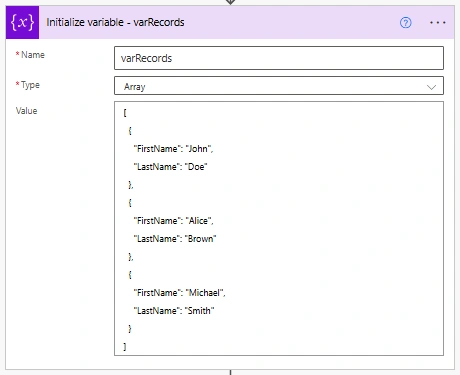
Add Initialize variable - varRecords
Name: varRecords
Type: Array
Value:
[
  {
    "FirstName": "John",
    "LastName": "Doe"
  },
  {
    "FirstName": "Alice",
    "LastName": "Brown"
  },
  {
    "FirstName": "Michael",
    "LastName": "Smith"
  }
]
Step 3: Initialize an Array Variable
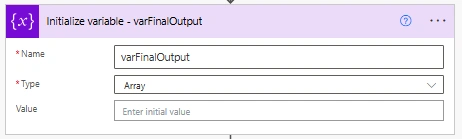
Add Initialize variable - varFinalOutput
Name: varFinalOutput
Type: Array
Value: (leave empty)
Step 4: Apply to Each
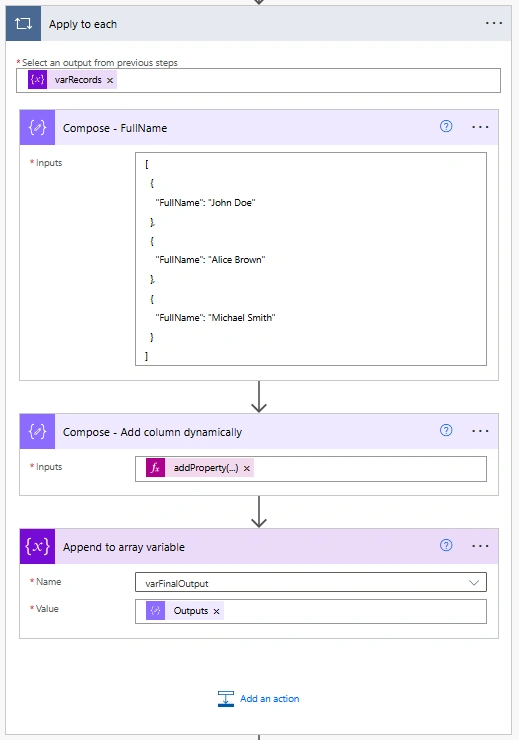
Add Apply to each
Input: Select an output from previous step 2
variables('varRecords')
Step 5 : Add Actions inside Apply to each
Add Compose - FullName
Input:
[
  {
    "FullName": "John Doe"
  },
  {
    "FullName": "Alice Brown"
  },
  {
    "FullName": "Michael Smith"
  }
]
Add another Compose - Add Column dynamically
Input:
addProperty(item(),
  'FullName',
  coalesce(
  first(outputs('Compose_-_FullName'))?['FullName'],
  ''
  )
)
Add Append to array variable
Name: Select varFinalOutput
Value: Output of Compose - Add Column dynamically
outputs('Compose_-_Add_column_dynamically')
Step 9: Final Compose
Add Compose - Final Output
Input: Select the varFinalOutput variable
variables('varFinalOutput')
Final Output will be like below JSON:
[
    {
        "FirstName": "John",
        "LastName": "Doe",
        "FullName": "John Doe"
    },
    {
        "FirstName": "Alice",
        "LastName": "Brown",
        "FullName": "John Doe"
    },
    {
        "FirstName": "Michael",
        "LastName": "Smith",
        "FullName": "John Doe"
    }
]
Conclusion
addProperty() allows you to dynamically add new fields to an object in Power Automate without modifying the source data. It is especially useful for merging data from multiple lists, shaping JSON outputs, and creating flexible data structures for downstream actions like Select, Compose, or API calls.
Join the conversation! Your thoughts help the community grow.