

In computer programming, especially in Java, the concept of threads and multithreading is essential for making programs run faster and more efficiently. This article explains what threads are, how they work, and why multithreading is beneficial.
What is a Thread?
A thread is the smallest unit of a process. Think of a process as a big task that your computer needs to complete and threads as the smaller steps that make up this task. Each thread can run independently of the others, which means if one thread stops working, the others can continue without any issues. This makes your programs more reliable and efficient.
How Threads Work?
When you give your computer an instruction, it breaks it down into smaller parts. Each part is handled by a different thread. This division of labor allows the computer to work on multiple parts of the instruction at the same time, speeding up the process.
Thread Lifecycle
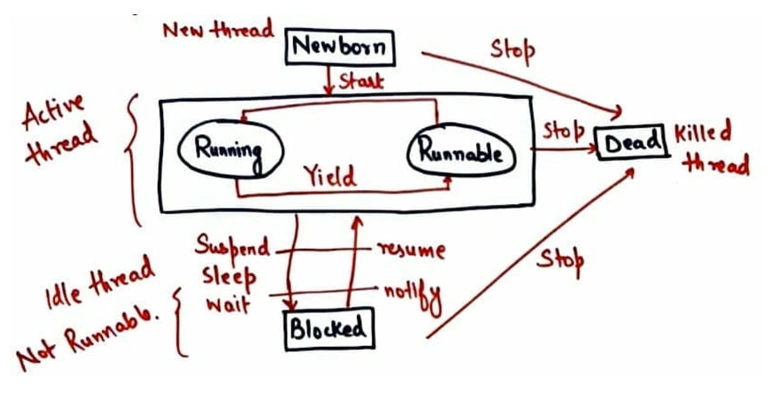
Threads go through several stages during their lifetime. Understanding these stages can help you manage how threads are used in your programs:
- New: This is the initial stage when a thread is created but not yet ready to run.
- Runnable: In this stage, the thread is ready to run and waiting for the operating system to give it the green light.
- Running: The thread is now actively performing its task.
- Waiting: Sometimes, a thread needs to pause and wait for another thread to complete its task. This is the waiting stage.
- Dead: After completing its task, the thread enters the dead stage and is no longer active.
Advantages of Threads
- Enhanced Performance: Threads allow concurrent execution, speeding up tasks.
- Efficient Resource Sharing: Threads share memory and resources, reducing overhead.
- Improved Multitasking: Enables simultaneous execution of multiple tasks.
- Simplified Program Structure: Divides tasks logically, enhancing code clarity.
- Scalability: Utilizes multi-core processors effectively for better performance.
Disadvantages of Threads
- Complexity: Writing and debugging multi-threaded code is complex.
- Debugging Challenges: Harder to identify and fix timing and synchronization issues.
- Resource Contention: Threads competing for shared resources can lead to bottlenecks.
- Deadlocks: Threads can deadlock if they wait indefinitely for resources.
- Overhead: Creating and managing threads adds some overhead to execution.
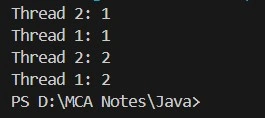
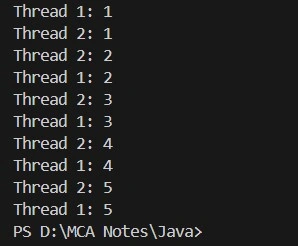
Thread example
class MyThread extends Thread {
    private String threadName;

    MyThread(String name) {
        threadName = name;
    }

    public void run() {
        try {
            for (int i = 1; i <= 2; i++) {
                System.out.println(threadName + " - " + i);
                Thread.sleep(300); // Sleep for 300 milliseconds
            }
        } catch (InterruptedException e) {
            System.out.println(threadName + " interrupted.");
        }
        System.out.println(threadName + " exiting.");
    }

    public static void main(String[] args) {
        MyThread thread1 = new MyThread("Thread-1");
        MyThread thread2 = new MyThread("Thread-2");

        thread1.start();
        thread2.start();
    }
}
Join the conversation! Your thoughts help the community grow.