

Introduction
Microsoft introduced a new App for Windows 10 Operating System called Universal MusicDownloader. By using this app we can download any type of music, which we like. The main functionality of this app is to overcome the problem of surfing different websites like Gana.com, Bollywood Music, etc.
In this app, we are directly accessing data from server without surfing different websites. Universal MusicDownloader app is created based on clients' requirements, to download music from anywhere. To understand the functionality of this app we will follow some important points.
Note
Before using the Universal MusicDownloader app, we will first download this app from Microsoft Store and then perform the following steps:
Start with Universal Music Downloader App
To open the Universal MusicDownloader app here are the screenshots,
Step 1
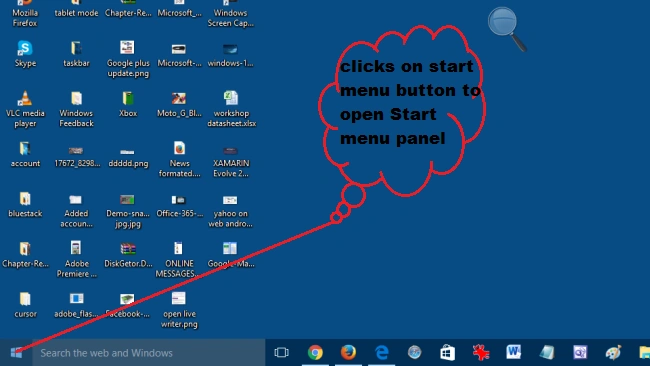
Step 2
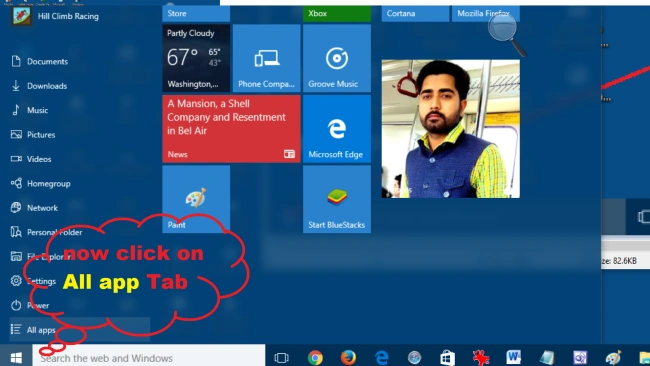
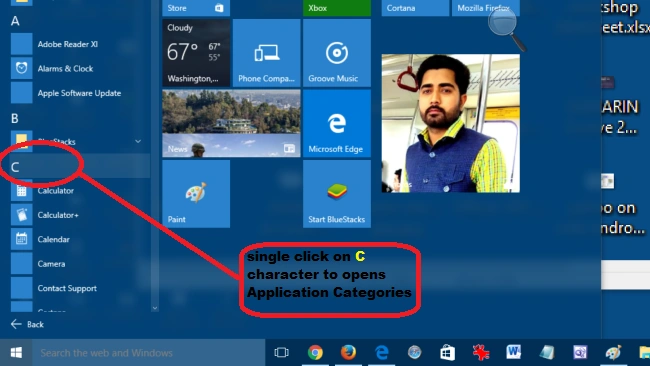
Step 4
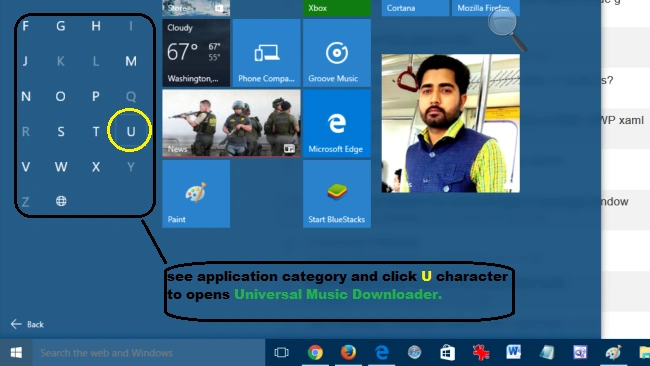 Step 5
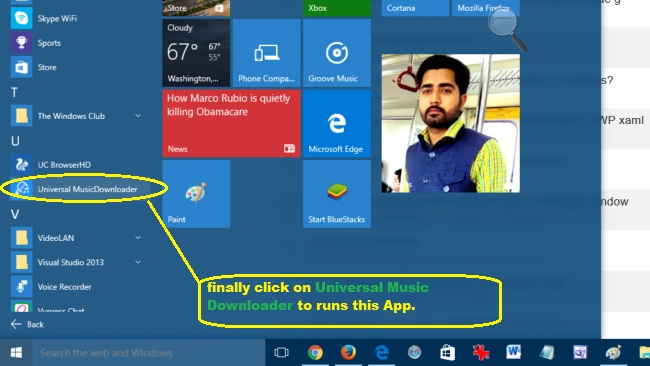
Start Universal MusicDownloader App
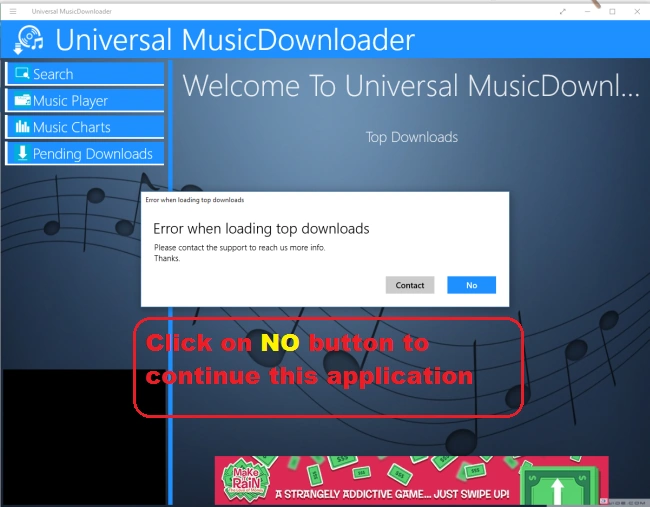
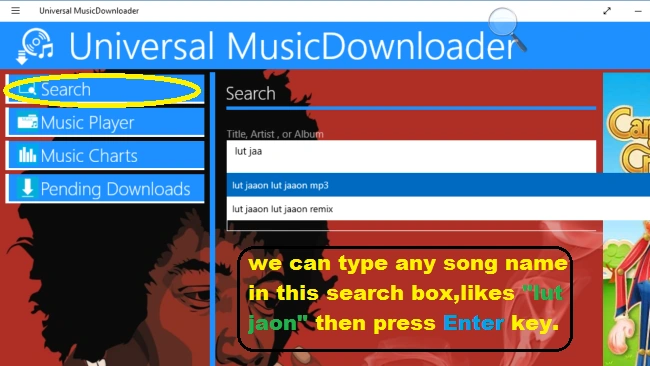
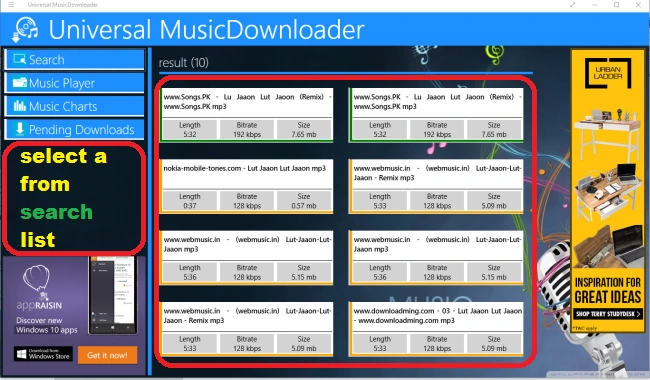
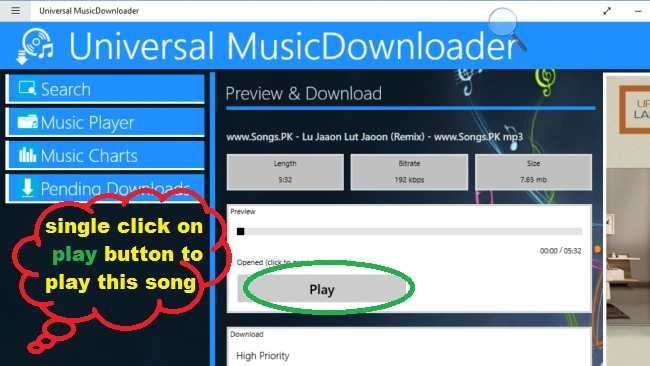
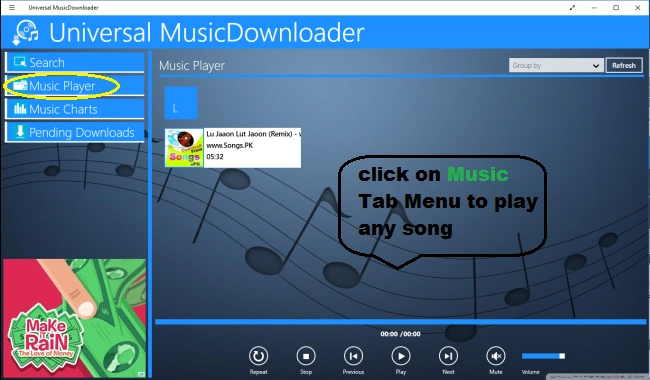
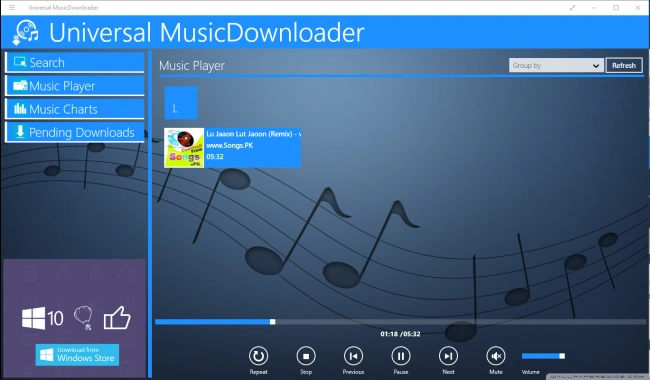
After going for the above steps, now start this app and you can see welcome screen having multiple tab menus, such as Search, Music Player, Music Charts and Pending Downloads, etc. To understand the functionality we will go through some steps. Here are the screenshots,
Welcome Window
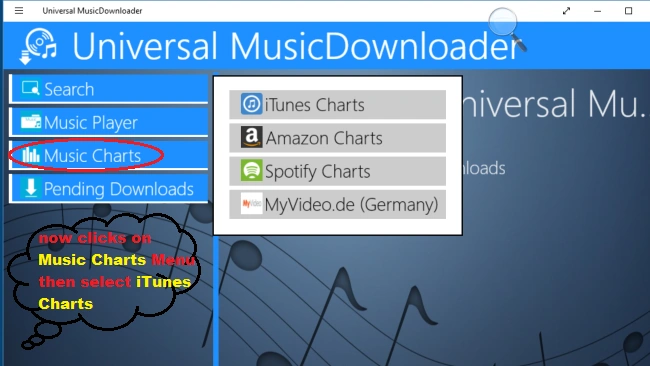
Music Charts
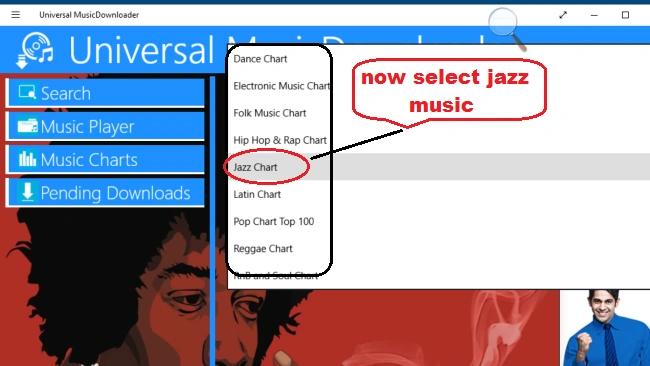
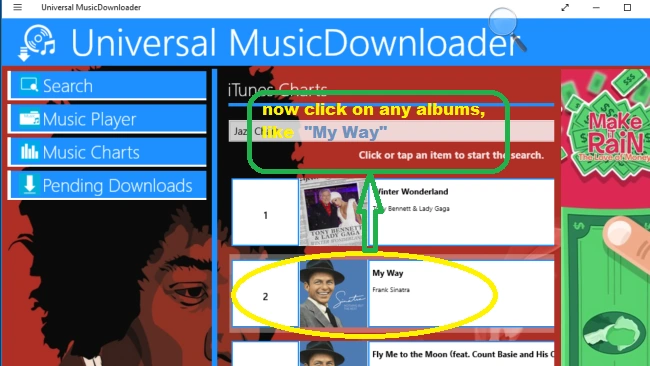
In the Music Charts tab menu, we will choose different music charts, such as iTunes Charts, Amazon Charts, Spotify Charts, etc. After choosing any chart further we will select another chart, such as Jazz Charts, Latin Charts, Hip Hop & Rap Charts, etc. To do this task here are the screenshots,
Music Charts Menu
Charts Permission Process
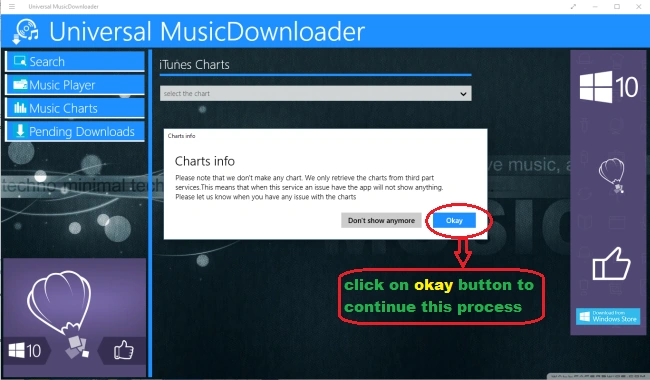
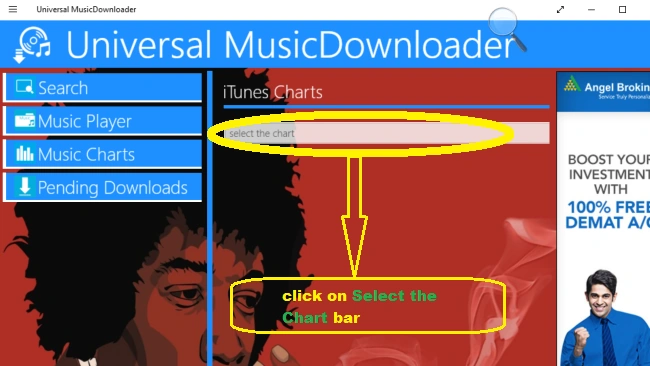
Chart Selection Process
Music Categories Process
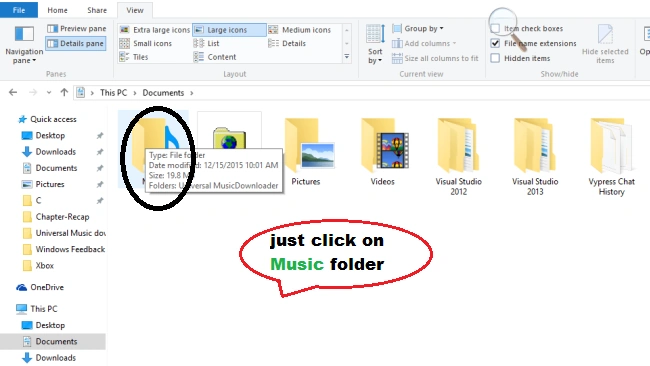
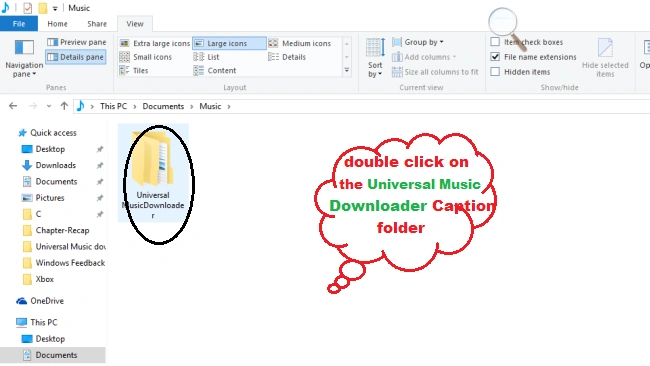
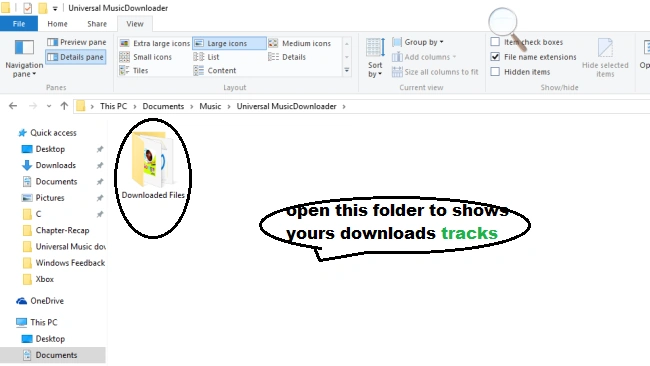
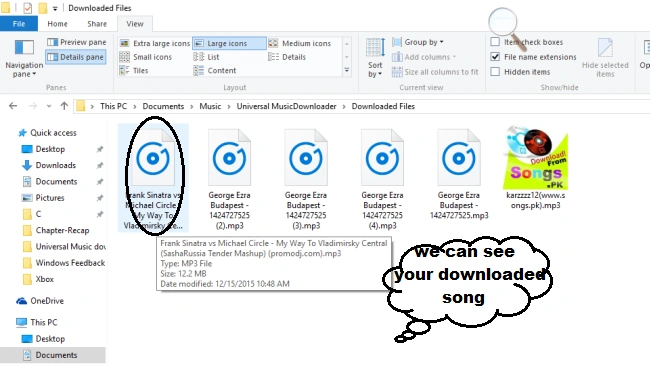
Dennis J GordonPosted Jul 28, 2023, 4:50 PM
Is this project still in development?
June LeathersPosted Jan 12, 2021, 10:00 AM
I keep getting message saying song is encrypted on all the songs I try to download now. It happens on every song I enter. Is it not working any more?
Gowtham RajamanickamPosted Apr 20, 2016, 8:38 AM
good share
Santhakumar MunuswamyPosted Dec 17, 2015, 5:11 AM
Thanks for sharing .
Akshay KrSinghPosted Dec 17, 2015, 4:32 AM
nice