

Create Page
Open your SharePoint site and create a list from the Tasks template.
Name it My Tasks as shown in the following: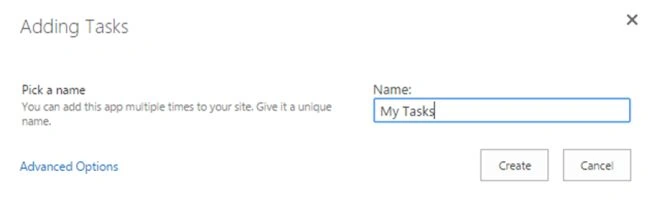
You will get the tasks list as shown in the following:
Copy the URL of the list. We will need it in the next step.
Note: Please note that we require %20 also to denote the space character.
Copy HelloWorld.js
Now create a HelloWorld.js file and copy it to the Site Assets library.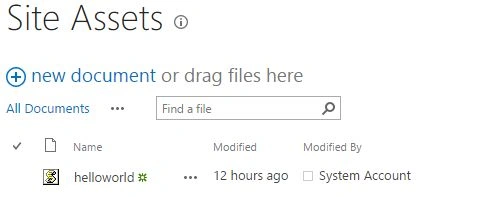
Create PowerShell Script
Now you can open the PowerShell ISE editor and add the following code.
- # Add Snapin
- if ((Get-PSSnapin "Microsoft.SharePoint.PowerShell" -ErrorAction SilentlyContinue) -eq $null)
- {
- Add-PSSnapin "Microsoft.SharePoint.PowerShell"
- }
- # Update Page
- $web = Get-SPWeb http://sharepoint
- $page = "/Lists/My%20Tasks/AllItems.aspx"
- $file = $web.GetFile($page)
- $file.CheckOut();
- $manager = $web.GetLimitedWebPartManager($page, [System.Web.UI.WebControls.WebParts.PersonalizationScope]::Shared)
- $webpart = $manager.WebParts[0]
- $webpart.JSLink = "/siteassets/helloworld.js"
- $manager.SaveChanges($webpart);
- $file.CheckIn("JS Link updated");
Verification
You can verify the page update by opening the page in edit mode. Go to the web part properties and you can see that the JavaScript link was updated there.

This concludes the JavaScript Link updating using PowerShell.
Note: Please note that the preferred way of update is using CSOM code. In this way we can use the same code base for both SharePoint On-Premise and Online.
References
Summary
In this article we saw how to update the JavaScript Link of a site using PowerShell. You can get the code as an attachment.
keera chinnuPosted Aug 14, 2015, 7:50 AM
Thanks for sharing..Good One. Can U please give Some Overview on People Picker how it works.
Jean PaulPosted Aug 5, 2015, 6:01 PM
Thank You Dear SharePointers! :)
Neeraj KumarPosted Aug 5, 2015, 5:53 PM
Good One
Rajeesh MenothPosted Aug 4, 2015, 5:24 AM
Good One
Debasis SahaPosted Aug 4, 2015, 12:53 AM
Good One...
Nilesh JadavPosted Aug 4, 2015, 12:27 AM
Nice share sir
Chervine BhiwooPosted Aug 3, 2015, 11:24 PM
Good one
Santhakumar MunuswamyPosted Aug 3, 2015, 2:39 PM
Nice article. Thanks for sharing
Prasham SabadraPosted Aug 3, 2015, 2:32 PM
Thanks sir for sharing !
RakeshPosted Aug 3, 2015, 10:55 AM
Good sharing sir
Gopi ChandPosted Aug 3, 2015, 10:54 AM
Good work
Abhay ShankerPosted Aug 3, 2015, 10:46 AM
Nice One.
Sibeesh VenuPosted Aug 3, 2015, 8:48 AM
Nice share
Neeraj KumarPosted Aug 3, 2015, 8:45 AM
Good one
Rajeesh MenothPosted Aug 3, 2015, 8:40 AM
Nice one sir