

In this article, I am going to explain how we can update a managed metadata field using SharePoint 2013 Designer Workflow. This solution will work for both, SharePoint 2013 On-Premise and SharePoint Online (Office 365). I tested the below solution in Office 365 environment.
Let’s get started.
Requirement
There is a document library with a single content type created called Client Document. This content type has the following fields.
- Name
- Client (Managed Metadata)
- Client Status (Choice)
- Advisor (People Picker)
- Document Type (Choice)
- Document Date (Date/Time)
In the document library, there are approximately 200 clients (folders), each having its own top-level folder; e.g.
- Document Library
- Client 1 (Folder)
- Client 2 (Folder)
- Client 3 (Folder)
Within each client (folder), there is a set of sub folders created, such as - Correspondence, Plans, Review, and Advice. Each folder will contain documents. The requirement is that the Client field (managed metadata) in content type to be set for that folder and all sub items to this particular term name, that is available in the SharePoint Term Store Management.
In other words, the requirement is to set the managed metadata field with the name of the root/parent folder in all sub-folders files and this name needs to be taken from Term Store Managed Metadata.
Issue
When you try to update a managed metadata field through the “Update List Item” action a Bad Request error occurs.
Solution
We know that whenever we add a taxonomy field in SharePoint, two filed are added internally,
- The first field is the visible field which we can edit
- Hidden field which holds the value of its visible filed
Let’s say you add a taxonomy field called “Client”, SharePoint will automatically add a note field called “Client_0”.
Therefore, the solution is to update the hidden filed with a well-formatted text value, so that its associated taxonomy field also gets updated.
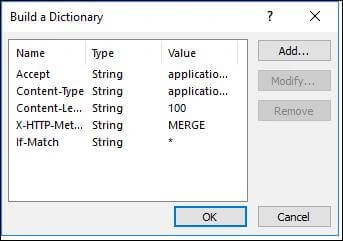
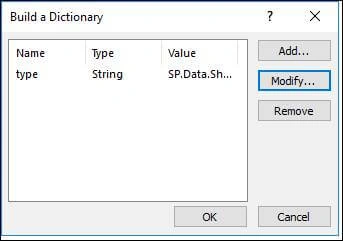
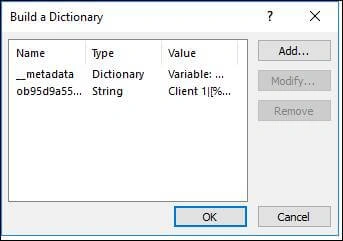
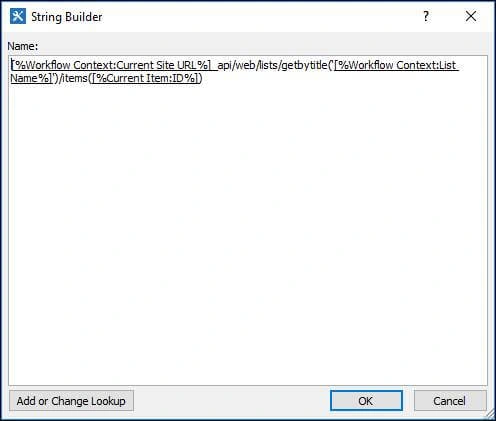
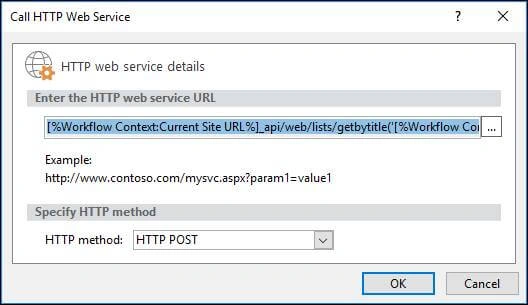
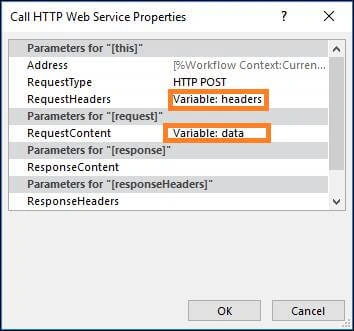
So, all we need to do now is to get the internal name of our hidden field and set its value with a REST call using the format (for single value managed metadata field),
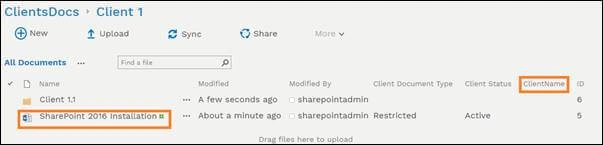
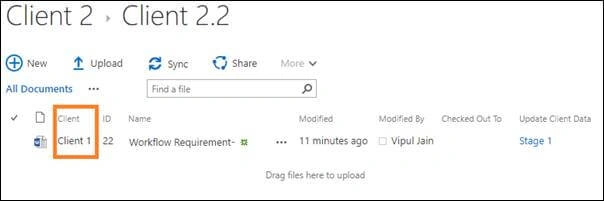
Term1Name|Term1GuidBelow is the View of Document Library, showing the folder (Client 1) and managed metadata column name.
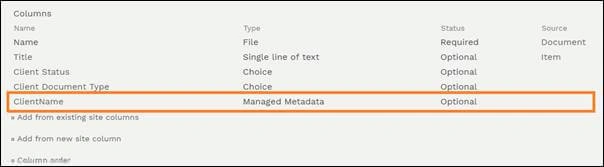
Below is the image showing site columns created in a content type at site collection level,
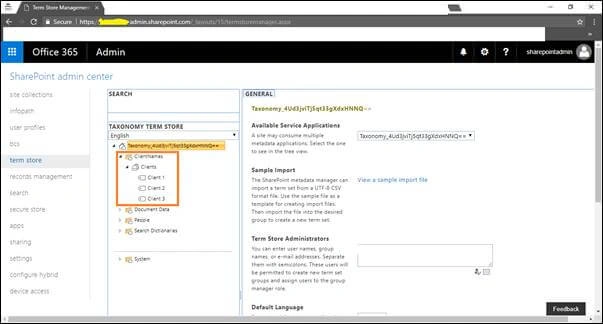
Below is the image showing the managed metadata terms in Term Store Management,
NOTE
The term name is same as the folder name created in the document library.
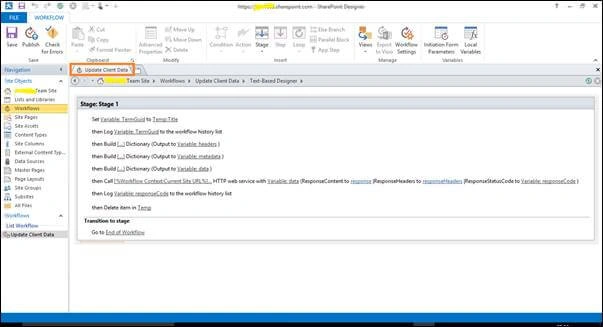
Below are the steps to update the managed metadata filed using SharePoint Designer.
Step 1 – Get the Hidden field name
Use the below REST API call to get the hidden field internal name
https://site/_api/web/lists/getbytitle('listtitle')/fieldsUse the “Static Name” of the filed as the internal name. (It will be in the form of a GUID)
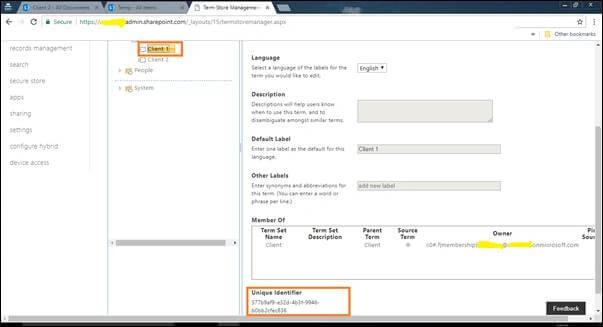
Step 2 – Get the Term Name and Term Guid
SharetiponPosted Nov 26, 2020, 4:51 AM
Thank you for a useful article. I wanted to share a some JavaScript that uses the SP object to obtain the "ListItemEntityTypeFullName" as needed in Step 3; but code cannot be pasted in this area.
gioele continPosted Dec 2, 2019, 8:49 AM
Hi, the workflow works, the metadata field is updated. But the workflow is suspended because of this error: { An unhandled exception occurred during the execution of the workflow instance. Exception details: System.InvalidCastException: The value 'd/results(0)/Family' cannot be read as type 'String'. at Microsoft.Activities.GetDynamicValueProperty`1.CheckedRead(String propertyName, DynamicItem value) at Microsoft.Activities.GetDynamicValueProperty`1.Execute(CodeActivityContext context) at System.Activities.CodeActivity`1.InternalExecute(ActivityInstance instance, ActivityExecutor executor, BookmarkManager bookmarkManager) at System.Activities.Runtime.ActivityExecutor.ExecuteActivityWorkItem.ExecuteBody(ActivityExecutor executor, BookmarkManager bookmarkManager, Location resultLocation) Exception from activity GetDynamicValueProperty<String> Sequence DynamicActivity<String> FormatString Stage 1 Sequence Flowchart Sequence Autotag HOT.WorkflowXaml_ffd1ba7a_d9cf_47e9_b304_4ea16e106f4b } it seems like the hidden field doesn't want a String, so what? Thanks
Akash SonarePosted Jul 30, 2018, 1:48 AM
How to set through 2010 workflow?