

Introduction
Welcome to the SharePoint 2013 REST Series. In my previous article, we saw how to delete a Custom List using the REST API.
In this article, we will discuss how to update list items in a SharePoint List using the REST API.
The SharePoint 2013 environment adds the ability for you to remotely interact with SharePoint sites using REST. So you can talk to SharePoint objects using any technology that supports standard REST capabilities. In this way, SharePoint data can be accessed anywhere and everywhere.
List of REST Access Points
The following is a list of access points that give entry into granular access points.
- Site
http://server/site/_api/site
- Web
http://server/site/_api/web
- User Profile
http:// server/site/_api/SP.UserProfiles.PeopleManager
- Search
http:// server/site/_api/search
- Publishing
http:// server/site/_api/publishing
List of REST End Points
The following is a list of End points that are very commonly used in a SharePoint list.
- http://server/site/_api/web/lists
- http://server/site/_api/lists/getbytitle('listname')
- http://server/site/_api/web/lists(‘guid’)
- http://server/site/_api/web/lists/getbytitle(‘Title’)
Note: The following code is tested in my SP 2013 online environment.
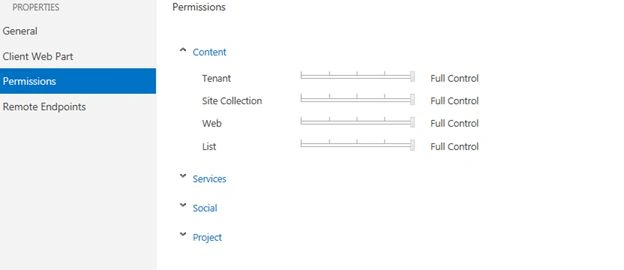
Step 1: Before writing your code, please ensure that you have sufficient permission to access cross-domain requests. So I have given full permission to all the contents listed below.
|
Tenant |
Full Permission |
|
Site Collection |
Full Permission |
|
Web |
Full Permission |
|
List |
Full Permission |
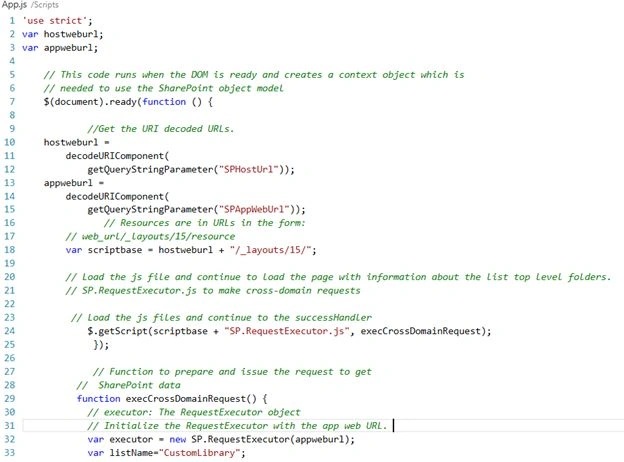
Code
- 'use strict';
- var hostweburl;
- var appweburl;
- // This code runs when the DOM is ready and creates a context object which is
- // needed to use the SharePoint object model
- $(document).ready(function () {
- //Get the URI decoded URLs.
- hostweburl =
- decodeURIComponent(
- getQueryStringParameter("SPHostUrl"));
- appweburl =
- decodeURIComponent(
- getQueryStringParameter("SPAppWebUrl"));
- // Resources are in URLs in the form:
- // web_url/_layouts/15/resource
- var scriptbase = hostweburl + "/_layouts/15/";
- // Load the js file and continue to load the page with information about the list top level folders.
- // SP.RequestExecutor.js to make cross-domain requests
- // Load the js files and continue to the successHandler
- $.getScript(scriptbase + "SP.RequestExecutor.js", execCrossDomainRequest);
- });
- // Function to prepare and issue the request to get
- // SharePoint data
- function execCrossDomainRequest() {
- // executor: The RequestExecutor object
- // Initialize the RequestExecutor with the app web URL.
- var executor = new SP.RequestExecutor(appweburl);
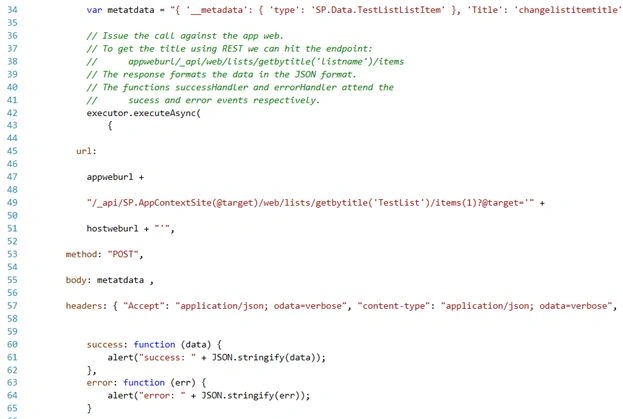
- var metatdata = "{ '__metadata': { 'type': 'SP.Data.TestListListItem' }, 'Title': 'changelistitemtitle'}";
- // Issue the call against the app web.
- // To get the title using REST we can hit the endpoint:
- // appweburl/_api/web/lists/getbytitle('listname')/items
- // The response formats the data in the JSON format.
- // The functions successHandler and errorHandler attend the
- // sucess and error events respectively.
- executor.executeAsync(
- {
- url:
- appweburl +
- "/_api/SP.AppContextSite(@target)/web/lists/getbytitle('TestList')/items(1)?@target='" +
- hostweburl + "'",
- method: "POST",
- body: metatdata ,
- headers: { "Accept": "application/json; odata=verbose", "content-type": "application/json; odata=verbose", "content-length": metatdata.length, "X-HTTP-Method": "MERGE", "IF-MATCH": "*" },
- success: function (data) {
- alert("success: " + JSON.stringify(data));
- },
- error: function (err) {
- alert("error: " + JSON.stringify(err));
- }
- }
- );
- }
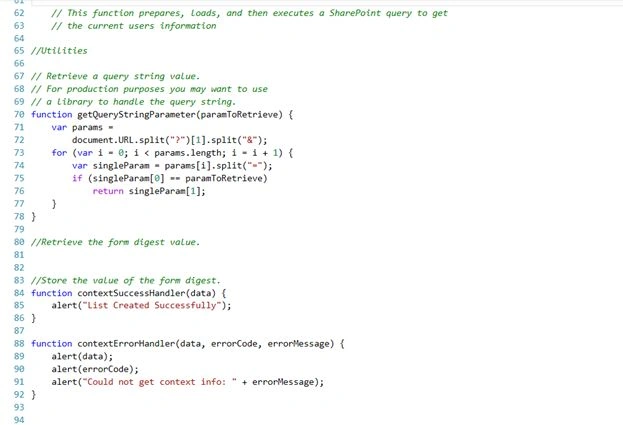
- // This function prepares, loads, and then executes a SharePoint query to get
- // the current users information
- //Utilities
- // Retrieve a query string value.
- // For production purposes you may want to use
- // a library to handle the query string.
- function getQueryStringParameter(paramToRetrieve) {
- var params =
- document.URL.split("?")[1].split("&");
- for (var i = 0; i < params.length; i = i + 1) {
- var singleParam = params[i].split("=");
- if (singleParam[0] == paramToRetrieve)
- return singleParam[1];
- }
- }
Screenshot
Step 3:
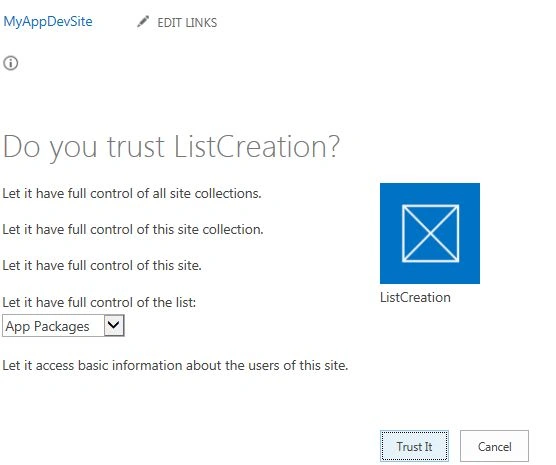
While deploying, you will be prompted with the following screen. Press Trust it and proceed with the deployment.
Code Walkthrough
A .Post Method in REST API
The SharePoint 2013 REST service supports sending POST commands that include object definitions to endpoints that represent collections. In this example, Test List is a custom SharePoint list where list items are updated.
IF-MATCH header
Provides a way to verify that the object being changed has not been changed since it was last retrieved. Or, lets you specify to overwrite any changes, as shown in the following example: "IF-MATCH":"*"
B. Request Executor.JS
The cross-domain library lets you interact with more than one domain in your remote app page through a proxy. SP.RequestExecutor.js acts as a cross domain library to fetch or create a SharePoint list from your APP domain.
- function execCrossDomainRequest() {
- // executor: The RequestExecutor object
- // Initialize the RequestExecutor with the app web URL.
- var executor = new SP.RequestExecutor(appweburl); var metatdata = "{ '__metadata': { 'type': 'SP.Data.TestListListItem' }, 'Title': 'changelistitemtitle'}";
Summary
I hope this article helps you.
Abhishek SahayPosted May 18, 2016, 8:01 AM
Visit the below URL for Rest operations like GET and POST https://abhisheksahayblog.wordpress.com/
Humayun Kabir MamunPosted Mar 5, 2016, 10:57 PM
Nice...