

Introduction
As you know SignalR is a library that adds real-time web functionality to the development of ASP.NET applications and apart from that the current version of SignalR 2.0 offers a consistent development experience across server platforms using OWIN. This article describes the procedure to update SignalR applications to version 2.0.
In this article, I am using an existing web application developed in a MVC 5 project template that is a real time web app with SignalR as I defined in SignalR in MVC 5. We'll update it to SignalR version 2.0.
So, let's proceed with the following procedure.
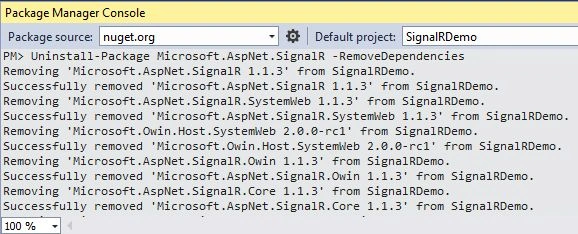
Step 1: Open the Library Package Manager then select "Package Manager Console" and enter the following command:
Uninstall-Package Microsoft.AspNet.SignalR -RemoveDependencies
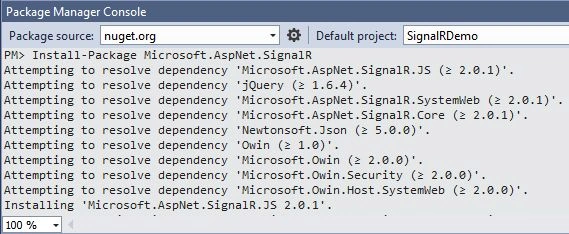
Step 2: Enter the following command to update SignalR:
Install-Package Microsoft.AspNet.SignalR
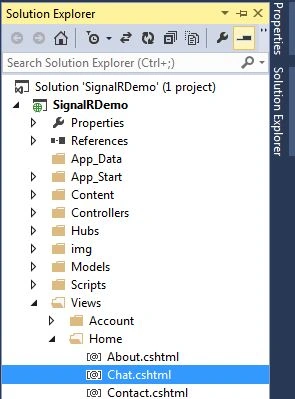
Step 3: Open the Chat.cshtml page.
Step 4: Update the Script reference with the following reference:
<script src="~/Scripts/jquery.signalR-2.0.1.js"></script>
Step 5: Open the Global.asax file and remove the MapHubs call method as shown below:
protected void Application_Start()
{
//RouteTable.Routes.MapHubs();
AreaRegistration.RegisterAllAreas();
FilterConfig.RegisterGlobalFilters(GlobalFilters.Filters);
RouteConfig.RegisterRoutes(RouteTable.Routes);
Santhakumar MunuswamyPosted Apr 25, 2015, 7:30 AM
Good