

Share Point Apps (now known as Share Point Add-ins) was introduced with Share Point 2013. They come in three different flavors:
- Share Point Hosted App
- Provider Hosted App
- Auto Hosted App (deprecated)
However Share Point hosted Apps come with a design issue. Redeployment of Share Point hosted app causes the data to be lost .Say I have a list named Employee which is deployed as a Share Point Hosted App. Now I populate the list with data and after some time if I redeploy the App all the data within the list will be lost. It is here Share Point App Upgrade comes into play.
Share Point App upgrade facilitates updating an already deployed app with the latest changes. So if the Employee List with Content Type and Site columns is deployed as a Share Point Hosted App and if I have to add an additional column to the list after a deployment we can achieve this without a second deployment.
Let’s see how we can achieve this.
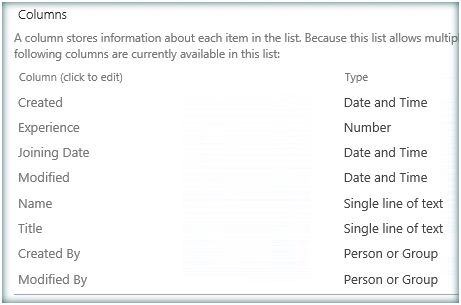
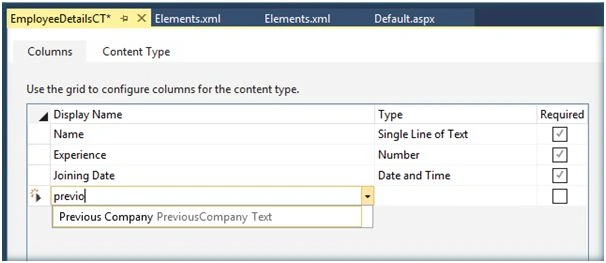
In addition to the above columns I am planning to add an additional column, Previous Company, to the site columns and List. In order to do that let's open the existing app solution and add the new column to the site columns xml.

Add the new column to the content type, if necessary.
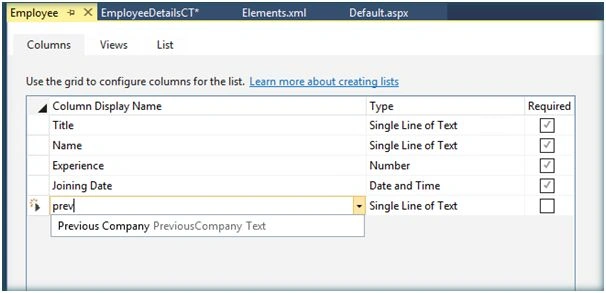
Add the column to the List as well.
Go to App Manifest.xml.

Increment the version each time a new upgrade happens.

Right click the project and Publish.
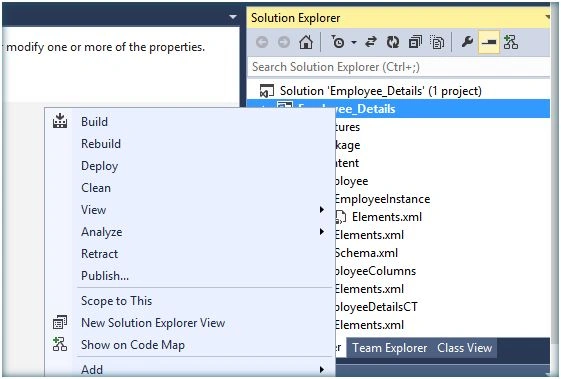
Click on Package the app.

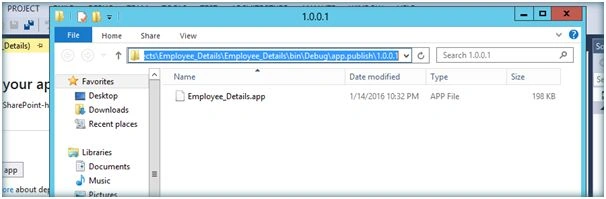
It will open up the .app solution location. Copy the local file URL.
Now go to the site and Navigate to the App “Apps in testing”. If you don’t find this in Site Contents,it’s because the developer feature is not enabled. If so enable the developer feature as below:
Enable-SPFeature e374875e-06b6-11e0-b0fa-57f5dfd72085 –urlhttp://c4968397007:5000/
e374875e-06b6-11e0-b0fa-57f5dfd72085 is the id of the developer feature .

Now we can see Apps in Testing.
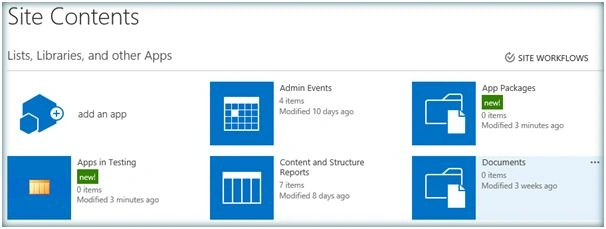
Click on Apps in Testing and let’s upgrade the app.

Click on Upgrade an app.
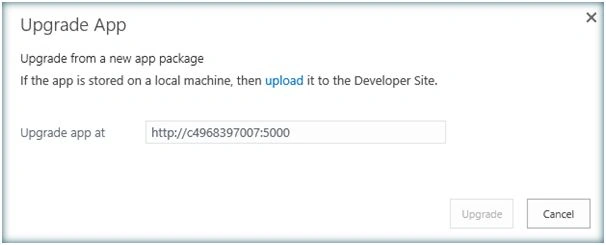
Input the local .app file url which was saved earlier.
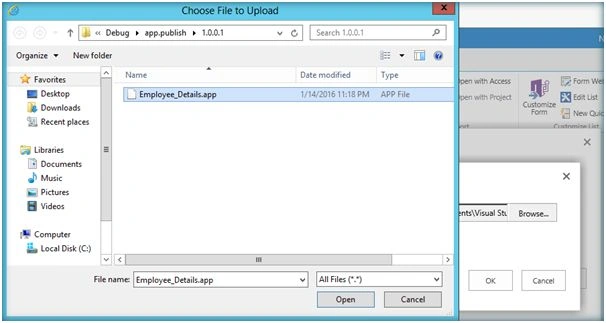
Click on Upgrade.

The upgrade process has started.
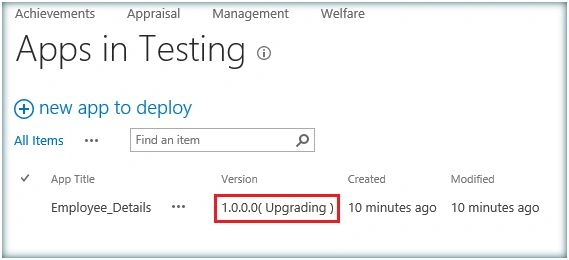
It will take some time to complete the upgrade process. Once the upgrade is completed the app will be updated with the incremented version number.

Let’s go to the list and see the new site column added.
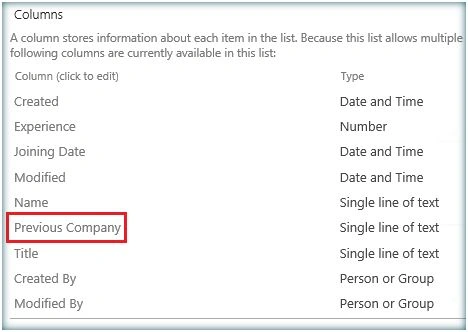
Thus we have seen how to upgrade the app without redeploying. Upgrade process retains the data within the list, this is one problem associated with app deployment as each deployment installs a fresh app causing existing data loss. However any form changes (New Form/Edit Form) cannot be pushed into the existing app via upgrade process. Form changes will need a fresh deployment which is a limitation by design.
Shriram PophaliPosted Jul 3, 2017, 2:22 AM
Nice article. But "Upgrade an app" (and "Deploy app") actions are not visible to me in SP 2013. What could be the reason?
Chitransh MathurPosted Feb 22, 2017, 8:08 AM
Hi.. can we add a lookup column also in existing list which is having lookup value of a list which we are creating newly in new built version of our SharePoint hosted app?
Gowtham RajamanickamPosted May 24, 2016, 1:20 AM
good one
Vignesh ManiPosted May 23, 2016, 3:51 PM
nice one
Debasis SahaPosted May 23, 2016, 1:48 PM
Good One..
Bhuvanesh MohankumarPosted May 23, 2016, 5:35 AM
Nice
Bhuvanesh MohankumarPosted May 23, 2016, 5:34 AM
Nice Priyaranjan
Neeraj KumarPosted May 22, 2016, 11:11 PM
Good one
Vignesh ManiPosted May 22, 2016, 4:10 PM
nice one