

Overview
Uploading files and folders to GitHub can be done using either the GitHub web interface (UI) or the command line (terminal). Both methods are suitable for different scenarios: the UI is best for small projects, while the terminal method is recommended for larger projects or when working with Git locally.
Method 1: Using the GitHub Web Interface
Create a Repository
Log in to GitHub and click the “New repository” button.
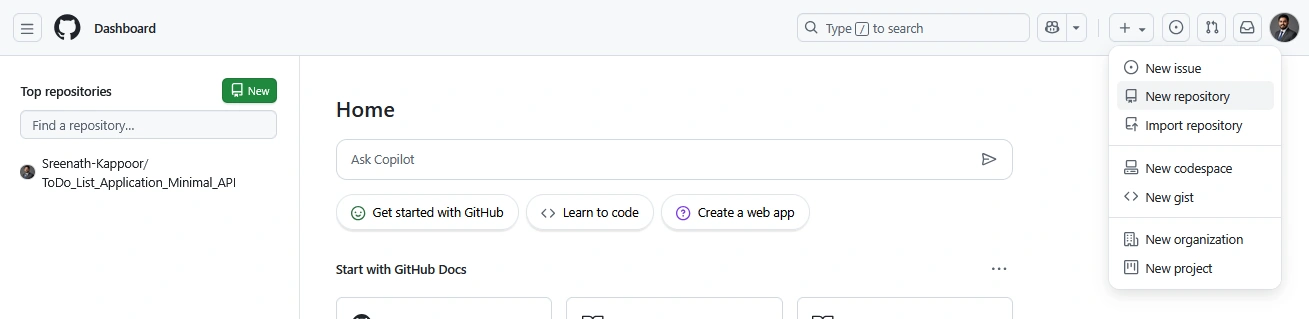
Enter a repository name, description, and choose whether it should be public or private.
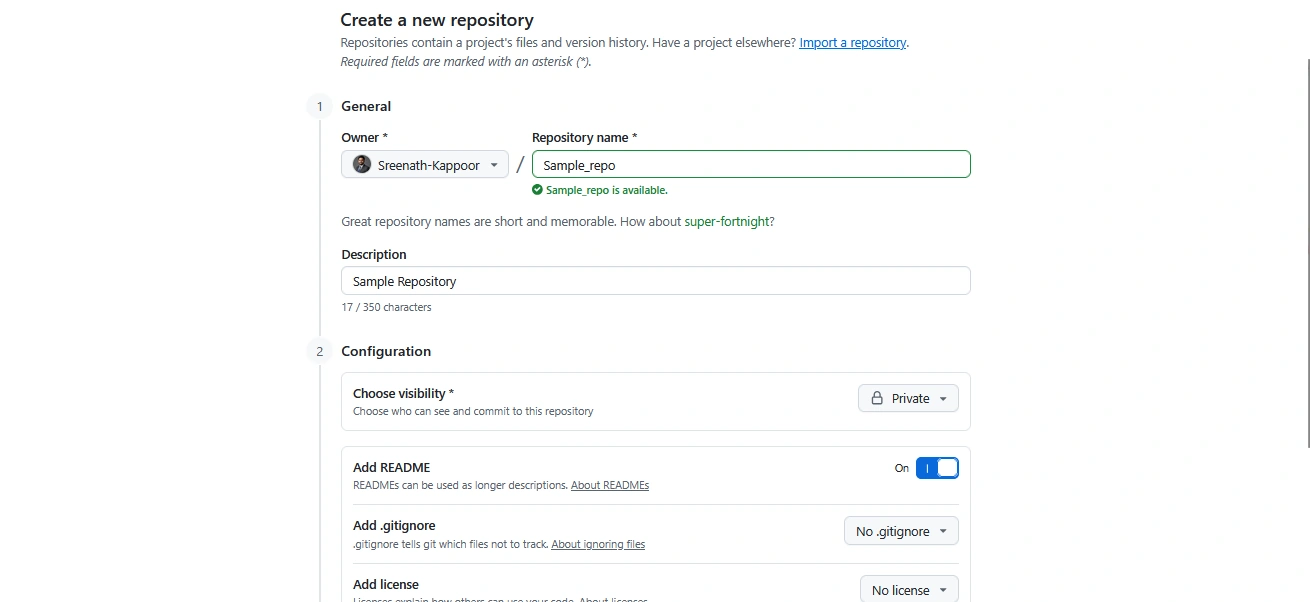
Optionally, initialize the repository with a README file.
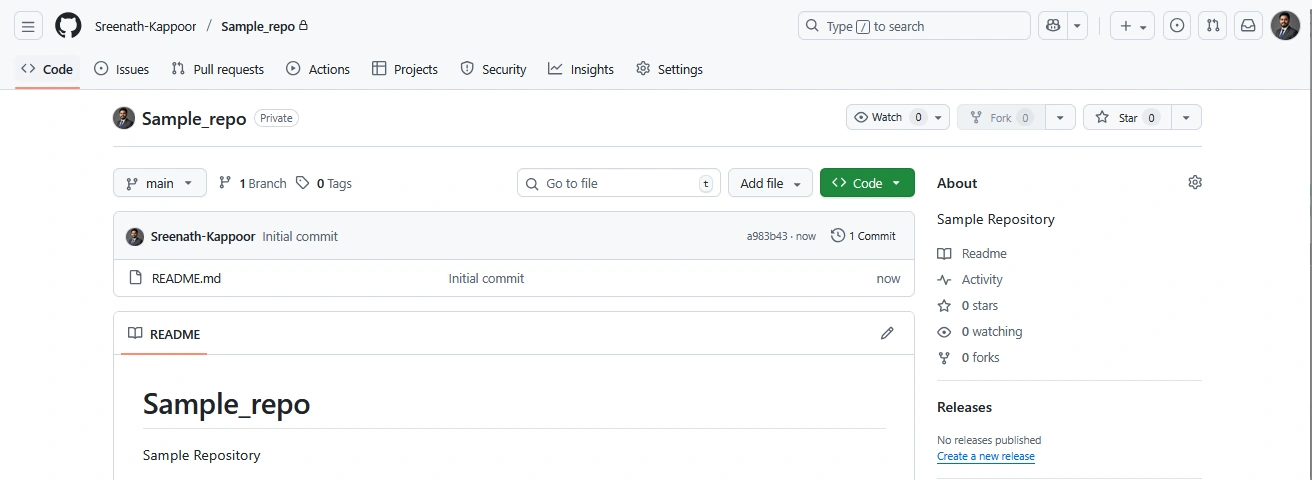
Upload Files
Navigate to the repository’s main page.
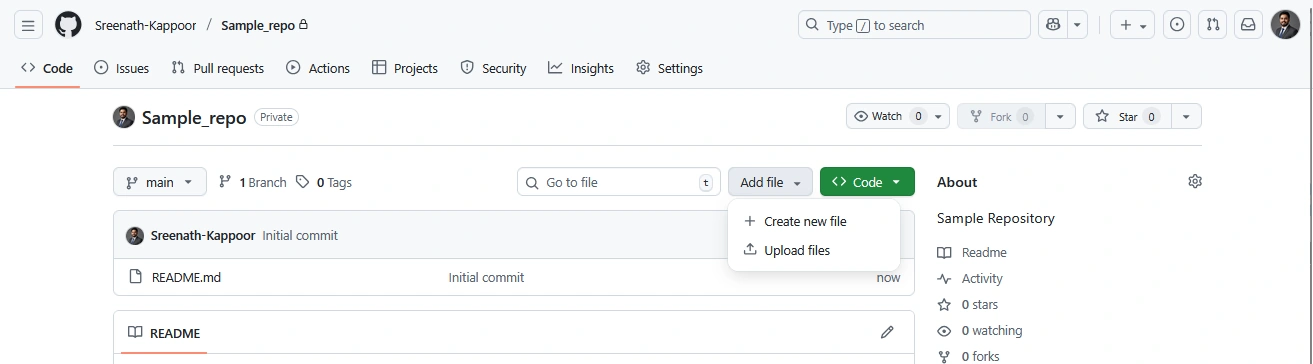
Click the “Add file” dropdown and select “Upload files”
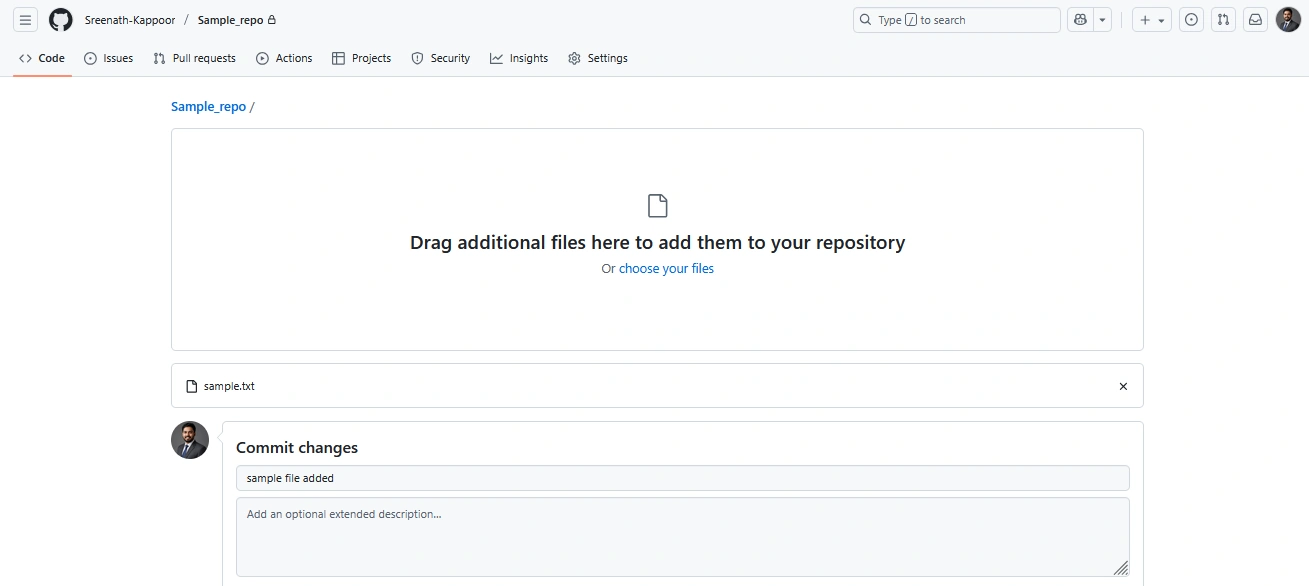
Drag and drop files or folders, or click “Choose your files” to browse.
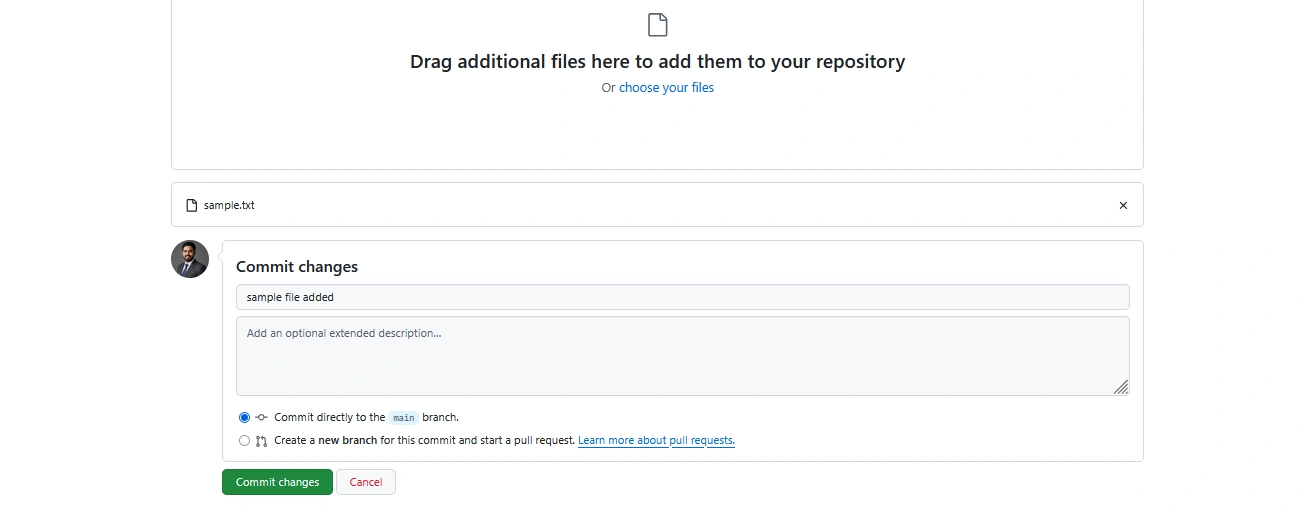
Add a commit message describing the changes.
Click “Commit changes” to upload the files.
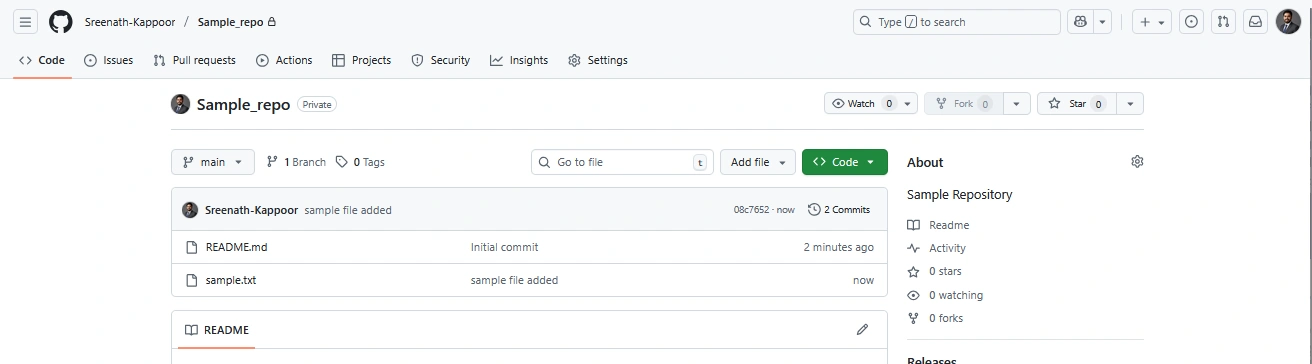
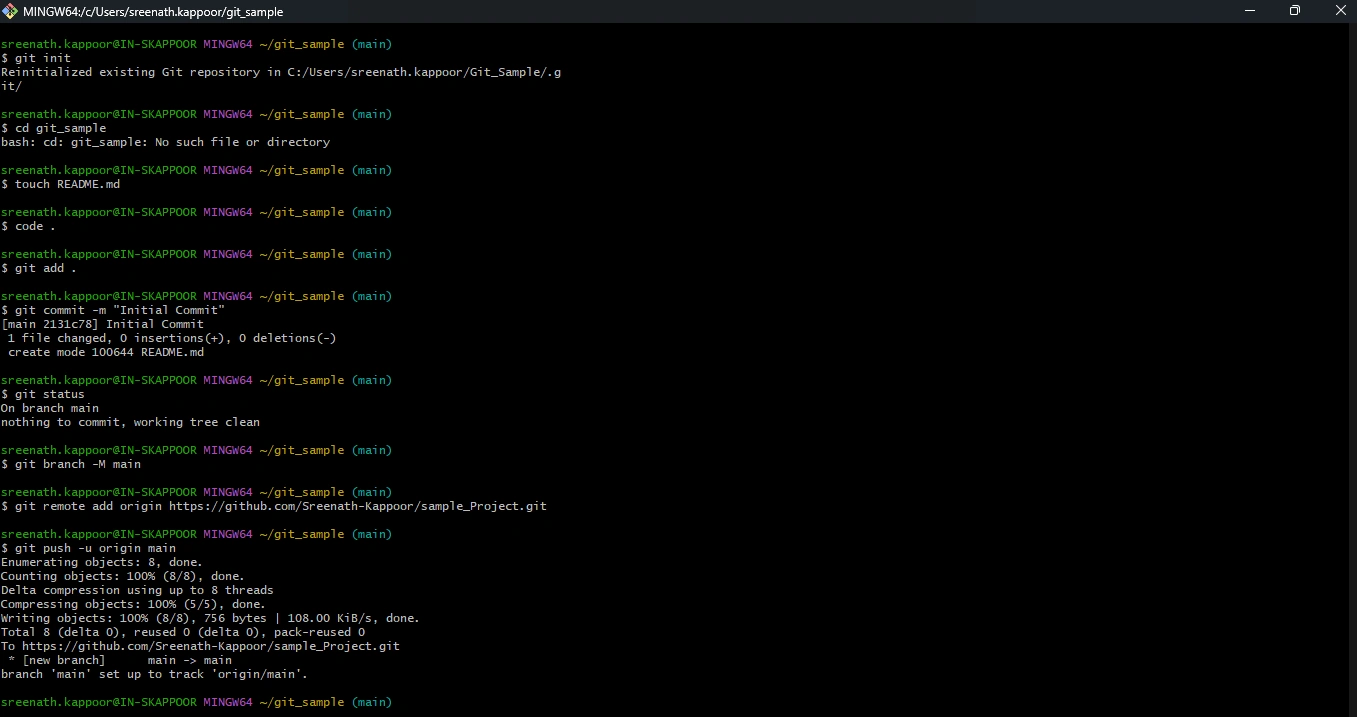
Method 2: Using the Terminal (Command Line)
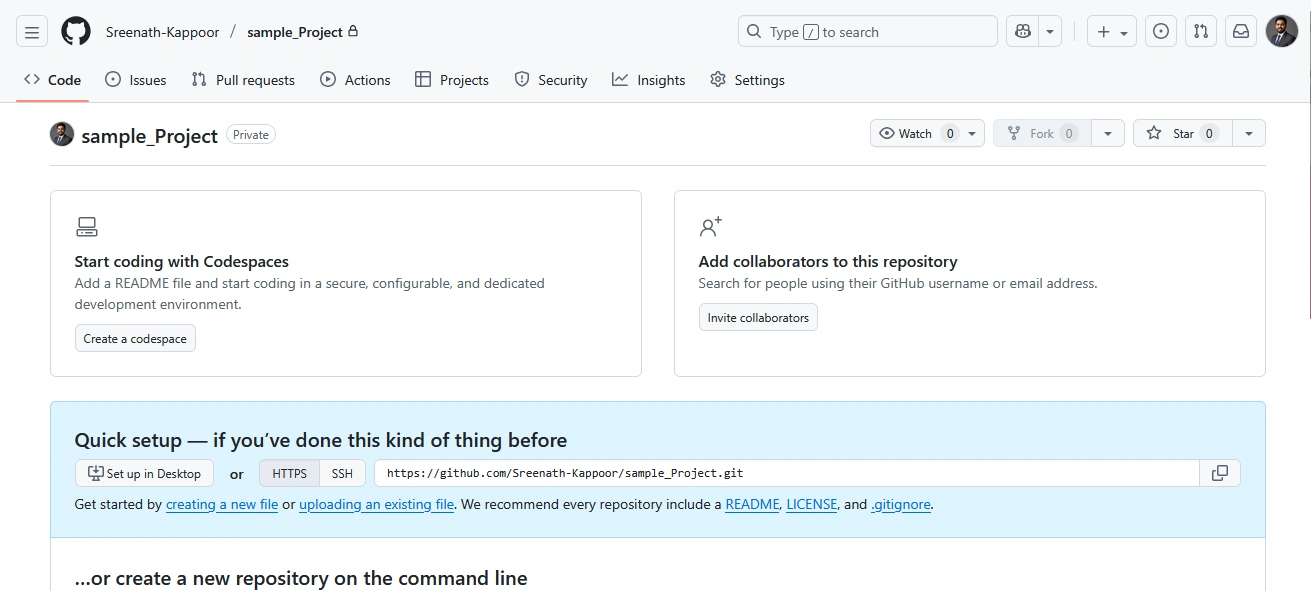
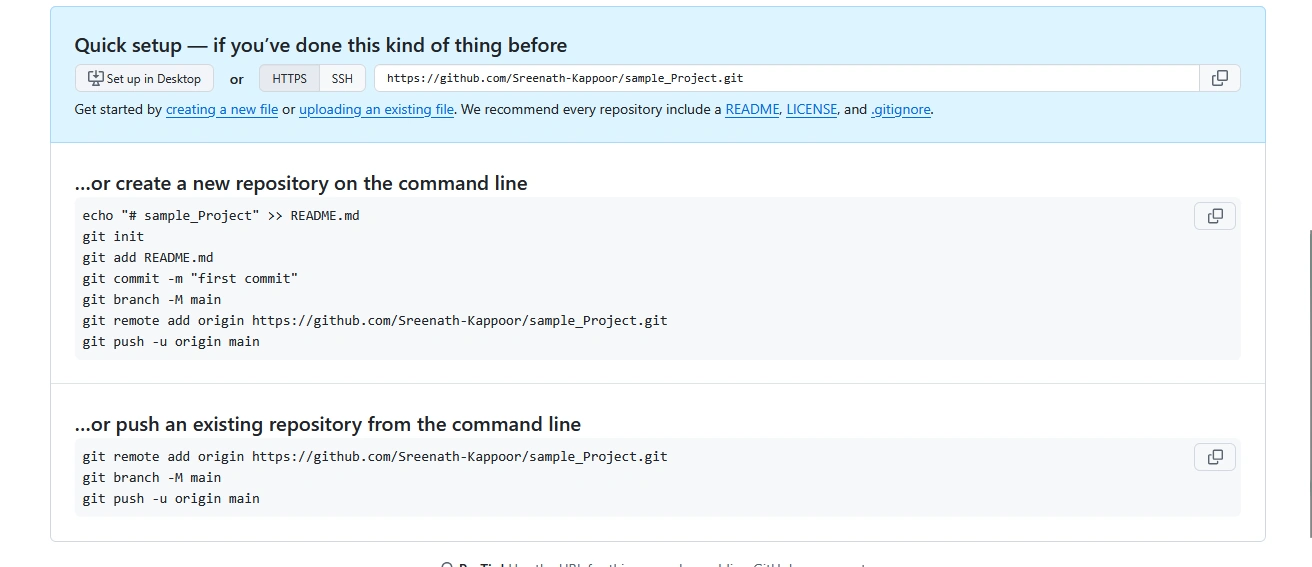
Create an Empty Repository
On GitHub, create a new repository without initializing it with a README.
Join the conversation! Your thoughts help the community grow.