

Introduction
We just need to set the value in this variable and get the value in any activity, even in service or broadcast receiver in the application context.
Note- Every application has a context, and Android guarantees that the application context will exist as an instance across the application.
So we just need to specify our global class in the application tag of the Android manifest file of the application.
Android will create an instance of that global class and make it available for the entire application context.
We can get the object of that global class using the following method,
- Context.getApplicationContext()
Procedure to understand
 In MyGlobalClass.java file creates get and set methods using a public variable.
For instance,
In MyGlobalClass.java file creates get and set methods using a public variable.
For instance,
- public class MyGlobalClass extends Application {
- public String myString;
- @Override
- public void onCreate() {
- super.onCreate();
- }
- public String getMyString() {
- return myString;
- }
- public void setMyString(String myString1) {
- myString = myString1;
- }
- }
- Context: Is an interface to provide global information about an application environment.
- getApplication() is only available on the Activity class and in the Service class, whereas getApplicationContext() is declared in the Context class.
Source Code
MyGlobalClass.java,
- package com.example.globalclassdemo;
- import android.app.Application;
- public class MyGlobalClass extends Application {
- public String myString;
- @Override
- public void onCreate() {
- super.onCreate();
- }
- public String getMyString() {
- return myString;
- }
- public void setMyString(String myString1) {
- myString = myString1;
- }
- }
- package com.example.globalclassdemo;
- import android.app.Activity;
- import android.content.Context;
- import android.content.Intent;
- import android.os.Bundle;
- import android.view.View;
- import android.widget.Button;
- public class MainActivity extends Activity {
- Button btn;
- public Context _context;
- @Override
- public void onCreate(Bundle savedInstanceState) {
- super.onCreate(savedInstanceState);
- setContentView(R.layout.activity_main);
- _context = getApplicationContext();
- btn = (Button)findViewById(R.id.button1);
- MyGlobalClass globalVariable = (MyGlobalClass) getApplicationContext();
- globalVariable.setMyString("AN THE RAW ID");
- btn.setOnClickListener(new View.OnClickListener() {
- @Override
- public void onClick(View arg0) {
- // TODO Auto-generated method stub
- Intent i=new Intent(MainActivity.this, SecondActivity.class);
- startActivity(i);
- }
- });
- }
- @Override
- public void onBackPressed() {
- // do something on back.
- finish();
- return;
- }
- }
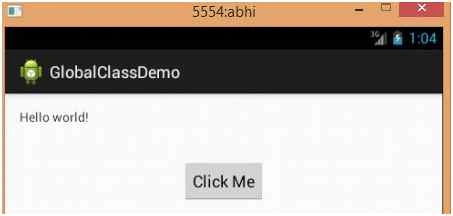
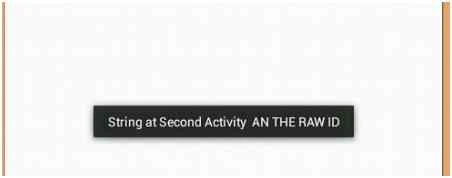
Karthikeyan KPosted Aug 23, 2015, 11:28 PM
Thanks for share sir
Gopi ChandPosted Aug 23, 2015, 1:48 PM
Nice work
Gowtham KPosted Aug 23, 2015, 1:33 PM
Good one
Santhakumar MunuswamyPosted Aug 23, 2015, 11:30 AM
Thanks for Nice article
Sibeesh VenuPosted Aug 23, 2015, 3:47 AM
Nice Share
Rajeesh MenothPosted Aug 23, 2015, 2:48 AM
Nice Share