

Introduction
In this article, we will cover the Dynamic Data masking topic and how to mask the Database columns in Azure SQL Database through Azure Portal. Before we begin into this let us first understand the concept of Dynamic Data masking and its policies.
What is Azure SQL - Dynamic Data masking?
Fundamentally, dynamic data masking helps in hiding sensitive information for unauthorized users who are accessing the data with minimal impact on the application layer. It creates one layer of security on top of data. It's a policy-based security feature that helps in hiding the data as a result of a set of queries. We can mask the particular columns for which we feel it's sensitive information that cannot be exposed to other users without any impact on the data in the database.
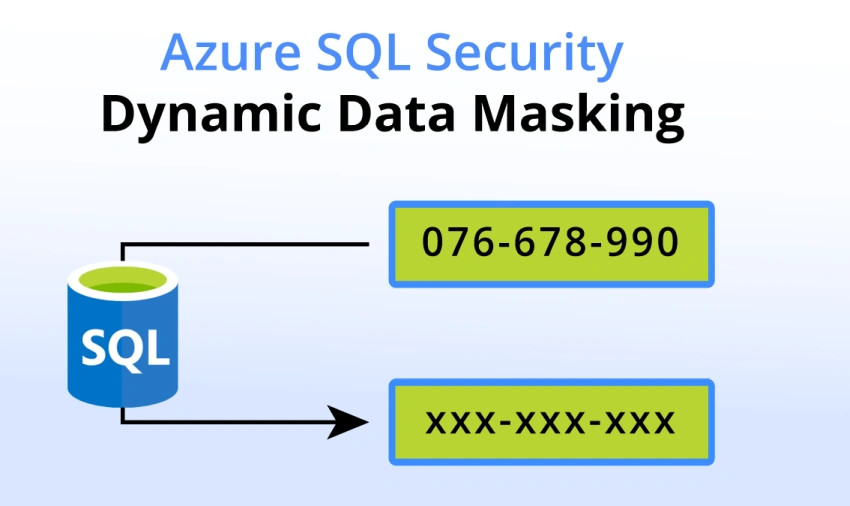
Everything you need to know about the Dynamic Data masking Policies
There are three main policies included in this Dynamic Data masking
Admin users are always excluded from masking
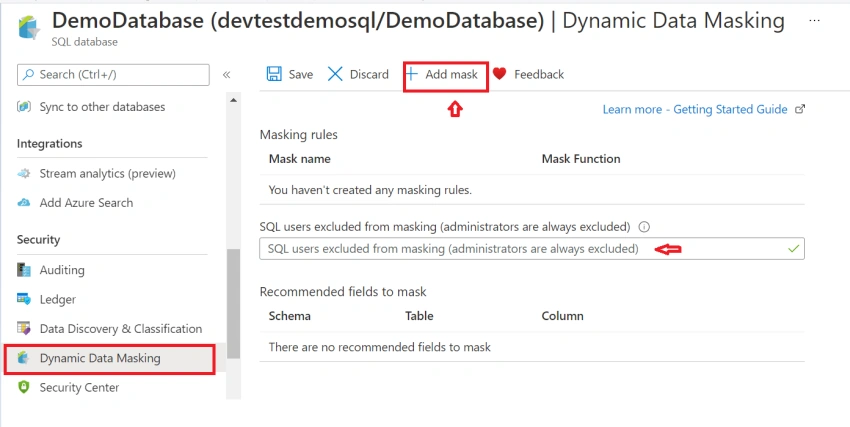
A bunch of SQL users who are all having admin privileges or Active Directory Identities are excluded from data masking. Users without having access will only be able to see the masked data while querying in SQL server management studio or within the Azure portal.
What are Data Masking Rules and why it is required?
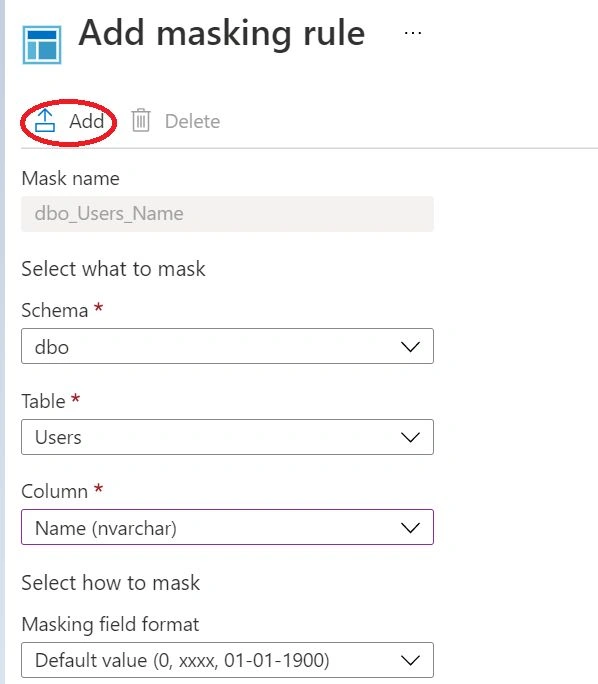
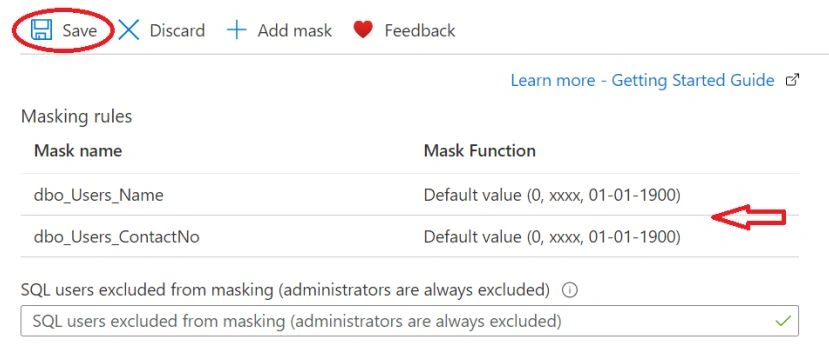
A set of rules will be applicable on the column level of column data that users want to encrypt with its specific type over the SQL table. You can select a masking rule for each source field on the masking page that you want to mask. The rules that you can select from depending on the data type of the field that you want to mask.
What are Data Masking Functions?
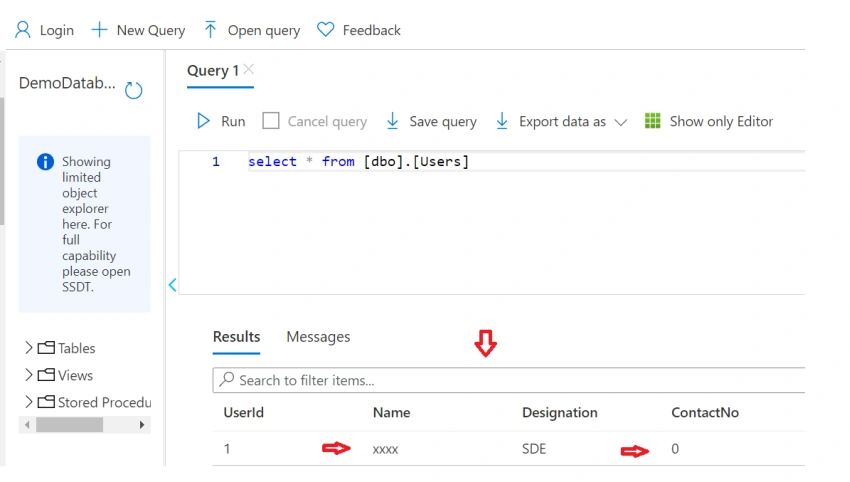
A covering capacity characterizes how the Rule Engine veils information. The Rule Engine applies covering capacities to approaching SELECT SQL proclamations that unapproved customer ships off the data set. Dynamic Data Masking revises the SQL proclamation. At the point when the data set gets the solicitation, the information base sends covered information to the customer.
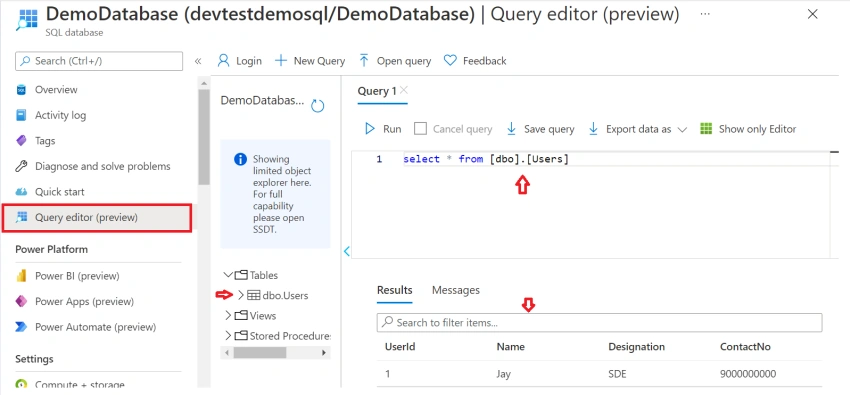
Implement Data masking through Azure Portal
To configure the Data masking we need the SQL Server and SQL Database has to be configured inside the resource group and to configure that, I have already made an article on that, Please go through with the below link to set up the Server and along with Database in Azure
Sagar LadPosted Sep 25, 2021, 7:39 PM
Nice Article
Pranam BhatPosted Sep 15, 2021, 4:23 AM
Good one. Really helpful :)