

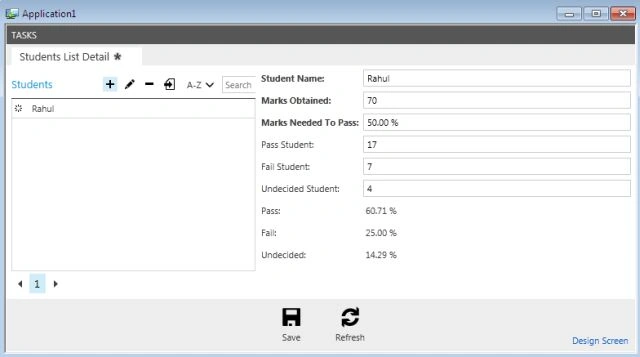
In this article I describe the use of the percent datatype in LightSwitch using Visual Studio 2012.
The following is the procedure for using the percent type in LightSwitch 2012.
Step 1
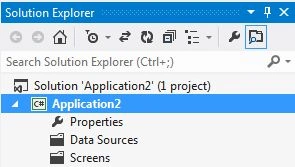
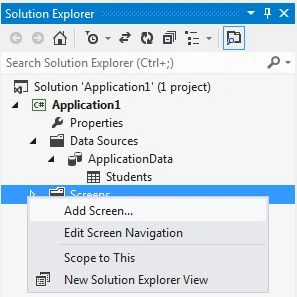
Open the Solution Explorer.
Step 2
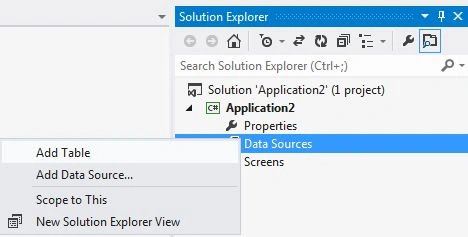
In the Solution Explorer, right-click on the data source and choose "Add Table".
Step 3
The table appears.
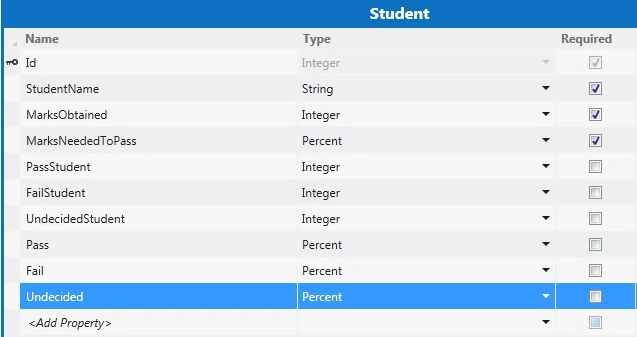
In the table you can add a computed property to the Field by selecting the IsComputed property in the Property Window.

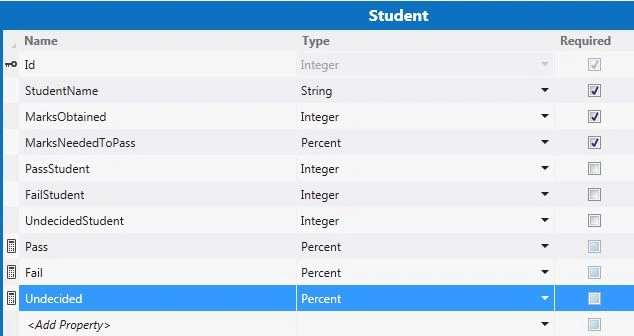
Follow the same process for the remaining two fields (in other words for Fail and Undecided fields) in order to add a computed property.
Step 5Now the table appears in the following manner:
Step 6
Go to the Menu Bar under the write code option. Select the _Compute method for the three fields in other words for the , Fail and Undecided fields.
using System;
using System.Collections.Generic;
using System.Linq;
using System.Text;
using Microsoft.LightSwitch;
namespace LightSwitchApplication
{
public partial class Student
{
private decimal totalmarks
{
get
{
decimal totalmarks = 0;
if ((this.Student != null) && (this.FailStudent != null) && (this.UndecidedStudent != null))
{
totalmarks = (decimal)(this.Student + this.FailStudent + this.UndecidedStudent);
}
return totalmarks;
}
Join the conversation! Your thoughts help the community grow.