

Introduction
Microsoft Power Apps continues to evolve with Modern Controls, designed to deliver a cleaner UI, better performance, and improved accessibility. One of the most impactful additions is the Modern Card control, which replaces the traditional card experience in forms and galleries with a more flexible, responsive, and visually appealing layout.
In this article, we’ll explore what the Modern Card control is, why it matters, how to use it, and best practices for real-world Power Apps solutions.
What Is the Modern Card Control?
The Modern Card control is part of the modern control set in Power Apps that enhances how data is displayed and edited within forms and containers. Unlike classic cards, modern cards are:
Layout-aware and responsive
Easier to customize visually
Better aligned with Fluent UI standards
Modern cards are primarily used inside Modern Forms, Galleries, and Containers.
Why Use Modern Card Controls?
1. Improved User Experience
Modern cards provide better spacing, typography, and alignment out of the box. They look consistent across devices without heavy customization.
2. Responsive Design
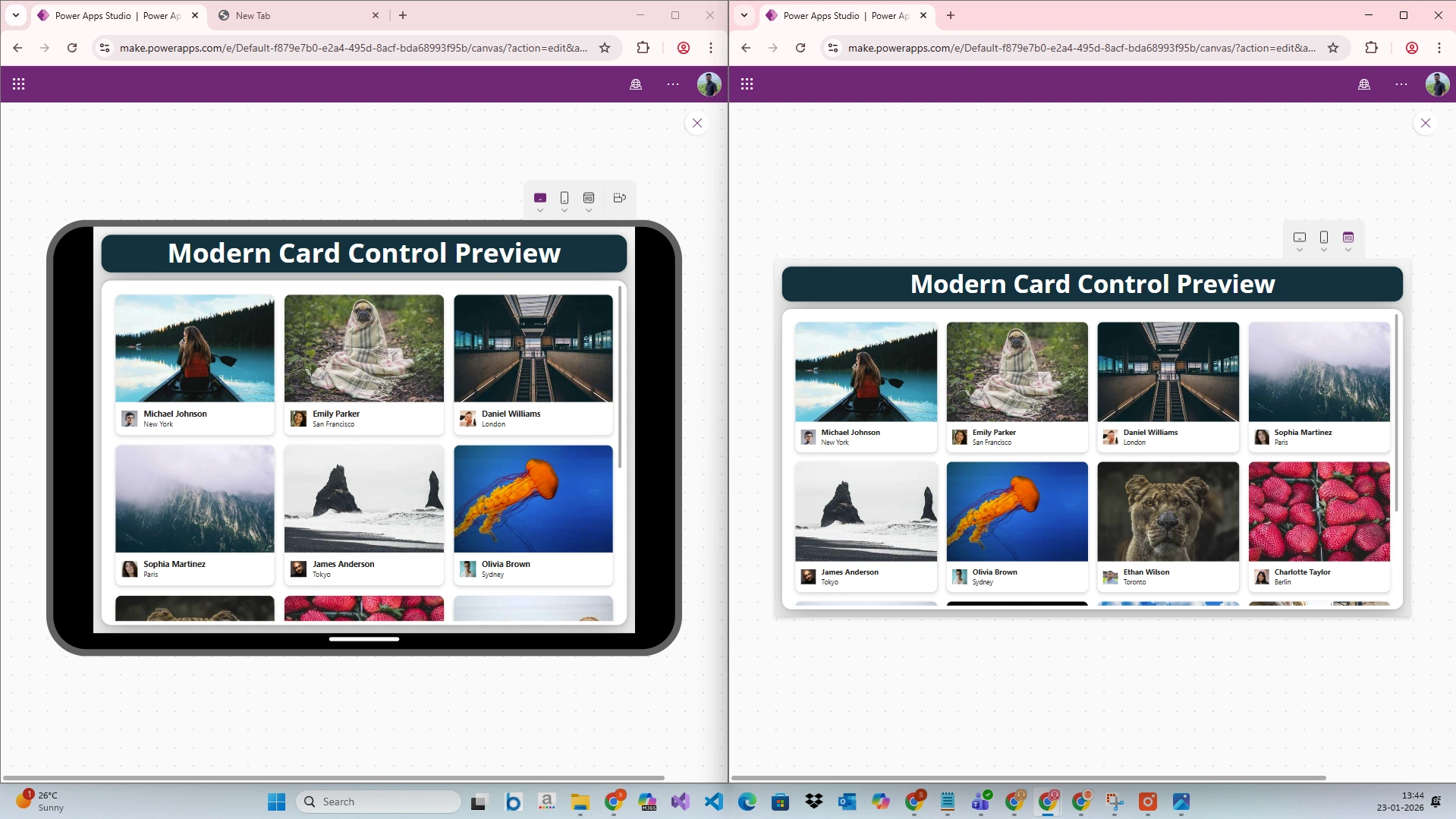
Unlike classic cards, modern cards adapt naturally to screen size changes, making them ideal for:
Mobile apps
Tablet layouts
Responsive web apps
Enabling Modern Controls in Power Apps
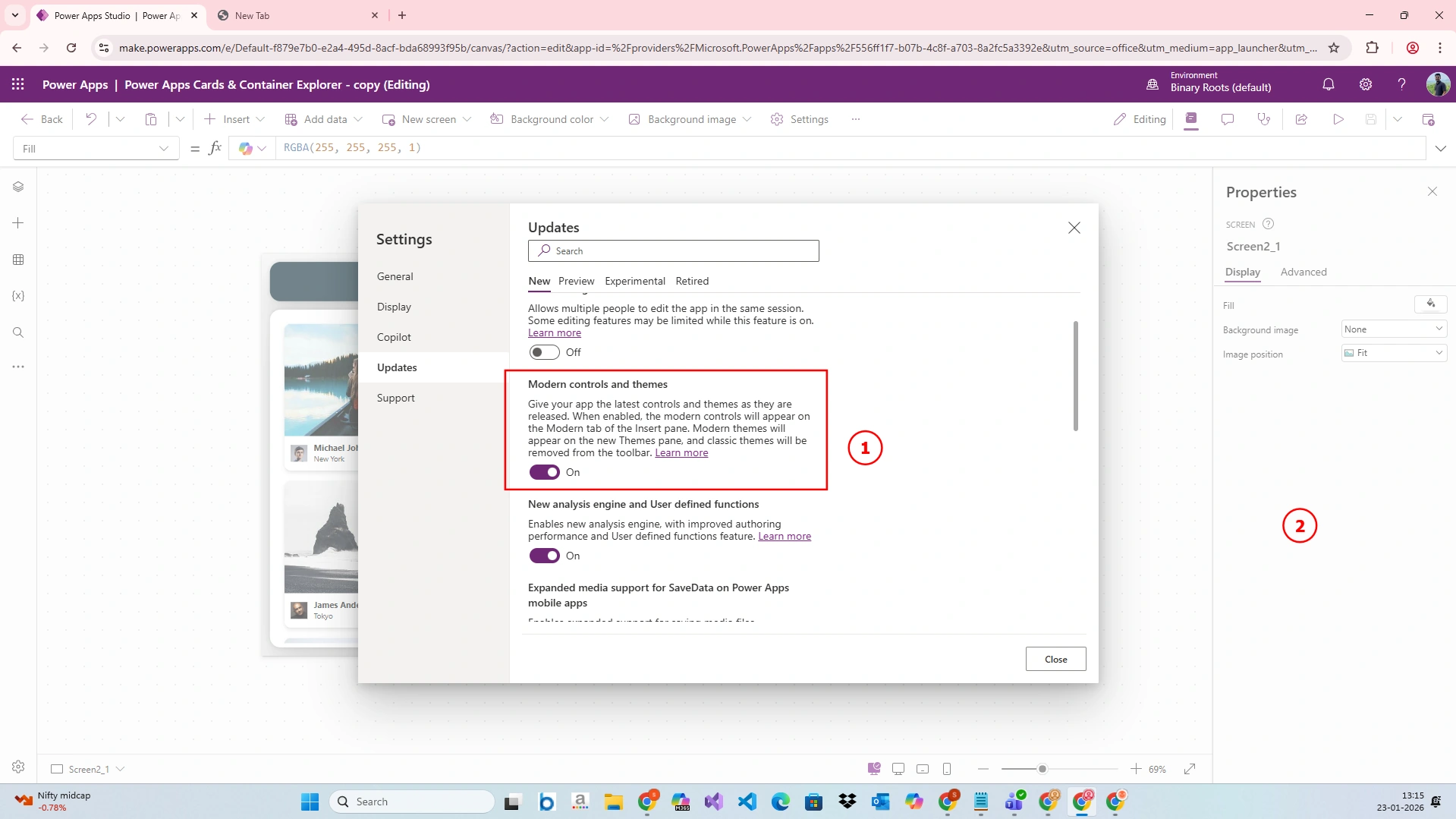
Before using the Modern Card control, ensure modern controls are enabled:
Open Power Apps Studio
Go to Settings → Upcoming features
Enable Modern controls and themes
Reload the app
Once enabled, modern cards become available when inserting modern forms or galleries.
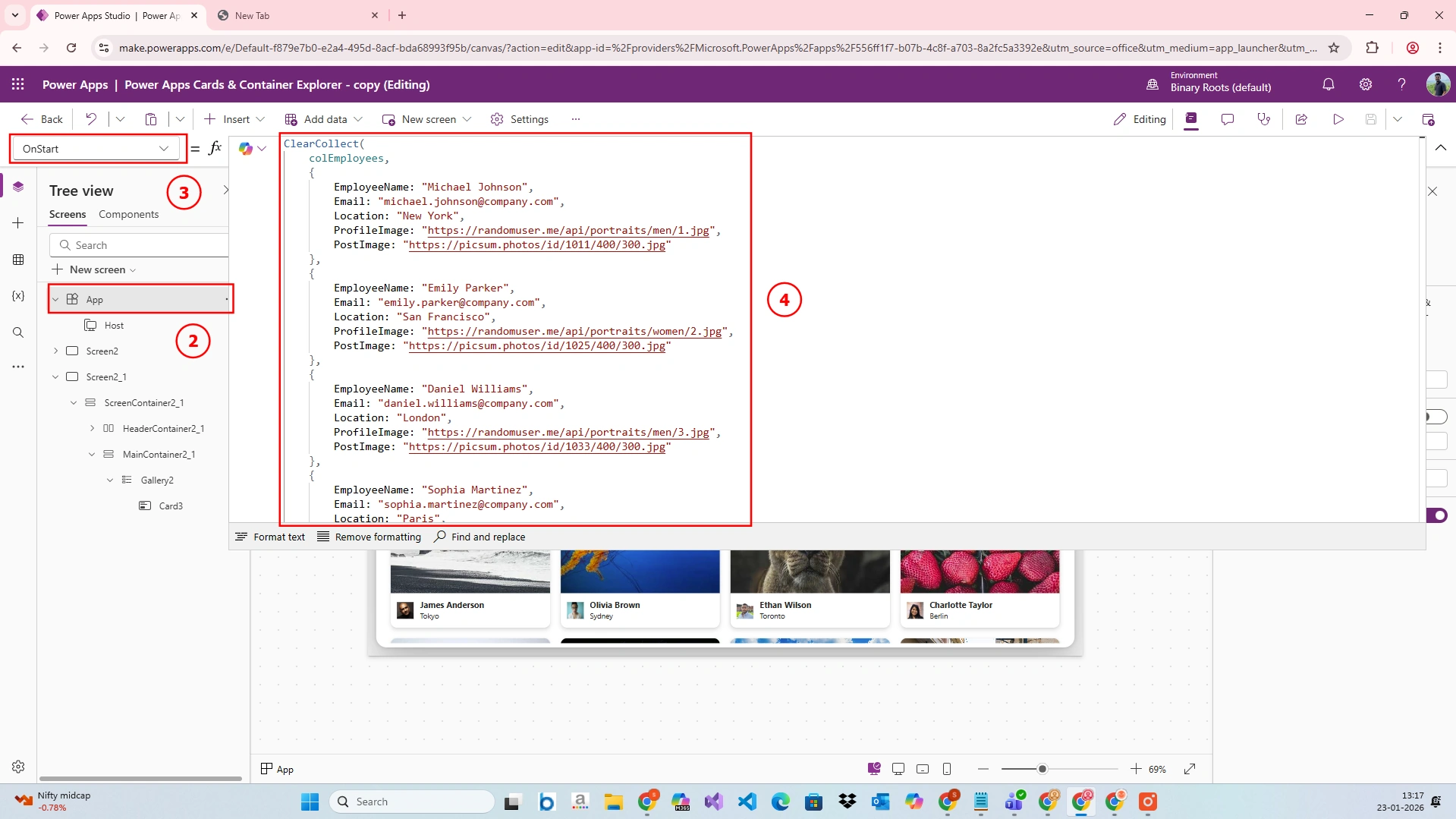
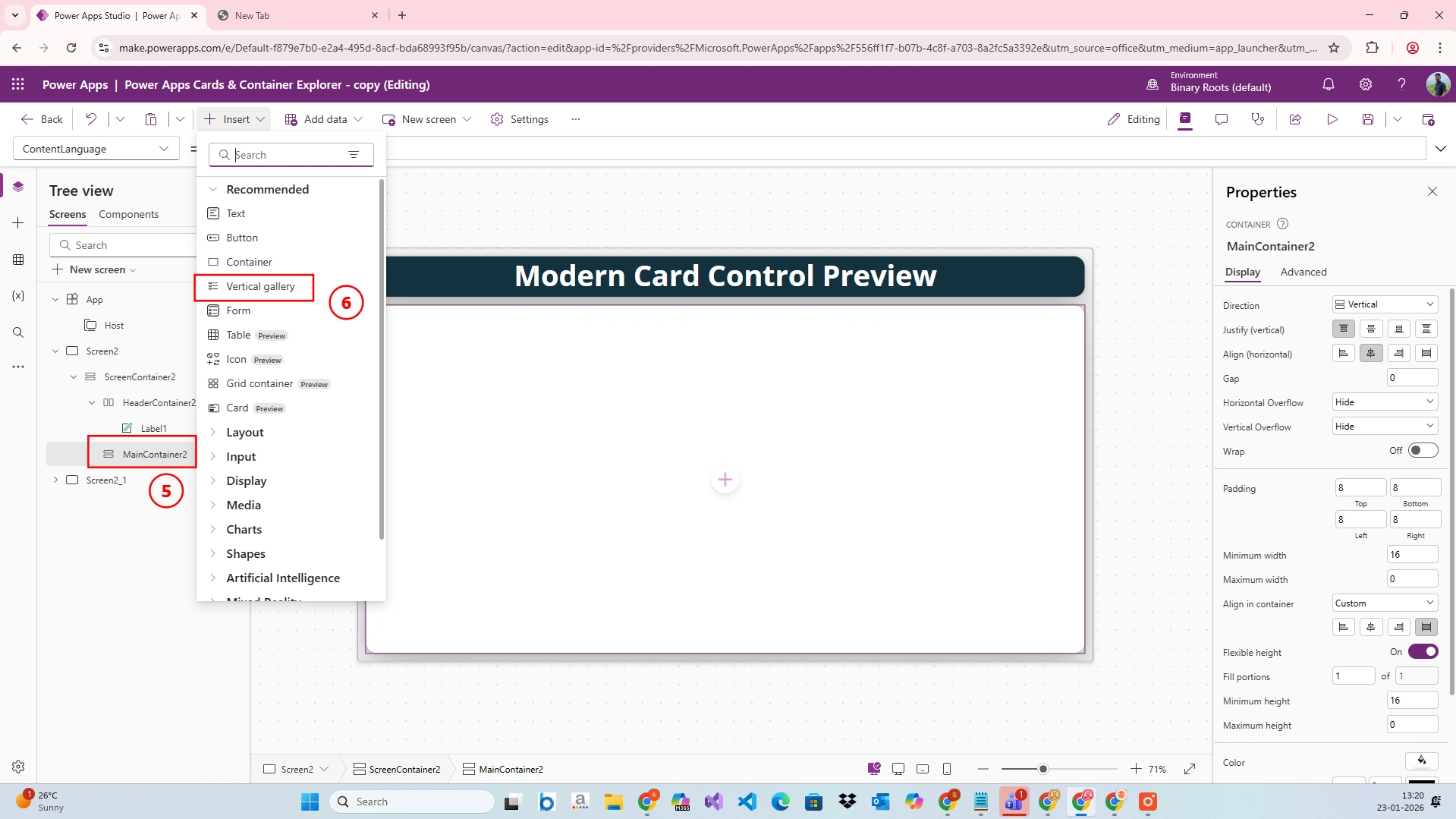
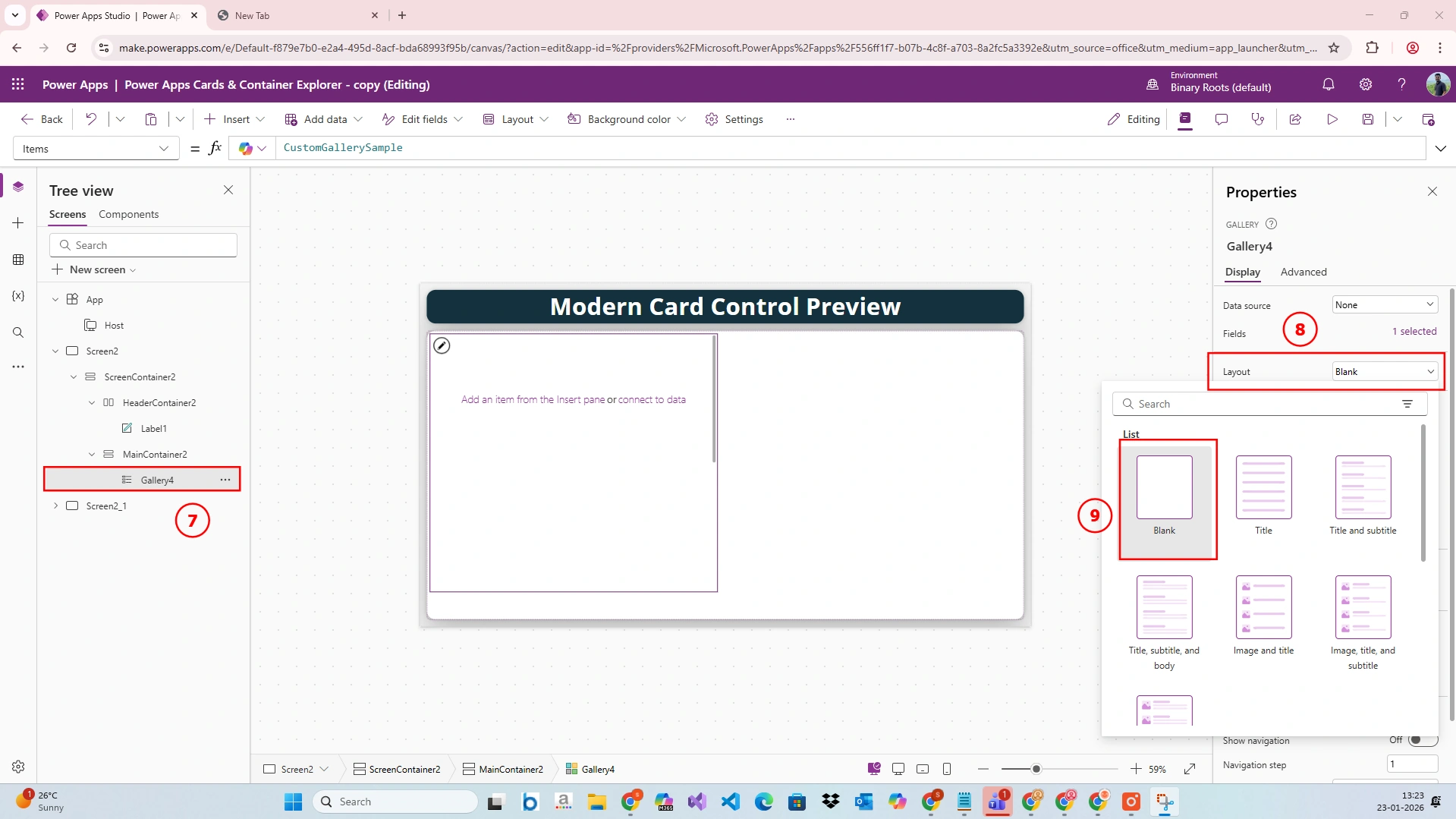
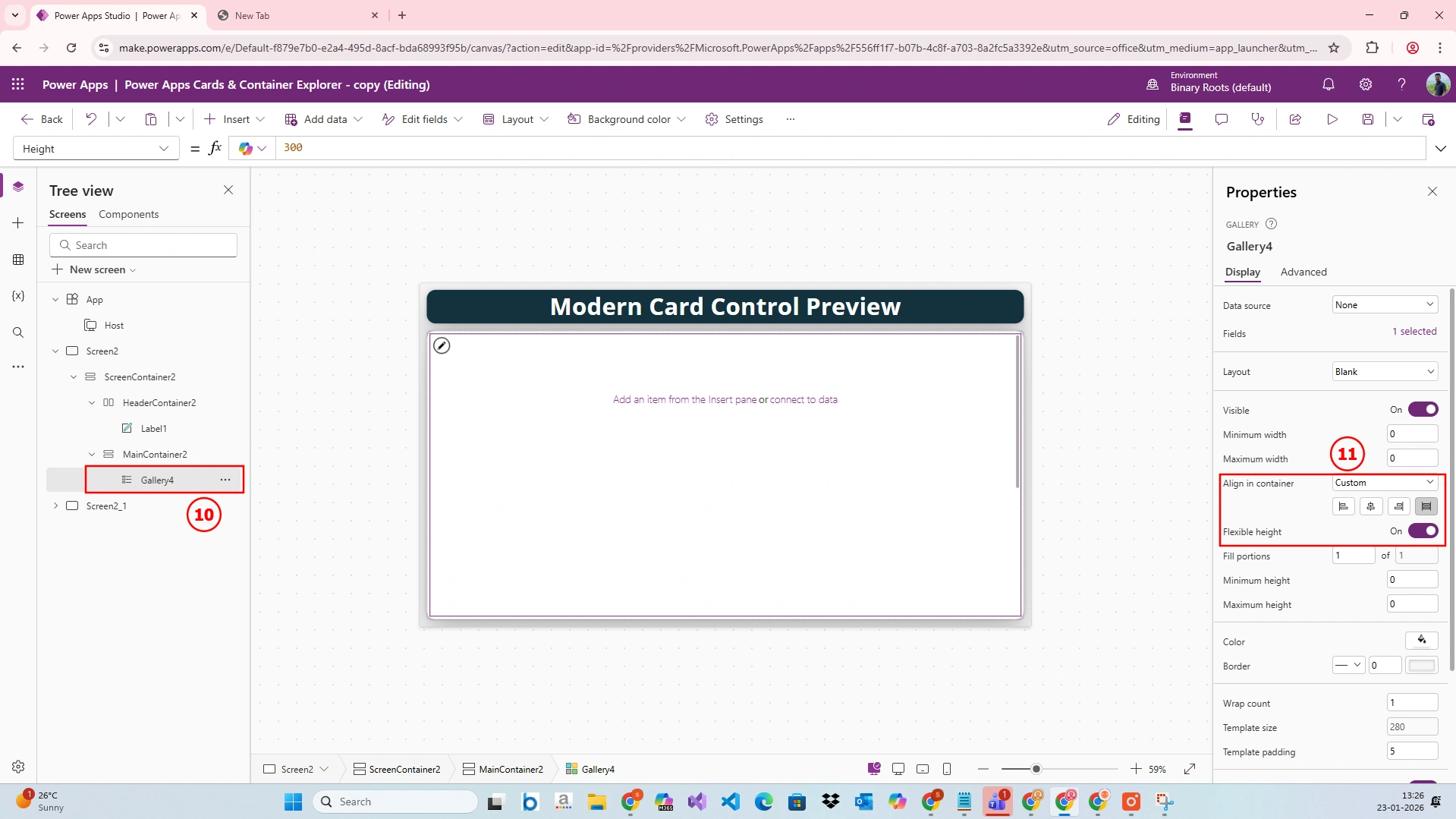
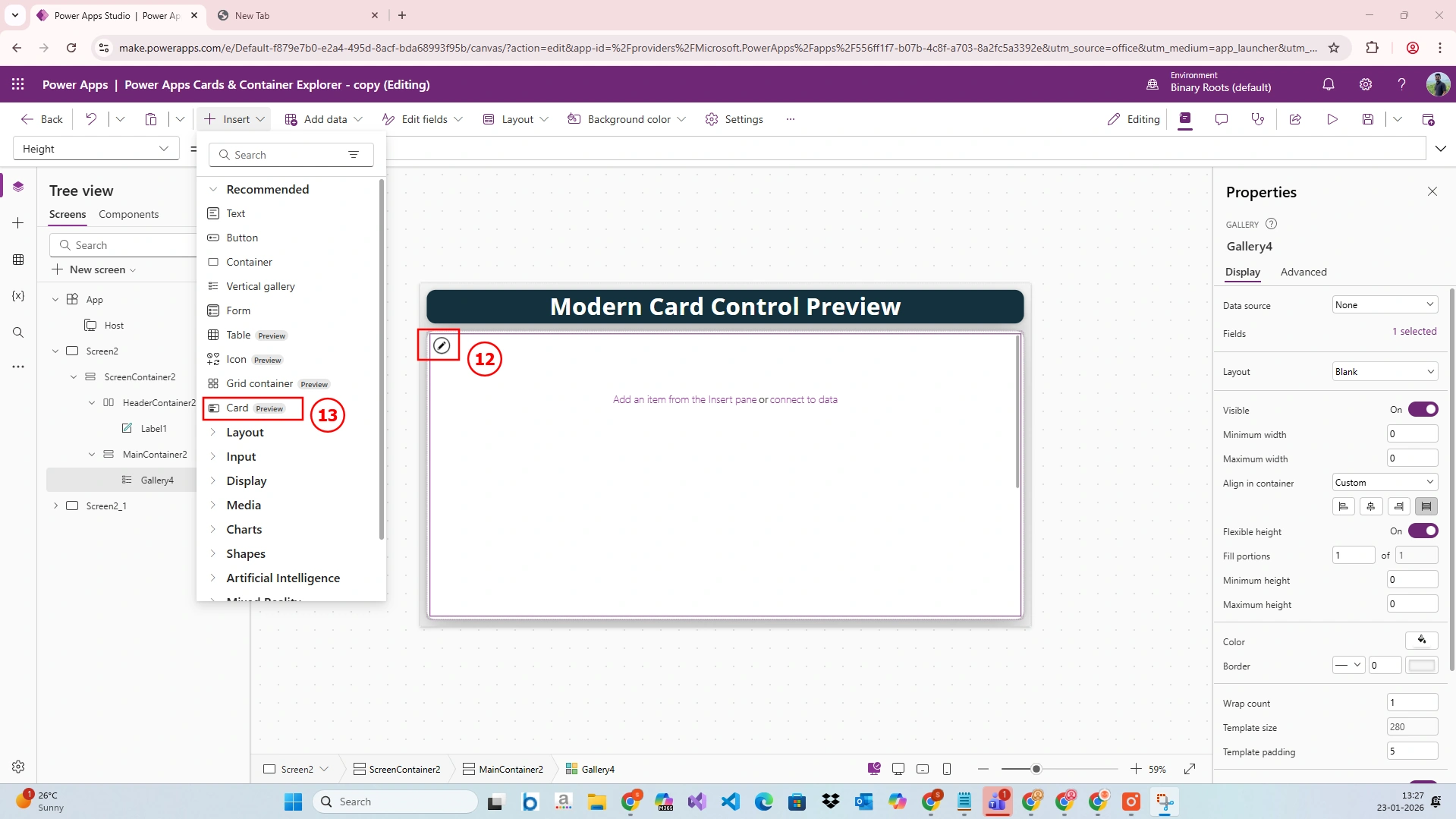
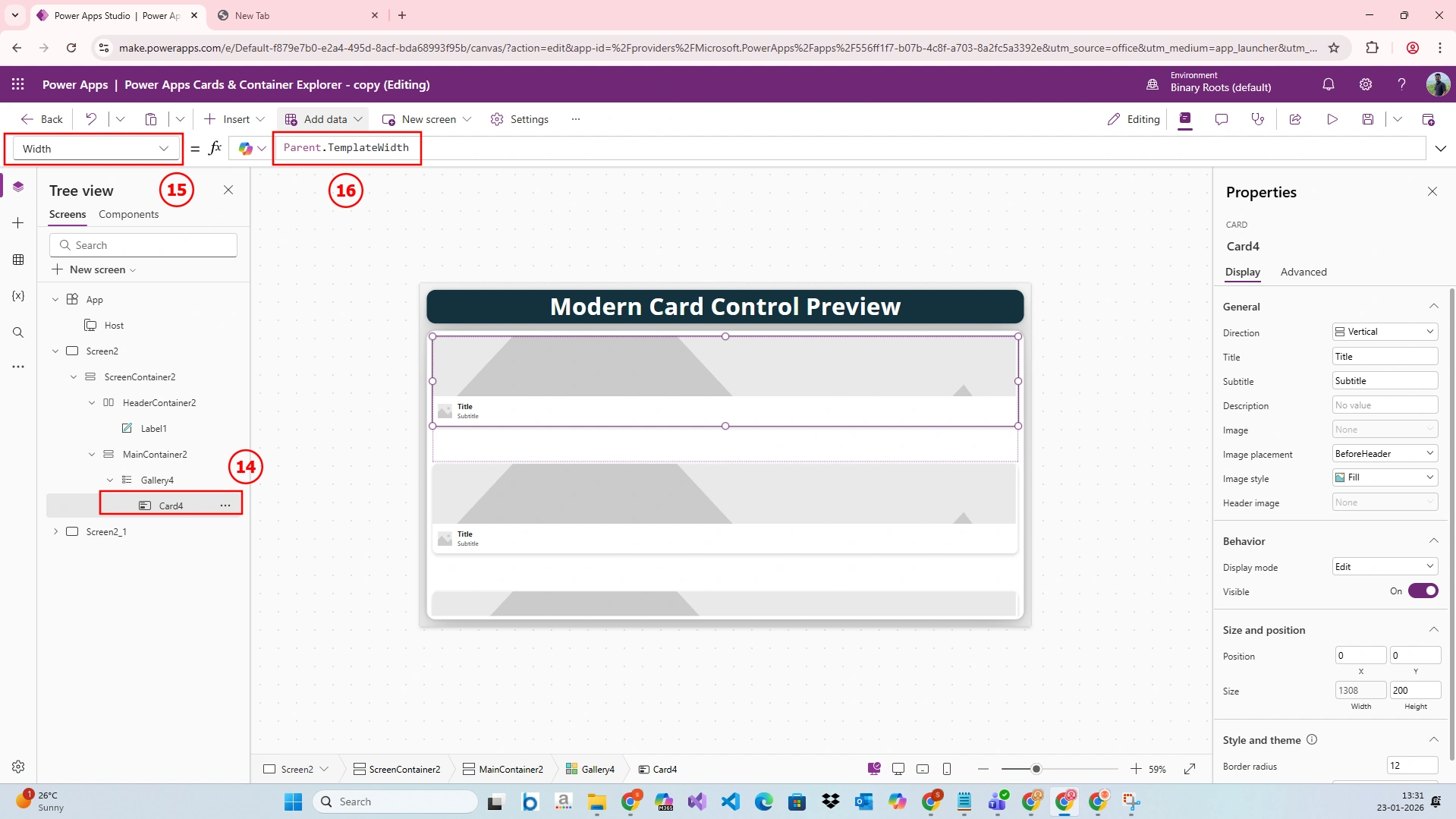
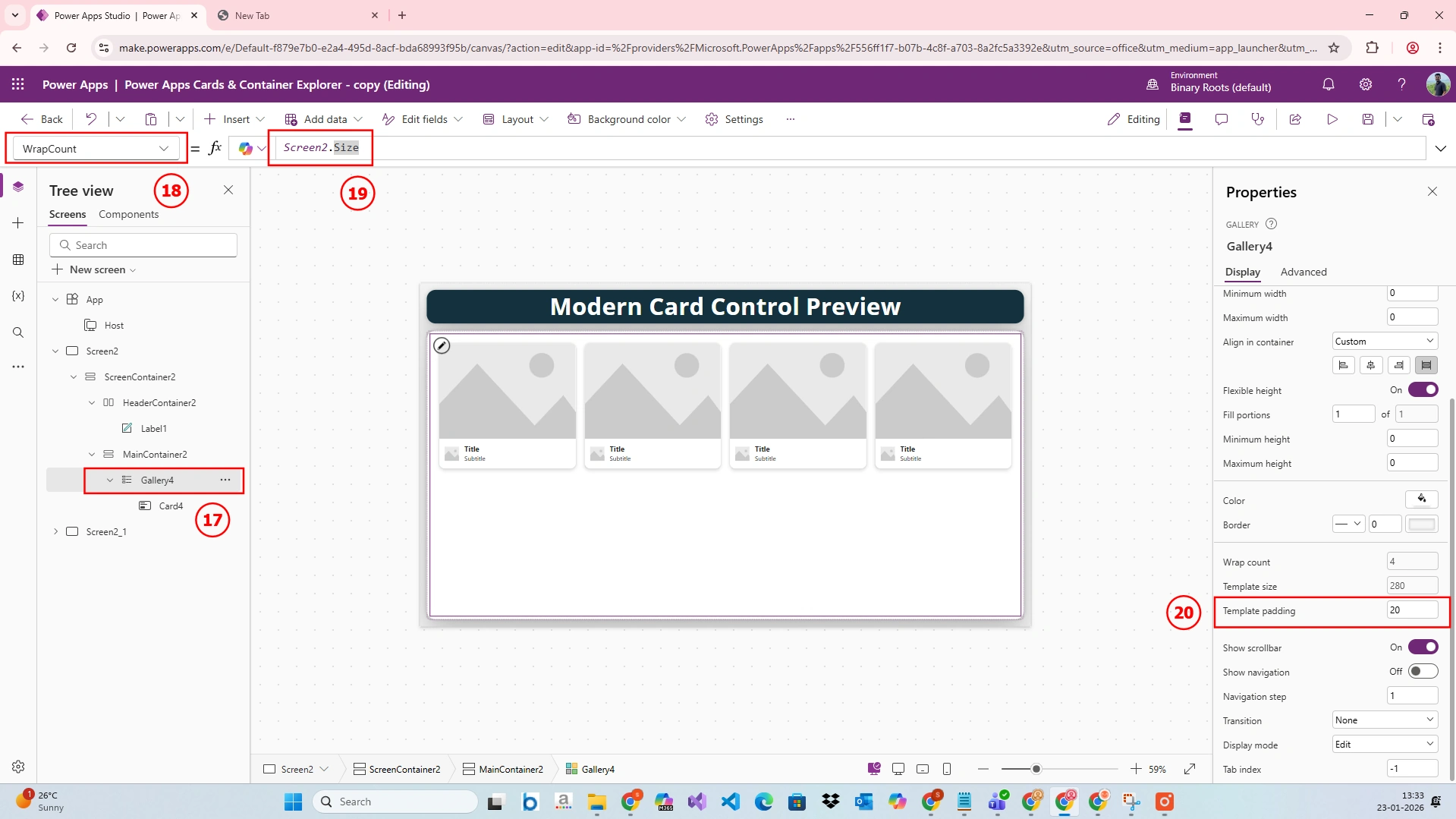
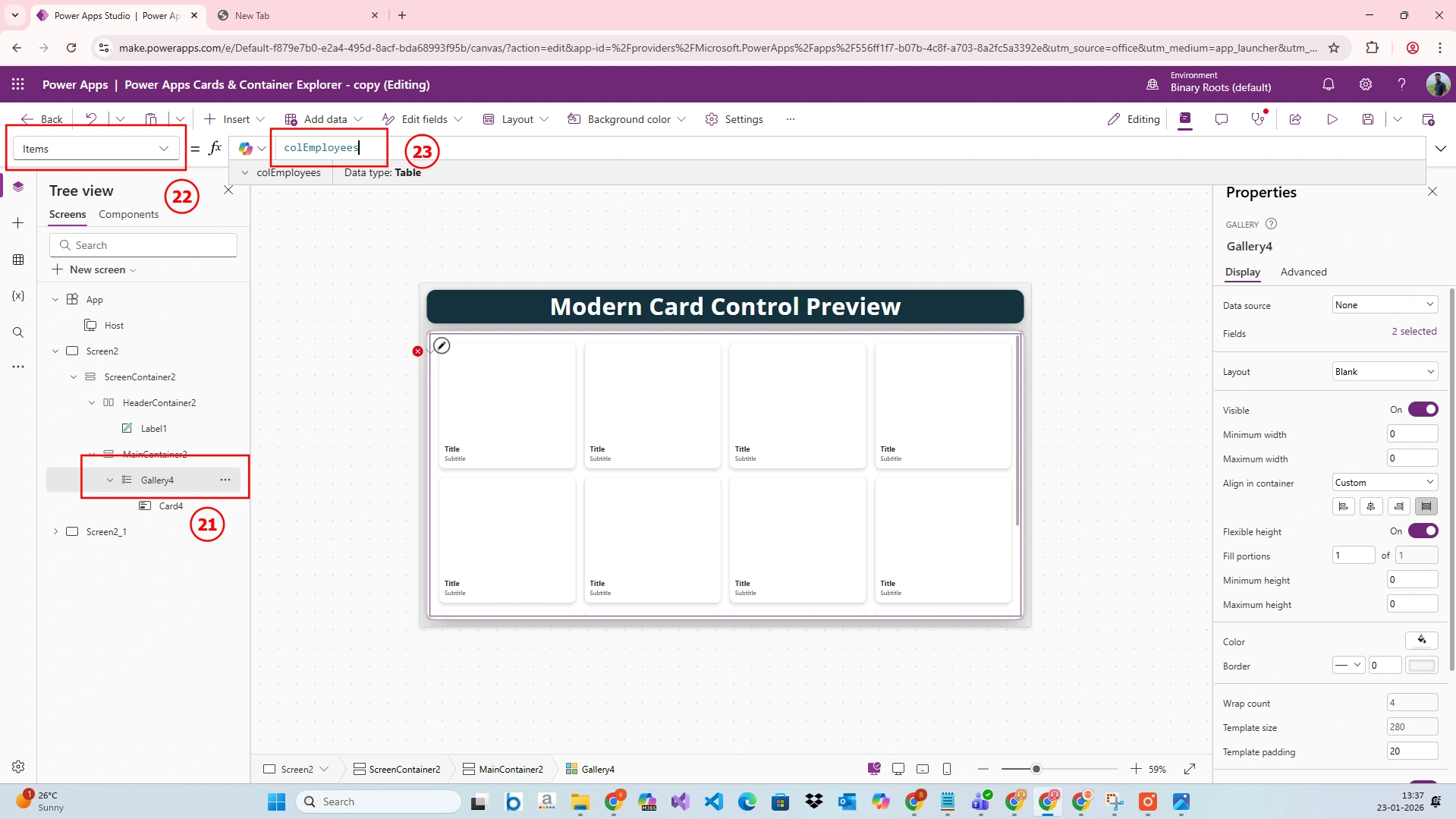
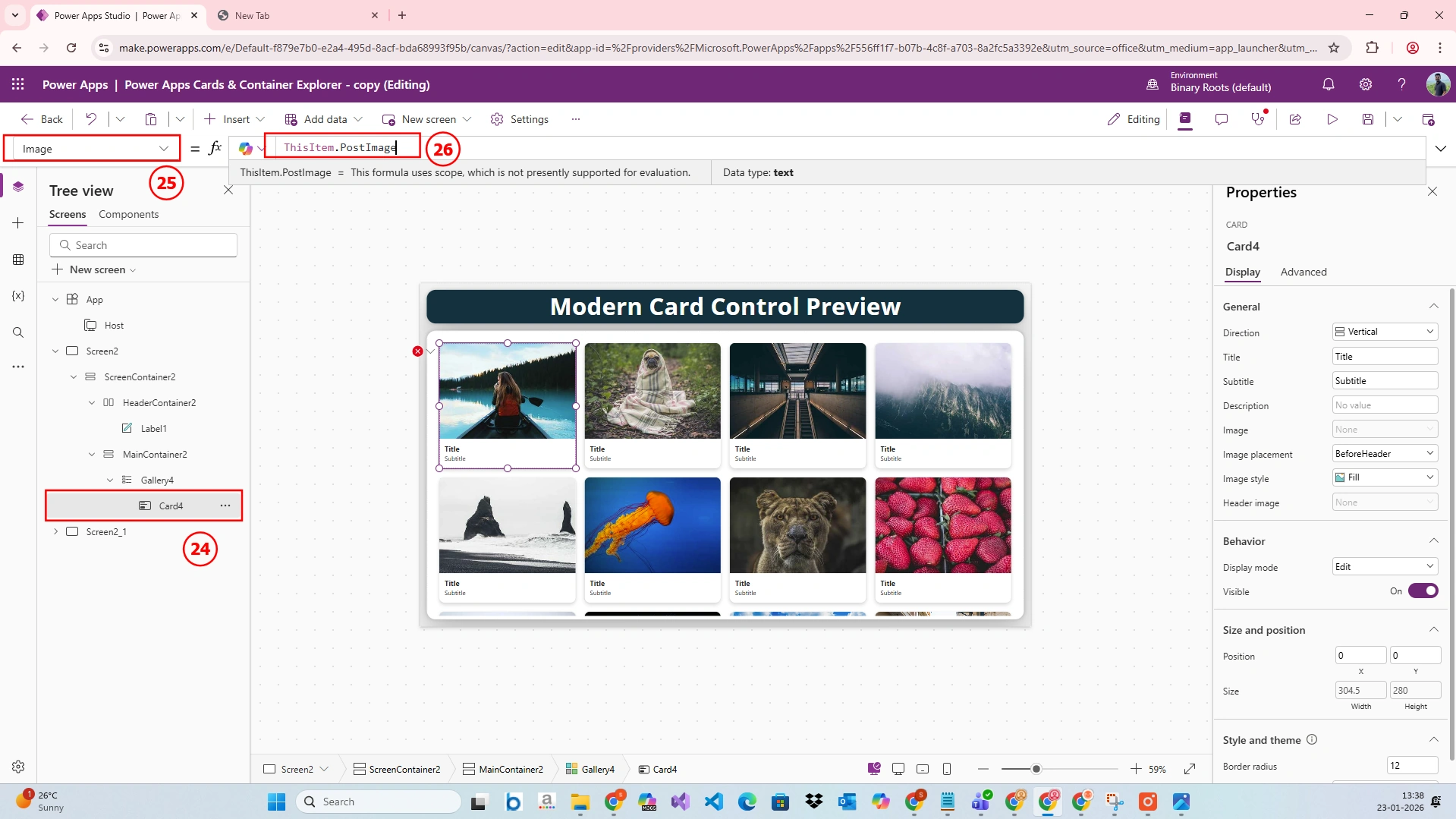
Demo:
Conclusion
The Modern Card control in Power Apps is a major step forward in building responsive, accessible, and professional applications. By adopting modern cards, developers can focus more on business logic and less on UI complexity.
Join the conversation! Your thoughts help the community grow.