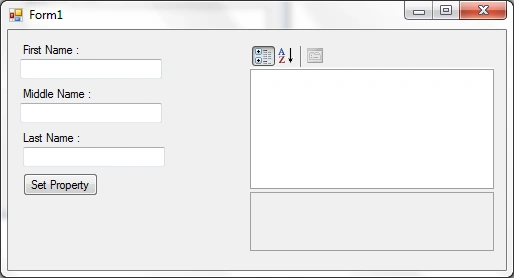
How the form actually looks like:
As for the code:
Create one class for adding our own custom property into a PropertyGrid.
You can take as many properties as you want. Here I used three properties named First Name, Middle Name & Last Name.
Create three variables for firstname, middlename & lastname.
private string myFirstName="";
private string myMiddleName="";
private string myLastName="";
After that create a constructer to take three values & in it set the appropriate variables.
public SetProperty(string fn,string mn, string ln)
{
myFirstName = fn;
myMiddleName = mn;
myLastName = ln;
}
Then create the properties for get & set the values of the variables.
public string FirstName
{
get { return myFirstName; }
set { myFirstName = value ; }
}
public string MiddleName
{
get { return myMiddleName; }
set { myMiddleName = value ; }
}
public string LastName
{
get { return myLastName; }
set { myLastName = value ; }
}
The Whole Created new class looks like:
public class SetProperty
{
private string myFirstName="";
private string myMiddleName="";
private string myLastName="";
public SetProperty(string fn,string mn, string ln)
{
myFirstName = fn;
myMiddleName = mn;
myLastName = ln;
}
public string FirstName
{
get { return myFirstName; }
set { myFirstName = value ; }
}
public string MiddleName
{
get { return myMiddleName; }
set { myMiddleName = value ; }
}
public string LastName
{
get { return myLastName; }
set { myLastName = value ; }
}
}
Now in the main class create the object of the new created class and pass the related parameters.
SetProperty mySetProperty = new SetProperty(txtFirstName.Text, txtMiddleName.Text ,txtLastName.Text);
Finally assign that created object to the PropertyGrid.
myPropertyGrid.SelectedObject = mySetProperty;
The Button Click Event code:
private void btnAdd_Click(object sender, EventArgs e)
{
SetProperty mySetProperty = new SetProperty(txtFirstName.Text, txtMiddleName .Text ,txtLastName .Text );
myPropertyGrid.SelectedObject = mySetProperty;
}
See the following image:
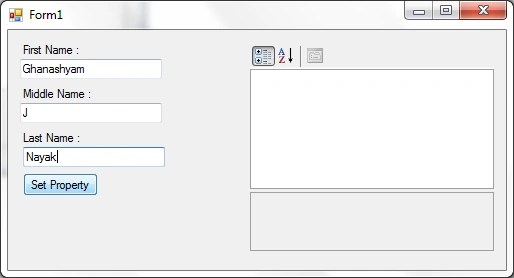
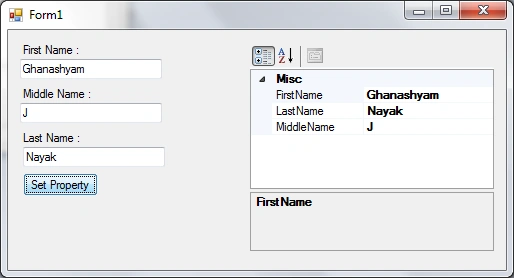
After writing the values into the textboxes & then clicking on the "Set Property" it will add those properties into the PropertyGrid Control.
See the following image:
Hope this will help you.


Stephen JohnsonPosted Feb 15, 2012, 11:09 PM
Its a very useful article for those who wants to learn how to use the Property Grid Control & assign custom properties into the Property Grid Control.
Nitin SinghPosted Feb 15, 2012, 11:04 PM
Really great work thanks for sharing this article.