

You can start using the decentralized version control Github before writing your first line of code with virtually at no cost or risk.
You get many benefits, including the ability to return to a state earlier known every time you encounter a problem. When you need to switch among contexts, you can quickly create a private local branch. Later, you can publish the branch or delete it.
You can use Visual Studio and Git to collaborate with your team using Team Foundation Server.
Before beginning you need Visual Studio 2013.

What to do
Get access to a team project:
Visit https://github.com/

Create a Github account.


Create New Directory:

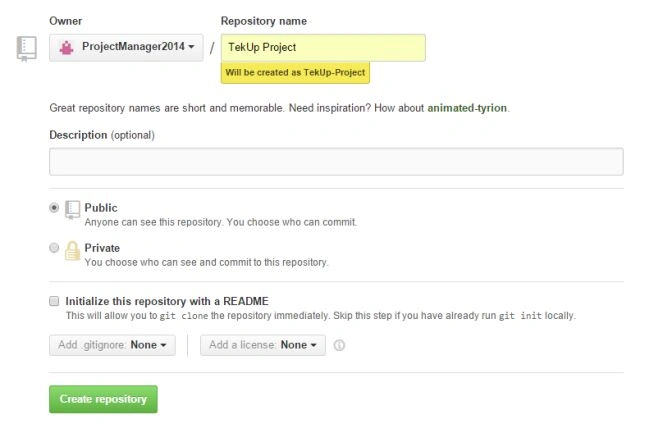
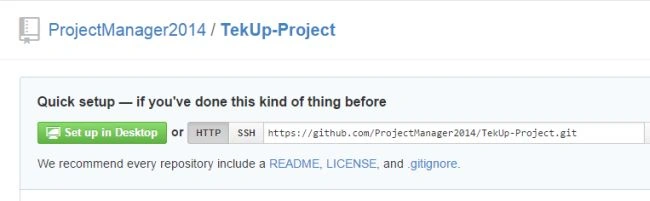
Open Visual Studio 2013 Professional:
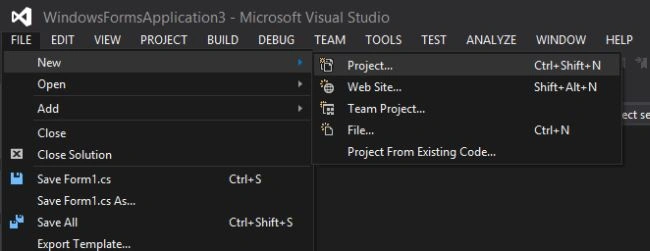
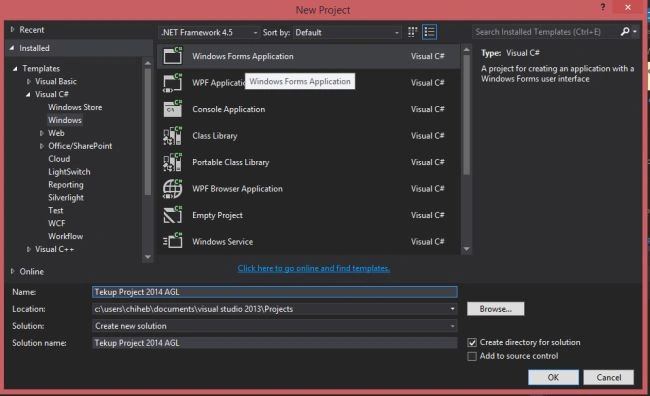
Add a "Button" and a "Label".
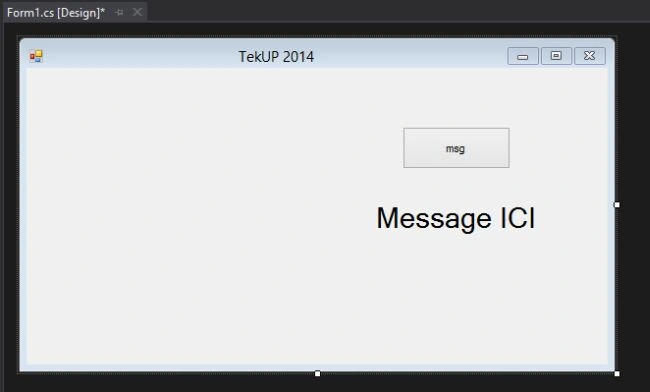
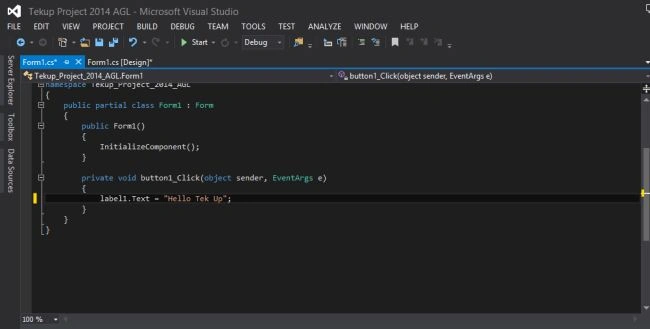
Double-click on the Button and write the command:
Label.text = "Hello Tek Up";
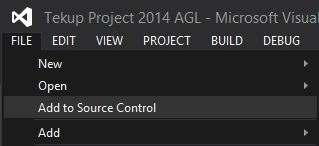
"File" -> "Add to Source Control".
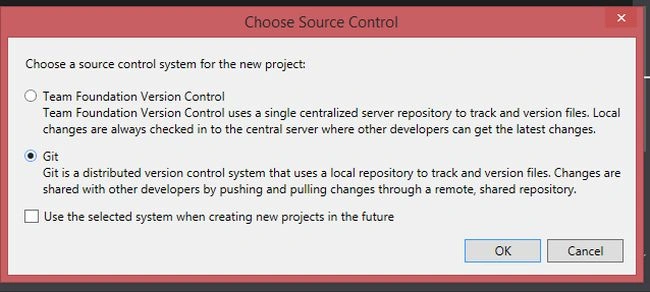
Choose GIT:
Paste the directory link:
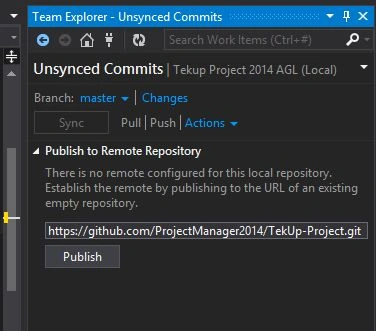
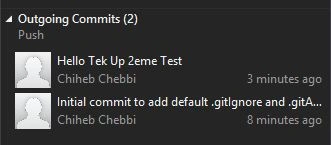
Click "Changes":
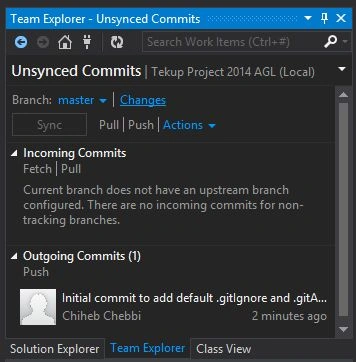
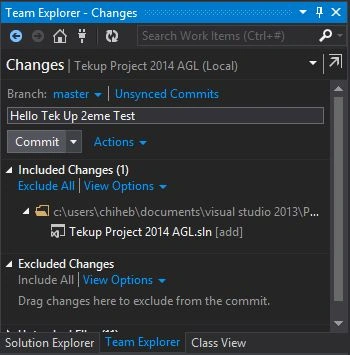
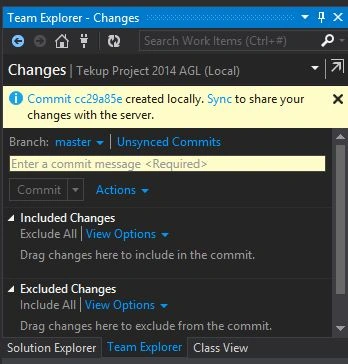
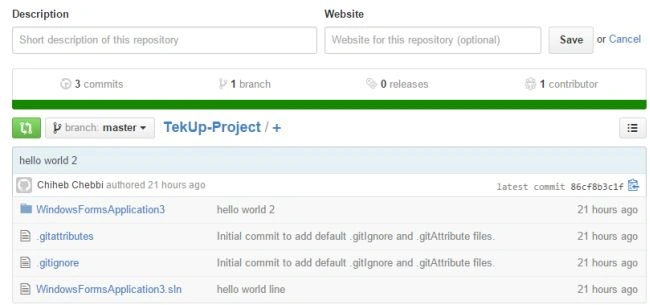
Then synchronize with GitHub.
What to do
Get access to a team project:
Visit https://github.com/
Create a Github account.
Create New Directory:
Open Visual Studio 2013 Professional:
Add a "Button" and a "Label".
Double-click on the Button and write the command:
Label.text = "Hello Tek Up";
"File" -> "Add to Source Control".
Choose GIT:
Paste the directory link:
Click "Changes":
Then synchronize with GitHub.
Sam HobbsPosted Feb 10, 2015, 2:45 AM
After doing the commit, when I try to do the actual sync, I get a Windows security window asking for credentials to connect to github.com. I cannot get past that. I am sure I am using the same credentials that I use to sign into github.com. My repository has a .gitignore file and a README.md file and nothing else. Are those files a problem?
Srinivasan K KPosted Jan 31, 2015, 6:45 AM
I was also done this in my application. I am happy to use this feature. Anyway this is quick reference how to connect VS application to GitHub account. @ Chiheb done good work.