

Overview
In this second part of URL shortcuts, I am going to write some useful URLs which will help developers or administrators perform their daily task in a very easy manner.
These shortcuts are very useful to us developers. These URL shortcuts make our work faster.
This article covers eight shortcut URLs which we can use in our daily practice. Please refer to my previous article before starting with this one,
Now, let’s get started.
1 Workflows
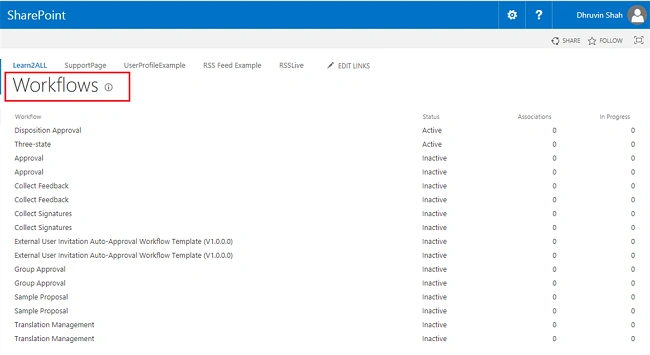
- Aim - Using this shortcut URL we can view all associate workflow with the current site or subsite.
- URL - Yoursite /_layouts/wrkmng.aspx
In my case, Yoursite = https://lt16.sharepoint.com/sites/learn
I should append /_layouts/ wrkmng.aspx with my site URL.
So, my final URL becomes - https://lt16.sharepoint.com/sites/learn/_layouts/wrkmng.aspx
Please follow the same procedure for all the below examples. Please refer to the below screenshot when we use this shortcut URL.
2 Manage Site Collection Administrator
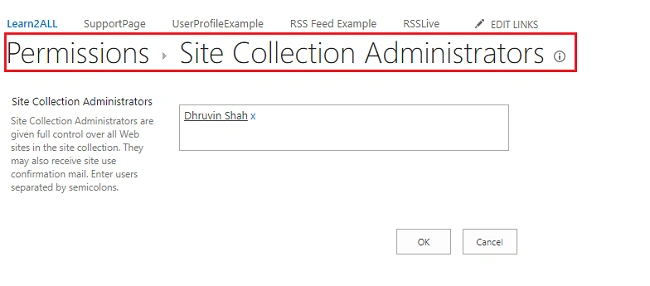
- Aim - If we need to assign permission for the site collection, we can use this URL shortcut and assign permission to the user as a site collection administrator.
- URL - Yoursite /_layouts/mngsiteadmin.aspx
Please refer to the below screenshot when we use this shortcut URL.
3 Manage Site and Workspace
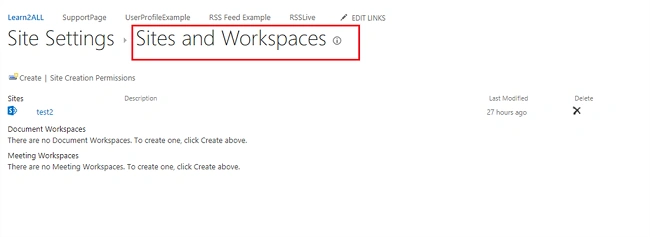
- Aim - This feature shows workspace for sites, document, meetings. We can also delete or create the site from here.
- URL - Yoursite /_layouts/mngsubwebs.aspx
Please refer to the below screenshot when we use this shortcut URL.
4 Recycle Bin
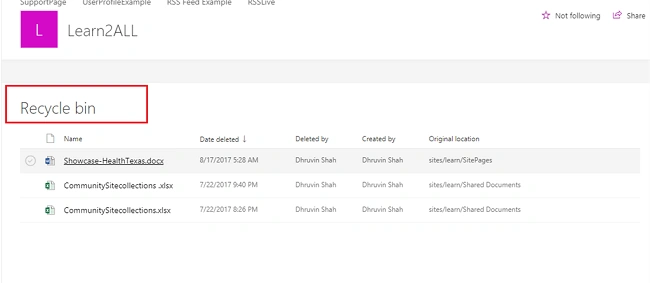
- Aim - As we all know recycle bin is a garbage of deleted or removed files. Using this URL shortcut we can directly go through the recycle bin.
- URL - Yoursite /_layouts/AdminRecycleBin.aspx
Please refer to the below screenshot when we use this shortcut URL.
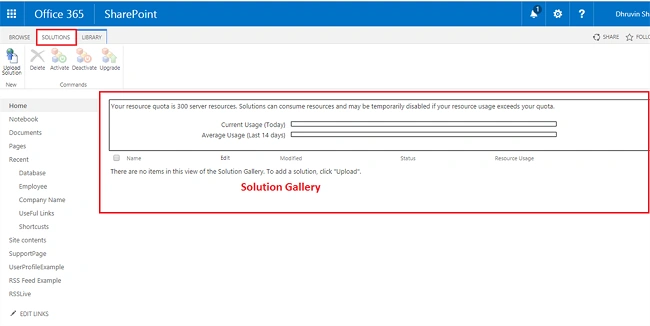
5 Solution Gallery
- Aim - This feature shows all available solutions in the current site. We can activate or deactivate solution from here. We can use this URL shortcut to go through solution gallery.
- URL - Yoursite /_catalogs/solutions/
Please refer to the below screenshot when we use this shortcut URL.
6 Master Page Gallery
- Aim - Using this URL shortcut we can check Master Page Gallery. This one is the most useful feature of SP.
- URL - Yoursite /_catalogs/masterpage/
Please refer to the below screenshot when we use this shortcut URL.

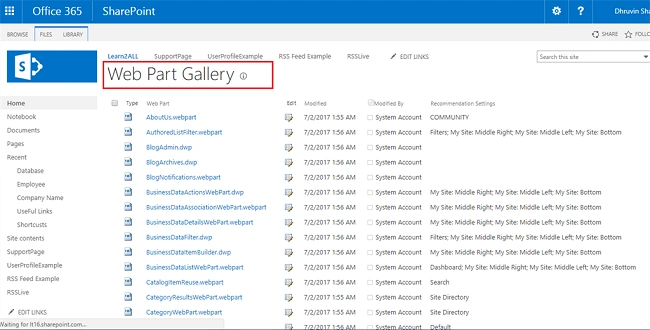
7 Web Part Gallery
- Aim - To view all available web part from the current site, we can use this URL shortcut.
- URL - Yoursite /_catalogs/wp/
Please refer to the below screenshot when we use this shortcut URL.
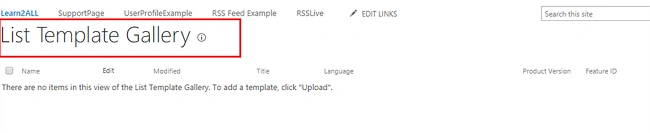
8 List Template Gallery
- Aim - Using this URL shortcut we can view all available list template associated with the current site or subsite.
- URL - Yoursite/_catalogs/lt/
Please refer to the below screenshot when we use this shortcut URL.
Conclusion
This is how we can use these URL shortcuts with our daily work.
Happy SharePointing!!!
Nilesh PatilPosted Oct 30, 2017, 8:52 AM
Nice article sir.........