

User control events handling in page Windows 8.1
- Create a Windows Store blank app.
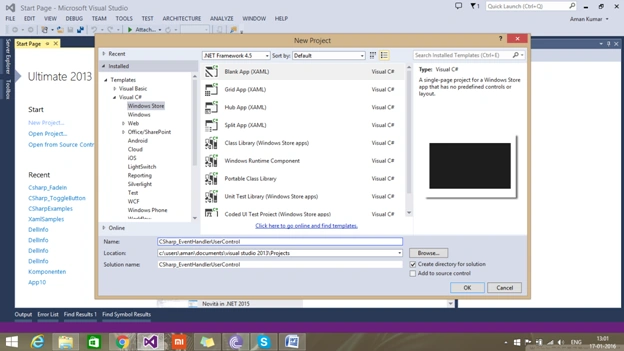
- Add a user control in app,
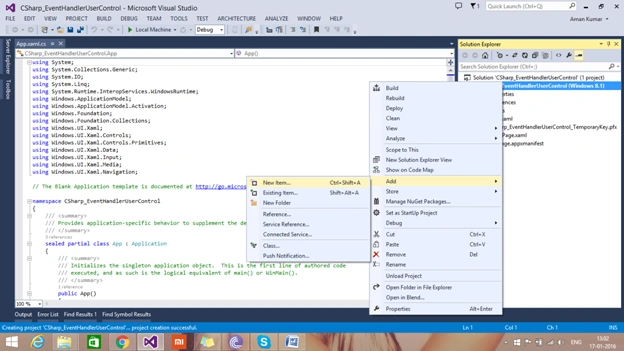
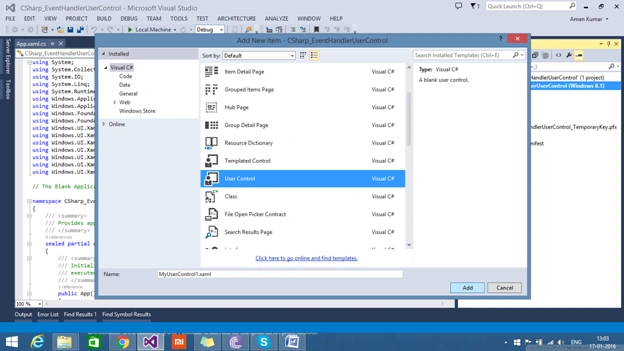
- Add a button in user control within grid.
- <Grid>
- <Button Content="click me" Click="Button_Click" />
- </Grid>
- In code behind of user control create a event handler.
- public event RoutedEventHandler ButtonClicked;
- Add user control to your main page,
- <Grid Background="{ThemeResource ApplicationPageBackgroundThemeBrush}">
- <local:MyUserControl1 HorizontalAlignment="Center" VerticalAlignment="Center" />
- </Grid>
- Rebuild you solution and add new event for button clicked event that was created in user control.
- <Grid Background="{ThemeResource ApplicationPageBackgroundThemeBrush}">
- <local:MyUserControl1 HorizontalAlignment="Center" VerticalAlignment="Center" ButtonClicked="MyUserControl1_ButtonClicked" />
- </Grid>
- Adding message dialog to verify button click event in main page.
- public MainPage()
- {
- this.InitializeComponent();
- }
- private async void MyUserControl1_ButtonClicked(object sender, RoutedEventArgs e)
- {
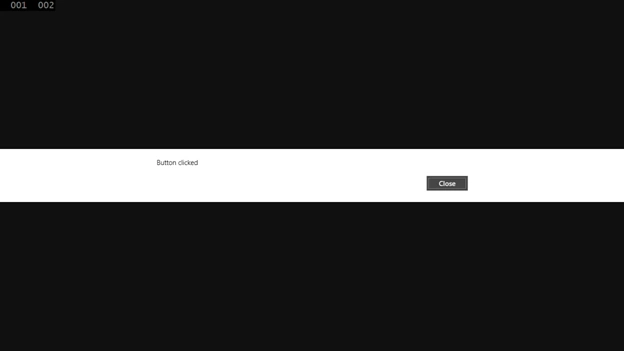
- MessageDialog md = new MessageDialog("Button clicked");
- await md.ShowAsync();
- }
- Run application and check that a message is shown.
Sourabh SoniPosted Jul 12, 2016, 8:12 AM
Awesome...
Sonu ChaudharyPosted Mar 31, 2016, 11:51 AM
nice share
Aman KumarPosted Jan 19, 2016, 10:38 PM
Sure..Thanx
Santhakumar MunuswamyPosted Jan 19, 2016, 2:59 PM
Thanks for sharing. I think you need to improve the article contents. then it will be looks good
Mohammed IbrahimPosted Jan 18, 2016, 8:58 AM
nice
Debasis SahaPosted Jan 18, 2016, 4:09 AM
Nice One..
Mahesh ChandPosted Jan 18, 2016, 1:39 AM
I think you should upgrade to Windows 10, which is free to upgrade. Cheers!