

This feature was introduced in Microsoft SQL Server 2008. This is basically for reusability.
How to create User Defined Type
- CREATE TYPE CreatedDate
- FROM DATETIME NULL
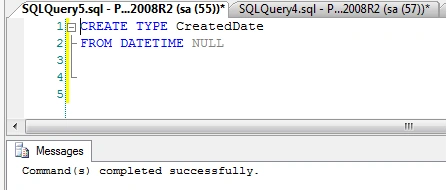
You can see that this creates a type at Database -> Programmability -> Types -> User Defined Data Types.
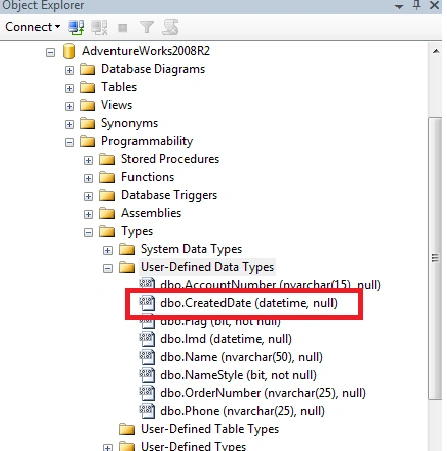
If you want to set a default value for this type then we need to create a default for this and need to bind that default value to the type created earlier.
For Example
- CREATE DEFAULT DefaultDate
- as GETDATE()
- //Stored Procedure to bind default to the Type
- EXEC sp_bindefault 'DefaultDate', 'CreatedDate'
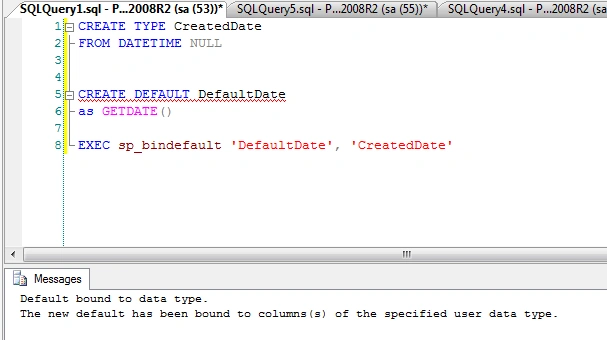
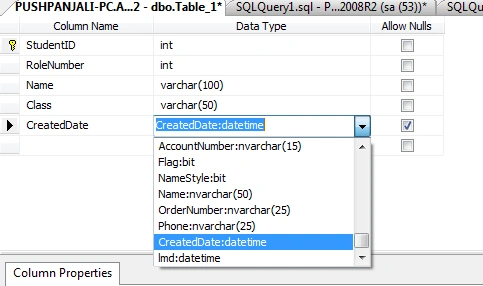
Now you can directly use "CreatedDate" as the type during table creation.
For Example
I have created a Student table with some basic details and CreatedDate field of type "CreatedDate".
Now, I have inserted values into the Student table by excluding CreatedDate.
You can see the result below.
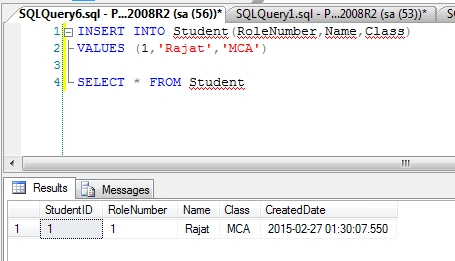
Now you can use this type in any table. It will reduce your work and chances of inconsistency.
You can also define Data Types using GUI as in the following.
- Open SQL Server Management Studio.
- Navigate to Databases then to YourDatabase then Programmability then the Types folder.
- Right-click on the Types folder and select New -> User-Defined Data Type as shown below:
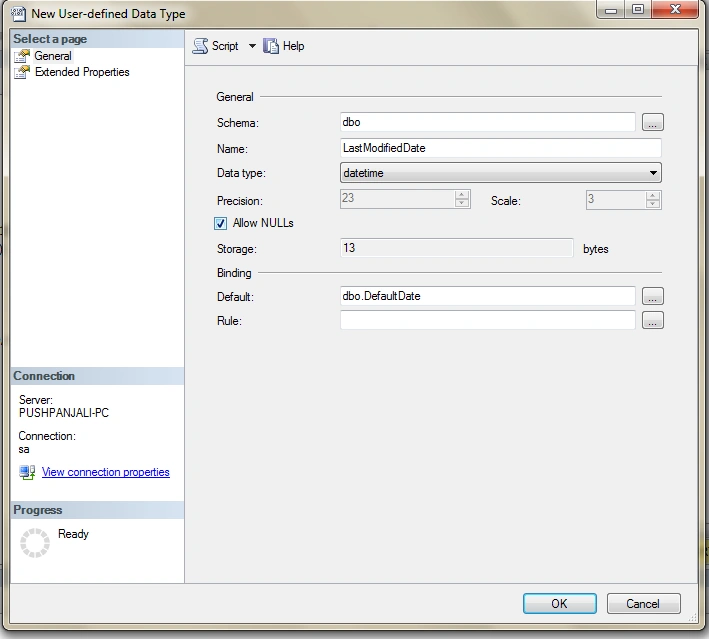
Here in this example I am using the previously created "Default". You can create a new Default manually and can select over here.
You can use UDT for various types of fields that are repeating in tables like Name, Address and Flag. Just create it once and use many times.
Please share your thoughts about this article.
Thank you so much for your time.
Parag KulthePosted Mar 2, 2015, 4:12 AM
Very good article and new things to learn....Thanks Ashish
Tom MohanPosted Mar 1, 2015, 5:48 AM
nice Article
Saineshwar BageriPosted Feb 28, 2015, 11:59 AM
some thing new to learn
Sibeesh VenuPosted Feb 28, 2015, 5:31 AM
Good one....
Rahul Kumar SaxenaPosted Feb 27, 2015, 6:42 AM
Good Show Ashish Nikil