

Part 1: Creating a Class Library (DLL)
In this section, we will learn how to create a simple DLL file
1. Open a New Project as shows below and Select Class Library from the templates.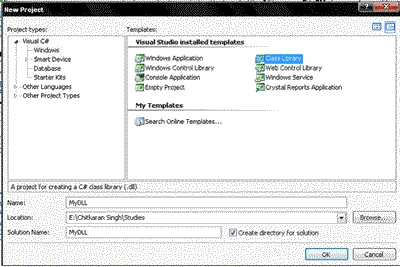
Select the File Name and the Location where you want to save this file.
2. This is what you will see on the main window.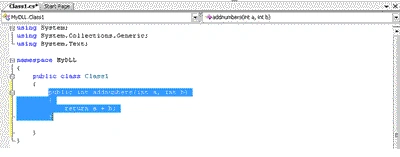
Now create a simple function in the class Class1.
In this case I have created the highlighted function to add two numbers.
3. Now, select Build Solution from the Build Menu in the Menu Bar.
4. Here is the DLL file created in the Debug folder.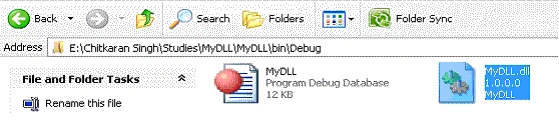
Now this DLL file can be copied and pasted anywhere and can be used by any number of programs at a given point of time.
Part 2: Using a Class Library (DLL)
In this section, we will learn how to use the DLL file that we have created.
NOTE:
Namespace we used : MyDLL
Class : Class1
Function : addnumbers(int a. int b)
1. Create a new Windows Application. 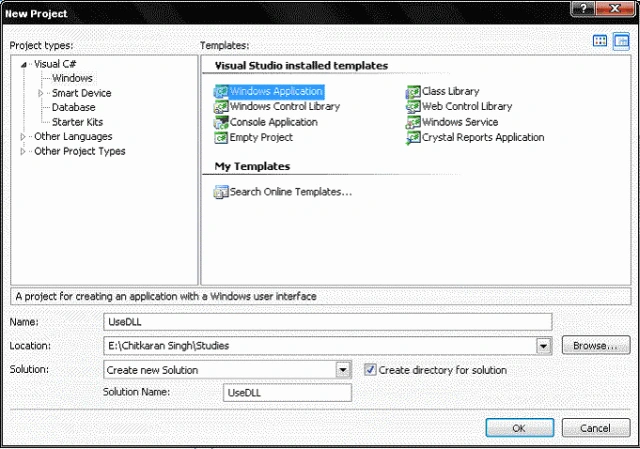
2. Build a Simple Windows Form as Shown Below.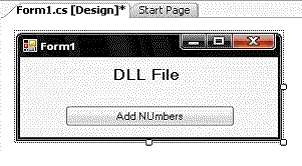
3. Now, we need to add the Reference of the DLL file that we had created earlier.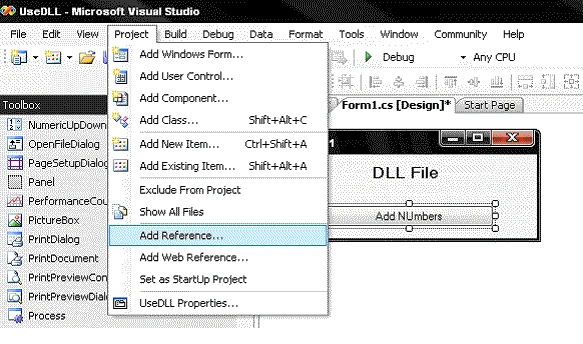
4. Select the DLL file from the browse tab.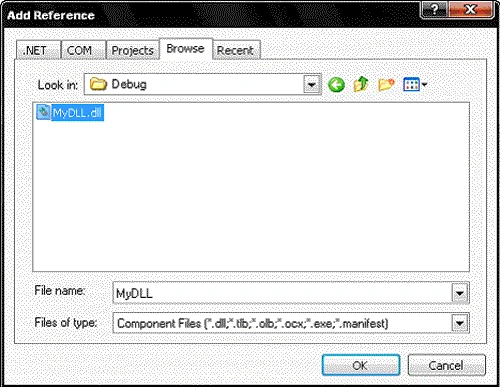
5. Now, we will use the class and the namespace of the DLL file.
Click on the button to generate an EventHandler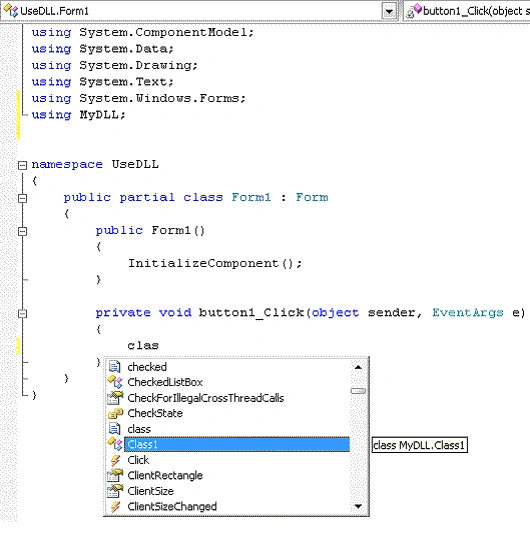
Make a Note of the namespace that has been added to the coding.
6. Create a new object of the class. Now add the member function of the class with the help of the Object c.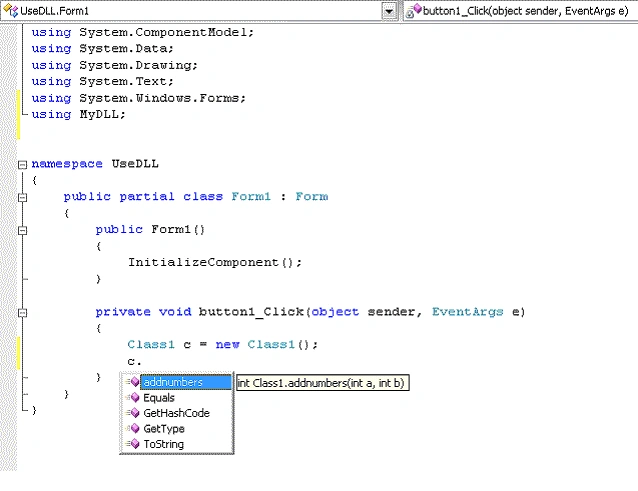
7. This is how the event handler will look like.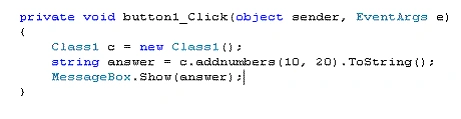
8. Now, run the program.And, here is the output.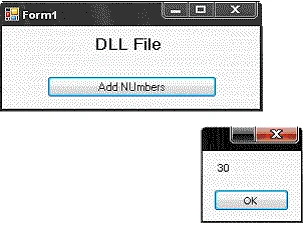
This is just a simple dll file created. We can create DLL file for any method and use it anywhere we like.
Ali AsimPosted Mar 19, 2010, 1:55 PM
All the references of my DLL are visible in my output directory. What is I want them to be in System directory!? <?xml:namespace prefix = o ns = "urn:schemas-microsoft-com:office:office" /><o:p> </o:p> I have a DLL naming dev_Info.DLL and by putting its reference the project always puts them in my output directory. I don’t want my clients to find it in the output directory. So what should I do?
subash selvanPosted Mar 18, 2010, 5:28 AM
Very nice article
sachit poudelPosted Nov 27, 2009, 1:11 AM
very nice article. ..I wanted to register by paying if you guys have any remote desktop type of helping .Net consultants in any problems 24/7 any time. please have that type of online helping service..which would be very helpful to all learners...n working consultants... thanks
KS KarthikeyanPosted Nov 17, 2009, 1:26 AM
Its really nice
sathish kumarPosted Sep 16, 2009, 2:16 PM
Why using DLL file...What is Difference between Class file and DLL file...?
Naresh KumareditedPosted Jan 21, 2009, 5:10 AMEdited Jan 21, 2009, 5:15 AM
Really thanks to have a great code for dll, now i want some more big projects used by the dll fles, please send it to my mail id [email protected] else put it here thanks
Atul KumarPosted Oct 2, 2008, 9:56 AM
I have never find such a short but the exact solution anywhere, I have searched many sites but have not got any right and accurate solution of this topic.
prakash kuttiPosted Jan 22, 2008, 11:54 PM
i want to insert trackbar in datagrid cell. Now am using c# express edition If u can plz reply me. Thanks in Advance
Chitkaran SinghPosted Dec 29, 2007, 8:00 AM
Ok... So according to you if this is a foolish thing.. then why dont u go ahead and write something which NOT FOOLISH... I have not seen even a single post by you on this website.... so if u think what I cannot write articles, then I would really like to see what you can do.. So insead of showing the people your TYPICAL STANDARDS and posting irrelevant comments, just go ahead and write which is useful to others.. NOTE: Even if the stuff that I write is foolish, just go ahead and check out the home page of this website.. you will find me in TOP AUTHORS, TOP ARTICLES, TOP BLOGS.. So Buddy.... instead of pulling others down, why dont u try to push yourself up and put your capabilities to test... I am sure when you see the mirror you will notice the changes.. CHEERS BUDDY !!!
Mahesh ChandPosted Dec 25, 2007, 12:53 PM
Pravin, Your comment is unacceptable. We work here as a community and support each other. Please remove it immediately and do not post any non-professional language on this site. Appreciate it. Admin, C# Corner
MarkeditedPosted Dec 14, 2007, 5:00 AMEdited Dec 14, 2007, 5:00 AM
This article was very informative as a primer. Could you extend on this information by explaining how to register your DLL file as a COM object instead of going through the file system? That would really be great!