

jQuery DataTable is easy to add search, Paging, sorting on HTML table
Open a SharePoint 2013 team site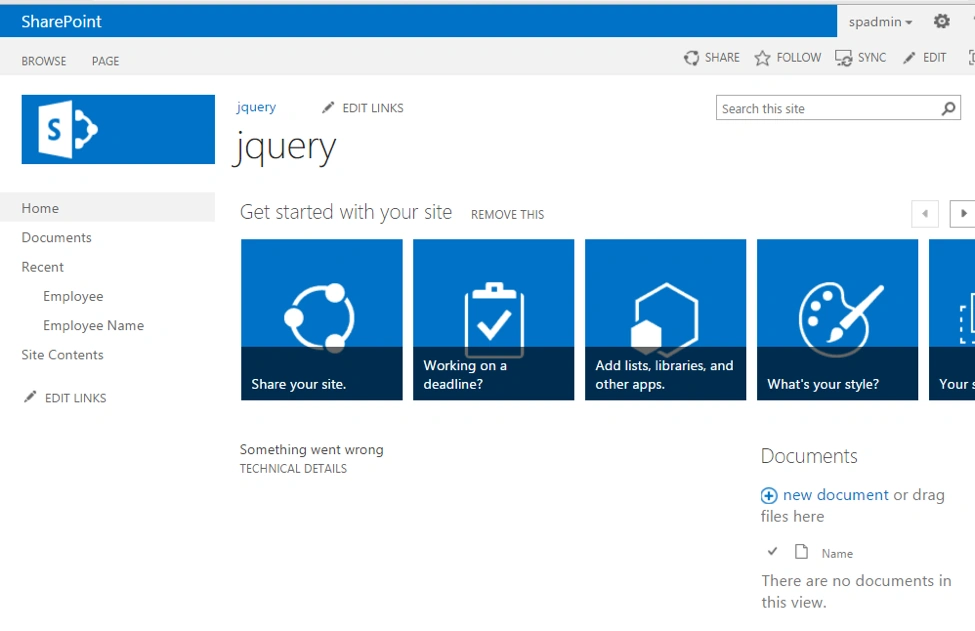
Create a list and add some data into it 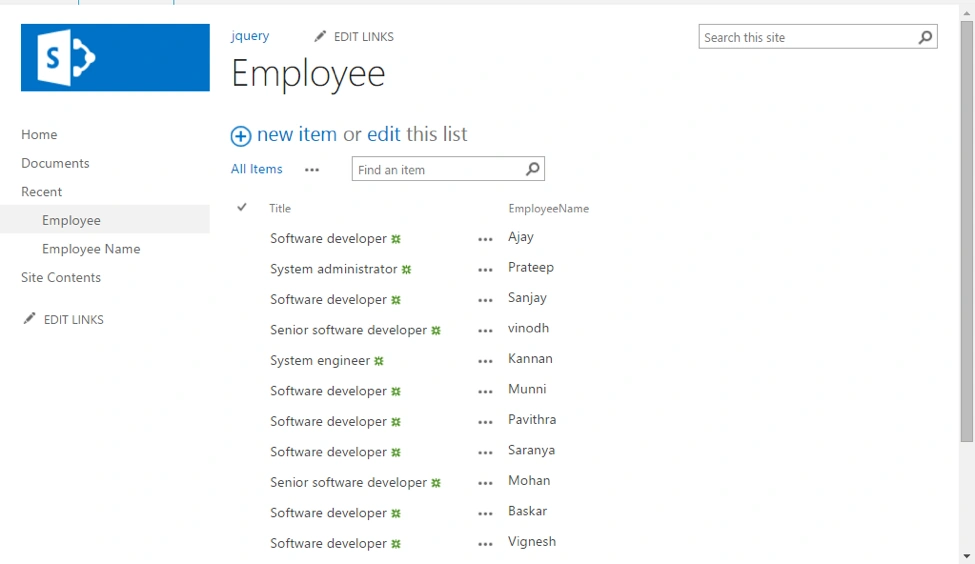
Open Visual Studio -> SharePoint 2013 empty project and Add a visual webpart
Download the jQuery references & CSS
- https://code.jquery.com/jquery-1.11.3.min.js
- https://cdn.datatables.net/1.10.9/js/jquery.dataTables.min.js
- https://cdn.datatables.net/1.10.9/css/jquery.dataTables.min.css
Now download these references and add into the SharePoint Layouts Folder
Datatable.ascx
- <script src="../_layouts/15/jquery-1.11.3.min.js" type="text/javascript"></script>
- <script src="../_layouts/15/jquery.dataTables.min.js" type="text/javascript"></script>
- <link rel="stylesheet" href="../_layout/15/jquery.dataTables.min.css" type="text/css" />
- <script type="text/javascript">
- $(document).ready(function () {
- $('#mydata').dataTable({
- });
- });
- </script>
- <table id="mydata" class="display" cellspacing="0" width="100%">
- <thead>
- <tr>
- <th>
- Employee Designation
- </th>
- <th>
- Employee Name
- </th>
- </tr>
- </thead>
- <tbody>
- <asp:Repeater ID="rptdatatable" runat="server">
- <ItemTemplate>
- <tr>
- <td>
- <%# DataBinder.Eval(Container.DataItem, "Title") %>
- </td>
- <td>
- <%# DataBinder.Eval(Container.DataItem, "EmployeeName") %>
- </td>
- </tr>
- </ItemTemplate>
- </asp:Repeater>
- </tbody>
- </table>
Now bind the data into repeater control
DataTable.ascx.cs (full code)
- using Microsoft.SharePoint;
- using System;
- using System.ComponentModel;
- using System.Web.UI.WebControls.WebParts;
- namespace Jquery_datatable.DataTable
- {
- [ToolboxItemAttribute(false)]
- public partial class DataTable : WebPart
- {
- public DataTable()
- {
- }
- protected override void OnInit(EventArgs e)
- {
- base.OnInit(e);
- InitializeControl();
- }
- protected void Page_Load(object sender, EventArgs e)
- {
- SPWeb web = SPContext.Current.Web;
- SPList list = web.Lists["Employee"];
- SPListItemCollection items = list.Items;
- rptdatatable.DataSource = items.GetDataTable();
- rptdatatable.DataBind();
- }
- }
- }
Now going to deploy the project
Final result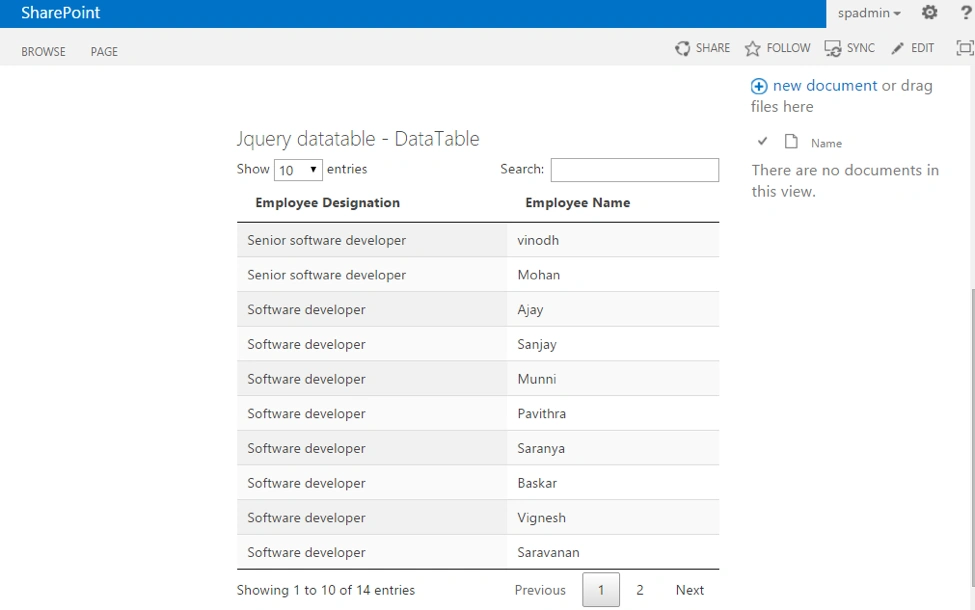
Just search the record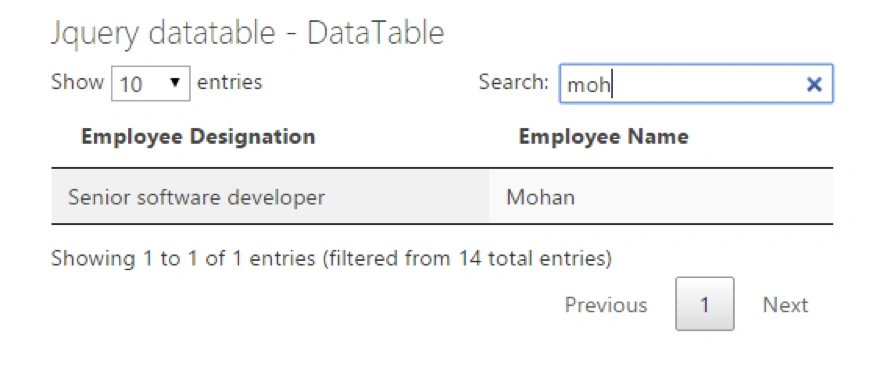
RinuPosted Jan 24, 2018, 6:27 AM
Is it possible to add, Update and delete operation in to it?
Raja SekarPosted Mar 22, 2017, 12:55 AM
Thanks for Sharing...
Vinodh NarayananPosted Nov 6, 2015, 2:55 AM
Deepak Solanki Ya it's possible to apply grouping in jquery datatables
Vinodh NarayananPosted Nov 6, 2015, 2:53 AM
Deepak Solanki Thanks a lot
Deepak SolankiPosted Nov 4, 2015, 1:53 AM
very nice, can we apply grouping here?
Vinodh NarayananPosted Nov 1, 2015, 11:27 PM
Prasham Sabadra Thanks a lot ssir
Prasham SabadraPosted Nov 1, 2015, 11:25 PM
Nice article. Thanks for sharing!!!
Vinodh NarayananPosted Nov 1, 2015, 11:24 PM
Harshad Pansuriya Thanks
Harshad PansuriyaPosted Nov 1, 2015, 10:56 PM
Nice one
Vinodh NarayananPosted Nov 1, 2015, 1:25 PM
Thank you Vignesh Mani
Vignesh ManiPosted Nov 1, 2015, 1:20 PM
Nice
Vinodh NarayananPosted Nov 1, 2015, 11:24 AM
Thanks a lot Nilesh Jadav
Nilesh JadavPosted Nov 1, 2015, 10:39 AM
Good One