

Before reading this article, I highly recommend reading the previous part of the series:
- Getting Started With ASP.Net MVC
- First ASP.Net MVC 5.0 Application
- How to Publish ASP.Net MVC on IIS MVC 5.0: Part 3
- How to Publish ASP.Net MVC 5.0 Application on Windows Azure: Part 4
- ASP.NET MVC 5.0 Views (Dynamic/Strongly Typed Views) - Part 5
- What Are Areas in ASP.Net MVC - Part 6
What is a Partial Views in ASP.NET MVC
Partial view is just like a WEB User Control in ASP.NET web form technology.
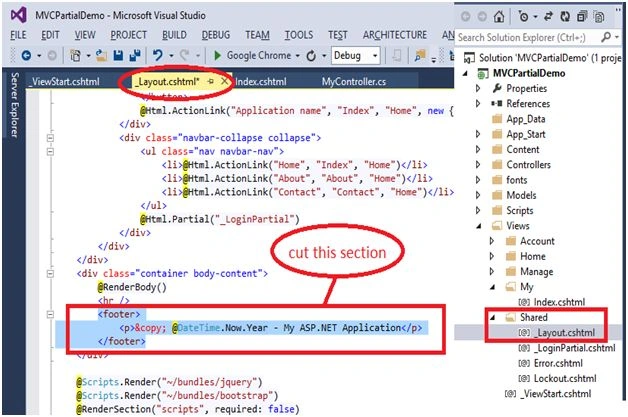
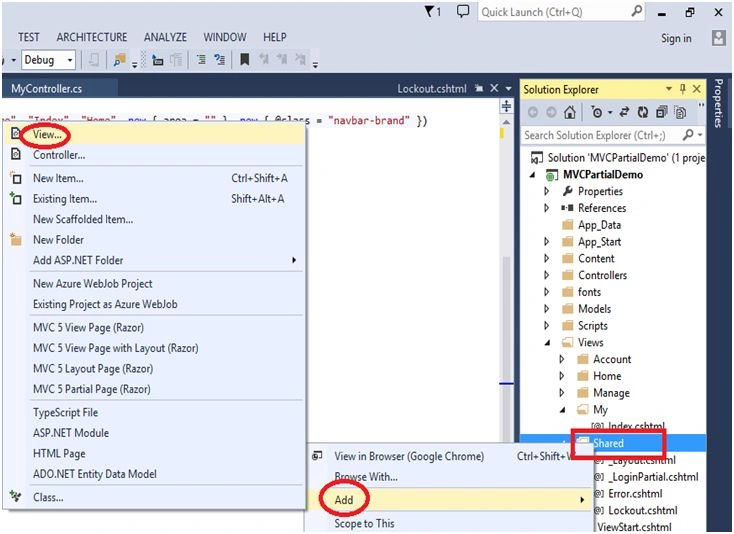
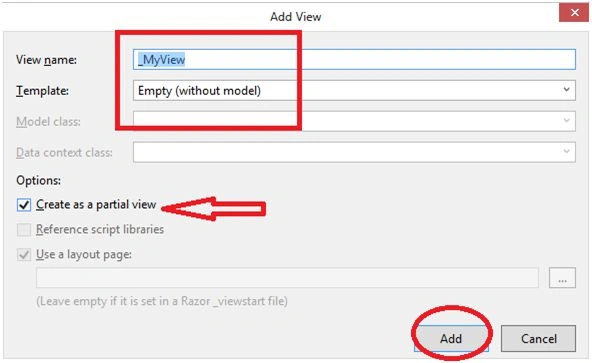
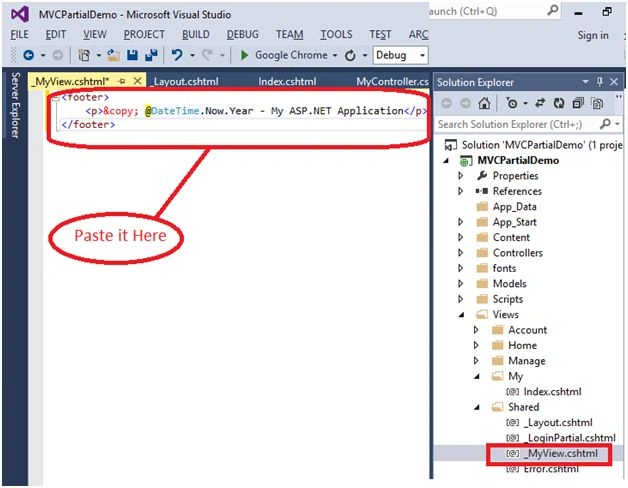
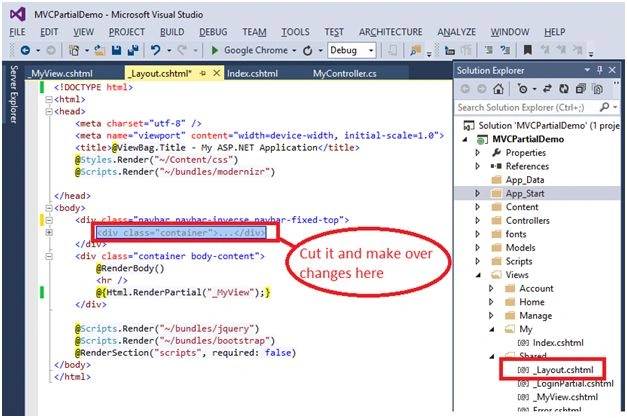
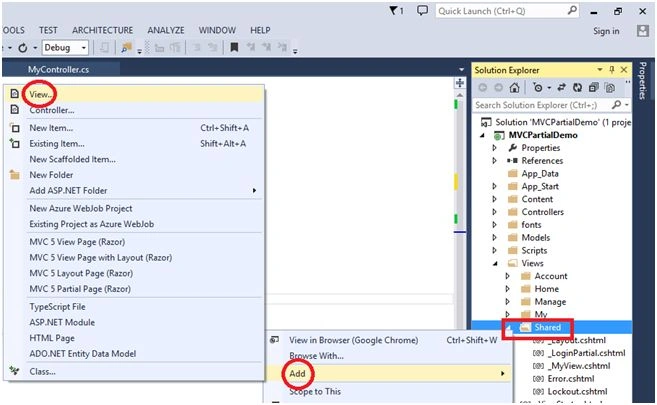
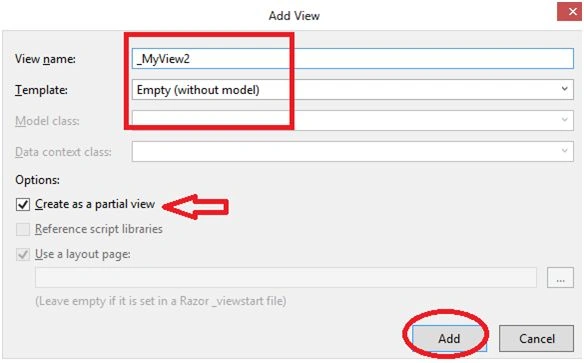
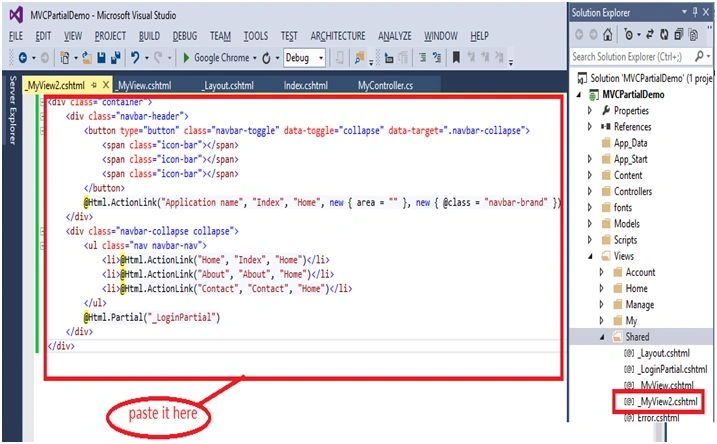
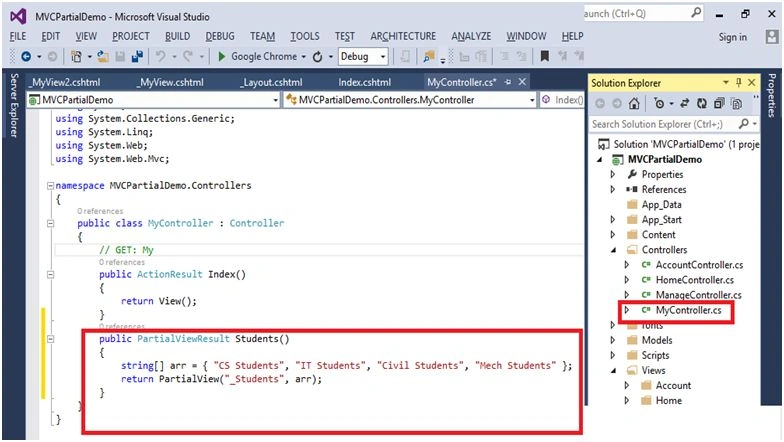
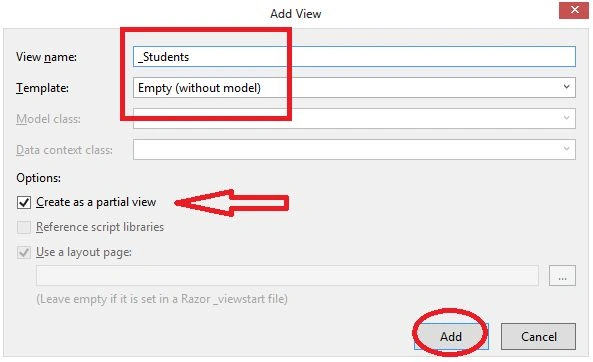
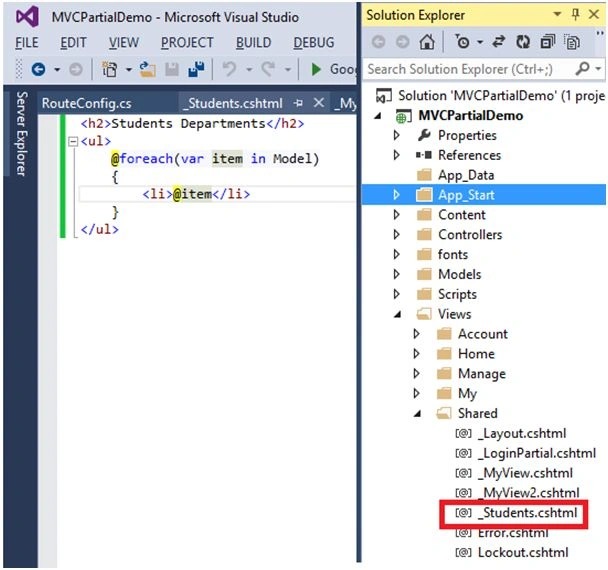
Partial views are used to componentize Razor views and make them easier to build and update. Partial views can also be returned directly from controller methods. In this case, the browser still receives text/html content but not necessarily HTML content that makes up an entire page.
To create the reusable components we will use the Partial Views. There are two types of Partial Views:
1. Static Partial View: Static Partial View is used to render the static data.
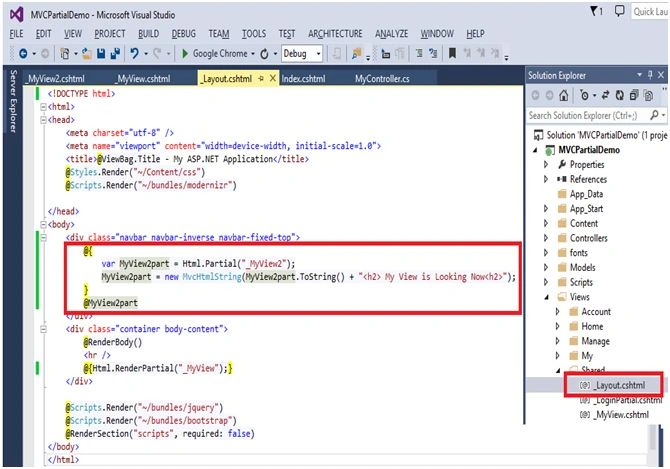
- @{Html.RenderPartial(“_PartialView”);} - It will return the void. Displays the output on your view page.
- @Html.Partial(“_PartialView”); - It will return MVC HTML string, you can store it in a particular variable.
2. Dynamic Partial View: Dynamic Partial Views are used to implement the dynamic data.
- @{Html.RenderAction(“_PartialView”);}
- @Html.Action(“_PartialView”);- It will return MVC HTML string.
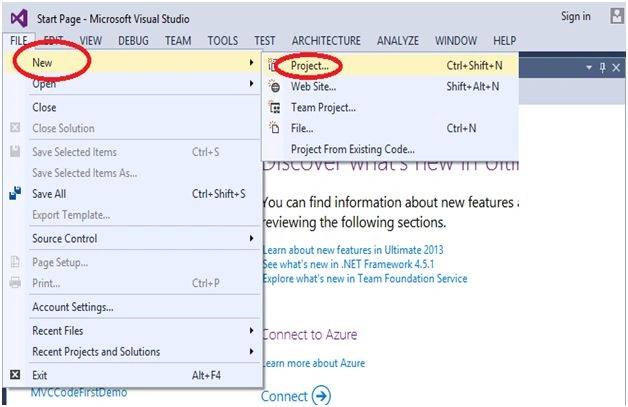
Open Visual Studio and select “FILE", New, then Project.
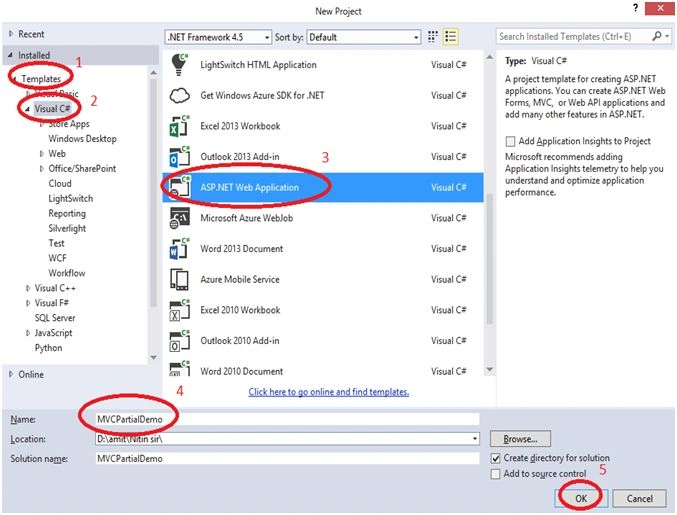
In the following figure select “Templates”, Visual C#, then ASP.NET Web Application, and here I gve the name of project “HTMLHelpersWithMVC”.
You can give the project name as you wish.
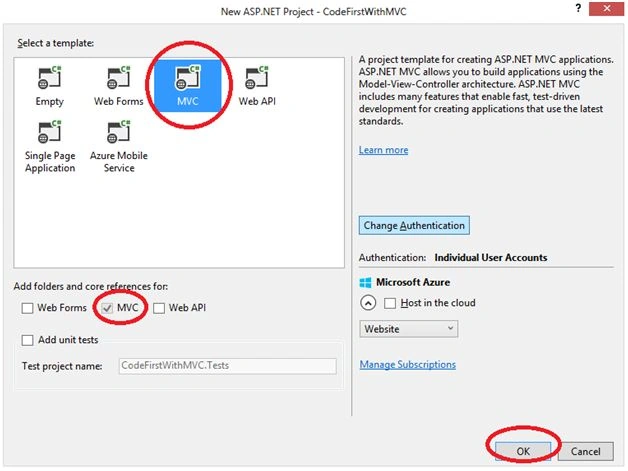
And then click on “OK” button.



Mahesh AllePosted Apr 1, 2019, 2:45 AM
Thank for posting this article. There is a small correction. In MVC, there is no static partial view concept at all. The @{Html.RenderPartial(“_PartialView”);} method used when the displaying data in the partical view is already in the corresponding view model. E.g. Html.RenderPartial("_PartialView", Model); Similarty for @Html.Partial(“_PartialView”). Please change make this correction. Link:- https://www.tutorialsteacher.com/articles/how-to-bind-model-to-partial-view
Ketan ShindePosted Nov 19, 2018, 7:59 AM
Nice Article .....
Manisha MakadePosted Mar 23, 2018, 3:28 AM
Great explanation..!!
Rahul SharmaPosted Jan 24, 2018, 6:08 AM
By mistaken you have mentioned that : @{Html.RenderAction(“_PartialView”);} returns MVC Html string. But it always return void. Please correct it.
Amol KumbhkarnaPosted Dec 21, 2017, 12:19 AM
You made my day bro ... Great article keep it Up..
arun sahaniPosted Apr 28, 2016, 4:18 AM
goog
Humayun Kabir MamunPosted Mar 5, 2016, 11:14 PM
Nice...
Nitin PanditPosted Feb 20, 2016, 11:11 PM
Thanks 2 all :)
Amit Kumar SinghPosted Feb 20, 2016, 7:03 AM
Good one
sreenivasa kPosted Jan 29, 2016, 9:28 PM
excellent
Venkateshwar ReddyPosted Jan 29, 2016, 7:44 AM
nice one..
Mithun PattankarPosted Jan 29, 2016, 3:17 AM
Great series, entire series helped me refresh them.
Santhakumar MunuswamyPosted Jan 29, 2016, 2:07 AM
Thanks for nice article
Upendra Pratap ShahiPosted Jan 28, 2016, 12:52 PM
nice share sir...
Raja TPosted Jan 28, 2016, 10:00 AM
Nice,Thank for sharing
Vignesh ManiPosted Jan 28, 2016, 7:30 AM
Good one
Nanddeep NachanPosted Jan 28, 2016, 5:49 AM
Nice share