

Introduction
Getting started with the solution
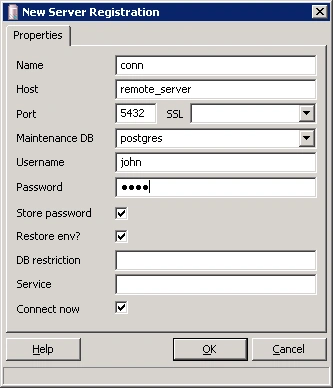
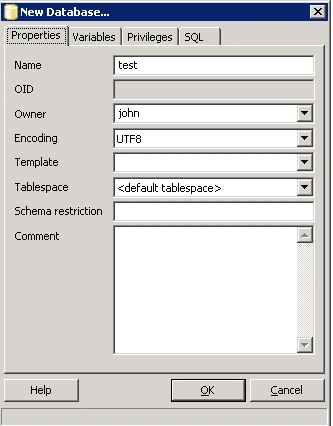
 icon on the pgAdmin III toolbar.
- CREATE TABLE emp
- (
- empno integer NOT NULL,
- empname varchar(50),
- salary numeric(6,2),
- CONSTRAINT emp_pkey PRIMARY KEY (empno)
- )
- WITH (OIDS=FALSE);
- ALTER TABLE emp OWNER TO john;
- INSERT INTO emp (empno, empname, salary) VALUES (1, 'John', 3400.99);
- INSERT INTO emp (empno, empname, salary) VALUES (2, 'Mary', 2400.55);
- INSERT INTO emp (empno, empname, salary) VALUES (3, 'Peter', 1900.99);
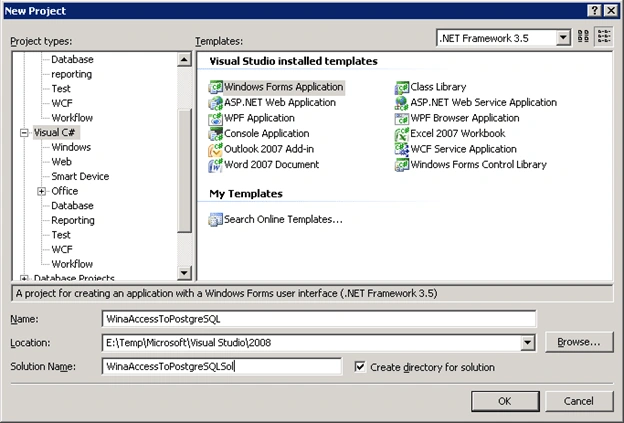
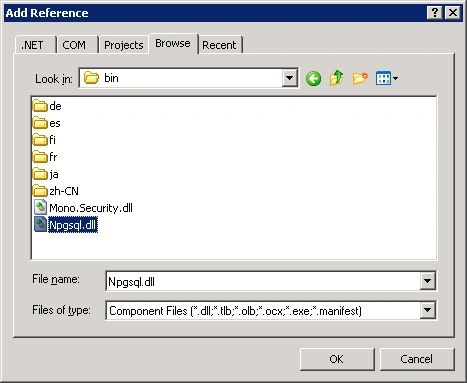
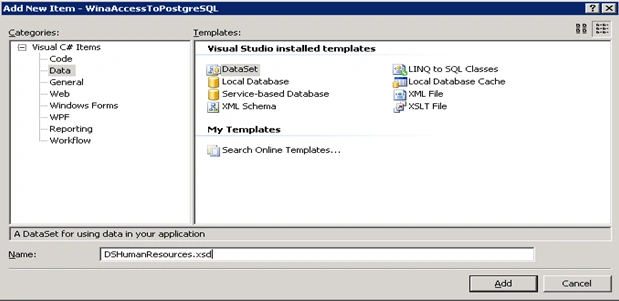
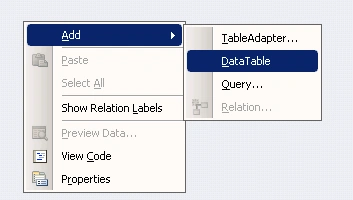
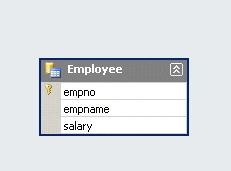
The data load code is implemented in the Form_Load event handler of the windows form (see Listing 3).
- private void Form1_Load(object sender, EventArgs e)
- {
- string strConnString = "Server=remote_server;Port=5432;User Id=john;Password=john;Database=test";
- try
- {
- NpgsqlConnection objConn = new NpgsqlConnection(strConnString);
- objConn.Open();
- string strSelectCmd = "select empno, empname, salary from emp";
- NpgsqlDataAdapter objDataAdapter = new NpgsqlDataAdapter(strSelectCmd, objConn);
- objDataAdapter.Fill(this.dSHumanResources.Employee);
- objConn.Close();
- }
- catch (Exception ex)
- {
- System.Windows.Forms.MessageBox.Show(ex.Message,"Error message",MessageBoxButtons.OK, MessageBoxIcon.Error);
- }
- }
Listing 3
Now let's implement the logic to commit the changes on the client data set by coding the event handler of the click event on a new button on the form (see Listing 4).
- private void button1_Click(object sender, EventArgs e)
- {
- this.employeeBindingSource.EndEdit();
- string strConnString = "Server=remote_server;Port=5432;User Id=john;Password=john;Database=test";
- try
- {
- NpgsqlConnection objConn = new NpgsqlConnection(strConnString);
- objConn.Open();
- string strUpdateCmd = "update emp set empname=:empname, salary=:salary where empno=:empno";
- NpgsqlParameter objParameter = null;
- NpgsqlCommand objUpdateCmd = new NpgsqlCommand(strUpdateCmd, objConn);
- objParameter = objUpdateCmd.Parameters.Add(":empno", NpgsqlTypes.NpgsqlDbType.Integer);
- objParameter.SourceColumn = "empno";
- objParameter.SourceVersion = DataRowVersion.Original;
- objParameter = objUpdateCmd.Parameters.Add(":empname", NpgsqlTypes.NpgsqlDbType.Varchar, 50);
- objParameter.SourceColumn = "empname";
- objParameter.SourceVersion = DataRowVersion.Current;
- objParameter = objUpdateCmd.Parameters.Add(":salary", NpgsqlTypes.NpgsqlDbType.Numeric);
- objParameter.SourceColumn = "salary";
- objParameter.SourceVersion = DataRowVersion.Current;
- NpgsqlDataAdapter objDataAdapter = new NpgsqlDataAdapter();
- objDataAdapter.UpdateCommand = objUpdateCmd;
- objDataAdapter.Update(this.dSHumanResources.Employee);
- objConn.Close();
- }
- catch (Exception ex)
- {
- System.Windows.Forms.MessageBox.Show(ex.Message, "Error message", MessageBoxButtons.OK, MessageBoxIcon.Error);
- }
- }
Listing 4
Roger WeissPosted Jul 21, 2022, 12:48 PM
This article is a decade old. Rather use Nuget packages and don't reference Npgsql directly. Also I'm not sure many people user NpgsqlDataAdapter anymore. These days Entity Framework is the primary ORM or maybe Dapper.NET
Ajay PattniPosted Dec 23, 2017, 6:28 AM
Hello Sir, Your article is very useful to me. Can you explain how to pass datatable from c# to postgresql function. Any help ... Please
Raja BandhalPosted Nov 29, 2012, 11:54 PM
Nice ARTICLE sir! Sir i need coding for upload and retrieve image in postgres sql data base using vb.net.Please help me.. Thank & Advance Bandhalaraja
Raja BandhalPosted May 8, 2012, 1:42 AM
Nice ARTICLE sir! i am beginner in c# i easily understand your articles . i tried above the coding and steps. while i run the project no data are found in my data grid but display all rows empty Bandhal India
Mohammed ThabetPosted Aug 20, 2009, 9:28 AM
Well done A simple tutorial build a great base of "How to start postgreSQL" Mohammed Thabet Zaky SW Developer Cairo,Egypt http://www.thabettech.blogspot.com/