

Introduction
This article explains how to use the Query Operators in Web API2 for filtering the data. For this we need to make the Web API method a Queryable method. Here we use the OData library that provides the [Queryable] attribute to the ASP.NET Web API2.
The following are the various query methods that we can use in the Web API:
- $top=n: Here n=1,2,3,..... it returns the first n entities from the entity set.
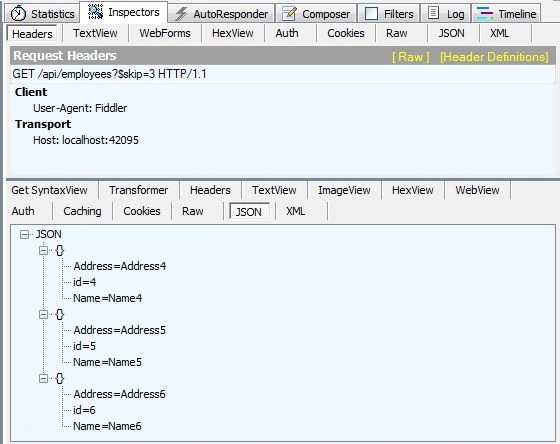
- $skip=n: Here n=1,2,3,4..... it skips the first n entities from the entity and returns the rest of the entities.
- $select: It returns only the specified properties of the entity.
- $filter: It returns only that entities that are matched with the expressions.
- $orderedby: It returns the result in descending or ascending order. That is the Value of the properties.
- $format: It defines that the returning data in which format such as XML or JSON.
Use the following procedure to create the Web API application.
Step 1
Create the application using the following:
- Start Visual Studio 2013.
- From the Start Window select "New Project".
- Select "Installed" -> "Template" -> "Visual C#" -> "Web" -> "Visual Studio 2012" and then select "ASP.NET MVC4 Web Application".
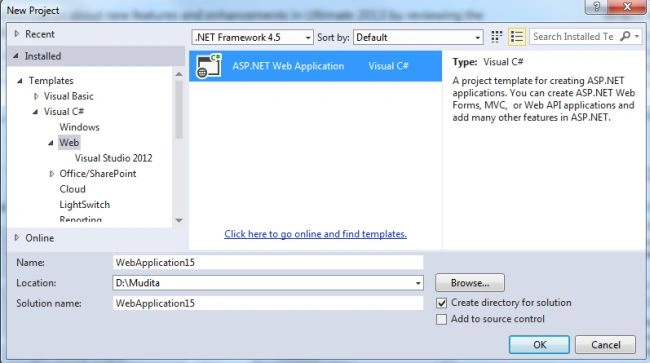
- Click on the "OK" button.
- From the MVC4 project window select "Web API".
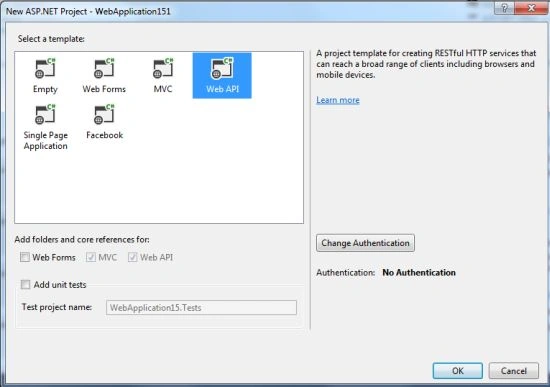
- Click on the "OK" button.
Step 2
Now add the Model Class:
- In the Solution Explorer.
- Right-click on the Model folder.
- Select "Add" -> "Class".
- Select "Installed" -> "Visual C#" and select "Class".
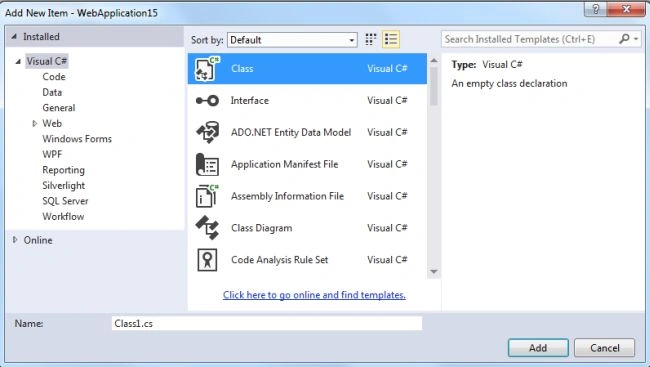
- Click on the "Add" button.
Add the following simple lines of code:
- using System;
- using System.Collections.Generic;
- using System.Linq;
- using System.Web;
- namespace WebApplication15.Models
- {
- public class Employee
- {
- public int id { get; set; }
- public string Name { get; set; }
- public string Address { get; set; }
- }
- }
Step 3
Now add an API Controller to the project as in the following:
- In the "Solution Explorer".
- Right-click on the "Controller folder".
- Select "Add" -> "Controller".
- Select "API Controller" from the template.
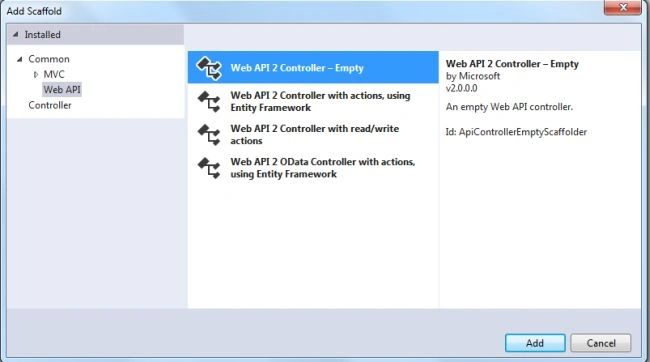
- Change name of the controller.

- Click on the "Add" button.
Add the following code:
- using System;
- using System.Collections.Generic;
- using System.Linq;
- using System.Net;
- using System.Net.Http;
- using System.Web.Http;
- using WebApplication15.Models;
- namespace WebApplication15.Controllers
- {
- public class EmployeesController : ApiController
- {
- public IQueryable<Employee> GetEmployee()
- {
- List<Employee> list = new List<Employee>();
- list.Add(new Employee { id = 1, Name = "Name1", Address = "Address1" });
- list.Add(new Employee { id = 2, Name = "Name2", Address = "Address2" });
- list.Add(new Employee { id = 3, Name = "Name3", Address = "Address3" });
- list.Add(new Employee { id = 4, Name = "Name4", Address = "Address4" });
- list.Add(new Employee { id = 5, Name = "Name5", Address = "Address5" });
- list.Add(new Employee { id = 6, Name = "Name6", Address = "Address6" });
- return list.AsQueryable();
- }
- }
- }
Step 4
Now install the Web API2 OData 5.0.0 package using the following:
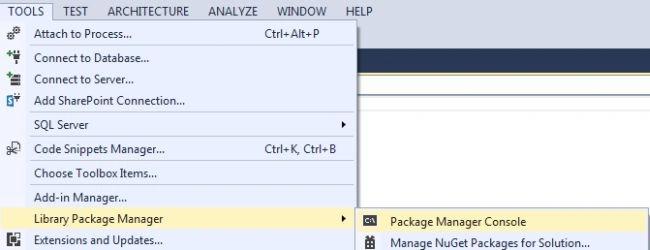
- Go to the Tools menu.
- Select "Library Package Manager" -> "Package Manager Console".
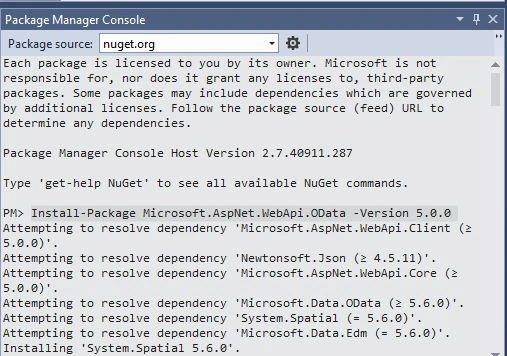
- In the Console window type this command: "Install-Package Microsoft.AspNet.WebApi.OData -Version 5.0.0 "
Now we add the [Queryable] attribute to the EmployeesController as in the following:
- [Queryable]
- public IQueryable<Employee> GetEmployee()
Step 5
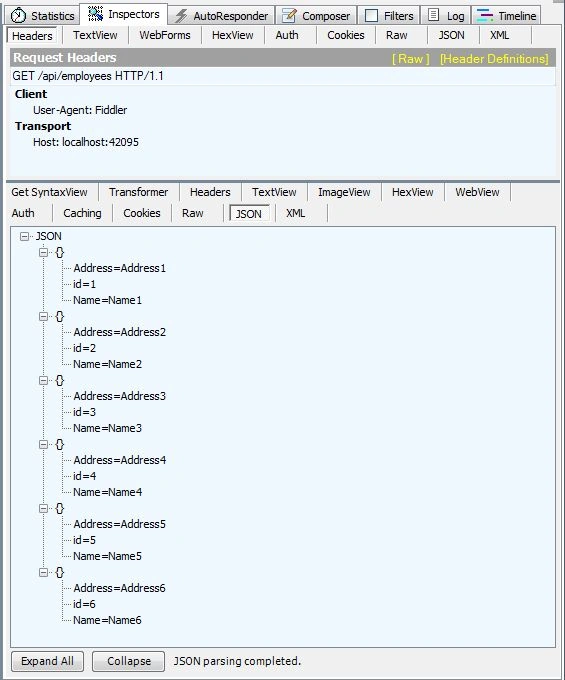
Now execute the application and copy the URL. Now open the foddle2 tool, paste the copied URL into fiddle and navigate to the existing URL: "http://localhost:42095/api/employees".
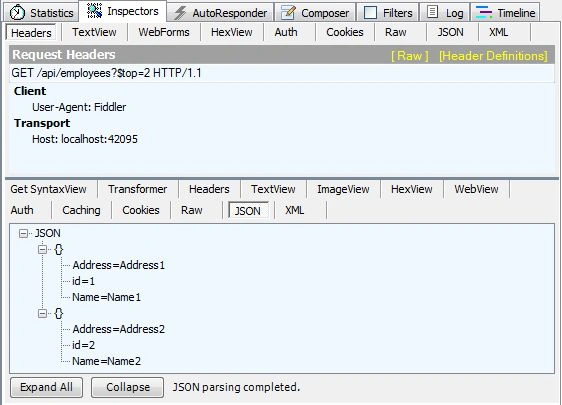
Select Top 2 record "http://localhost:42095/api/employees?$top=2".
Skip the starting 2 record "http://localhost:42095/api/employees?$skip=3".
Join the conversation! Your thoughts help the community grow.