

First of all, I would like to remind you something.
XNA and Silverlight are very different technologies. You cant use them together in a single environment. But you can integrate them(Send data between two technologies)
In this article I am going to show you how you can host Silverlight in your game.
First of all lets create our Silverlight Project:

Then choose Silverlight version, dont host it as a web application.

Now as we have created our application we will now open this application on Blend 4 and add some animations:
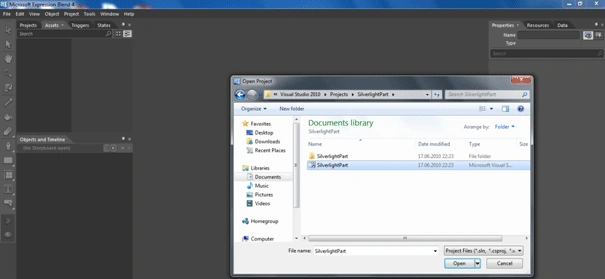
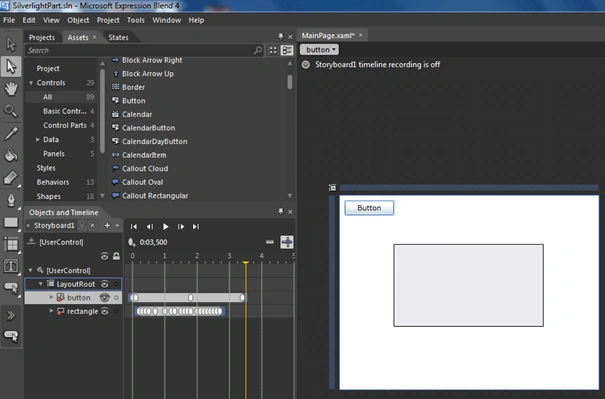
We have added a rectangle ,button and a storyboard named "StoryBoard1". In timeline we have changed their states; rectangle changed its color and button changed its angle.
Now we will edit this project inside Visual Studio 2010. And add some codes.
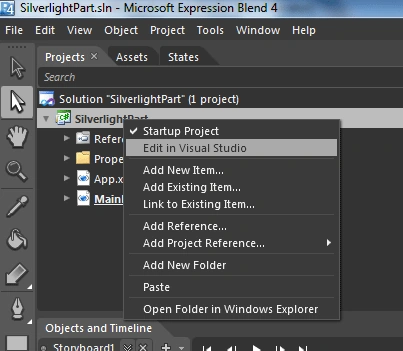
Right Click you project and select "Edit in Visual Studio" it will open it Visual Studio.
Note: You need to install "Silverlight 4 Tools" for integrating Blend 4 & VS 2010
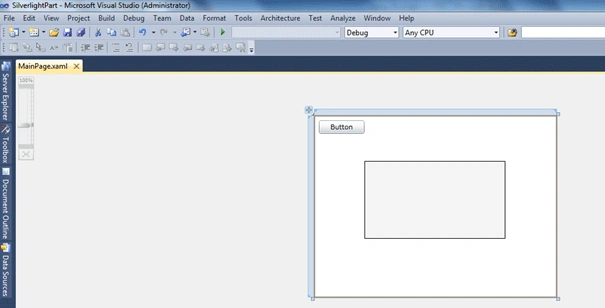
We have opened our project. Now Double Click Button and write this codes.
private void button_Click(object
sender, RoutedEventArgs e)
{
Storyboard1.Begin();
}
Save and run the project. When you click the button it will play the animation you have done in Blend 4.
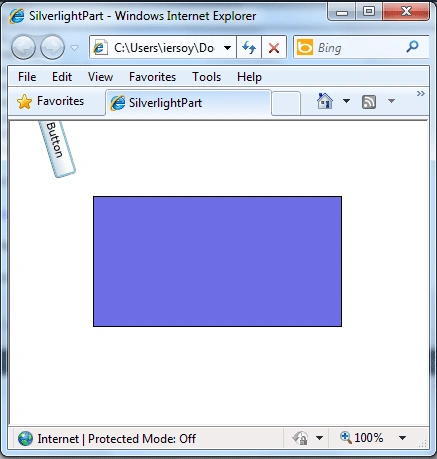
Ok. Now we have done the SilverlightPart. Lets create a new XNA 4.0 Project and try to add this silverlight inside XNA Game Window.

Allright what we are going to do now is to copy Silverlight Project's debugged items in XNA Projects Debug Folder.

Selected 2 files are enough to show the Silverlight Animation inside XNA.
Just copy them to the XNAPart->bin->x86->Debug

Allright we have copied them.
Now lets some code in XNA to show this Animation.
Add reference to "System.Windows.Forms: and add it on references region:
using System.Windows.Forms;
Note: If you cant find "System.Windows.Forms" then change your framework from .NET Framework 4 Client Profile to .NET Framework 4.0

Then add reference to System.Windows.Forms and add it on namespace regions.
Then create a new WebBrowser object:
WebBrowser browser = new WebBrowser();
This object will help us view animation inside Xna Windows.


Mike GoldPosted Jun 18, 2010, 11:25 AM
Thanks Ibrahim, That's an awesome feature. Now if only we could program XNA inside a Silverlight Window :-)