

Introduction
Documentation plays a very important role to understand how the application works. In terms of Web API, a mobile developer or frontend developer needs to understand how the endpoint works and what are the dependencies to use any endpoint in a correct way. Generally, Web API documentation is a more technical explanation. There are many ways to create documentation of Web API. XML comments is one of them. This article demonstrates how to use XML comments as documentation and integrate it with Swagger.
Pre-requisites
All the demonstration and code example used in this article is based on Visual Studio 2022 and .NET 7.0. So, I assume you are familiar with using Microsoft Visual Studio along with C#.
XML Comments
XML comments are used to add human readable descriptions in the source code. It makes it easy to understand what the code is dealing with. C# offers three different comments, single-line, multiline, and documentation comments.
Single Line Comments
Single line comments start with a double slash (//). The compiler ignores everything on the line that starts with //. This can be used to add some description or to ignore some lines of code from the compiler.
private void SomeMethod() {
    //This is single line comment
    //This is another line of single line comment
    //var message = "This is testing message";
    var moreMessage = "This is more message";
    var data = Enumerable.Range(1, 5).Select(index => new WeatherForecast {
        Date = DateOnly.FromDateTime(DateTime.Now.AddDays(index)),
            TemperatureC = Random.Shared.Next(-20, 55),
            Summary = Summaries[Random.Shared.Next(Summaries.Length)]
    }).ToArray();
}
Multi-Line Comment
Multi-line comments starts with /* and ends with */. Multi-line comments can span over multiple lines or can be a single line as well starting with /* and ends with */. All the content that is inside /* and */ will ignore by compiler. This is also used to add some description or to ignore some lines of code from compiler.
private void SomeMethod() {
    /*This is multi line comment in one line*/
    /*This is multi line comment in multiple line
     This is another line of comment
    var message = "This is testing message";

    var moreMessage = "This is more message";*/
    var data = Enumerable.Range(1, 5).Select(index => new WeatherForecast {
        Date = DateOnly.FromDateTime(DateTime.Now.AddDays(index)),
            TemperatureC = Random.Shared.Next(-20, 55),
            Summary = Summaries[Random.Shared.Next(Summaries.Length)]
    }).ToArray();
}
Documentation Comment
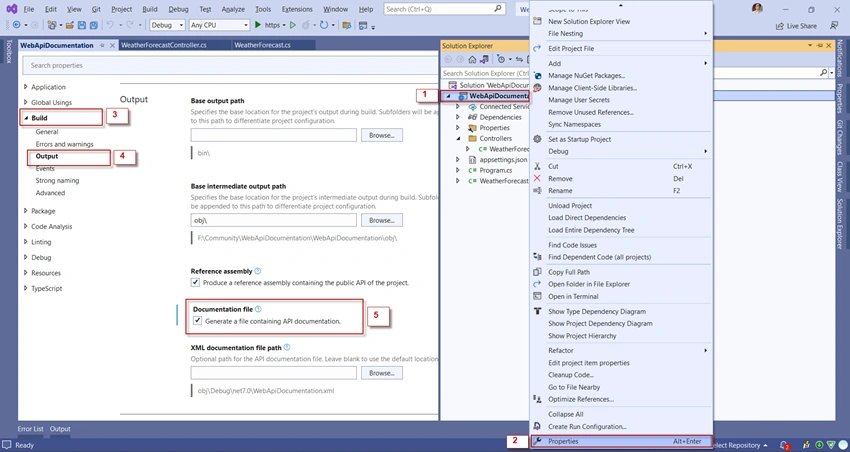
Documentation comment starts with triple slashes (///). Documentation comments use XML elements to define the structure of output. You can add them above a class, methods, operators, indexers, constructors, and properties. C# compiler collects documentation comments from the entire application, verifies, and outputs into an XML file.
/// <summary>
/// Post weather forecast
/// </summary>
/// <param name="forecast">WeatherForeCast object</param>
/// <returns>Returns string response</returns>
[HttpPost]
public IActionResult Post(WeatherForecast forecast)
{
    //Post business logic here
    return Ok();
}
Swagger
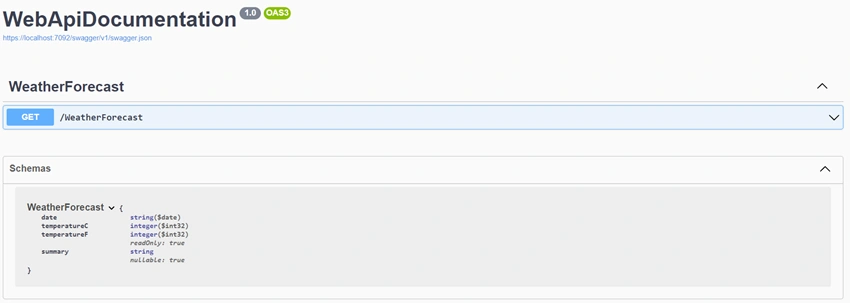
Swagger (OpenAPI) is an open-source tool for creating interactive API documentation. It interacts with REST API using the Swagger UI. In Swagger UI you can see the explanation from documentation, and it also gives you an overview of what are the parameters needed and how the API responds. Responses can be in JSON or XML format. Basically, you can use Swagger UI for API testing tool as well.
Project Setup
In this article, I am using default ASP.NET Core Web API project and its default controller and model to explain. To use Swagger in your project, you have to check Enable OpenAPI support while creating a Web API project.
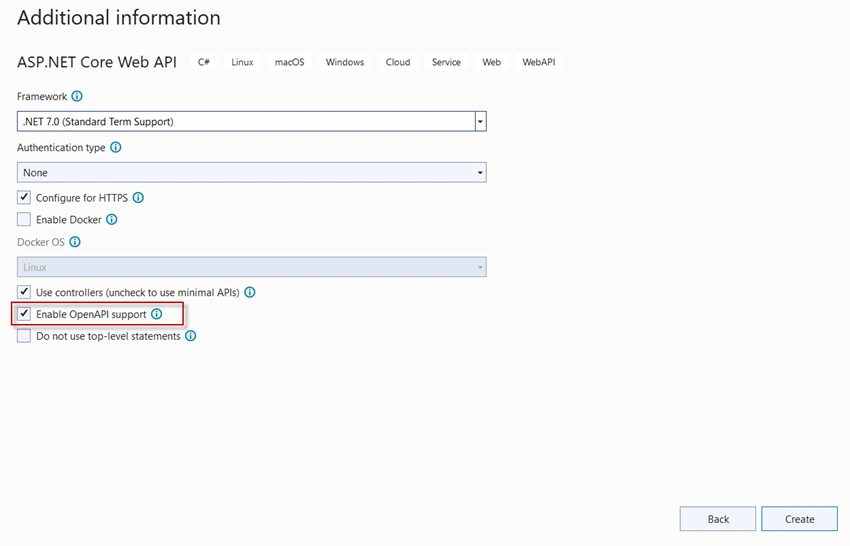
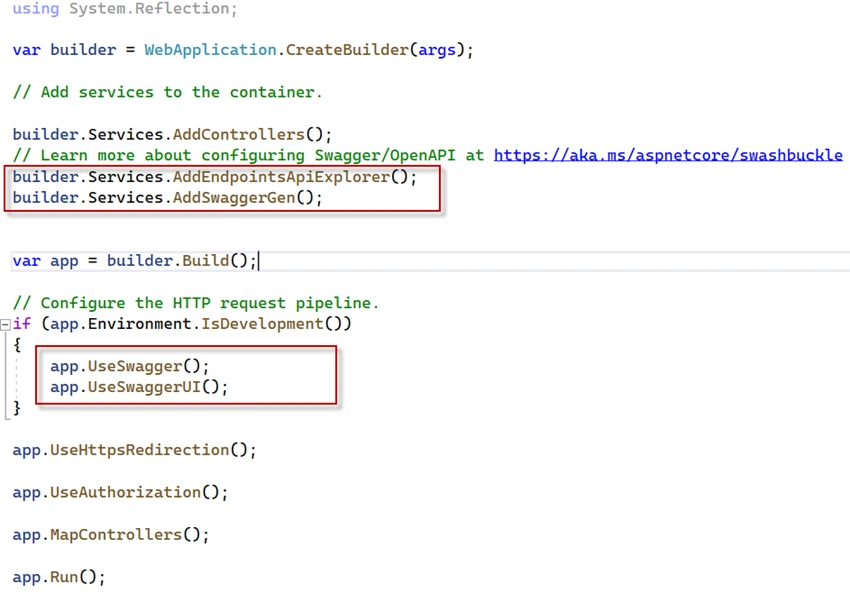
You can install Swagger manually also. To install manually, you can do it from NuGet Package Manager or using NuGet command in Package Console Manager. You can use below command.
Join the conversation! Your thoughts help the community grow.