

With Microsoft releasing Dynamics 365 update 9.0, now, we have a new library to implement WebAPI methods using Xrm.WebApi. Instead of writing the complete request, now we can just use direct the CRUD methods from the Web API.
If you are looking for how to write Web API for Dynamics CRM 2016, check out the sample index here.
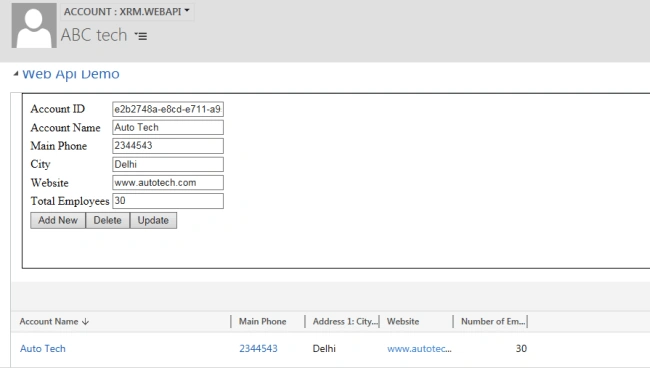
Xrm.WebApi has two properties to use for the Online and the Offline client respectively. In this article, we are going to implement a sample HTML web resource using Xrm.WebApi for the online client.
Now, to create an entity record, we can simply call Xrm.WebApi Create method using the following parameters.
- function createAccount() {
- // collect account data
- var data = {
- "name": document.getElementById("txtname").value,
- "address1_city": document.getElementById("txtcity").value,
- "telephone1": document.getElementById("txtphone").value,
- "numberofemployees": document.getElementById("txttotalemployees").value,
- "websiteurl": document.getElementById("txtwebsite").value
- }
- // create account record
- parent.Xrm.WebApi.createRecord("account", data).then(
- function success(result) {
- document.getElementById("txtaccountid").value = result.id;
- alert("Account Created !!");
- },
- function(error) {
- alert(error.message);
- }
- );
- }
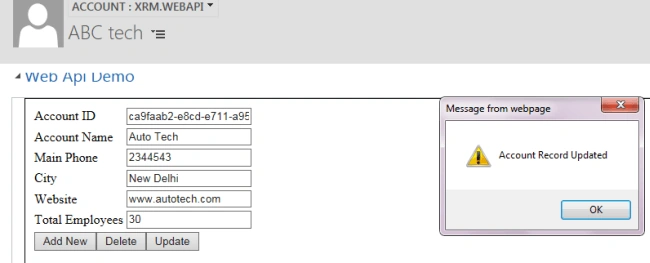
To update the entity record, we can use the following method and pass the updated data.
Ravee SinghPosted Jun 7, 2018, 8:49 PM
Great work very helpful for new guys like me can you please suggest something to complete business process flow as i upload data in crm online 8.2 ver
Ravee SinghPosted Jun 7, 2018, 8:46 PM
Hi mahender,