

Introduction
This is developed using the NAPA development tool. You can just pass the Document URL in the Text box. When the Validate button is clicked the Result will be displayed in an alert message.
Step 1
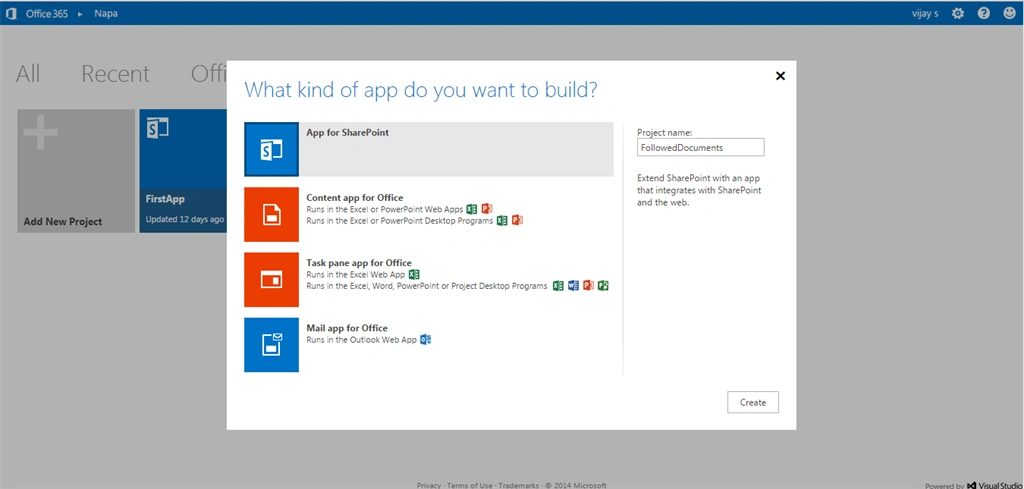
On your Developer Site, open the "Napa" Office 365 Development Tools and then choose Add New Project.
- Choose the App for SharePoint template, name the project and then click the Create button
- Replace Default.aspx with the following code
- Replace APP.js with the following source code.
- Publish Your App.
Step 2
Change the Permissions.
Tenant = Write
User Profiles = Read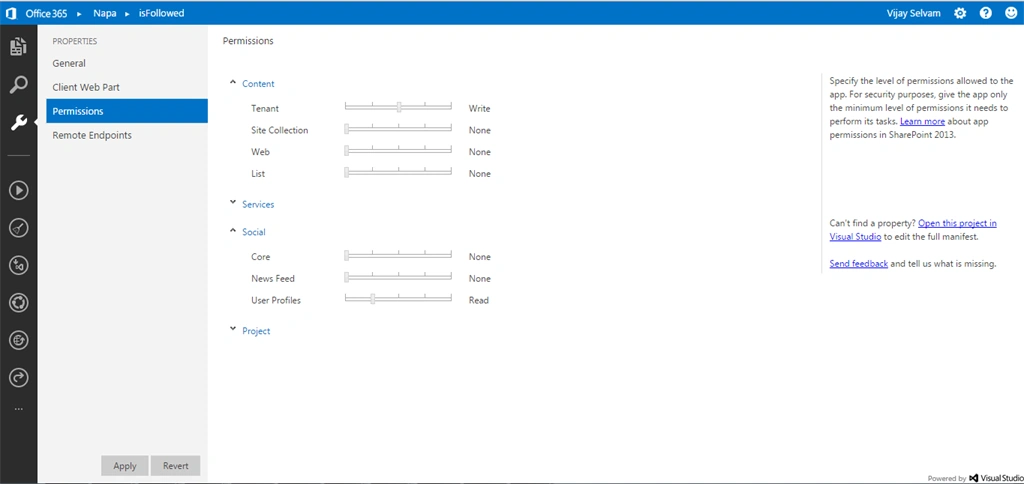
Step 3
Update Default.aspx and App.js files.
Default ASPX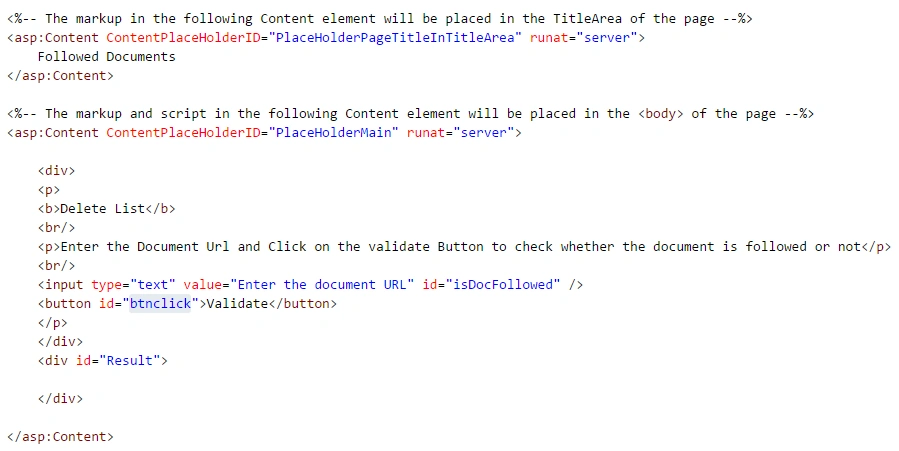
App.js
- 'use strict';
- var hostweburl;
- var appweburl;
- var followedDocumentURI;
- var documentUrl;
- // Get the SPAppWebUrl parameter from the query string and build
- // the Following manager endpoint.
- $(document).ready(function() {
- hostweburl = decodeURIComponent(getQueryStringParameter("SPHostUrl"));
- appweburl = decodeURIComponent(getQueryStringParameter("SPAppWebUrl"));
- followedDocumentURI = decodeURIComponent(appweburl) + "/_api/social.following";
- $("#btnclick").click(function(event) {
- documentUrl = document.getElementById("isDocFollowed").value;
- isFollowed();
- event.preventDefault();
- });
- $.getScript(hostweburl + "/_layouts/15/SP.RequestExecutor.js");
- });
- function isFollowed() {
- $.ajax({
- url: followedDocumentURI + "/isfollowed",
- type: "POST",
- data: JSON.stringify({
- "actor": {
- "__metadata": {
- "type": "SP.Social.SocialActorInfo"
- },
- "ActorType": 1,
- "ContentUri": documentUrl,
- "Id": null
- }
- }),
- headers: {
- "accept": "application/json;odata=verbose",
- "content-type": "application/json;odata=verbose",
- "X-RequestDigest": $("#__REQUESTDIGEST").val()
- },
- success: isFollowedSuccessHandler,
- error: isFollowedErrorHandler
- });
- }
- function isFollowedSuccessHandler(data) {
- var stringData = JSON.stringify(data);
- var jsonObject = JSON.parse(stringData);
- if (jsonObject.d.IsFollowed === true) {
- alert('The user is currently following the document.');
- } else {
- alert('The user is currently NOT following the document.');
- }
- }
- function isFollowedErrorHandler(data, errorCode, errorMessage) {
- alert(errorMessage);
- }
- function getQueryStringParameter(paramToRetrieve) {
- var params = document.URL.split("?")[1].split("&");
- for (var i = 0; i < params.length; i = i + 1) {
- var singleParam = params[i].split("=");
- if (singleParam[0] == paramToRetrieve) return singleParam[1];
- }
- }
Step 4
Publish the solution and click the Trust It Button.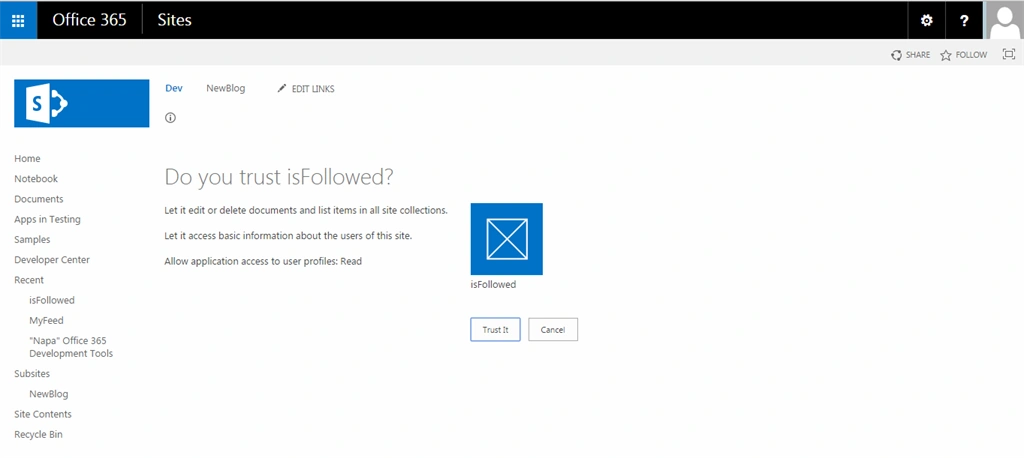
Step 5
Enter the Document Library URL and click on the Validate Button.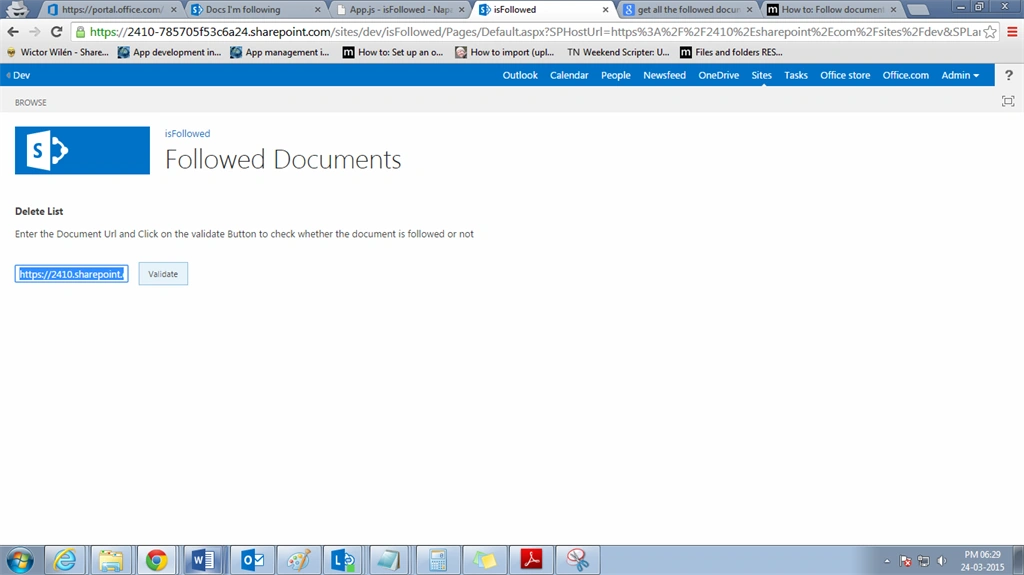
Output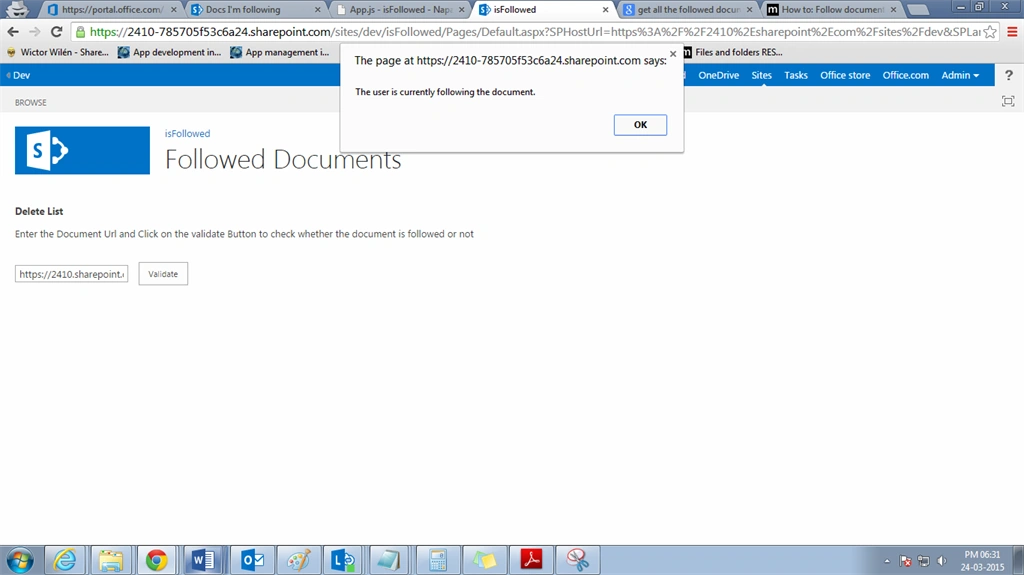
Gowtham RajamanickamPosted Apr 12, 2016, 1:20 AM
Good One, Thanks for sharing
Karthik Muthu KaruppanPosted Mar 26, 2015, 10:43 AM
good one
Vijay SPosted Mar 26, 2015, 3:37 AM
Thank You Gowtham Rajamanickam
Gowtham RajamanickamPosted Mar 25, 2015, 11:25 PM
good one,, well explained vijay keep up your good work..