
Sometimes the client needs to upload files to the server or into a database, like photos or Word documents, PDF and so on. You can check the extension but some attackers can change the file extension and upload the file to the server.
Let's see use a scenario, where you only want to upload a PDF file but the attacker can change the extension of a text file and upload it.
Open Notepad and type some text into it.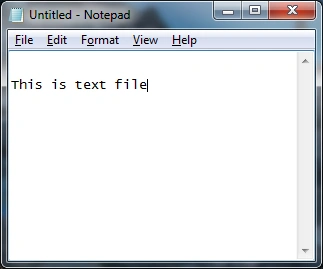
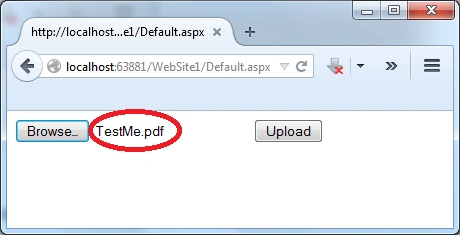
Save the file named "TestMe.pdf" and choose "Save as type" to "All files".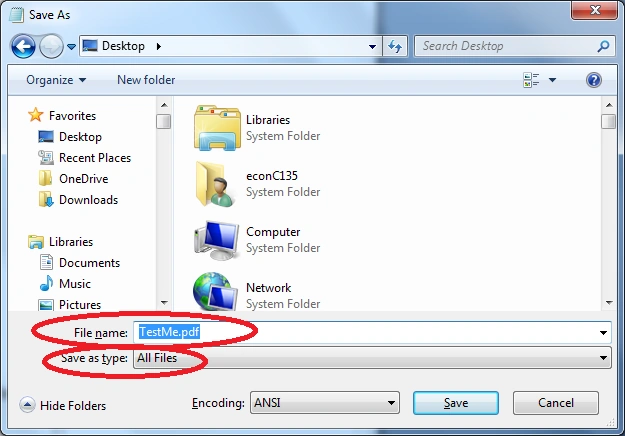
It will save the file in PDF format.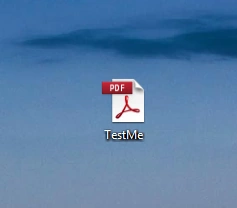
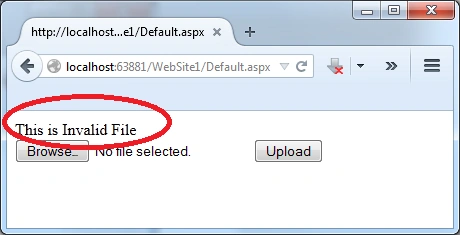
And if you open the file it will not open, but it will save as a PDF on the server or in the database. To prevent this kind of problem, you need to validate the MIME type of the file. Some common MIME Types are:
Click here for more MIME Types
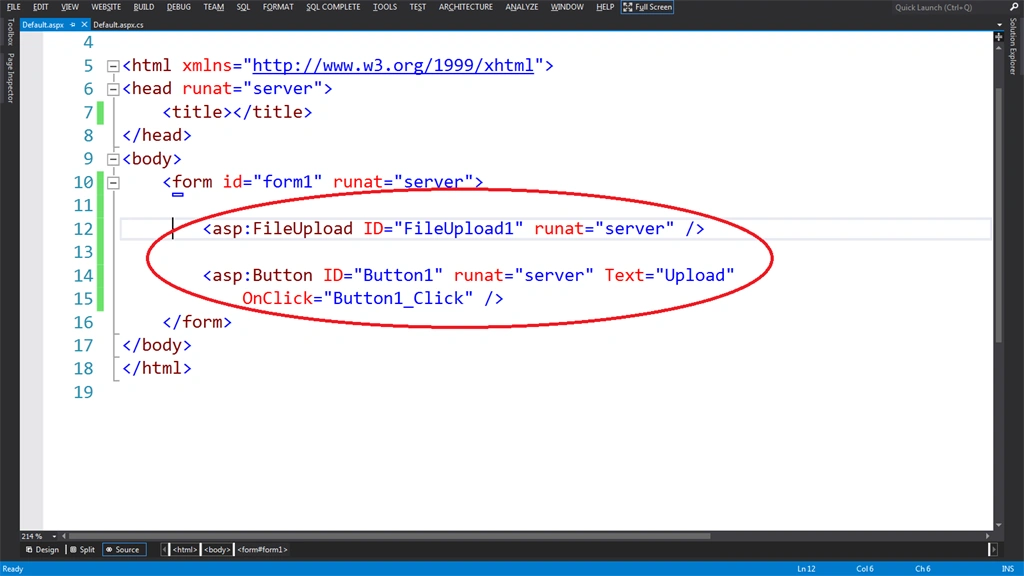
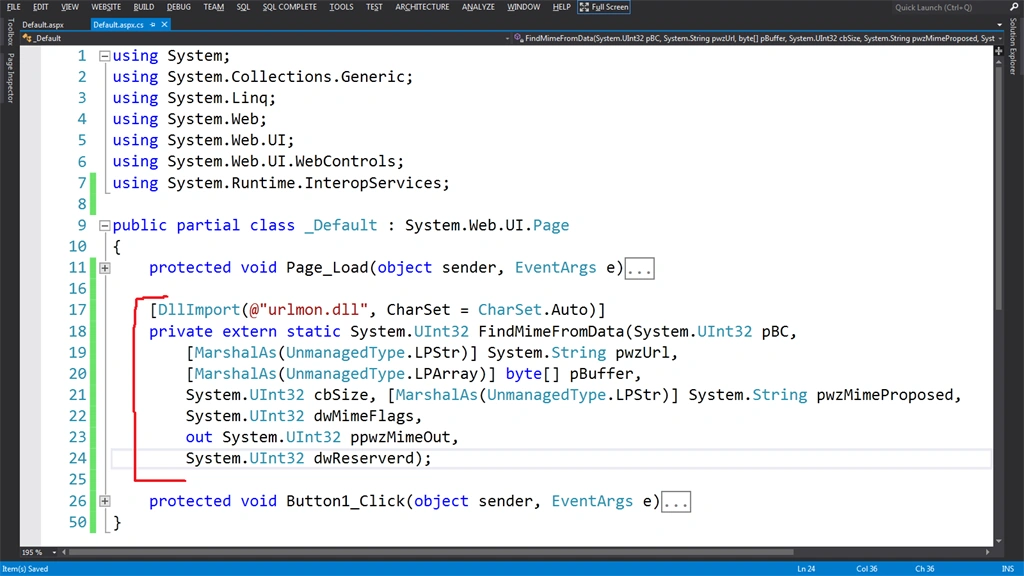
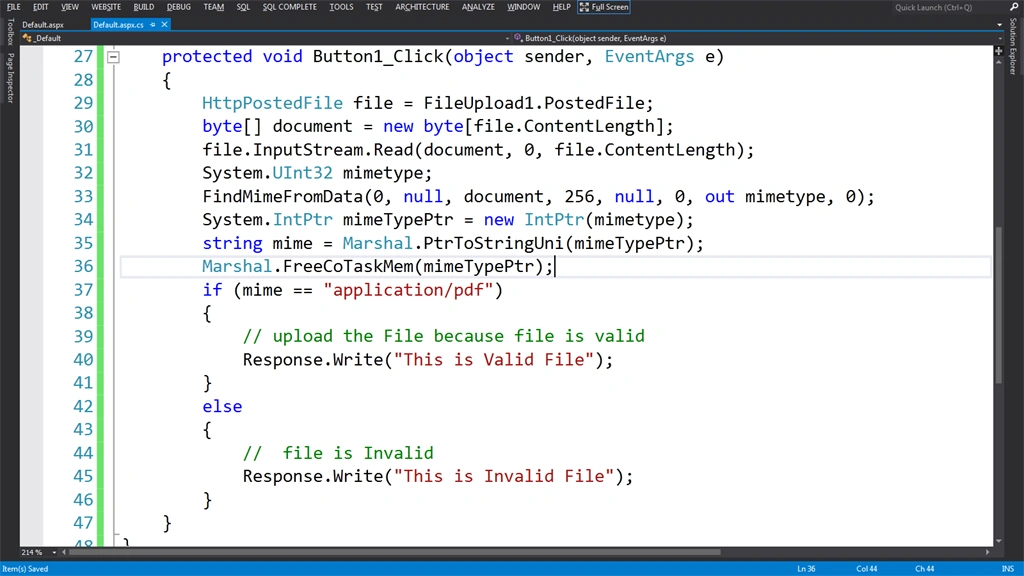
To learn more about that see the following.
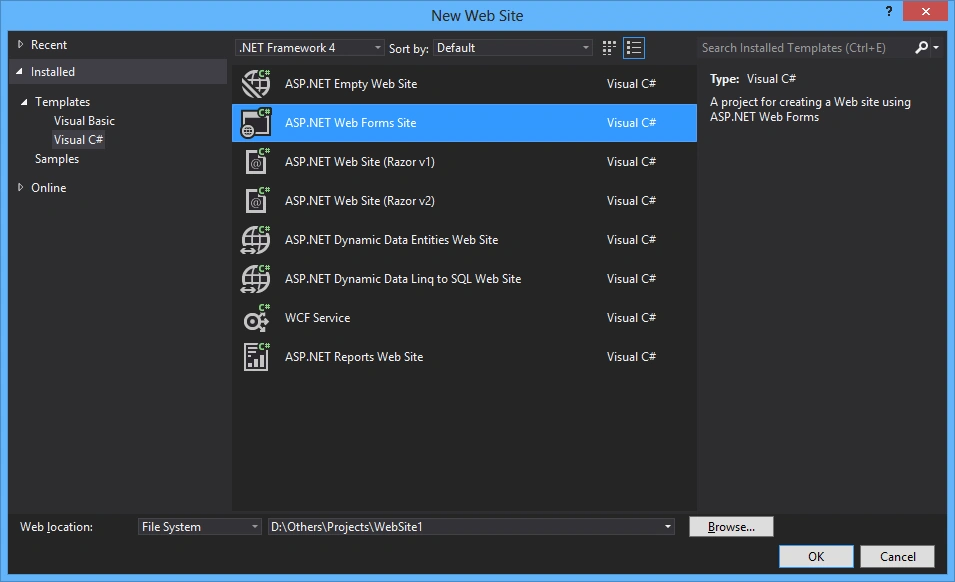
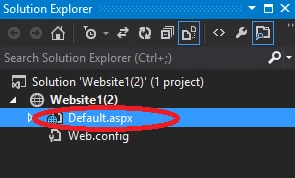
Add a new "Website" named "Website1".

Validating MIME of a File Before Uploading in ASP.Net
Join the conversation! Your thoughts help the community grow.
Sign in to leave a comment
It is the same account you read, post and publish with — and you will come straight back to this page.
Pariwesh kumarPosted Jun 24, 2021, 10:00 AM
Trying for xlsx but didn't work what should be MIME Type i tried all for excel but didn't work.
Tal WinterPosted Dec 23, 2020, 10:16 AM
By the way, if you edit the file with notepad and add %PDF, it thinks that it's a pdf
RaviPosted Sep 4, 2020, 3:24 AM
Sir, i have used this code but auditor says that it checks only mime type not metadata. Please provide any solution that checks both mime type and content type for pdf.
RaviPosted Jul 6, 2020, 3:41 AM
Sir, when i use this code in local it works fine. But, when i deploy the same code in IIS it gives error "This site can't be reached". Please help for the same.
RaviPosted May 29, 2020, 1:52 AM
Error was in function solved. Thank you so much for this article. I just want to know one more thing whether it check mime from header only or through metadata.
RaviPosted May 29, 2020, 1:44 AM
Sir, It's getting error after i converted it into vb through converter.telerik.com. Please provide the same code for vb.net Please.
RaviPosted May 29, 2020, 1:43 AM
Sir, It's getting error after i converted it into vb through converter.telerik.com.
Ankit ShuklaPosted Mar 23, 2020, 6:59 AM
Hello Sir, I am facing a problem. When i am using MIME Validation, IIS stops when I am uploading image and get HTTP 503 error.
MyoZaw LattPosted Oct 17, 2018, 11:22 PM
Thank you Rahul Bansal, it's really helpful
Tom MohanPosted Mar 31, 2015, 9:14 AM
nice
Parag KulthePosted Mar 31, 2015, 12:57 AM
Nice Article ....
Gaurav GuptaPosted Mar 31, 2015, 12:15 AM
This technique is not suitable for all the file types such as : Doc, Audio, or video files....
Gowtham RajamanickamPosted Mar 30, 2015, 10:09 PM
nice one..