

Introduction
This article tries to explain some methods for a browser object model used in JavaScript by showing simple examples.
Browser object model
Methods used in JavaScript
- <html>
- <head>
- <title>Id Element</title>
- </head>
- <body>
- <script type="text/javascript">
- function getarea() {
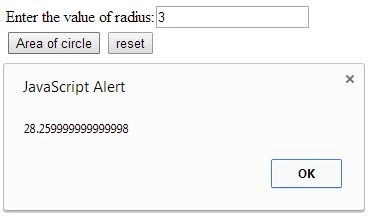
- var radius = document.getElementById("radius").value;
- alert(3.14 * radius * radius);
- }
- </script>
- <form>
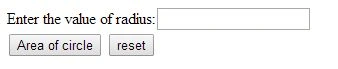
- Enter the value of radius:<input type="text" id="radius" name="radius" /><br>
- <input type="button" value="Area of circle" onclick="getarea()" />
- <input type="reset" name="reset" value="reset" />
- </form>
- </body>
- </html>
Output
- <html>
- <head>
- <title>Name Element</title>
- </head>
- <body>
- <script type="text/javascript">
- function countElements() {
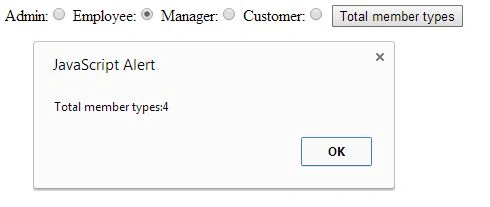
- var count = document.getElementsByName("member");
- alert("Total member types:" + count.length);
- }
- </script>
- <form>
- Admin:<input type="radio" name="member" value="admin">
- Employee:<input type="radio" name="member" value="employee">
- Manager:<input type="radio" name="member" value="manager">
- Customer:<input type="radio" name="member" value="customer">
- <input type="button" value="Total member types" onclick="countElements()">
- </form>
- </body>
- </html>
Output

- <html>
- <head>
- <title>TagName Element</title>
- </head>
- <body>
- <p>
- Hello JavaScript!</p>
- <div id="main">
- <p>
- The method is very useful.</p>
- <p>
- This example demonstrates the <b>getElementsByTagName</b> method</p>
- </div>
- <p id="demo">
- </p>
- <script>
- var x = document.getElementById("main");
- var y = x.getElementsByTagName("p");
- document.getElementById("demo").innerHTML =
- 'The first paragraph inside "main" is ' + y[0].innerHTML;
- </script>
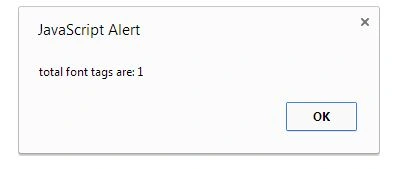
- <script type="text/javascript">
- function countfont() {
- var totalfont = document.getElementsByTagName("font");
- alert("total font tags are: " + totalfont.length);
- }
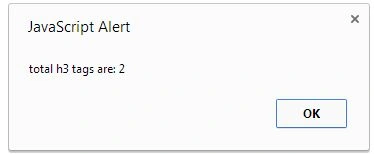
- function counth3() {
- var totalh3 = document.getElementsByTagName("h3");
- alert("total h3 tags are: " + totalh3.length);
- }
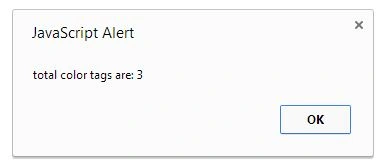
- function countcolor() {
- var totalcolor = document.getElementsByTagName("color");
- alert("total color tags are: " + totalcolor.length);
- }
- </script>
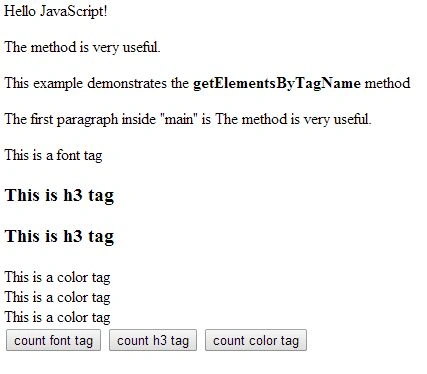
- <font>This is a font tag</font>
- <h3>
- This is h3 tag</h3>
- <h3>
- This is h3 tag</h3>
- <color>This is a color tag</color>
- <br>
- <color>This is a color tag</color>
- <br>
- <color>This is a color tag</color>
- <br>
- <button onclick="countfont()">
- count font tag</button>
- <button onclick="counth3()">
- count h3 tag</button>
- <button onclick="countcolor()">
- count color tag</button>
- </body>
- </html>
Output
Prerana TiwariPosted May 22, 2014, 10:53 PM
good....